
https://nattaylor.com/labs/sugarbush/sugarbush_weather.php
 ][1] Young oysters growing on a clam shell.[/caption] This spring my family volunteered our dock to become an oyster gardening site, as part of a Roger Williams University program aiming to rehabilitate the Rhode Island oyster population. I just had the pleasure of spending a week there, and spent some time observing and learning about oysters. With luck, our "efforts" will grow between 3,000 and 5,000 oysters that can be relocated to 1 of 10 dedicated sanctuary sites across the state. The statewide effort should add over a million oysters to natural population this year alone. Learn more at the [RWU Oyster Gardening][2] page, or see more of our photos and video at the [oyster gallery][3]. I'm by no means an expert, but here is what I've learned.
## Why do this? A bit of history. About 20 years ago, oysters were abundant throughout coastal Rhode Island, playing a crucial role in the ecosystem. However around that time, a combination of disease and over fishing all but wiped out the oyster population. Besides the obvious implications for commercial fisherman (who resorted mostly to oyster farming,) the decline reduced habitat for other animals and reduced water filtering.
## Benefits Oysters provide a variety of services to the ecosystem including:
* **Improved Water Quality** A fully grown oyster filters up to 50 gallons of water per day, removing particulate as it seeks food and fuel to grow. In addition to the particulate it removes directly, oysters also remove nitrogen and other nutrients (that can case deoxification) as they convert phytoplankton into tissue. What's more, they can further reduce nitrogen levels via chemical reactions that take place underneath the oyster bed.
* **Habitat for Other Animals** Other animals come to rely on the protection from predators, created by the nooks and crannies between layers of oysters on the bed.
* **Marine Economy** Abudant oysters mean more opportunites to enjoy they recreationally and commercially.
## The OGRE Program The OGRE program is genius, as they've basically found a successful formula and then crowd sourced the grunt work. It works something like this, though the OGRE page has a better explanation.
1. Disease resistant oysters are grown in an RWU nursery
2. The larval oysters are allowed to set on previously harvested clam shells
3. The seeded clam shells are packed into mesh bags, then laid into a floating cage
4. The floating cages are distributed to the [100+ volunteer sites][4]
5. After a few months, when the oysters are about 1" across, the cages are collected
6. The seeded oysters are released into any of the 10 statewide sanctuaries This method has been preliminarily shown to work, as it is:
* Scalable - the labor is distributed
* Provides safety - the young oysters are raised in the nursery, safe from predators
* Provides ample food - the young oysters live in the nutrient rich, top 12" of the water column
## Turning the Oysters We took some time to examine the growing oysters while we flipped them.
[1]: https://nattaylor.com/blog/wp-content/uploads/2013/08/20130818_091541.jpg
[2]: https://web.archive.org/web/20130810223717/http://ceed.rwu.edu/ogre.html "RWU oyster gardening"
[3]: https://plus.google.com/photos/116392124918198716592/albums/5913631809347852273?authkey=CJSUstesieLulQE "Oyster Gallery"
[4]: https://web.archive.org/web/20130826104653/https://ceed.rwu.edu/images/ogre_map.jpg
# Labs
Labs is where I prototype and Projects is where I catalog Labs and Projects that are intended to be public.
## Open Source Projects Code that has graduated from
_prototypes_ into full blown _projects_.
* [analyzeboston][1] Web SQL Client for Analyze Boston
* [weather][2] Display weather from the National Weather Service
* [php-teaser][3] Summarize text or articles into a few bullet points.
## Labs Labs can be anything, but the lab is the intended home for prototypes and proof-of-concepts. [labs]
## Hacks, Scripts & One-offs Little stuff documented via blog posts. [ic\_add\_posts category='labs']
[1]: https://github.com/nattaylor/analyzeboston
[2]: https://github.com/nattaylor/weather
[3]: https://github.com/nattaylor/php-teaser
# Welcome
Hi, my name is Nat Taylor. Welcome to my website which I hope leads you down a rabbit hole of interesting stuff! You'll find:
][1] Young oysters growing on a clam shell.[/caption] This spring my family volunteered our dock to become an oyster gardening site, as part of a Roger Williams University program aiming to rehabilitate the Rhode Island oyster population. I just had the pleasure of spending a week there, and spent some time observing and learning about oysters. With luck, our "efforts" will grow between 3,000 and 5,000 oysters that can be relocated to 1 of 10 dedicated sanctuary sites across the state. The statewide effort should add over a million oysters to natural population this year alone. Learn more at the [RWU Oyster Gardening][2] page, or see more of our photos and video at the [oyster gallery][3]. I'm by no means an expert, but here is what I've learned.
## Why do this? A bit of history. About 20 years ago, oysters were abundant throughout coastal Rhode Island, playing a crucial role in the ecosystem. However around that time, a combination of disease and over fishing all but wiped out the oyster population. Besides the obvious implications for commercial fisherman (who resorted mostly to oyster farming,) the decline reduced habitat for other animals and reduced water filtering.
## Benefits Oysters provide a variety of services to the ecosystem including:
* **Improved Water Quality** A fully grown oyster filters up to 50 gallons of water per day, removing particulate as it seeks food and fuel to grow. In addition to the particulate it removes directly, oysters also remove nitrogen and other nutrients (that can case deoxification) as they convert phytoplankton into tissue. What's more, they can further reduce nitrogen levels via chemical reactions that take place underneath the oyster bed.
* **Habitat for Other Animals** Other animals come to rely on the protection from predators, created by the nooks and crannies between layers of oysters on the bed.
* **Marine Economy** Abudant oysters mean more opportunites to enjoy they recreationally and commercially.
## The OGRE Program The OGRE program is genius, as they've basically found a successful formula and then crowd sourced the grunt work. It works something like this, though the OGRE page has a better explanation.
1. Disease resistant oysters are grown in an RWU nursery
2. The larval oysters are allowed to set on previously harvested clam shells
3. The seeded clam shells are packed into mesh bags, then laid into a floating cage
4. The floating cages are distributed to the [100+ volunteer sites][4]
5. After a few months, when the oysters are about 1" across, the cages are collected
6. The seeded oysters are released into any of the 10 statewide sanctuaries This method has been preliminarily shown to work, as it is:
* Scalable - the labor is distributed
* Provides safety - the young oysters are raised in the nursery, safe from predators
* Provides ample food - the young oysters live in the nutrient rich, top 12" of the water column
## Turning the Oysters We took some time to examine the growing oysters while we flipped them.
[1]: https://nattaylor.com/blog/wp-content/uploads/2013/08/20130818_091541.jpg
[2]: https://web.archive.org/web/20130810223717/http://ceed.rwu.edu/ogre.html "RWU oyster gardening"
[3]: https://plus.google.com/photos/116392124918198716592/albums/5913631809347852273?authkey=CJSUstesieLulQE "Oyster Gallery"
[4]: https://web.archive.org/web/20130826104653/https://ceed.rwu.edu/images/ogre_map.jpg
# Labs
Labs is where I prototype and Projects is where I catalog Labs and Projects that are intended to be public.
## Open Source Projects Code that has graduated from
_prototypes_ into full blown _projects_.
* [analyzeboston][1] Web SQL Client for Analyze Boston
* [weather][2] Display weather from the National Weather Service
* [php-teaser][3] Summarize text or articles into a few bullet points.
## Labs Labs can be anything, but the lab is the intended home for prototypes and proof-of-concepts. [labs]
## Hacks, Scripts & One-offs Little stuff documented via blog posts. [ic\_add\_posts category='labs']
[1]: https://github.com/nattaylor/analyzeboston
[2]: https://github.com/nattaylor/weather
[3]: https://github.com/nattaylor/php-teaser
# Welcome
Hi, my name is Nat Taylor. Welcome to my website which I hope leads you down a rabbit hole of interesting stuff! You'll find:
Nat Taylor is a Greater Boston Area software product manager. He earned a degree in Physics with minors in Mathematics and Computer Science from Connecticut College in 2009.
Lauded by the East Boston Times as one who "[begins online links][1]" (?). he has a penchant for [web design][2].
He is an avid [sailor][3] and winner of the [2014 Rhodes 19 Class National Championship][4]. He is also a general technology enthusiast and web consultant. nattaylor.com is his personal website, that is related to, but separate from Nat Taylor Web Designs where he offers [web design][2] services. Some of his [projects][5] are open source on [Github][6].
He's married to a [Boston nutritionist][7] named Amanda, and had a cocker spaniel named [Sadie][8]. He's taken steps towards a [green home][9].
His extended family is on the web too. [His uncle Joe is on WikiPedia][10] because he won the Nobel Prize in Physics, and he has a cool [project for weak signal processing][11] too. My aunt and uncle's [Old Way's Traditions][12] site is fun too.
POSSE is an abbreviation for Publish (on your) Own Site, Syndicate Elsewhere, the practice of posting content on your own site first, then publishing copies or sharing links to third parties (like social media silos) with original post links to provide viewers a path to directly interacting with your content.
> For years I've thought about an eleemosynary project to help today's young people invest for retirement because, frankly, there's still hope for them, unlike for most of their Boomer parents. All they'll have to do is to put away 15% of their salaries into a low-cost target fund or a simple three-fund index allocation for 30 to 40 years. Which is pretty much the same as saying that if someone exercises and eats a lot less, he'll lose 30 pounds. Simple, but not easy. >
> >> Not easy because unless the millennials learn a small amount about finance, they'll fall victim to the Five Horsemen of Personal Finance Apocalypse: failure to save, ignorance of financial theory, unawareness of financial history, dysfunctional psychology, and the rapacity of the investment industry. >
> >> Since this is a booklet, suitable for reading on a Kindle, computer monitor, or mobile device, and will take only an hour or two to read, it's not a complete solution. It's a roadmap, a pointer in the right direction. The booklet is available for free in acrobat, mobi, and Kindle formats. >
### 3x5-inch Personal Finance Advice by [Harold Pollack][5] Next, see how many of these things you're doing and then evaluate why or why not. [caption id="attachment_301" align="alignright" width="300"][ ][6] simple free best personal finance advice that fits on a 3×5 card[/caption]
> Alex M commented on my last post: What \*is\* this simple free best personal finance advice that fits on a 3×5 card? It’s kind of a tease to say it’s so easy and then not go ahead and spell it out in twenty seconds. This is a pretty reasonable quick response, artistically rendered. (My daughter observes that I used a 4×6 card. It still would fit.)
## Research Tips
* Avoid .com blogs
* Do searches with \`inurl:(edu|org)\` (or similar) to find non-commercial material
## Links
* [bogleheads.org][3] The Bogleheads® emphasize starting early, living below one's means, regular saving, broad diversification, simplicity, and sticking to one's investment plan regardless of market conditions. This site is composed of two primary resources: our Wiki and our Forum.
* [Efficient Frontier][7] - William J. Bernstein's homepage with links to all of his books, [newsletters][8], [reading list][9] and more.
* [research-finance.com][10] - John P. Scordo's homepage with links to papers and publications, especially his "[Getting Started][11]" section
* [Altruist Financial Advisors][12] - An amazing collection of books and articles
* [Getting Going Series][13] - Columnist Jonathan Clements offers an archive of articles from his Getting Going Sunday series on finding the right funds, building a portfolio, managing retirement and investing in index funds.
* [Berkshire Hathaway Shareholder letters][14]
[1]: https://old.reddit.com/r/personalfinance/wiki/index
[2]: https://www.reddit.com/r/personalfinance/wiki/commontopics
[3]: https://www.bogleheads.org/
[4]: http://efficientfrontier.com/ef/0adhoc/2books.htm
[5]: https://web.archive.org/web/20171023045242/http://www.samefacts.com/2013/04/everything-else/advice-to-alex-m/
[6]: https://nattaylor.com/wp-content/uploads/2015/09/advice_to_alexM.jpg
[7]: http://www.efficientfrontier.com/
[8]: http://www.efficientfrontier.com/ef/index.shtml
[9]: http://www.efficientfrontier.com/reading.htm
[10]: https://www.research-finance.com/
[11]: https://www.research-finance.com/getting-started.html
[12]: https://www.altruistfa.com/readingroom.htm
[13]: https://online.wsj.com/public/resources/documents/getting_going_sunday_series.html
[14]: https://www.berkshirehathaway.com/letters/letters.html
# Digital Archiving
\*\\*\*WORK IN PROGRESS\*\** In my opinion a good online photo management tool has ample storage, albums, editing, sharing, thumbnails, captions, multi-device syncing and some way of allowing offline backups. So many tools exist, that I've found it difficult to choose.
## Google Photos (Recommended) Google announced Google Photos in early 2015 and after using it for about 6 months, it is my tool of choice. In addition to meeting my requirements above, it has bonus features including "Assistant", content-aware search, integration with Google Drive and an API.
### Bonus Features
* Assistant
* Search
* Drive
* API
## Alternatives
* FlickR
* Facebook
* Amazon
* Microsoft OneDrive
* SmugMug
* DropBox
* Apple iCloud
# Wellness: Nutrition, Weight & Fitness
I'm not a registered dietitian, and my recommendations are based on what I've found to work for me (n=1, 6'1" 185lb 33yo moderately active male)
**Some simple [weight][1], [diet][2], and [fitness][3] tips are below.**
As you do further research, I implore you to remember that you shouldn't believe everything you read on the internet. Use a tool that will help you find studies like [Google Scholar][4], not blog posts.
][6] simple free best personal finance advice that fits on a 3×5 card[/caption]
> Alex M commented on my last post: What \*is\* this simple free best personal finance advice that fits on a 3×5 card? It’s kind of a tease to say it’s so easy and then not go ahead and spell it out in twenty seconds. This is a pretty reasonable quick response, artistically rendered. (My daughter observes that I used a 4×6 card. It still would fit.)
## Research Tips
* Avoid .com blogs
* Do searches with \`inurl:(edu|org)\` (or similar) to find non-commercial material
## Links
* [bogleheads.org][3] The Bogleheads® emphasize starting early, living below one's means, regular saving, broad diversification, simplicity, and sticking to one's investment plan regardless of market conditions. This site is composed of two primary resources: our Wiki and our Forum.
* [Efficient Frontier][7] - William J. Bernstein's homepage with links to all of his books, [newsletters][8], [reading list][9] and more.
* [research-finance.com][10] - John P. Scordo's homepage with links to papers and publications, especially his "[Getting Started][11]" section
* [Altruist Financial Advisors][12] - An amazing collection of books and articles
* [Getting Going Series][13] - Columnist Jonathan Clements offers an archive of articles from his Getting Going Sunday series on finding the right funds, building a portfolio, managing retirement and investing in index funds.
* [Berkshire Hathaway Shareholder letters][14]
[1]: https://old.reddit.com/r/personalfinance/wiki/index
[2]: https://www.reddit.com/r/personalfinance/wiki/commontopics
[3]: https://www.bogleheads.org/
[4]: http://efficientfrontier.com/ef/0adhoc/2books.htm
[5]: https://web.archive.org/web/20171023045242/http://www.samefacts.com/2013/04/everything-else/advice-to-alex-m/
[6]: https://nattaylor.com/wp-content/uploads/2015/09/advice_to_alexM.jpg
[7]: http://www.efficientfrontier.com/
[8]: http://www.efficientfrontier.com/ef/index.shtml
[9]: http://www.efficientfrontier.com/reading.htm
[10]: https://www.research-finance.com/
[11]: https://www.research-finance.com/getting-started.html
[12]: https://www.altruistfa.com/readingroom.htm
[13]: https://online.wsj.com/public/resources/documents/getting_going_sunday_series.html
[14]: https://www.berkshirehathaway.com/letters/letters.html
# Digital Archiving
\*\\*\*WORK IN PROGRESS\*\** In my opinion a good online photo management tool has ample storage, albums, editing, sharing, thumbnails, captions, multi-device syncing and some way of allowing offline backups. So many tools exist, that I've found it difficult to choose.
## Google Photos (Recommended) Google announced Google Photos in early 2015 and after using it for about 6 months, it is my tool of choice. In addition to meeting my requirements above, it has bonus features including "Assistant", content-aware search, integration with Google Drive and an API.
### Bonus Features
* Assistant
* Search
* Drive
* API
## Alternatives
* FlickR
* Facebook
* Amazon
* Microsoft OneDrive
* SmugMug
* DropBox
* Apple iCloud
# Wellness: Nutrition, Weight & Fitness
I'm not a registered dietitian, and my recommendations are based on what I've found to work for me (n=1, 6'1" 185lb 33yo moderately active male)
**Some simple [weight][1], [diet][2], and [fitness][3] tips are below.**
As you do further research, I implore you to remember that you shouldn't believe everything you read on the internet. Use a tool that will help you find studies like [Google Scholar][4], not blog posts.
To loose weight, eat fewer calories than your body burns, on average. Your calorie budget (click here to calculate) is your BMR plus your exercise.
Below, green indicates nutrient-rich foods that should be a major part of a healthy diet; red indicates foods that are low in nutrition and high in calories and should be eliminated completely or consumed in smaller amounts.
Instead of counting calories, I prefer to just follow a meal plan because if you actually eat the recommended daily cups of fruits and veggies, I find it's hard to overeat.
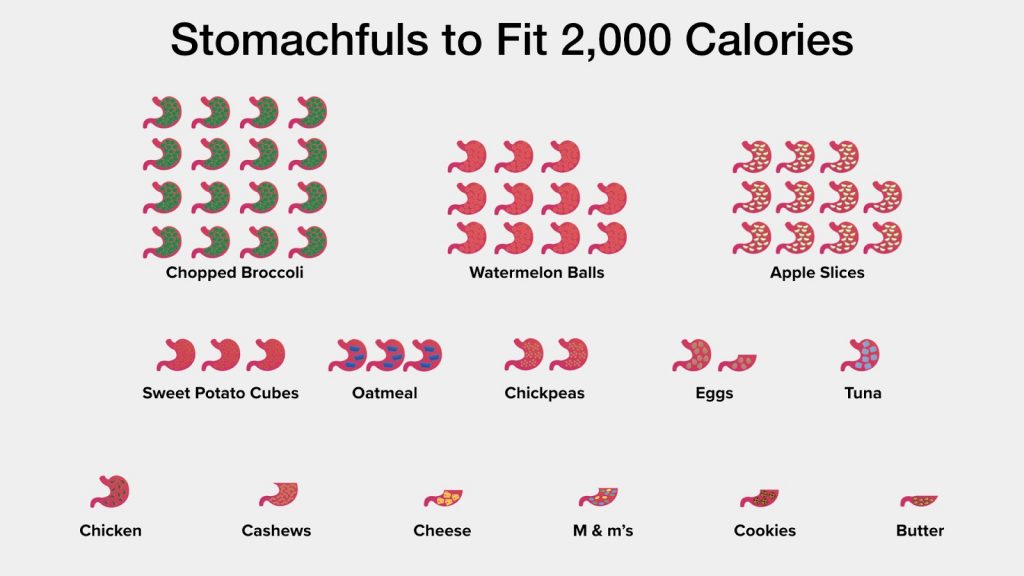 Stomachfuls
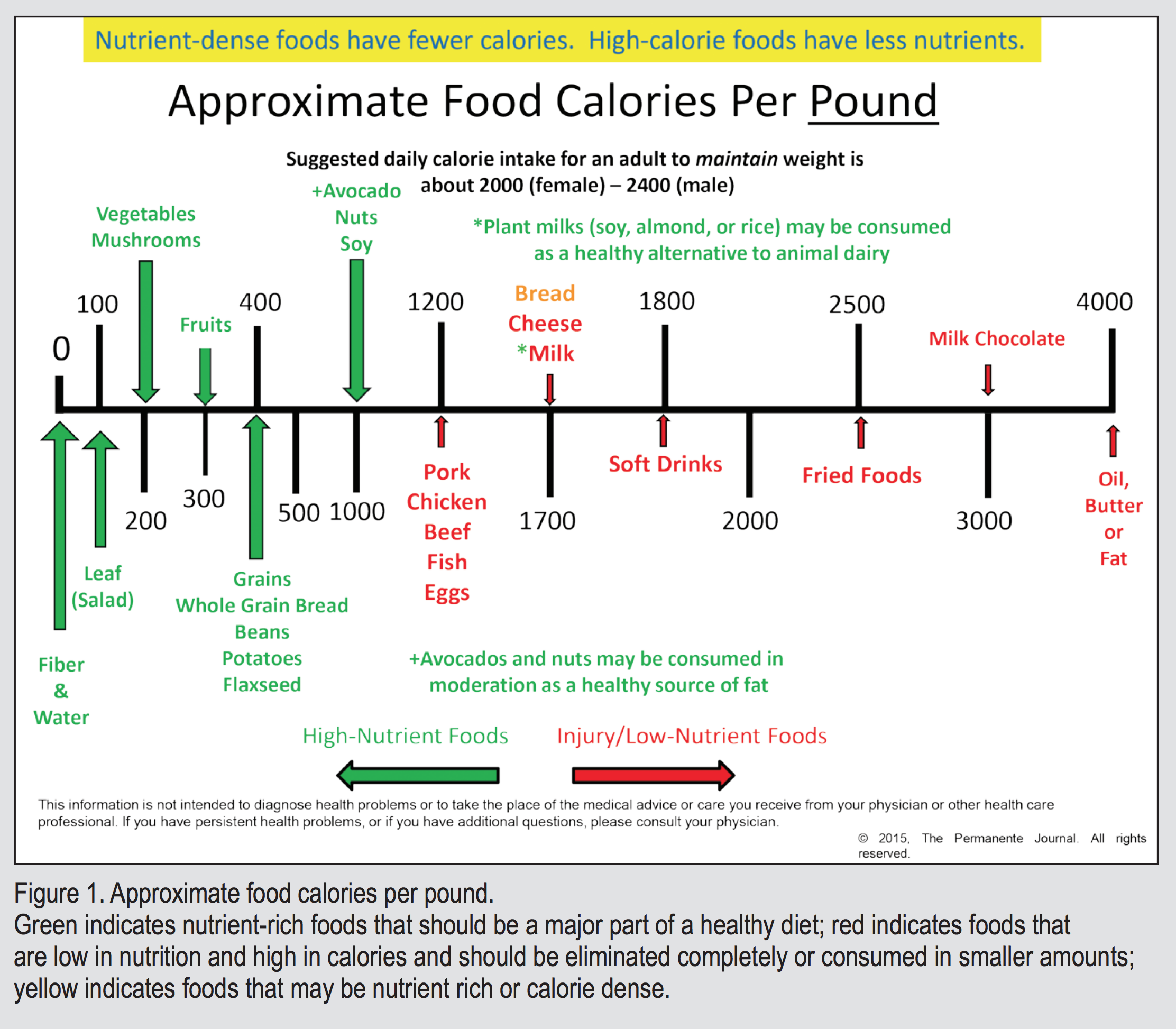 Green indicates nutrient-rich foods that should be a major part of a healthy diet; red indicates foods that are low in nutrition and high in calories and should be eliminated completely or consumed in smaller amounts; yellow indicates foods that may be nutrient rich or calorie dense.
This makes my basal metabolic rate (BMR) approximately 1,855 Calories per day. My exercise represents about another 650 Calories per day, for a total about 2,500 Calories per day.
The Body Weight Planner (nih.gov) is an excellent tool for calculating your BMR and getting nutritional information.
Did You Know?1oz of chocolate = 150 calories = 23 minutes of walking. 1/4lb of raw beef = 200 calories = 6 cups of vegetables. 12oz orange juice = 36g sugar = 3 oranges.
The USDA simply says "Choose a healthy eating pattern at an appropriate calorie level" and this is good advice.
Paraphrased from what my nutritionist wife, Amanda Stegmann MS, tells me:
Eat a diet that's balanced and calorically appropriate, avoid foods you couldn't make in your kitchen and read labels to avoid corn syrup.
I also like the USDA's MyPlate Plan approach. You 1) approximate your caloric needs then 2) click the meal plan that shows how many service of each food group you need.
For me, I find if I hit my daily fruit and veges number then the others come naturally.
 An example MyPlate plan
For the lazy, eatthismuch.com's Automatic Meal Planner will generate weekly meal plans for free tailored to your preferences, and automatically generate a shopping list.
Alton Brown's diet recommendations are a good place to start:
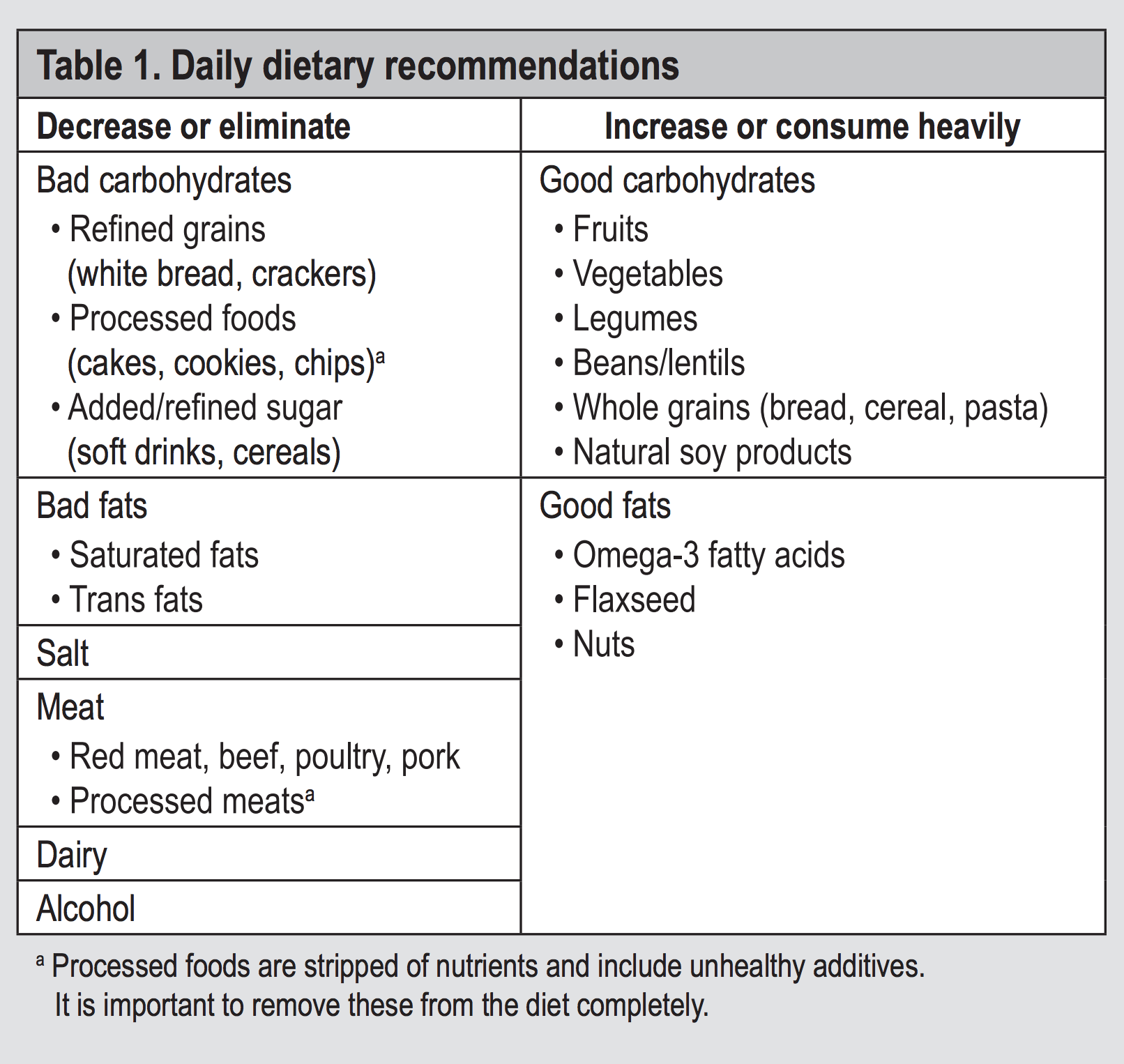 Table 1. Daily dietary recommendations
I play hoops a few times a week and make it to a Tabata class often which is time consuming and expensive, but I also do free, short, simple things too.
The New York Times put together a 12 exercise plan requiring no equipment, available free at https://well.blogs.nytimes.com/2013/05/09/the-scientific-7-minute-workout/. I like to do this one after my lunch break to re-energize, instead of an afternoon coffee.
I programmed it into the Tabata Timer app (see my post) so it goes straight into my fitness tracker.
If you use Google Fit and you walk around, it automatically tracks your activity and shows you a nice little graphic with the goal of keeping your heart healthy. Hard to argue with that!
Heart Points to stay healthy
To keep your heart healthy, the American Heart Association and World Health Organization encourage staying active. Each week, they recommend you do at least 150 minutes of moderate activity or 75 minutes of vigorous activity.
By Balazs I Bodai
We, as caregivers, are letting our patients die by not taking a strong, proactive role in promoting healthy eating and an active lifestyle, and encouraging emotional resilience. These principles are the cornerstone of the rapidly emerging subspecialty known as lifestyle medicine. Current medical practice is reactive: surgery or a prescription for every illness. This needs to change. A paradigm shift to lifestyle medicine must be implemented immediately.
Dramatic effects using lifestyle interventions have been demonstrated in patients with chronic conditions, which now include breast cancer. Several large studies have conclusively shown that diet and exercise modifications can significantly improve total health. One prospective study of 23,000 participants evaluated adherence to 4 recommendations: no tobacco use, 30 minutes of exercise 5 times per week, maintaining a body mass index less than 30 kg/m2 , and eating a healthy diet (high consumption of fruits, vegetables, legumes, and whole grains, and low consumption of meat). People who adhered to these 4 recommendations had an overall 78% lower risk for development of a chronic condition during an approximately 8-year timeframe. Furthermore, in those adhering to the recommendations, there was a 93% reduced risk of diabetes mellitus, an 81% reduced risk of myocardial infarction, and a 36% reduction in the risk of cancer.
Ample evidence exists to support the avocation of a diet based on the recommendations noted in Table 1. In addition, a whole-food, plant-based diet tends to promote a healthy body mass index, which is associated with, yet again, a lower risk of all common cancers. Dietary principles cannot be fully addressed without consideration of caloric density. Caloric density refers to foods that may or may not provide high amounts of vitamins and nutrients, but contain higher levels of calories. High-nutrient foods have fewer calories per pound in contrast to low-nutrient foods (Figure 1). A healthy diet should remain in the green zone as much as possible and constitute the bulk of food intake.
Sadly, because profit motives play a large role in the business of health care, the delivery of care and the care of patients is often politicized. Most chronic conditions are influenced by lifestyle and account for more than 75% of health care costs. Since 2009, more than 17% of the US gross national product has been spent on health care, amounting to more than $2 trillion. Few, if any, of these dollars have been spent on identifying the true underlying etiologies of these chronic conditions. Lifestyle changes have taken a backseat to disease treatment. If we continue on the pathway of treating risk factors and developed disease, we will bankrupt the health care system in the near future. Costs for care will continue to escalate; lives will continue to be lost.
It is time for the medical community to intervene and to intervene aggressively. We are not providing the proper treatment when confronting conditions that can be prevented and may even be reversed with lifestyle change and education. Current and future physicians must be trained in lifestyle medicine. The neglect of both the root cause of disease and corrective interventions continues to further the development of chronic conditions and ultimately demise (Figure 2). Lifestyle management courses should be required annual training for all health care employees, optimally as we do annual training for corporate compliance. It is time to prevent disease in all aspects of our lives and the lives of the people we love. It is time to change our health destiny by changing our hearts and minds from an unhealthy lifestyle to a total health lifestyle. It is time to move from disease to health where we live, learn, work, pray, and play. It is time to eat healthy, be active, and resolve conflict.
The evidence is irrefutable and the message is clear. We are charged with providing patients with the information they need to live a long, healthy life, which can readily be accomplished through lifestyle education. We, as caregivers, owe them that.
Bodai BI, Tuso P. Breast Cancer Survivorship: A Comprehensive Review of Long-Term Medical Issues and Lifestyle Recommendations. Perm J 2015 Spring;19(2):48-79. DOI: https://doi.org/10.7812/TPP/14-241.
[1]: #weight [2]: #diet [3]: #fitness [4]: https://scholar.google.com/ [5]: https://doi.org/10.1136/bmj.l6669 # Finishing Second at 2015 Rhodes 19 Nationals Our 2015 season was filled with ups and downs. Coming off our 2014 victory, we finished fifth and East Coasts and seventh at Race Week, and weren't sure what the pecking order at Nationals would be, especially since we were sailing with a different crew and we'd previously lacked boatspeed in the forecasted conditions. What we were sure was that it was anyone's event and therefore we didn't feel too much pressure. In the end we finished second, led after Day 1 and reclaimed the lead in Race 8. Our finishes were 1, 5, 1, 3, 13, 6, 9, 2, 5, 5 and we lost by 6 points. Overall we sailed extremely well and managed to go fast despite being a relatively heavy boat in lumpy, light conditions, but we weren't without our challenges. The following are my event wrap up notes, which include some tips. [caption id="attachment_776" align="aligncenter" width="1024"] Jim Taylor, Nat Taylor & Cindy Smith sail upwind at the 2015 Rhodes 19 National Championship[/caption]
(more…)
# Clouds from Earth & Space
Yesterday, there was an enormous cloud (pictured above, photo credit: Jenn Gebbie) visible from the Greater Boston Area that had extraordinarily well defined edges. I thought "This must be visible from space," so I snapped a pic and jumped on my PC when I got home. I was fascinating to find out it was very visible from space! (more…)
# British Virgin Islands
The British Virgin Islands are a sailors dream: warm hazard free waters, plenty of wind and a tropical climate. In 2016, I joined a small crew of friends and family on a bareboat catamaran cruise out of Tortola. [gallery link="file" ids="680,681,682,683,684,685,686,687,688,689,690,691,692,693,694,696,697,698,699,701,702,703,704,705,706,707,708,709,711,713,714,715,716,717,718,719,720,721"]
# Android 5.0 Battery Observations
I recently got a Droid Turbo 2 (Verizon edition,) which features a 3,760mAh battery, and with light use it lasts 2 full days on a single charge. This endurance, combined with the rapid charger, is a compelling feature. Once in a while my device consumes battery at twice the normal rate, which has lead me to dig in and learn a bit about battery usage. This post is about battery usage on Android 5, but keep in mind this will probably change dramatically for Android 6. (more…)
# More Clouds from Earth & Space
Last year I wrote about "[Clouds from Earth & Space][1]," something that continues to fascinate me. Here is another example. The satellite image is from [NOAA][2]; click it to see the animated version. (more…)
[1]: https://nattaylor.com/blog/2015/10/clouds-from-earth-space/
[2]: https://www.ssd.noaa.gov/imagery/eaus.html
# The Pizza Diet
I suspect the notion of a "Pizza Diet" sounds ridiculous to you, yet I believe many Millennials are buying into diets that aren’t much better, because of non-scientific content like the following: (more…)
# Home Buying
My experience with renting and home buying is limited to Boston-Suffolk Country housing market area, where the owner vacancy rate was just 0.4 percent in 2016 so much of my advice is specific though some of it is still general. I made this page with myself in mind as a reminder that research is a part of the purchase that I actually enjoyed compared the unpleasant parts of being sold to by buyer's agent and mortgage brokers. In my case, I started out renting so I knew that I wanted to stay in the area and started playing with "Rent vs Buy" calculators (available at [nytimes.com][1], [FreddieMac][2], and more,) which helped me learn about the costs of renting compared to buying. Once I knew I it was time to try to own my home, I started by viewing a [zipcode's market overview from Redfin][3] which includes trends for Median List Price, Avg. Sale / List, Median List $/Sq Ft, Avg. Number of Offers, Median Sale Price, Avg. Down Payment, Median Sale $/Sq Ft, Number of Homes Sold. Just go to redfin.com and search for a zipcode. [
Jim Taylor, Nat Taylor & Cindy Smith sail upwind at the 2015 Rhodes 19 National Championship[/caption]
(more…)
# Clouds from Earth & Space
Yesterday, there was an enormous cloud (pictured above, photo credit: Jenn Gebbie) visible from the Greater Boston Area that had extraordinarily well defined edges. I thought "This must be visible from space," so I snapped a pic and jumped on my PC when I got home. I was fascinating to find out it was very visible from space! (more…)
# British Virgin Islands
The British Virgin Islands are a sailors dream: warm hazard free waters, plenty of wind and a tropical climate. In 2016, I joined a small crew of friends and family on a bareboat catamaran cruise out of Tortola. [gallery link="file" ids="680,681,682,683,684,685,686,687,688,689,690,691,692,693,694,696,697,698,699,701,702,703,704,705,706,707,708,709,711,713,714,715,716,717,718,719,720,721"]
# Android 5.0 Battery Observations
I recently got a Droid Turbo 2 (Verizon edition,) which features a 3,760mAh battery, and with light use it lasts 2 full days on a single charge. This endurance, combined with the rapid charger, is a compelling feature. Once in a while my device consumes battery at twice the normal rate, which has lead me to dig in and learn a bit about battery usage. This post is about battery usage on Android 5, but keep in mind this will probably change dramatically for Android 6. (more…)
# More Clouds from Earth & Space
Last year I wrote about "[Clouds from Earth & Space][1]," something that continues to fascinate me. Here is another example. The satellite image is from [NOAA][2]; click it to see the animated version. (more…)
[1]: https://nattaylor.com/blog/2015/10/clouds-from-earth-space/
[2]: https://www.ssd.noaa.gov/imagery/eaus.html
# The Pizza Diet
I suspect the notion of a "Pizza Diet" sounds ridiculous to you, yet I believe many Millennials are buying into diets that aren’t much better, because of non-scientific content like the following: (more…)
# Home Buying
My experience with renting and home buying is limited to Boston-Suffolk Country housing market area, where the owner vacancy rate was just 0.4 percent in 2016 so much of my advice is specific though some of it is still general. I made this page with myself in mind as a reminder that research is a part of the purchase that I actually enjoyed compared the unpleasant parts of being sold to by buyer's agent and mortgage brokers. In my case, I started out renting so I knew that I wanted to stay in the area and started playing with "Rent vs Buy" calculators (available at [nytimes.com][1], [FreddieMac][2], and more,) which helped me learn about the costs of renting compared to buying. Once I knew I it was time to try to own my home, I started by viewing a [zipcode's market overview from Redfin][3] which includes trends for Median List Price, Avg. Sale / List, Median List $/Sq Ft, Avg. Number of Offers, Median Sale Price, Avg. Down Payment, Median Sale $/Sq Ft, Number of Homes Sold. Just go to redfin.com and search for a zipcode. [ ][4] Next, I like playing with some numbers in Google's [mortgage calculator][5] because it is dead simple. You'll quickly see approximately what you can afford. The more scenarios you try, the more you'll learn; I suggest trying 15 year terms and also watching what happens as the interest rate increases. You can find about approximately what you can afford from a calculator like [this one][6], and what the factors are such as monthly income, monthly debt payments and the size of your down payment. [
 ][7] From there its worth educating yourself about how the steps from a resource like [this one][8], but the most important step is just to start looking and for that I once again recommend Redfin. Redfin has a great search experience, has access to all of the same listings that any real estate agent does and their payment calculator is excellent. [caption id="attachment_1129" align="aligncenter" width="300"][
 ][9] Redfin Payment Calculator[/caption] I finished the process with very strong opinions about a few things. **In Boston, the value of a buyer's agent is low for well informed buyers**. All of the listings are available for free online. All of their contacts are only a Google search away. All of their knowledge about things to watch for can be gleened from Youtube. The help they provide with the process is available either for free (with ample research) or at a much reduced fee from companies like Redfin. Still, despite much of their job being superseded with technology, their 2%-3% commission has barely changed in decades and they are highly incentivized to close deals so they can move on to the next customer. My advice: only use a buyer's agent if you think you need someone to coach you through all the paperwork and lawyers (or perhaps if you're in a very different market from me.) All of that said, our agent did a great job but it sure would have been nice to get a [Redfin refund][10] at the end. **Tax savings are not guaranteed**. It still pisses me off that our mortgage broker repeatedly pushed that we were failing to account for tax savings when calculating what we could afford. You should do the math and check it twice, especially with the double-size standard deductions coming from the Trump tax cuts. The basic premise that you can deduct your interest payments and property taxes on your federal tax return. Use a calculator like [this one][11]. **The value of a mortgage broker is basically just a paper pusher**. Decide for yourself and read something like Choosing Between Mortgage Broker and Bank (nytimes.com). Our broker seemed to just push all the paper down to inexperienced young assistants who were handling tons of clients and kept getting things confused and then our loan was immediately sold. Perhaps my biggest regret, is not using a local bank as my lender since then I could have just done all the paperwork directly with the source and I'd be able to go talk to someone at any time.
[1]: https://www.nytimes.com/interactive/2014/upshot/buy-rent-calculator.html?_r=0
[2]: http://calculators.freddiemac.com/response/lf-freddiemac/calc/home10
[3]: https://www.redfin.com/zipcode/02128
[4]: https://nattaylor.com/wp-content/uploads/2018/05/redfin.png
[5]: https://www.google.com/search?q=mortgage+calculator
[6]: http://calculators.freddiemac.com/response/lf-freddiemac/calc/home01
[7]: https://nattaylor.com/wp-content/uploads/2018/05/google.png
[8]: https://www.hud.gov/topics/buying_a_home
[9]: https://nattaylor.com/wp-content/uploads/2018/05/payment-calculator.png
[10]: https://www.redfin.com/why-redfin-how-you-save
[11]: http://calculators.freddiemac.com/response/lf-freddiemac/calc/home08
# Barn Spider
[gallery link="file" ids="805,804,803,802,801,800,799,798,797,796,795,794,793,792,807,806"]
# Great New England Airshow
[gallery link="file" ids="810,811,812,813,814,815,816,817,818,819,820,821,822,823,824,825,826,827,828,829,830,831,832,833,834,835,836,837,838,839"]
# Corinthian Yacht Club 2v2 Team Race
[gallery link="file" ids="849,851,853,855,857,859,861,862,865,867,869,871,873,875,877,879,881,883,885,887,889"]
# Oyster Gardening on Quonochontaug Pond
[gallery link="file" ids="841,842,843,845,846,847,848,850,852,854,856,858,860,863,866,868,870,872,874,876,878,880,882,884,886,888,890,891,892,893,894,895,896,897,898,899,900,901,902,903,904,905,906,907,908,909,910,911,912,913,914,915,916,917,918,919,920,921,922"]
# Wrapping Up Third Place At Marblehead Race Week
Proudly, Jim and I (affectionately known as "Team Taylor") just finished third at Marblehead Race Week in the Rhodes 19 Class with a score line of 5-2-10-(12)-2-1-5-6-6-8-11 and we're ecstatic, though humbled by the dominating performance of overall winners Charlie Pendleton and Jim Raisides who finished with just 29 points. It was a grueling four day, eleven race event with wind conditions ranging from full hiking to barely sailable in seastate ranging from flat to steep chop, which made it particularly challenging to be consistent. As always we learned a lot. (more…)
# Sailing
Sailing is my passion. I grew up sailing at the Pleon Yacht Club in Marblehead, MA then later at Marblehead High School and Connecticut College. I currently sail primarily Rhodes 19s out of Marblehead, MA. With the help of many amazing crew, I've won many trophies including the 2014 Rhodes 19 National Championship and 2013 Vanguard 15 Class at Buzzards Bay Regatta. My racing experience includes collegiate dinghies, high performance dinghies, one design keelboats, handicap racers, and I've spent a limited amount of time doing near-shore cruising as well as windsurfing. During my time as a youth sailing coach, I was US Sailing Level I certified. I am also involved in the sailing community, including currently serving as a Rhodes 19 Fleet 5 class officer and previously as the Commodore of the Pleon Yacht Club where I was recognized with the Arthur Goodwin Wood Memorial Trophy.
## Event Wrap Up Reports
* [2019 Rhodes 19 Nationals Recap][1] (2019)
* [Wrapping Up Third Place At Marblehead Race Week][2] (2016)
* [Finishing Second at 2015 Rhodes 19 Nationals][3] (2015)
* [Victory At The Rhodes 19 Nationals][4] (2014)
## Sailing Bookshelf
* [**Speed and Smarts:** the newsletter of how-to information for racing sailors][5] by David Dellenbaugh
* **[Sailing smart:][6]** [winning techniques, tactics, and strategies (1987)][6] by Buddy Melges
* [**Wind and Strategy** (1973)][7] by Stuart Walker
* [**The Forecast Funnel** (2020)][8] by Chris Bedford (video!)
## Sailing Heroes I've been inspired by some amazing sailings in my life.
* **Jim Taylor** - Aside from being my father, my Dad as a sailor taught me the importance of a steady hand and a level head in sailboat racing, among countless other things.
* **Russell Coutts** - Growing up as the son of a boat designer, I was lucky enough to spend some time around Russell Coutts which included an experience where he handed me the helm as a 12 year old and watched me sail a 50' custom raceboat perilously close to a superyacht before bailing me out. I was inspired by the sheer joy he exuded while on and around boats while simultaneously being on of the world's best yachtsmen.
* **Bob Merrick** - At a racing clinic in Newport, RI when I was about 14, Bob inspired me to take my sailing to the next level by patiently following me up wind and teaching me what I consider to be a few years of sail shape knowledge in just a few hours.
* **Countless others**: (hover for subtext) Jud Smith, Blair Brown, Rhys Johnston, Peter Allery, Hugh Chandler, the Numbers crew ...the list goes on.
## Photos [gallery link="file" ids="948,949,950,1028,981,978,976,977,979"]
[1]: https://nattaylor.com/blog/2019/2019-rhodes-19-nationals-recap/
[2]: https://nattaylor.com/blog/2016/marblehead-race-week/
[3]: https://nattaylor.com/blog/2015/rhodes-19-nationals-wrap-up/
[4]: https://nattaylor.com/blog/2014/victory-at-the-rhodes-19-nationals/
[5]: http://www.worldcat.org/oclc/30080129
[6]: http://www.worldcat.org/oclc/15108601
[7]: http://www.worldcat.org/oclc/910370854
[8]: https://academy.islersailing.com/courses/941426/lectures/17413026
# Wedding Name Cards
One task for our wedding was printing cards with names, table number and entreé choice. Microsoft Word would be great for the mail merge, but not the aesthetics; Adobe Illustrator would be great for the design, but I'm unfamiliar with it's "variable data importer." I wondered: "Can the browser do this?" and before long, with a bit of CSS, Javascript and web fonts, I had a nice PDF of my cards! (more…)
# Sadie
In April 2015, Amanda and I adopted Sadie, an 25lb, 6 year old American Cocker Spaniel. She was an owner surrender from Western Massachusetts, and based on her temperament, physical appearance and the fact that she was unspayed, we speculate she may have been used for breeding. Welcoming her to our family has been an interesting, rewarding and challenging experience that started with frequent bites but now involves tons of love. Sadly, Sadie passed in November 2019. I miss her. [caption id="attachment_945" align="aligncenter" width="300"][
][9] Redfin Payment Calculator[/caption] I finished the process with very strong opinions about a few things. **In Boston, the value of a buyer's agent is low for well informed buyers**. All of the listings are available for free online. All of their contacts are only a Google search away. All of their knowledge about things to watch for can be gleened from Youtube. The help they provide with the process is available either for free (with ample research) or at a much reduced fee from companies like Redfin. Still, despite much of their job being superseded with technology, their 2%-3% commission has barely changed in decades and they are highly incentivized to close deals so they can move on to the next customer. My advice: only use a buyer's agent if you think you need someone to coach you through all the paperwork and lawyers (or perhaps if you're in a very different market from me.) All of that said, our agent did a great job but it sure would have been nice to get a [Redfin refund][10] at the end. **Tax savings are not guaranteed**. It still pisses me off that our mortgage broker repeatedly pushed that we were failing to account for tax savings when calculating what we could afford. You should do the math and check it twice, especially with the double-size standard deductions coming from the Trump tax cuts. The basic premise that you can deduct your interest payments and property taxes on your federal tax return. Use a calculator like [this one][11]. **The value of a mortgage broker is basically just a paper pusher**. Decide for yourself and read something like Choosing Between Mortgage Broker and Bank (nytimes.com). Our broker seemed to just push all the paper down to inexperienced young assistants who were handling tons of clients and kept getting things confused and then our loan was immediately sold. Perhaps my biggest regret, is not using a local bank as my lender since then I could have just done all the paperwork directly with the source and I'd be able to go talk to someone at any time.
[1]: https://www.nytimes.com/interactive/2014/upshot/buy-rent-calculator.html?_r=0
[2]: http://calculators.freddiemac.com/response/lf-freddiemac/calc/home10
[3]: https://www.redfin.com/zipcode/02128
[4]: https://nattaylor.com/wp-content/uploads/2018/05/redfin.png
[5]: https://www.google.com/search?q=mortgage+calculator
[6]: http://calculators.freddiemac.com/response/lf-freddiemac/calc/home01
[7]: https://nattaylor.com/wp-content/uploads/2018/05/google.png
[8]: https://www.hud.gov/topics/buying_a_home
[9]: https://nattaylor.com/wp-content/uploads/2018/05/payment-calculator.png
[10]: https://www.redfin.com/why-redfin-how-you-save
[11]: http://calculators.freddiemac.com/response/lf-freddiemac/calc/home08
# Barn Spider
[gallery link="file" ids="805,804,803,802,801,800,799,798,797,796,795,794,793,792,807,806"]
# Great New England Airshow
[gallery link="file" ids="810,811,812,813,814,815,816,817,818,819,820,821,822,823,824,825,826,827,828,829,830,831,832,833,834,835,836,837,838,839"]
# Corinthian Yacht Club 2v2 Team Race
[gallery link="file" ids="849,851,853,855,857,859,861,862,865,867,869,871,873,875,877,879,881,883,885,887,889"]
# Oyster Gardening on Quonochontaug Pond
[gallery link="file" ids="841,842,843,845,846,847,848,850,852,854,856,858,860,863,866,868,870,872,874,876,878,880,882,884,886,888,890,891,892,893,894,895,896,897,898,899,900,901,902,903,904,905,906,907,908,909,910,911,912,913,914,915,916,917,918,919,920,921,922"]
# Wrapping Up Third Place At Marblehead Race Week
Proudly, Jim and I (affectionately known as "Team Taylor") just finished third at Marblehead Race Week in the Rhodes 19 Class with a score line of 5-2-10-(12)-2-1-5-6-6-8-11 and we're ecstatic, though humbled by the dominating performance of overall winners Charlie Pendleton and Jim Raisides who finished with just 29 points. It was a grueling four day, eleven race event with wind conditions ranging from full hiking to barely sailable in seastate ranging from flat to steep chop, which made it particularly challenging to be consistent. As always we learned a lot. (more…)
# Sailing
Sailing is my passion. I grew up sailing at the Pleon Yacht Club in Marblehead, MA then later at Marblehead High School and Connecticut College. I currently sail primarily Rhodes 19s out of Marblehead, MA. With the help of many amazing crew, I've won many trophies including the 2014 Rhodes 19 National Championship and 2013 Vanguard 15 Class at Buzzards Bay Regatta. My racing experience includes collegiate dinghies, high performance dinghies, one design keelboats, handicap racers, and I've spent a limited amount of time doing near-shore cruising as well as windsurfing. During my time as a youth sailing coach, I was US Sailing Level I certified. I am also involved in the sailing community, including currently serving as a Rhodes 19 Fleet 5 class officer and previously as the Commodore of the Pleon Yacht Club where I was recognized with the Arthur Goodwin Wood Memorial Trophy.
## Event Wrap Up Reports
* [2019 Rhodes 19 Nationals Recap][1] (2019)
* [Wrapping Up Third Place At Marblehead Race Week][2] (2016)
* [Finishing Second at 2015 Rhodes 19 Nationals][3] (2015)
* [Victory At The Rhodes 19 Nationals][4] (2014)
## Sailing Bookshelf
* [**Speed and Smarts:** the newsletter of how-to information for racing sailors][5] by David Dellenbaugh
* **[Sailing smart:][6]** [winning techniques, tactics, and strategies (1987)][6] by Buddy Melges
* [**Wind and Strategy** (1973)][7] by Stuart Walker
* [**The Forecast Funnel** (2020)][8] by Chris Bedford (video!)
## Sailing Heroes I've been inspired by some amazing sailings in my life.
* **Jim Taylor** - Aside from being my father, my Dad as a sailor taught me the importance of a steady hand and a level head in sailboat racing, among countless other things.
* **Russell Coutts** - Growing up as the son of a boat designer, I was lucky enough to spend some time around Russell Coutts which included an experience where he handed me the helm as a 12 year old and watched me sail a 50' custom raceboat perilously close to a superyacht before bailing me out. I was inspired by the sheer joy he exuded while on and around boats while simultaneously being on of the world's best yachtsmen.
* **Bob Merrick** - At a racing clinic in Newport, RI when I was about 14, Bob inspired me to take my sailing to the next level by patiently following me up wind and teaching me what I consider to be a few years of sail shape knowledge in just a few hours.
* **Countless others**: (hover for subtext) Jud Smith, Blair Brown, Rhys Johnston, Peter Allery, Hugh Chandler, the Numbers crew ...the list goes on.
## Photos [gallery link="file" ids="948,949,950,1028,981,978,976,977,979"]
[1]: https://nattaylor.com/blog/2019/2019-rhodes-19-nationals-recap/
[2]: https://nattaylor.com/blog/2016/marblehead-race-week/
[3]: https://nattaylor.com/blog/2015/rhodes-19-nationals-wrap-up/
[4]: https://nattaylor.com/blog/2014/victory-at-the-rhodes-19-nationals/
[5]: http://www.worldcat.org/oclc/30080129
[6]: http://www.worldcat.org/oclc/15108601
[7]: http://www.worldcat.org/oclc/910370854
[8]: https://academy.islersailing.com/courses/941426/lectures/17413026
# Wedding Name Cards
One task for our wedding was printing cards with names, table number and entreé choice. Microsoft Word would be great for the mail merge, but not the aesthetics; Adobe Illustrator would be great for the design, but I'm unfamiliar with it's "variable data importer." I wondered: "Can the browser do this?" and before long, with a bit of CSS, Javascript and web fonts, I had a nice PDF of my cards! (more…)
# Sadie
In April 2015, Amanda and I adopted Sadie, an 25lb, 6 year old American Cocker Spaniel. She was an owner surrender from Western Massachusetts, and based on her temperament, physical appearance and the fact that she was unspayed, we speculate she may have been used for breeding. Welcoming her to our family has been an interesting, rewarding and challenging experience that started with frequent bites but now involves tons of love. Sadly, Sadie passed in November 2019. I miss her. [caption id="attachment_945" align="aligncenter" width="300"][ ][1] My cocker spaniel named "Sadie"[/caption]
[1]: https://nattaylor.com/wp-content/uploads/2016/08/13418516_941121003942_1435623977757961270_o.jpg
# Battery Life
[
][1] My cocker spaniel named "Sadie"[/caption]
[1]: https://nattaylor.com/wp-content/uploads/2016/08/13418516_941121003942_1435623977757961270_o.jpg
# Battery Life
[ ][1]Running out of battery is extremely frustrating, so I consider extended and consistent battery life essential features for the devices I use.
## Doze The release of Android 6.0 include Doze, which I've found to be an extremely effective battery saver because unlike other battery savers like "Battery Saving Mode," I never notice when my Device is dozing.
[Doze][2] is described on the Android site:
> Doze extends battery life by deferring application background CPU and network activity when a device is unused for long periods. Idle devices in Doze periodically enter a maintenance window, during which apps can complete pending activities (syncs, jobs, etc.). Doze then resumes sleep for a longer period of time, followed by another maintenance window. The platform continues the Doze sleep/maintenance sequence, increasing the length of idle each time, until a maximum of a few hours of sleep time is reached. At all times, a device in Doze remains aware of motion and immediately leaves Doze if motion is detected. I have found that since updating to Marshmallow, my Droid Turbo 2 and TouchPad both have significantly better battery life. [caption id="attachment_956" align="aligncenter" width="225"][
][1]Running out of battery is extremely frustrating, so I consider extended and consistent battery life essential features for the devices I use.
## Doze The release of Android 6.0 include Doze, which I've found to be an extremely effective battery saver because unlike other battery savers like "Battery Saving Mode," I never notice when my Device is dozing.
[Doze][2] is described on the Android site:
> Doze extends battery life by deferring application background CPU and network activity when a device is unused for long periods. Idle devices in Doze periodically enter a maintenance window, during which apps can complete pending activities (syncs, jobs, etc.). Doze then resumes sleep for a longer period of time, followed by another maintenance window. The platform continues the Doze sleep/maintenance sequence, increasing the length of idle each time, until a maximum of a few hours of sleep time is reached. At all times, a device in Doze remains aware of motion and immediately leaves Doze if motion is detected. I have found that since updating to Marshmallow, my Droid Turbo 2 and TouchPad both have significantly better battery life. [caption id="attachment_956" align="aligncenter" width="225"][ ][3] Touchpad battery lasting almost 2 weeks![/caption]
## Battery Saving Mode Battery Saving mode is also an extremely effective battery saver, but comes at the expense of considerable limitations to functionality.
[1]: https://nattaylor.com/wp-content/uploads/2016/10/Screenshot_20161026-083233.png
[2]: https://source.android.com/devices/tech/power/mgmt.html#doze
[3]: https://nattaylor.com/wp-content/uploads/2016/10/Screenshot_20161029-101018.png
# I Am Not Natalie Taylor
My surname (Taylor) is extremely common, ranking tenth in the 2010 US Census. My Google Account username is _nattaylor_, which you'll note is only nine letters with no numbers or special characters. Apparently, there are lots of careless Natalie Taylor's in the world who accidentally use my email address for their correspondence. At times I've actively replied (in one case it was a doctor) but mostly I just wonder about what they think when they don't get all of their emails. Overtime, I've gotten hundreds of emails (though some were subscriptions) for Natalie Taylor about:
1. Facebook Signup (UK)
2. Rent application (San Francisco)
3. Car Insurance Confirmation (UK)
4. Hotel Reservation (Missouri)
5. Receipt for M.D. (Santa Monica)
6. Delivery Confirmation for Robo-dog (UK)
7. Self Help Welcome (USA)
8. Sports Betting Welcome (UK)
9. Sports Betting Duplicate Account (UK)
10. Online Dating (Madison, WI)
11. Loan Results (UK)
12. Doctor Welcome (Ontario, CA)
13. Crown College Admissions (Minnesota)
14. Natrelle Breast Implants Delivery Notice (CA)
15. Astrology Report (USA)
16. Paypal, CVS ExtraCare, The Body Shop, Clintons (UK), Harvester (UK), Aritzia (Vancouver, BC) It's amazing to me how many Natalie Taylor's there seem to be. Usually the emails I get are harmless, though occasionally they do contain personal information like physical addresses.
# Pebble 2 is Part Fitness Tracker, Part Smartwatch
I'm now a week into using the Pebble 2 and I'm a fan. I've wanted to try Pebble's next generation smartwatch for ages, and almost 100 days after my wife's pre-order and about a month after Pebble's demise, it finally arrived*. For my taste, the Pebble 2 gets all the hardware stuff right including: screen, waterproofing, battery, sensors and buttons and also gets about the right software balance of feature rich-ness to simplicity. Pebble 2 has delivered a few moments of joy thus far, my favorites being notifications, weather, smart alarms and battery life. It falls short on the battery drain of my smartphone (more below,) accuracy of the heart rate sensor and lack of integration with Google Assistant.
## Hardware
* **7 day battery** This is essential for me, since I can just take my Pebble off once a week on Sunday evening and charge it.
* **ePaper Screen** The screen is crisp and clear in all lighting conditions
* **Waterproof body** It's a nice perk to be able to shower and swim with it
* **Sensors**
* **Light** The backlight employs this to only turn on when needed
* **Accelerometer** Used primarly for step counting and sleep tracking
* **Heart Rate** Does it what it says, with only ball park accuracy
* **Microphone** Seems to work decently
* **Buttons for select, back, up & down** It's easy to interact with the Pebble
* **Bluetooth** It's easy to set up and connect to your phone
* **Size** It's about the same as an old school digital Timex
## Interactions The Pebble's select, up, down and back buttons are intuitive, but from the watchface they serve special functions:
* **Up** - Pebble Health
* **Select** - AppLauncher with AppGlance
* **Down** - Timeline
* **Back** - Nothing
* **Long Press** - Quick-launch Apps
* **Peek** - Toggle watchface
## Firmware
* Pebble Health Tracks steps, heart rate and sleep. Sends a notification each night at 8:30PM about how many steps you've taken. Sends a notification in the morning about your night's sleep.
* [Timeline][1] Since I'm not too much of a calendar guy, I don't get too much benefit from this feature, but I do enjoy the sunrise/sunset information.
* [Notifications][2] These work great on the Pebble
* [AppLauncher with AppGlance][3] AppGlance is a line of text that appears beneath the App name that displays the most critical information like: is your alarm enabled, latest weather, battery status and latest notifications. ([Screenshot][4])
* Settings
* Weather
* Messages
* Alarms
* Music
* Workout
## Pebble App
* Health
* Watchfaces
* Apps
* Notificaions -
## Complaints
### Drains on Phone Battery My Droid Turbo 2's 3760 mAh battery lasted 2 full days prior to the introduction of the Pebble App and a full-time bluetooth connection; now it lasts more like a day.
### Heart Rate Accuracy The heart rate monitor is laughably inaccurate at times. I'll be sitting with a heart rate of 100+ BPM and then I'll be doing cardio with a heart rate of only 110 BPM. That said, it does get the trends right. It tracks my heart rate at night as about 10 BPM lower than during the day.
### Missed Google Assistant Opportunity I'd really like to hold down select and say "Hey Google, remind me to print my tax form when I get to work" and have a reminder created. I can't do that, and it seems like a huge missed opportunity. Similarly, the voice-to-text transcriptions are nowhere near as good as Google Assistant. Hopefully Pebble's new owner Fitbit addresses this!
[1]: https://help.getpebble.com/customer/en/portal/articles/2553599-timeline?b_id=8309
[2]: https://www.pebble.com/notifications
[3]: https://help.getpebble.com/customer/en/portal/articles/1958771-appstore-walkthrough
[4]: https://nattaylor.com/wp-content/uploads/2017/01/04-Launcher-e1485438236230.jpg
# Favorites
## Books
* [Longitude][1] by Dava Sobel
A curious story about the ingenuity it took to accurately keep time for navigation at sea.
* [Classic Feynman][2] by Richard Feynman
Feyman's insatiable curiosity is admirable and consequentially his tales of antics and discovery are wonderful to read.
* [If You Can][3] by William J. Bernstein
A succinct guide to saving for retirement.
## Television
* [Planet Earth II][4], [Life][5], [Planet Earth I][6], [Frozen Planet][7], [Blue Planet I][8], [Blue Planet II][9], [Big Pacific][10] All of these series have absolutely breathtaking footage of wildlife in amazing high definition from unbelievable perspectives.
* [Simpsons][11] Amazing because even 20+ years after it was written, much of the satire is still on point and hilarious.
## Sites
* [bogleheads.org][12] Self described as "Investing Advice inspired by Jack Bogle," this is a Wiki + Forum full of quality personal finance advice with no for profit conflicts of interest
* [yarchive.net][13] This site, especially the "Computers" section has archived some incredible knowledge that's fun to poke around.
* [foodtimeline.org][14] Amazing site with tons of info
## Games
* [SimCity 2000][15] I'd be in favor of legislation that makes SimCity 2000 mastery a prerequisite for public administration. At first it seems like just building roads, zoning and electricity, but it also incorporates public health, workforce education, public safety, property values, tax rates, transportation/congestion, pollution, commerce, redevelopment and more, making it fun and challenging.
* [Age of Empire 2][16] Centered around gathering wood, food, stone and gold to build a civilization, success requires excellent balance of defense, offense, growth and research and eventually gets into trade and diplomacy. (Update: Microsoft released an updated [Rise of Rajas][17] expansion pack on 2016/12/13!)
* [Lemmings][18] These game developers must have had fun, because Lemmings is twisted and addictive.
## Software
* [Google Photos][19] A wonderful application for managing digital photos centered on automatic tagging and labelling. (See my [review][20].)
* [f.lux][21] Reduce night time eye strain by changing the color of your screen to make it more reddish as the sun goes down. (Note: Apple [Night Shift][22] and Android [Night Light][23] are new built in solutions for this.)
* [flycut][24] A simple clipboard manager the integrates with the OS X status bar.
## Quotes
][3] Touchpad battery lasting almost 2 weeks![/caption]
## Battery Saving Mode Battery Saving mode is also an extremely effective battery saver, but comes at the expense of considerable limitations to functionality.
[1]: https://nattaylor.com/wp-content/uploads/2016/10/Screenshot_20161026-083233.png
[2]: https://source.android.com/devices/tech/power/mgmt.html#doze
[3]: https://nattaylor.com/wp-content/uploads/2016/10/Screenshot_20161029-101018.png
# I Am Not Natalie Taylor
My surname (Taylor) is extremely common, ranking tenth in the 2010 US Census. My Google Account username is _nattaylor_, which you'll note is only nine letters with no numbers or special characters. Apparently, there are lots of careless Natalie Taylor's in the world who accidentally use my email address for their correspondence. At times I've actively replied (in one case it was a doctor) but mostly I just wonder about what they think when they don't get all of their emails. Overtime, I've gotten hundreds of emails (though some were subscriptions) for Natalie Taylor about:
1. Facebook Signup (UK)
2. Rent application (San Francisco)
3. Car Insurance Confirmation (UK)
4. Hotel Reservation (Missouri)
5. Receipt for M.D. (Santa Monica)
6. Delivery Confirmation for Robo-dog (UK)
7. Self Help Welcome (USA)
8. Sports Betting Welcome (UK)
9. Sports Betting Duplicate Account (UK)
10. Online Dating (Madison, WI)
11. Loan Results (UK)
12. Doctor Welcome (Ontario, CA)
13. Crown College Admissions (Minnesota)
14. Natrelle Breast Implants Delivery Notice (CA)
15. Astrology Report (USA)
16. Paypal, CVS ExtraCare, The Body Shop, Clintons (UK), Harvester (UK), Aritzia (Vancouver, BC) It's amazing to me how many Natalie Taylor's there seem to be. Usually the emails I get are harmless, though occasionally they do contain personal information like physical addresses.
# Pebble 2 is Part Fitness Tracker, Part Smartwatch
I'm now a week into using the Pebble 2 and I'm a fan. I've wanted to try Pebble's next generation smartwatch for ages, and almost 100 days after my wife's pre-order and about a month after Pebble's demise, it finally arrived*. For my taste, the Pebble 2 gets all the hardware stuff right including: screen, waterproofing, battery, sensors and buttons and also gets about the right software balance of feature rich-ness to simplicity. Pebble 2 has delivered a few moments of joy thus far, my favorites being notifications, weather, smart alarms and battery life. It falls short on the battery drain of my smartphone (more below,) accuracy of the heart rate sensor and lack of integration with Google Assistant.
## Hardware
* **7 day battery** This is essential for me, since I can just take my Pebble off once a week on Sunday evening and charge it.
* **ePaper Screen** The screen is crisp and clear in all lighting conditions
* **Waterproof body** It's a nice perk to be able to shower and swim with it
* **Sensors**
* **Light** The backlight employs this to only turn on when needed
* **Accelerometer** Used primarly for step counting and sleep tracking
* **Heart Rate** Does it what it says, with only ball park accuracy
* **Microphone** Seems to work decently
* **Buttons for select, back, up & down** It's easy to interact with the Pebble
* **Bluetooth** It's easy to set up and connect to your phone
* **Size** It's about the same as an old school digital Timex
## Interactions The Pebble's select, up, down and back buttons are intuitive, but from the watchface they serve special functions:
* **Up** - Pebble Health
* **Select** - AppLauncher with AppGlance
* **Down** - Timeline
* **Back** - Nothing
* **Long Press** - Quick-launch Apps
* **Peek** - Toggle watchface
## Firmware
* Pebble Health Tracks steps, heart rate and sleep. Sends a notification each night at 8:30PM about how many steps you've taken. Sends a notification in the morning about your night's sleep.
* [Timeline][1] Since I'm not too much of a calendar guy, I don't get too much benefit from this feature, but I do enjoy the sunrise/sunset information.
* [Notifications][2] These work great on the Pebble
* [AppLauncher with AppGlance][3] AppGlance is a line of text that appears beneath the App name that displays the most critical information like: is your alarm enabled, latest weather, battery status and latest notifications. ([Screenshot][4])
* Settings
* Weather
* Messages
* Alarms
* Music
* Workout
## Pebble App
* Health
* Watchfaces
* Apps
* Notificaions -
## Complaints
### Drains on Phone Battery My Droid Turbo 2's 3760 mAh battery lasted 2 full days prior to the introduction of the Pebble App and a full-time bluetooth connection; now it lasts more like a day.
### Heart Rate Accuracy The heart rate monitor is laughably inaccurate at times. I'll be sitting with a heart rate of 100+ BPM and then I'll be doing cardio with a heart rate of only 110 BPM. That said, it does get the trends right. It tracks my heart rate at night as about 10 BPM lower than during the day.
### Missed Google Assistant Opportunity I'd really like to hold down select and say "Hey Google, remind me to print my tax form when I get to work" and have a reminder created. I can't do that, and it seems like a huge missed opportunity. Similarly, the voice-to-text transcriptions are nowhere near as good as Google Assistant. Hopefully Pebble's new owner Fitbit addresses this!
[1]: https://help.getpebble.com/customer/en/portal/articles/2553599-timeline?b_id=8309
[2]: https://www.pebble.com/notifications
[3]: https://help.getpebble.com/customer/en/portal/articles/1958771-appstore-walkthrough
[4]: https://nattaylor.com/wp-content/uploads/2017/01/04-Launcher-e1485438236230.jpg
# Favorites
## Books
* [Longitude][1] by Dava Sobel
A curious story about the ingenuity it took to accurately keep time for navigation at sea.
* [Classic Feynman][2] by Richard Feynman
Feyman's insatiable curiosity is admirable and consequentially his tales of antics and discovery are wonderful to read.
* [If You Can][3] by William J. Bernstein
A succinct guide to saving for retirement.
## Television
* [Planet Earth II][4], [Life][5], [Planet Earth I][6], [Frozen Planet][7], [Blue Planet I][8], [Blue Planet II][9], [Big Pacific][10] All of these series have absolutely breathtaking footage of wildlife in amazing high definition from unbelievable perspectives.
* [Simpsons][11] Amazing because even 20+ years after it was written, much of the satire is still on point and hilarious.
## Sites
* [bogleheads.org][12] Self described as "Investing Advice inspired by Jack Bogle," this is a Wiki + Forum full of quality personal finance advice with no for profit conflicts of interest
* [yarchive.net][13] This site, especially the "Computers" section has archived some incredible knowledge that's fun to poke around.
* [foodtimeline.org][14] Amazing site with tons of info
## Games
* [SimCity 2000][15] I'd be in favor of legislation that makes SimCity 2000 mastery a prerequisite for public administration. At first it seems like just building roads, zoning and electricity, but it also incorporates public health, workforce education, public safety, property values, tax rates, transportation/congestion, pollution, commerce, redevelopment and more, making it fun and challenging.
* [Age of Empire 2][16] Centered around gathering wood, food, stone and gold to build a civilization, success requires excellent balance of defense, offense, growth and research and eventually gets into trade and diplomacy. (Update: Microsoft released an updated [Rise of Rajas][17] expansion pack on 2016/12/13!)
* [Lemmings][18] These game developers must have had fun, because Lemmings is twisted and addictive.
## Software
* [Google Photos][19] A wonderful application for managing digital photos centered on automatic tagging and labelling. (See my [review][20].)
* [f.lux][21] Reduce night time eye strain by changing the color of your screen to make it more reddish as the sun goes down. (Note: Apple [Night Shift][22] and Android [Night Light][23] are new built in solutions for this.)
* [flycut][24] A simple clipboard manager the integrates with the OS X status bar.
## Quotes
 ][2] Outlook for Web with a GMail-style message list. The top message is showing Quick Actions including pinning and archiving.[/caption] The history of email web clients is a bit fuzzy to me, but I had Hotmail in the late 90s before switching to Outlook Express desktop from around 2000-2006. Then in the Spring of 2006 I started using GMail and the "wow" moments began. Wow, 1GB of storage; wow, conversation view; wow, spam filtering; wow, labels; wow, search; wow; chat. Over the years, the "wows" kept coming with priority inbox, undo send, keyboard shortcuts, avatars, offline, Drive integration and more. Then came Inbox, which is also amazing adding bundles, snooze, highlights, reminders and pins. When I joined Nanigans, I was extremely disappointed to be advised to use Outlook 2011 Mac desktop for email. I thought: what is this, 2005? But after a brief period of grumbling, I discovered Outlook for Web and all of it's awesome features including: conversations, keyboard shortcuts, desktop notifications, pinning, archiving, avatars, "clutter(/focused inbox,)" OneDrive integration, sweep, "likes," @mentions, list view, undo, link previews and more. On top of that, they seem to steadily roll out new features and respond to feedback. Ironically, most people have already gravitated towards GSuite and don't use a vast majority of these features. One guy even forwards his messages to a Google account just so he can use Inbox! I believe the most compelling features are:
* **Table Stakes** Microsoft gets this right, with a slick UI, conversations, keyboard shortcuts and notifications (etc)
* **Automation** Per-folder archive and per-sender sweep policies to automatically clean up the inbox; "Clutter" to keep unimportant messages out the inbox (and soon "[focused inbox][3]" to do the same;) "Action Items" attempts to find action items and allows the user to create a flag; When all else fails, almost anything can be accomplished with an Advanced Rule
* **Organization** Conversations group threaded messages; flags to associate dates with messages; "[Pinned][4]" to put messages pinned to the top; folders/categories
* **Collaboration** OneDrive integration for file sharing; [@mentions][5] for calling out specific people in a message; "Likes" to indicate agreement; profile pictures to give email a human feel
* **Everything else** Smaller features include templates, :emoji_support: (e.g. type a colon) and more!
* **Mobile App** Microsoft released a native app that appears to be a simple wrapper around webviews of OWA, which I think is great. For my personal email, I'm not ready to give up Inbox because bundles, highlights and snooze and reminders are so compelling. But I was still shocked to see many awesome features in Outlook.
**Note:** I haven't been able to get desktop notifications to work, so I wrote my own work-in-progress UserScript on GitHub at [owa-notifications.user.js][6]
[1]: https://www.rainloop.net/screenshots/
[2]: https://nattaylor.com/wp-content/uploads/2017/01/outlook.png
[3]: https://blogs.office.com/2016/07/26/outlook-helps-you-focus-on-what-matters-to-you/
[4]: https://blogs.office.com/2015/08/04/new-features-coming-to-outlook-on-the-web/
[5]: https://blogs.office.com/2015/09/30/likes-and-mentions-coming-to-outlook-on-the-web/
[6]: https://gist.github.com/nattaylor/6ca2e0f91269576157cef780789926eb
# Marching in Boston
A day after Donald Trump's inauguration, I joined hundreds of thousands of people to march in solidarity with those who fear they may be marginalized by his presidency. It was by far the densest crowd I've been a part of, with an estimated 185,000 people crammed into an approximately 15 acre corner of Boston Common. It was an unforgettable experience that I'm proud to have participated in. These are my photos. [gallery link="file" ids="1012,1011,1010,1009,1008,1007,1006,1005,1004,1003,1002,1001,1000,999,998,997"]
# Shutterfly Story Export
Shutterfly has a neat feature called "Stories" that have a cool UI, but no easy way to export. I wanted to store the photos in Google Photos, so here is the process I came up with.
1. It starts with a Shutterfly story URL like: `https://photos.shutterfly.com/story/id/120075324736`
2. Replace in the cURL command below, and find the payload.message property. `curl 'https://cmd.thislife.com/json?method=album.getAlbum' -H 'Pragma: no-cache' -H 'Origin: https://photos.shutterfly.com' -H 'Accept-Encoding: gzip, deflate, br' -H 'Content-Type: application/x-www-form-urlencoded; charset=UTF-8' -H 'Accept: application/json, text/javascript, */*; q=0.01' --data '{"method":"album.getAlbum","params":[null,"","startupItem",null,false,true],"headers":{"X-SFLY-SubSource":"publicstory"},"id":null}' --compressed`
3. Next step, is to extract the image_id from the payload.message with a RegExp like `.*?([0-9]{12})\n` then substitute them into URLS as `https://im1.shutterfly.com/ng/services/mediarender/THISLIFE/010022485163/media//large/0/enhance`
4. Then, if you put all the URLs into a space delimited file, you can run a simple for loop, such as ``n=100; for url in `cat list.txt`; do curl $url -o "image_$n.JPG"; n=$((n+1)); done`` At the end of this process, you'll have a directory full of hi-res JPGs that you can do whatever you want with. I noticed the URLs contain a timestamp (1471657034) but I dever did figure out what it was for.
`https://im1.shutterfly.com/ng/services/mediarender/THISLIFE/010022485163/media/121826524073/medium/1471657034/enhance` The `message` also contains a long alpha-numeric string for each image. I didn't figure out what that was for either. It started with yet another cryptic string that I couldn't find a use for.
157b44d5b0000
121826524851 57b7b45014c00bac0057b7b45001002248516357b7c12378855ab9331347f4157b44d6e0000
121826524234 57b7b44c0bac14c00057b7b44c01002248516357b7c123bfa4f1312ea78e85157b44d6f0000
121826524073 57b7b44a0bac14c00057b7b44a01002248516357b7c123edd744f094e1fcb0157b44d700000
121826523834 57b7b4490bac14c00057b7b44901002248516357b7c12362cf104bb4e11757157b44d740000
121826523508 57b7b4470bac14c00057b7b44701002248516357b7c123d169473b97dc3630157b44d770000
121826523165 57b7b4440bac14c00057b7b44401002248516357b7c1237dfbfc0f1368dc9a157b44d7a0000
121826522792 57b7b4410bac14c00057b7b44101002248516357b7c12373603a7260d0ddec157b44d7c0000
121826522646 57b7b4400bac14c00057b7b44001002248516357b7c123957948702543040f157b44d840000
121826522483 57b7b43e0bac14c00057b7b43e01002248516357b7c12333c7f79484ebbbb0157b44d850000
121826522170 57b7b43d0bac14c00057b7b43d01002248516357b7c123a3ca4db0aee66c83157b44d860000
121826522071 57b7b43b0bac14c00057b7b43b01002248516357b7c123c07f26ba41d323be157b44d8a0000
# Living in East Boston
Published January 25, 2017. Six months after moving into East Boston's Jeffries Point, I'm extremely happy. When people learn it's where I live, they usually react by saying "Oh, great move!" then shortly thereafter "Do you feel safe? Do you like it?" I'm pleased to report that I agree it was a great move, that yes I do feel safe and that yes I love it. Below are answers to some questions I've been asked from my perspective as a 30-something white male with a career in technology. For more information, check out my collection of [East Boston links][1].
Do you think its "up and coming"?
In my neighborhood, there's renewal going on but also plenty of room for it, so yes I think it's "up and coming." In terms of housing, a sizable portion of the buildings are in serious need of repair. At the time, many buildings are getting or have gotten the repairs and upgrades they need, and new construction projects are underway on almost every block. There's a large cohort of owner occupants and active leaders in the Jeffries Point Neighborhood Association, who are keeping things headed in mostly the right direction. In terms of business, there are many corner stores and laundromats. Restaurants and bars limited, but they're coming like the Cunard Tavern and The Retreat. In terms of property, there are still some vacant and underutilized lots, and they are being snatched up and developed extremely quickly.
Do you feel safe?
Yes. I walk to and from the train at all hours, and walk the dog at all hours and have never had any sort of encounter. East Boston struggles with some senseless violence, but so far my family and everyone I know have been lucky enough to avoid, besides some package thefts off of stoops.
What is your favorite thing about East Boston?
Downtown is only a 3-minute subway ride away, yet the abundance of green space affords it a relaxed feel.
What surprised you?
East Boston has been full of surprises, but the biggest were how low the impact of the airport is and the large amount of green spaces.
What about the community?
Jeffries Point has many issues facing the community: college students, rising cost of housing, parking shortage, closures of family businesses, recently expanded FEMA flood zone, and mail theft.
What's it like being so close to the airport?
Airports are loud and busy, but at least on my block, I barely notice. Luckily, there is no non-resident access vehicle access to the airport inside Jeffries Point, so traffic isn't a factor. I think much of the idling noise must be blocked by large structures and the takeoff and landing noise is considerably concentrated under the runway paths and thus affect Southie and Winthrop primarily. I have had lunch at Belle Isle seafood in Winthrop, and the takeoff noise is thunderous.
Talk about Green Space
Jeffries Point has many of green spaces including: the Greenway, a converted railroad bed that is now a walking and biking path with no cars; Bremen Street Park, a long park that ends at the East Boston branch of the Boston Public Library; the Harbor Walk, part of the city wide system that ends at a point with great skyline and ocean view; Piers Park, a beautiful waterfront park with amazing skyline views; Memorial Park, a huge park with big soccer fields and also walking paths. In the warm months, they are filled with active people, families and pets, as well as occasional concerts and events. Unfortunately, Massport enforces a no dog policy Piers Park and Bremen Street Park. The many green spaces are chock full of skunks, as evidenced by frequent odorous reminders.
What sorts of development are going on?
Large residential projects include: The Portside, where they are adding 275 units with the second and third buildings of the planned seven; The Clippership, a 492-unit waterfront project adjacent to The Portside; . More detailed plans are available at Jeffries Point ongoing developments. Large commercial projects include: The Rapino Funeral Home, a proposed 20,000 square foot mixed use development that involves razing four existing structures; Cunard Tavern, a new restaurant.
What about transportation?
The Blue Line is the lifeblood of East Boston transit, with 10,000 boarding at Maverick Station on weekdays [].Traffic congestion on weekdays is a common complaint residents, though the days of non-residents parking in East Boston to commute into the city are mostly over as many streets have switched to resident parking. Residents can apply for access to the Maverick Street gate for quick access to the airport and the Mass Pike / 93 South. It is managed by Massport. Residents can also as well as a hefty discount for the Sumner and Ted William's tunnel tolls.
Where do you get groceries?
The nearest megamart is Shaw's in Central Square, a good 15 minute walk from most of Jeffries Point. However, many of the corner stores have excellent produce.
Is Jeffries Point representative of East Boston?
The trip to Downtown from The Heights takes three times longer than the trip from Maverick, and much of Eagle Hill is a bus ride away from Maverick Station. I think this makes the neighborhoods considerably different.
Questions? Comments? Contact me at
[1]: https://nattaylor.com/topics/east-boston-links/
# Curated Index
A curated index of my content that doesn't fall into any other particular category or section.
**Curated lists**: [Favorites][1] documents my favorite books, sites, games, TV, movies, quotes and software. [Around The House][2] has brief reviews of some household products.
**Advice on [life][3]**: [Adult Nutrition & Fitness][4] has advice for determining how much and what to eat, [Personal Finance & Investing][5] has some practical tips on finance, [home buying][6] has advice on renting, owning, the purchase process and more, and [Digital Archiving][7] has advice on archiving your digital life.
**East Boston**: [East Boston Links has curated links][8] and [Living in East Boston][9] is about my experience in East Boston.
**Android**: [ic\_add\_posts tag='android' template='pip-inline-template.php']
**Boston Harbor flooding updates**: [ic\_add\_posts tag='boston-harbor' template='pip-inline-template.php']
[1]: https://nattaylor.com/favorites/
[2]: https://nattaylor.com/topics/house/
[3]: https://nattaylor.com/life/
[4]: https://nattaylor.com/life/nutrition/
[5]: https://nattaylor.com/life/personal-finance-investing/
[6]: https://nattaylor.com/life/home-buying/
[7]: https://nattaylor.com/life/digital-archiving/
[8]: https://nattaylor.com/topics/east-boston-links/
[9]: https://nattaylor.com/blog/2017/east-boston/
# East Boston Links
Certain links and information about East Boston took me some time to discover, so I've collected them here.
### [East Boston Zoning Map][1]
This is a BPDA PDF Map that delineates single families, two families, three families, 4-6 families, condominiums, mixed use, commercial, industrial, institutional, government and other. I think it gives an at-a-glance view of the composition of East Boston.
### [Redfin: Jeffries Point][2]
Redfin is both an easy way to find recent listings and sales, but also has great roll up information about median prices and more.
### [Historical Boston Maps][3]
All of Logan Airport is landfill, as is much of the rest of East Boston, which can be interesting to see on a historic map, like this one from [1801 Plan of Noddle Island][4].
### [Summary of Census Data][5]
When you want put your own hype and assumptions into check, go to the census.
### [East Boston Open Discussion on Facebook][6]
To take the pulse of East Boston, check this Facebook group.
### [BPDA Zoning Viewer][7]
An easy way to see how property is zoned, who owns it, it's assessment and other info.
### East Boston Building Permits
A list of all the approved building permits in East Boston.
### [BPDA East Boston][8]
The BPDA on East Boston which includes current approved plans.
### [Census Data Overlaid on Maps][9]
East Boston is mad up of many small census blocks which can represent key economic and demographic indicators.
### [East Boston Oral History][10]
...a brief account of the development of the neighborhood based in part on interviews with residents..
### [The Physical Development of East Boston][11]
### [A history of East Boston][12]
[1]: http://www.bostonplans.org/getattachment/1862724b-49f0-447a-8d7d-a14b8d897fe7/
[2]: https://www.redfin.com/neighborhood/293547/MA/Boston/Jeffries-Point
[3]: https://www.leventhalmap.org/search/apachesolr_search?filters=tid%3A29271&solrsort=sort_ss_cck_field_order_by_date%20asc
[4]: https://www.leventhalmap.org/id/11131
[5]: https://factfinder.census.gov/bkmk/cf/1.0/en/zip/02128/ALL
[6]: https://www.facebook.com/groups/408282242636625/
[7]: http://maps.bostonredevelopmentauthority.org/zoningviewer/
[8]: http://www.bostonplans.org/neighborhoods/east-boston/at-a-glance
[9]: https://worldmap.harvard.edu/maps/sdeepj/Wk4
[10]: https://archive.org/details/eastboston00bost
[11]: https://dspace.mit.edu/bitstream/handle/1721.1/68733/24917724-MIT.pdf;sequence=2
[12]: https://archive.org/details/historyofeastbos00sumn
# Web Landmines: Thrash, Nags & Bloat
This is a rant. The wealth of information on the web is amazing, but I find it riddled with user experience landmines that make it an unpleasant medium for reading. These landmines are so frequent that stumbling on nice plain HTML page, like [paulgraham.com][1], is refreshing and relieving, instead of normal. The modern web is awesome for web apps and rich experiences, but I wish webmasters would strive to make their informational sites resemble the printed word that has worked so well for so long. I call the annoyances that interrupt reading landmines. Landmines can usually can be categorized as either thrashing, nags or bloat. Thrashing is the jarring experience when a new element loads and causes the layout to change and thus changes the scrolling position. Nags are full-screen overlays that obstruct the page content and usually display either advertising or mailing list sign ups. Bloat is too much of anything that isn't text. Thrash: you click a link, you start reading, then suddenly what you were reading is pushed off screen, so you try to scroll back. Often you get it back and its just a jarring annoyance, but often it moves again or you accidentally click on something else and leave the page. This happens most commonly on mobile. It's so common and awful that two non-techy Dads have brought it up to me. In most cases thrash can be avoided by simply giving dimensions to placeholders. This is common with images, but rare with script injected elements, especially ads. My personal taste prefers containers that are too tall, so long as they prevent thrash. NYTimes does a great job of avoiding this, while Boston.com is notorious for it as shown in [this thrash animation][2]. Nags, the full screen overlays that obstruct phone content, are everywhere. They're so prevalent, there's even a blog dedicated to [hating popup modals][3]. Not unlike thrash, they are extremely common on mobile, though Google just started penalizing them so here's to hoping! The worst part is that nags aren't an accident, they're deliberate. A common narrative is that webmasters cave to demanding marketing managers, and add the nag despite believing that they are bad user experiences. The only way to avoid them is to not write the code! Here is an [example][4]. There's no objective definition of bloat, but it's a well known topic even the New York Times [has covered][5]. It's uncertain definition makes it the hardest to prevent. Perhaps the simplest measure could be whether or not a site has two or more bloat-y things: too many or bad ad placements, too many tracking pixels, low ad relevancy, too many images or too much Javascript. Take www.zerohedge.com for example. In order to load 20 story snippets it asks the client to do 3118 requests, 10.6MB, XHR: 201, JS: 1238, CSS: 15, Image: 837, Media: 3, Font: 17, Doc: 333, Other: 436, Cookies: 36 domains. You have to [see the DevTools screenshot][6] to believe it. Almost all of it is user tracking, which perhaps isn't aligned with the site's mission of "anonymity is a shield from the tyranny of the majority." There's lots of more specific examples, especially in advertising, that I haven't addressed here but may in the future. Google has noticed, and has penalties in place for some of these. My site isn't perfect, but it doesn't have any of these landmines. Please consider your readers and make wonderful sites that are a joy to read. [gallery ids="1032,1034,1033"]
[1]: http://www.paulgraham.com/
[2]: https://nattaylor.com/wp-content/uploads/2017/01/boston.gif
[3]: https://ihatepopupmodals.tumblr.com/
[4]: https://nattaylor.com/wp-content/uploads/2017/01/nag.png
[5]: https://www.nytimes.com/interactive/2015/10/01/business/cost-of-mobile-ads.html
[6]: https://nattaylor.com/wp-content/uploads/2017/01/zerohedge1.com_.png
# Electric Meter Saga
In January, my electric bill rose by 40% (88 kWh) which I found odd for my small apartment with gas heat, hot water and stove with no laundry. The increase is the equivalent of something drawing 120W 24/7 for the entire month which seemed unlikely for the electric devices I had, mainly: fridge, water pump, dishwasher, lights, TV and chargers. This is the story of how figured out what happened. I started with the fridge, my largest appliance. I figured I’d install my Kill-a-watt and monitor it, but in pulling it out I also figured I’d go ahead and clean it. The amount of debris on the radiator fins ([pictured here][1]) was dismaying and certainly affecting efficiency, but it was not something that would have changed quickly and therefore couldn’t be the culprit for the spike. 24 hours later, my fridge had consumed just 1.2 kWh. A day later I was sitting at my desk and had a moment of panic. Recalling that I had cranked up my hot water heater in January, it dawned on me that I could be a complete idiot and that perhaps I had an electric hot water heater and a terrible memory. Thankfully my memory served me right, and I do in fact have a gas hot water heater, so this too was not the culprit of the spike. As an aside, all the while I had an email dialog with my Dad, an engineer, who chuckled about my concern over a “normal blip” and suggested I move on. He’s a guy who’s been recording his car’s mileage, gallons pumped and MPG in a little notebook for 30 years, so I was amused but not discouraged. At this point, not knowing what else to do, I decided to compile a spreadsheet enumerating all of the electric devices in my apartment alongside their wattage and estimated usage. After an hour or so of inspecting labels to get accurate wattage, I had 28 items and a resulting estimate of 286 kWh. I patted myself on the back for a job well done, since my 5-month average was 240 kWh, so this was pretty close given all the assumptions I made about usage. Later, this became the source of a good laugh. (You can view my [electrical devices spreadsheet here][2].) Two days had now passed and I was eating me up inside to accept that I had somehow used 88 kWh worth of electricity from increased lights, TV, charging and dishwashing. Or worse, I had a short or something that I needed figure out fast! A few days had elapsed since my meter was read, so I went to source, to see how much I’d consumed since. Impossibly, my meter read tens of thousands of kilowatt hours different from the reading only a few days before. I concluded I must be crazy, but after spending a few minutes watching “How to read an electric meter” Youtube videos, I determined I was not in fact crazy. So I went back down to the meters and checked the readings on the others. To my amusement, the meter for another unit read just a few kWh different from my days-old reading, so I noted the meter number and checked my bill. Lo and behold, my account was being billed for that meter, which was not the one labeled for my unit. I’d solved it! Or had I? I’ve seen labels wrong before, so still not satisfied, I flipped the master switch for the meter labeled for my unit. My wife confirmed she was left in the dark. So I had in fact solved it: wrong meter! As it turns out, our meters had been swapped (only the last digit is different.) The reason for the laughs after my spreadsheet, was that my satisfaction about estimated usage being close to actual turned out to be completely meaningless! When I signed up for my account a few months ago, there was a good deal of confusion between me and the utility. I was using the legal/postal unit numbers (1F, 1R, 2F, 2R, etc) and they were using what they had (1FF, 1FR, 2FF, 2FR) and we eventually settled based on the name of the previous owner. I assumed the tragically confusing utility numbering was just the work of some cruel customer service representative. As far as I know, this has been backwards since the building was renovated in 2006, so it’s surprising it took 10 years to discover. However, the units are identical in square footage, appliances and lighting, so in the non-AC, non-space heater months, usage is probably nearly identical. In summer, if one unit used window AC and the other didn’t, the latter probably got a shocking bill for a month or two, but then when the weather cooled, forgot all about it. In winter, a space heater isn’t required. So, I guess, no one noticed. That is until one month ten years later, someone’s space heater used 88 kWh of juice and I got stingy over $20. (I did confirm with them it was a space heater.) Eversource is coming Friday to “[fix the glitch][3].” [caption id="attachment_1042" align="aligncenter" width="1024"][
][2] Outlook for Web with a GMail-style message list. The top message is showing Quick Actions including pinning and archiving.[/caption] The history of email web clients is a bit fuzzy to me, but I had Hotmail in the late 90s before switching to Outlook Express desktop from around 2000-2006. Then in the Spring of 2006 I started using GMail and the "wow" moments began. Wow, 1GB of storage; wow, conversation view; wow, spam filtering; wow, labels; wow, search; wow; chat. Over the years, the "wows" kept coming with priority inbox, undo send, keyboard shortcuts, avatars, offline, Drive integration and more. Then came Inbox, which is also amazing adding bundles, snooze, highlights, reminders and pins. When I joined Nanigans, I was extremely disappointed to be advised to use Outlook 2011 Mac desktop for email. I thought: what is this, 2005? But after a brief period of grumbling, I discovered Outlook for Web and all of it's awesome features including: conversations, keyboard shortcuts, desktop notifications, pinning, archiving, avatars, "clutter(/focused inbox,)" OneDrive integration, sweep, "likes," @mentions, list view, undo, link previews and more. On top of that, they seem to steadily roll out new features and respond to feedback. Ironically, most people have already gravitated towards GSuite and don't use a vast majority of these features. One guy even forwards his messages to a Google account just so he can use Inbox! I believe the most compelling features are:
* **Table Stakes** Microsoft gets this right, with a slick UI, conversations, keyboard shortcuts and notifications (etc)
* **Automation** Per-folder archive and per-sender sweep policies to automatically clean up the inbox; "Clutter" to keep unimportant messages out the inbox (and soon "[focused inbox][3]" to do the same;) "Action Items" attempts to find action items and allows the user to create a flag; When all else fails, almost anything can be accomplished with an Advanced Rule
* **Organization** Conversations group threaded messages; flags to associate dates with messages; "[Pinned][4]" to put messages pinned to the top; folders/categories
* **Collaboration** OneDrive integration for file sharing; [@mentions][5] for calling out specific people in a message; "Likes" to indicate agreement; profile pictures to give email a human feel
* **Everything else** Smaller features include templates, :emoji_support: (e.g. type a colon) and more!
* **Mobile App** Microsoft released a native app that appears to be a simple wrapper around webviews of OWA, which I think is great. For my personal email, I'm not ready to give up Inbox because bundles, highlights and snooze and reminders are so compelling. But I was still shocked to see many awesome features in Outlook.
**Note:** I haven't been able to get desktop notifications to work, so I wrote my own work-in-progress UserScript on GitHub at [owa-notifications.user.js][6]
[1]: https://www.rainloop.net/screenshots/
[2]: https://nattaylor.com/wp-content/uploads/2017/01/outlook.png
[3]: https://blogs.office.com/2016/07/26/outlook-helps-you-focus-on-what-matters-to-you/
[4]: https://blogs.office.com/2015/08/04/new-features-coming-to-outlook-on-the-web/
[5]: https://blogs.office.com/2015/09/30/likes-and-mentions-coming-to-outlook-on-the-web/
[6]: https://gist.github.com/nattaylor/6ca2e0f91269576157cef780789926eb
# Marching in Boston
A day after Donald Trump's inauguration, I joined hundreds of thousands of people to march in solidarity with those who fear they may be marginalized by his presidency. It was by far the densest crowd I've been a part of, with an estimated 185,000 people crammed into an approximately 15 acre corner of Boston Common. It was an unforgettable experience that I'm proud to have participated in. These are my photos. [gallery link="file" ids="1012,1011,1010,1009,1008,1007,1006,1005,1004,1003,1002,1001,1000,999,998,997"]
# Shutterfly Story Export
Shutterfly has a neat feature called "Stories" that have a cool UI, but no easy way to export. I wanted to store the photos in Google Photos, so here is the process I came up with.
1. It starts with a Shutterfly story URL like: `https://photos.shutterfly.com/story/id/120075324736`
2. Replace in the cURL command below, and find the payload.message property. `curl 'https://cmd.thislife.com/json?method=album.getAlbum' -H 'Pragma: no-cache' -H 'Origin: https://photos.shutterfly.com' -H 'Accept-Encoding: gzip, deflate, br' -H 'Content-Type: application/x-www-form-urlencoded; charset=UTF-8' -H 'Accept: application/json, text/javascript, */*; q=0.01' --data '{"method":"album.getAlbum","params":[null,"","startupItem",null,false,true],"headers":{"X-SFLY-SubSource":"publicstory"},"id":null}' --compressed`
3. Next step, is to extract the image_id from the payload.message with a RegExp like `.*?([0-9]{12})\n` then substitute them into URLS as `https://im1.shutterfly.com/ng/services/mediarender/THISLIFE/010022485163/media//large/0/enhance`
4. Then, if you put all the URLs into a space delimited file, you can run a simple for loop, such as ``n=100; for url in `cat list.txt`; do curl $url -o "image_$n.JPG"; n=$((n+1)); done`` At the end of this process, you'll have a directory full of hi-res JPGs that you can do whatever you want with. I noticed the URLs contain a timestamp (1471657034) but I dever did figure out what it was for.
`https://im1.shutterfly.com/ng/services/mediarender/THISLIFE/010022485163/media/121826524073/medium/1471657034/enhance` The `message` also contains a long alpha-numeric string for each image. I didn't figure out what that was for either. It started with yet another cryptic string that I couldn't find a use for.
157b44d5b0000
121826524851 57b7b45014c00bac0057b7b45001002248516357b7c12378855ab9331347f4157b44d6e0000
121826524234 57b7b44c0bac14c00057b7b44c01002248516357b7c123bfa4f1312ea78e85157b44d6f0000
121826524073 57b7b44a0bac14c00057b7b44a01002248516357b7c123edd744f094e1fcb0157b44d700000
121826523834 57b7b4490bac14c00057b7b44901002248516357b7c12362cf104bb4e11757157b44d740000
121826523508 57b7b4470bac14c00057b7b44701002248516357b7c123d169473b97dc3630157b44d770000
121826523165 57b7b4440bac14c00057b7b44401002248516357b7c1237dfbfc0f1368dc9a157b44d7a0000
121826522792 57b7b4410bac14c00057b7b44101002248516357b7c12373603a7260d0ddec157b44d7c0000
121826522646 57b7b4400bac14c00057b7b44001002248516357b7c123957948702543040f157b44d840000
121826522483 57b7b43e0bac14c00057b7b43e01002248516357b7c12333c7f79484ebbbb0157b44d850000
121826522170 57b7b43d0bac14c00057b7b43d01002248516357b7c123a3ca4db0aee66c83157b44d860000
121826522071 57b7b43b0bac14c00057b7b43b01002248516357b7c123c07f26ba41d323be157b44d8a0000
# Living in East Boston
Published January 25, 2017. Six months after moving into East Boston's Jeffries Point, I'm extremely happy. When people learn it's where I live, they usually react by saying "Oh, great move!" then shortly thereafter "Do you feel safe? Do you like it?" I'm pleased to report that I agree it was a great move, that yes I do feel safe and that yes I love it. Below are answers to some questions I've been asked from my perspective as a 30-something white male with a career in technology. For more information, check out my collection of [East Boston links][1].
Do you think its "up and coming"?
In my neighborhood, there's renewal going on but also plenty of room for it, so yes I think it's "up and coming." In terms of housing, a sizable portion of the buildings are in serious need of repair. At the time, many buildings are getting or have gotten the repairs and upgrades they need, and new construction projects are underway on almost every block. There's a large cohort of owner occupants and active leaders in the Jeffries Point Neighborhood Association, who are keeping things headed in mostly the right direction. In terms of business, there are many corner stores and laundromats. Restaurants and bars limited, but they're coming like the Cunard Tavern and The Retreat. In terms of property, there are still some vacant and underutilized lots, and they are being snatched up and developed extremely quickly.
Do you feel safe?
Yes. I walk to and from the train at all hours, and walk the dog at all hours and have never had any sort of encounter. East Boston struggles with some senseless violence, but so far my family and everyone I know have been lucky enough to avoid, besides some package thefts off of stoops.
What is your favorite thing about East Boston?
Downtown is only a 3-minute subway ride away, yet the abundance of green space affords it a relaxed feel.
What surprised you?
East Boston has been full of surprises, but the biggest were how low the impact of the airport is and the large amount of green spaces.
What about the community?
Jeffries Point has many issues facing the community: college students, rising cost of housing, parking shortage, closures of family businesses, recently expanded FEMA flood zone, and mail theft.
What's it like being so close to the airport?
Airports are loud and busy, but at least on my block, I barely notice. Luckily, there is no non-resident access vehicle access to the airport inside Jeffries Point, so traffic isn't a factor. I think much of the idling noise must be blocked by large structures and the takeoff and landing noise is considerably concentrated under the runway paths and thus affect Southie and Winthrop primarily. I have had lunch at Belle Isle seafood in Winthrop, and the takeoff noise is thunderous.
Talk about Green Space
Jeffries Point has many of green spaces including: the Greenway, a converted railroad bed that is now a walking and biking path with no cars; Bremen Street Park, a long park that ends at the East Boston branch of the Boston Public Library; the Harbor Walk, part of the city wide system that ends at a point with great skyline and ocean view; Piers Park, a beautiful waterfront park with amazing skyline views; Memorial Park, a huge park with big soccer fields and also walking paths. In the warm months, they are filled with active people, families and pets, as well as occasional concerts and events. Unfortunately, Massport enforces a no dog policy Piers Park and Bremen Street Park. The many green spaces are chock full of skunks, as evidenced by frequent odorous reminders.
What sorts of development are going on?
Large residential projects include: The Portside, where they are adding 275 units with the second and third buildings of the planned seven; The Clippership, a 492-unit waterfront project adjacent to The Portside; . More detailed plans are available at Jeffries Point ongoing developments. Large commercial projects include: The Rapino Funeral Home, a proposed 20,000 square foot mixed use development that involves razing four existing structures; Cunard Tavern, a new restaurant.
What about transportation?
The Blue Line is the lifeblood of East Boston transit, with 10,000 boarding at Maverick Station on weekdays [].Traffic congestion on weekdays is a common complaint residents, though the days of non-residents parking in East Boston to commute into the city are mostly over as many streets have switched to resident parking. Residents can apply for access to the Maverick Street gate for quick access to the airport and the Mass Pike / 93 South. It is managed by Massport. Residents can also as well as a hefty discount for the Sumner and Ted William's tunnel tolls.
Where do you get groceries?
The nearest megamart is Shaw's in Central Square, a good 15 minute walk from most of Jeffries Point. However, many of the corner stores have excellent produce.
Is Jeffries Point representative of East Boston?
The trip to Downtown from The Heights takes three times longer than the trip from Maverick, and much of Eagle Hill is a bus ride away from Maverick Station. I think this makes the neighborhoods considerably different.
Questions? Comments? Contact me at
[1]: https://nattaylor.com/topics/east-boston-links/
# Curated Index
A curated index of my content that doesn't fall into any other particular category or section.
**Curated lists**: [Favorites][1] documents my favorite books, sites, games, TV, movies, quotes and software. [Around The House][2] has brief reviews of some household products.
**Advice on [life][3]**: [Adult Nutrition & Fitness][4] has advice for determining how much and what to eat, [Personal Finance & Investing][5] has some practical tips on finance, [home buying][6] has advice on renting, owning, the purchase process and more, and [Digital Archiving][7] has advice on archiving your digital life.
**East Boston**: [East Boston Links has curated links][8] and [Living in East Boston][9] is about my experience in East Boston.
**Android**: [ic\_add\_posts tag='android' template='pip-inline-template.php']
**Boston Harbor flooding updates**: [ic\_add\_posts tag='boston-harbor' template='pip-inline-template.php']
[1]: https://nattaylor.com/favorites/
[2]: https://nattaylor.com/topics/house/
[3]: https://nattaylor.com/life/
[4]: https://nattaylor.com/life/nutrition/
[5]: https://nattaylor.com/life/personal-finance-investing/
[6]: https://nattaylor.com/life/home-buying/
[7]: https://nattaylor.com/life/digital-archiving/
[8]: https://nattaylor.com/topics/east-boston-links/
[9]: https://nattaylor.com/blog/2017/east-boston/
# East Boston Links
Certain links and information about East Boston took me some time to discover, so I've collected them here.
### [East Boston Zoning Map][1]
This is a BPDA PDF Map that delineates single families, two families, three families, 4-6 families, condominiums, mixed use, commercial, industrial, institutional, government and other. I think it gives an at-a-glance view of the composition of East Boston.
### [Redfin: Jeffries Point][2]
Redfin is both an easy way to find recent listings and sales, but also has great roll up information about median prices and more.
### [Historical Boston Maps][3]
All of Logan Airport is landfill, as is much of the rest of East Boston, which can be interesting to see on a historic map, like this one from [1801 Plan of Noddle Island][4].
### [Summary of Census Data][5]
When you want put your own hype and assumptions into check, go to the census.
### [East Boston Open Discussion on Facebook][6]
To take the pulse of East Boston, check this Facebook group.
### [BPDA Zoning Viewer][7]
An easy way to see how property is zoned, who owns it, it's assessment and other info.
### East Boston Building Permits
A list of all the approved building permits in East Boston.
### [BPDA East Boston][8]
The BPDA on East Boston which includes current approved plans.
### [Census Data Overlaid on Maps][9]
East Boston is mad up of many small census blocks which can represent key economic and demographic indicators.
### [East Boston Oral History][10]
...a brief account of the development of the neighborhood based in part on interviews with residents..
### [The Physical Development of East Boston][11]
### [A history of East Boston][12]
[1]: http://www.bostonplans.org/getattachment/1862724b-49f0-447a-8d7d-a14b8d897fe7/
[2]: https://www.redfin.com/neighborhood/293547/MA/Boston/Jeffries-Point
[3]: https://www.leventhalmap.org/search/apachesolr_search?filters=tid%3A29271&solrsort=sort_ss_cck_field_order_by_date%20asc
[4]: https://www.leventhalmap.org/id/11131
[5]: https://factfinder.census.gov/bkmk/cf/1.0/en/zip/02128/ALL
[6]: https://www.facebook.com/groups/408282242636625/
[7]: http://maps.bostonredevelopmentauthority.org/zoningviewer/
[8]: http://www.bostonplans.org/neighborhoods/east-boston/at-a-glance
[9]: https://worldmap.harvard.edu/maps/sdeepj/Wk4
[10]: https://archive.org/details/eastboston00bost
[11]: https://dspace.mit.edu/bitstream/handle/1721.1/68733/24917724-MIT.pdf;sequence=2
[12]: https://archive.org/details/historyofeastbos00sumn
# Web Landmines: Thrash, Nags & Bloat
This is a rant. The wealth of information on the web is amazing, but I find it riddled with user experience landmines that make it an unpleasant medium for reading. These landmines are so frequent that stumbling on nice plain HTML page, like [paulgraham.com][1], is refreshing and relieving, instead of normal. The modern web is awesome for web apps and rich experiences, but I wish webmasters would strive to make their informational sites resemble the printed word that has worked so well for so long. I call the annoyances that interrupt reading landmines. Landmines can usually can be categorized as either thrashing, nags or bloat. Thrashing is the jarring experience when a new element loads and causes the layout to change and thus changes the scrolling position. Nags are full-screen overlays that obstruct the page content and usually display either advertising or mailing list sign ups. Bloat is too much of anything that isn't text. Thrash: you click a link, you start reading, then suddenly what you were reading is pushed off screen, so you try to scroll back. Often you get it back and its just a jarring annoyance, but often it moves again or you accidentally click on something else and leave the page. This happens most commonly on mobile. It's so common and awful that two non-techy Dads have brought it up to me. In most cases thrash can be avoided by simply giving dimensions to placeholders. This is common with images, but rare with script injected elements, especially ads. My personal taste prefers containers that are too tall, so long as they prevent thrash. NYTimes does a great job of avoiding this, while Boston.com is notorious for it as shown in [this thrash animation][2]. Nags, the full screen overlays that obstruct phone content, are everywhere. They're so prevalent, there's even a blog dedicated to [hating popup modals][3]. Not unlike thrash, they are extremely common on mobile, though Google just started penalizing them so here's to hoping! The worst part is that nags aren't an accident, they're deliberate. A common narrative is that webmasters cave to demanding marketing managers, and add the nag despite believing that they are bad user experiences. The only way to avoid them is to not write the code! Here is an [example][4]. There's no objective definition of bloat, but it's a well known topic even the New York Times [has covered][5]. It's uncertain definition makes it the hardest to prevent. Perhaps the simplest measure could be whether or not a site has two or more bloat-y things: too many or bad ad placements, too many tracking pixels, low ad relevancy, too many images or too much Javascript. Take www.zerohedge.com for example. In order to load 20 story snippets it asks the client to do 3118 requests, 10.6MB, XHR: 201, JS: 1238, CSS: 15, Image: 837, Media: 3, Font: 17, Doc: 333, Other: 436, Cookies: 36 domains. You have to [see the DevTools screenshot][6] to believe it. Almost all of it is user tracking, which perhaps isn't aligned with the site's mission of "anonymity is a shield from the tyranny of the majority." There's lots of more specific examples, especially in advertising, that I haven't addressed here but may in the future. Google has noticed, and has penalties in place for some of these. My site isn't perfect, but it doesn't have any of these landmines. Please consider your readers and make wonderful sites that are a joy to read. [gallery ids="1032,1034,1033"]
[1]: http://www.paulgraham.com/
[2]: https://nattaylor.com/wp-content/uploads/2017/01/boston.gif
[3]: https://ihatepopupmodals.tumblr.com/
[4]: https://nattaylor.com/wp-content/uploads/2017/01/nag.png
[5]: https://www.nytimes.com/interactive/2015/10/01/business/cost-of-mobile-ads.html
[6]: https://nattaylor.com/wp-content/uploads/2017/01/zerohedge1.com_.png
# Electric Meter Saga
In January, my electric bill rose by 40% (88 kWh) which I found odd for my small apartment with gas heat, hot water and stove with no laundry. The increase is the equivalent of something drawing 120W 24/7 for the entire month which seemed unlikely for the electric devices I had, mainly: fridge, water pump, dishwasher, lights, TV and chargers. This is the story of how figured out what happened. I started with the fridge, my largest appliance. I figured I’d install my Kill-a-watt and monitor it, but in pulling it out I also figured I’d go ahead and clean it. The amount of debris on the radiator fins ([pictured here][1]) was dismaying and certainly affecting efficiency, but it was not something that would have changed quickly and therefore couldn’t be the culprit for the spike. 24 hours later, my fridge had consumed just 1.2 kWh. A day later I was sitting at my desk and had a moment of panic. Recalling that I had cranked up my hot water heater in January, it dawned on me that I could be a complete idiot and that perhaps I had an electric hot water heater and a terrible memory. Thankfully my memory served me right, and I do in fact have a gas hot water heater, so this too was not the culprit of the spike. As an aside, all the while I had an email dialog with my Dad, an engineer, who chuckled about my concern over a “normal blip” and suggested I move on. He’s a guy who’s been recording his car’s mileage, gallons pumped and MPG in a little notebook for 30 years, so I was amused but not discouraged. At this point, not knowing what else to do, I decided to compile a spreadsheet enumerating all of the electric devices in my apartment alongside their wattage and estimated usage. After an hour or so of inspecting labels to get accurate wattage, I had 28 items and a resulting estimate of 286 kWh. I patted myself on the back for a job well done, since my 5-month average was 240 kWh, so this was pretty close given all the assumptions I made about usage. Later, this became the source of a good laugh. (You can view my [electrical devices spreadsheet here][2].) Two days had now passed and I was eating me up inside to accept that I had somehow used 88 kWh worth of electricity from increased lights, TV, charging and dishwashing. Or worse, I had a short or something that I needed figure out fast! A few days had elapsed since my meter was read, so I went to source, to see how much I’d consumed since. Impossibly, my meter read tens of thousands of kilowatt hours different from the reading only a few days before. I concluded I must be crazy, but after spending a few minutes watching “How to read an electric meter” Youtube videos, I determined I was not in fact crazy. So I went back down to the meters and checked the readings on the others. To my amusement, the meter for another unit read just a few kWh different from my days-old reading, so I noted the meter number and checked my bill. Lo and behold, my account was being billed for that meter, which was not the one labeled for my unit. I’d solved it! Or had I? I’ve seen labels wrong before, so still not satisfied, I flipped the master switch for the meter labeled for my unit. My wife confirmed she was left in the dark. So I had in fact solved it: wrong meter! As it turns out, our meters had been swapped (only the last digit is different.) The reason for the laughs after my spreadsheet, was that my satisfaction about estimated usage being close to actual turned out to be completely meaningless! When I signed up for my account a few months ago, there was a good deal of confusion between me and the utility. I was using the legal/postal unit numbers (1F, 1R, 2F, 2R, etc) and they were using what they had (1FF, 1FR, 2FF, 2FR) and we eventually settled based on the name of the previous owner. I assumed the tragically confusing utility numbering was just the work of some cruel customer service representative. As far as I know, this has been backwards since the building was renovated in 2006, so it’s surprising it took 10 years to discover. However, the units are identical in square footage, appliances and lighting, so in the non-AC, non-space heater months, usage is probably nearly identical. In summer, if one unit used window AC and the other didn’t, the latter probably got a shocking bill for a month or two, but then when the weather cooled, forgot all about it. In winter, a space heater isn’t required. So, I guess, no one noticed. That is until one month ten years later, someone’s space heater used 88 kWh of juice and I got stingy over $20. (I did confirm with them it was a space heater.) Eversource is coming Friday to “[fix the glitch][3].” [caption id="attachment_1042" align="aligncenter" width="1024"][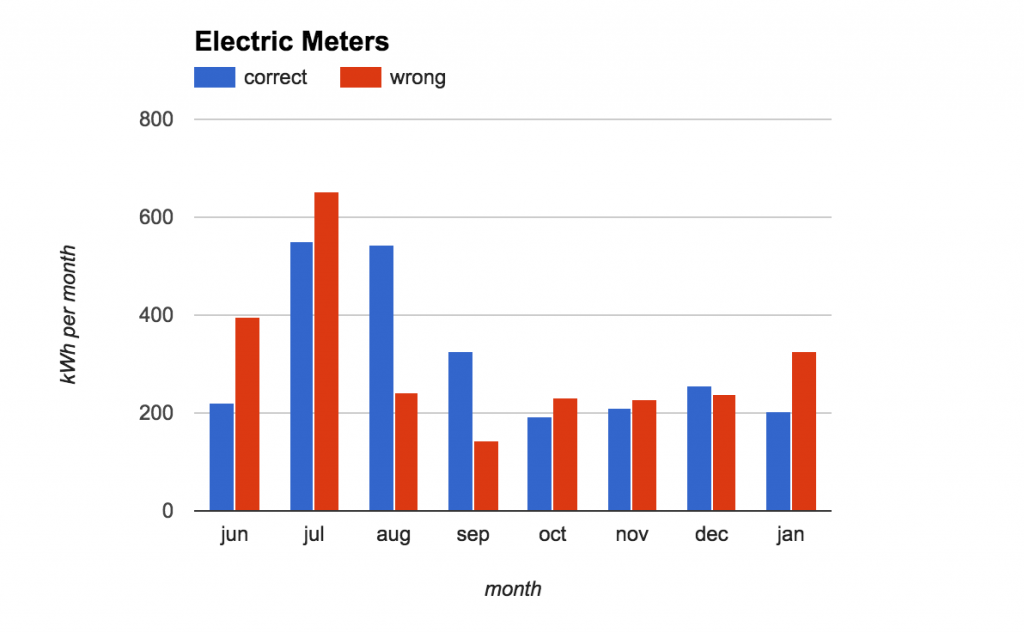 ][4] Electric meters compared[/caption]
## Appendix I: Energy Efficiency Cleaning the evaporator on your fridge saves juice, as a dirty coil can potentially reduce efficiency by as much as 30%. The dirt both reduces the heat transfer coefficient and surface area of the evaporator, which in turn requires the condenser to run more, which in turn creates more heat and reduces the temperature differential in the system. (See Newton’s Law of Cooling.) I reduced my consumption by around 26 kWh per month by replacing 8x 65W incandescent floodlights with the equivalent brightness 10W LED bulbs. They cost me $29, so it will take about 5 months to break even where I live (26 kWH/mo * $0.23/kwh = $5.98/mo) My gas furnace heats water that gets circulated by an old electric pump that draws about 175W peak. A high efficiency
[Taco 007e][5] replacement draws only 44W, and costs only $15 after a MassSave rebate. Various folks reminded me to unplug chargers and other phantom draws even when idle. You can monitor usage with a device like the [Kill-a-watt][6], or by [checking the electric meter][7] on your own.
[1]: https://nattaylor.com/wp-content/uploads/2017/02/IMG_20170201_211400062.jpg
[2]: https://docs.google.com/spreadsheets/d/1Wmz-UkiR9quNDOPl-J6gXQPKmz0JSxSfTDkuSJueKkg/pubhtml
[3]: https://www.youtube.com/watch?v=zqjQDP9KX6E
[4]: https://nattaylor.com/wp-content/uploads/2017/02/meters.png
[5]: https://www.taco-hvac.com/products/variable_speed_products/007e/index.html
[6]: http://www.p3international.com/products/p4400.html
[7]: https://lmgtfy.com/?q=how+to+read+an+electric+meter
# Google Home: Great For Music & Radio
After a few weeks with the [Google Home][1] (the voice-activated speaker powered by the Google Assistant) I'm a fan because it's so convenient for playing music and radio. I'm finding myself listening to both more (and consequently watching less TV!) since it's just so easy to walk into my apartment and say "Hey Google, play 90.9FM" or "Hey Google, play Allman Brothers." For me, that alone makes it worth the price*, even though the rest of the features are pretty ho-hum. [caption id="attachment_1044" align="aligncenter" width="1024"][
][4] Electric meters compared[/caption]
## Appendix I: Energy Efficiency Cleaning the evaporator on your fridge saves juice, as a dirty coil can potentially reduce efficiency by as much as 30%. The dirt both reduces the heat transfer coefficient and surface area of the evaporator, which in turn requires the condenser to run more, which in turn creates more heat and reduces the temperature differential in the system. (See Newton’s Law of Cooling.) I reduced my consumption by around 26 kWh per month by replacing 8x 65W incandescent floodlights with the equivalent brightness 10W LED bulbs. They cost me $29, so it will take about 5 months to break even where I live (26 kWH/mo * $0.23/kwh = $5.98/mo) My gas furnace heats water that gets circulated by an old electric pump that draws about 175W peak. A high efficiency
[Taco 007e][5] replacement draws only 44W, and costs only $15 after a MassSave rebate. Various folks reminded me to unplug chargers and other phantom draws even when idle. You can monitor usage with a device like the [Kill-a-watt][6], or by [checking the electric meter][7] on your own.
[1]: https://nattaylor.com/wp-content/uploads/2017/02/IMG_20170201_211400062.jpg
[2]: https://docs.google.com/spreadsheets/d/1Wmz-UkiR9quNDOPl-J6gXQPKmz0JSxSfTDkuSJueKkg/pubhtml
[3]: https://www.youtube.com/watch?v=zqjQDP9KX6E
[4]: https://nattaylor.com/wp-content/uploads/2017/02/meters.png
[5]: https://www.taco-hvac.com/products/variable_speed_products/007e/index.html
[6]: http://www.p3international.com/products/p4400.html
[7]: https://lmgtfy.com/?q=how+to+read+an+electric+meter
# Google Home: Great For Music & Radio
After a few weeks with the [Google Home][1] (the voice-activated speaker powered by the Google Assistant) I'm a fan because it's so convenient for playing music and radio. I'm finding myself listening to both more (and consequently watching less TV!) since it's just so easy to walk into my apartment and say "Hey Google, play 90.9FM" or "Hey Google, play Allman Brothers." For me, that alone makes it worth the price*, even though the rest of the features are pretty ho-hum. [caption id="attachment_1044" align="aligncenter" width="1024"][ ][2] My Google Home in front of some photos on a bookshelf[/caption] You may be rolling your eyes right now and thinking "Christ, how lazy are you?!" or "Why not just use Bluetooth like the rest us?!" I admit, I was skeptic at first too, but we speak to our Google Home 10-20 times most days at this point. When I first took it out of the box, I was worried it wouldn't be loud enough. But for our home's size (738sqft) the Home produces room filling, deep sound. "Hey Google, set the volume to 30%" is about right for when we just want something in the background, but might want to talk too; 50% feels pretty loud, and 100% is louder than we could possibly yell over. Our home's size also allows the microphone to hear us basically all the time, even around corners or through open doors. So it passed my "speaker test" which brought on my two part "utility test." When I walk in my front door, my dog greets me and demands a couple minutes of petting so she can be sure I still love her. Then I usually unload my pockets, and move on to starting some meal prep, so minor tidying, tending to my rabbits or something else -- all of which seem to occupy my hands and all of which used to stop me putting on music or radio via Bluetooth. The fact that it required my hands to 1) turn on Bluetooth 2) pick something and 3) get it connected to the speaker was just enough of an impediment that I rarely did it. Now I just say "Hey Google, play \_____" and so it passes my "utility test - part I" as well. Utility: Part II is all about voice recognition, which the Home excels at. There's only been a handful of times that we've had to repeat ourselves, though you do have to learn a few phrases. First you have to train yourself to start by saying "Hey Google" (or "Ok Google") then you have to remember things like: just to play a song, you have to specify the artist ("Hey Google, play Blinded By The Light by Manfredd Mann's Earth Band.") Once you say "Hey Google" the volume is automatically reduced and after you spear, it will say what its going to do in response ("Ok, playing Blinded By The Light by Manfredd Mann's Earth Band on Spotify") or say "I didn't understand." This all feels reasonably natural and we learned quickly. We haven't grown fond any of Google Home's other features we've tried, like "Ask Google" or "Ok Google, what's the weather." For that, we still seem to just whip out a phone. And without any other smart devices or other Homes, we haven't gotten to try the multi-room or home automation capabilities. We also haven't really used the shopping list or the new Buy Via Google Express features, nor tried to use it in conjunction with a Chromecast to control our TV. Lastly, we haven't considered the privacy implications. The Google Home is always listening for "Ok Google" and it stores everything you say it to on Google servers. Personally, I already trust Google to manage my phone, my email, my photos, my searches, my files and my location, so... meh. So, would I recommend it? Yes, assuming your situation is anything like mine in terms of home life and home size. *I got mine on sale for $89
[1]: https://madeby.google.com/home/
[2]: https://nattaylor.com/wp-content/uploads/2017/02/google_home.jpg
# Introduction to Google Photos
I need to help my Mom get familiar with Google Photos, so I gave her the following advice. If you have any tips, please let me know at
> I installed Google Photos on your phone which automatically syncs your photos to the Google cloud. Give https://photos.google.com/ a try **RIGHT NOW** and let me know how it goes!
][2] My Google Home in front of some photos on a bookshelf[/caption] You may be rolling your eyes right now and thinking "Christ, how lazy are you?!" or "Why not just use Bluetooth like the rest us?!" I admit, I was skeptic at first too, but we speak to our Google Home 10-20 times most days at this point. When I first took it out of the box, I was worried it wouldn't be loud enough. But for our home's size (738sqft) the Home produces room filling, deep sound. "Hey Google, set the volume to 30%" is about right for when we just want something in the background, but might want to talk too; 50% feels pretty loud, and 100% is louder than we could possibly yell over. Our home's size also allows the microphone to hear us basically all the time, even around corners or through open doors. So it passed my "speaker test" which brought on my two part "utility test." When I walk in my front door, my dog greets me and demands a couple minutes of petting so she can be sure I still love her. Then I usually unload my pockets, and move on to starting some meal prep, so minor tidying, tending to my rabbits or something else -- all of which seem to occupy my hands and all of which used to stop me putting on music or radio via Bluetooth. The fact that it required my hands to 1) turn on Bluetooth 2) pick something and 3) get it connected to the speaker was just enough of an impediment that I rarely did it. Now I just say "Hey Google, play \_____" and so it passes my "utility test - part I" as well. Utility: Part II is all about voice recognition, which the Home excels at. There's only been a handful of times that we've had to repeat ourselves, though you do have to learn a few phrases. First you have to train yourself to start by saying "Hey Google" (or "Ok Google") then you have to remember things like: just to play a song, you have to specify the artist ("Hey Google, play Blinded By The Light by Manfredd Mann's Earth Band.") Once you say "Hey Google" the volume is automatically reduced and after you spear, it will say what its going to do in response ("Ok, playing Blinded By The Light by Manfredd Mann's Earth Band on Spotify") or say "I didn't understand." This all feels reasonably natural and we learned quickly. We haven't grown fond any of Google Home's other features we've tried, like "Ask Google" or "Ok Google, what's the weather." For that, we still seem to just whip out a phone. And without any other smart devices or other Homes, we haven't gotten to try the multi-room or home automation capabilities. We also haven't really used the shopping list or the new Buy Via Google Express features, nor tried to use it in conjunction with a Chromecast to control our TV. Lastly, we haven't considered the privacy implications. The Google Home is always listening for "Ok Google" and it stores everything you say it to on Google servers. Personally, I already trust Google to manage my phone, my email, my photos, my searches, my files and my location, so... meh. So, would I recommend it? Yes, assuming your situation is anything like mine in terms of home life and home size. *I got mine on sale for $89
[1]: https://madeby.google.com/home/
[2]: https://nattaylor.com/wp-content/uploads/2017/02/google_home.jpg
# Introduction to Google Photos
I need to help my Mom get familiar with Google Photos, so I gave her the following advice. If you have any tips, please let me know at
> I installed Google Photos on your phone which automatically syncs your photos to the Google cloud. Give https://photos.google.com/ a try **RIGHT NOW** and let me know how it goes!
You can access them via app on your phone, or from any browser at https://photos.google.com (you must be logged into annetaylordesigns@gmail.com) They private and not accessible by anyone else, unless you explicitly share them. Anything you do on any device is synced (e.g. If you create an album, it appears on both your phone and https://photos.google.com) It is important to understand the difference between the "Photos" tab and the "Albums" tab.# PhotoScan Is Great It's no secret that I'm a Google Photos fan[1][1] [2][2] and you can add [PhotoScan][3] to the list of features I love. Tonight we built a simple rig out of cardboard and within about an hour we scanned over two hundred fifty photos, then let Google **automatically crop and rotate** them. Almost instantly they were available right with the rest of my photos, almost as if they were taken normally. They show no awkward glare, no uncropped background noise and no slightly off kilter rotation. Best of all, Google Photos supports bulk date change. Here's how we set it up and how the results look. [caption id="attachment_1055" align="aligncenter" width="1024"][My preference is to create albums on https://photos.google.com where I have a mouse, then next time I open the photos app they're there! You asked: Is it using data to scroll through photos? It depends. Google Photos creates a large cache (1GB+) but photos that aren't cached use data, though not very much. Thumbnails only load if they are onscreen for ~1+ seconds, so if you scroll straight past them, no data is used. Thumbnails load progressively, so at first they download a very lowres version (1-2 KB) Why are Nat's wedding photos in my photos? I went into your account and upload them (then I later removed them) How can I get rid of photos? You can always delete them, or you can also use the "archive" feature which removes them from your "Photos" tab and shows them in an "archive" tab instead. You can also plug your phone into your PC and manually download the photos to store on your own file system, if you so choose. How do I use the app? You should see 4 tabs at the bottom:
- Deleting from the photos tab is like deleting a file (it goes to the trash, then its gone)
- Removing from an album (delete isn't allowed) just changes the album, not the original file.
In the top left there is a ☰ (trigram icon) which has all of the rest of the settings, options, etc. It's where you get back to the trash, get to the archive, get to settings, etc etc I can walk you through more stuff when you're ready. Google photos has tons of cool features! A few quick tips:
- Assistant does automation like stitching together panoramas etc
- Photos is all your photos
- Albums is all your albums (aka there are no "files" there, just collections of files; so they are not like folders!)
- Sharing shows your sharing history
You can also upload DSLR photos from the browser/your PC to have them show up in albums etc on your phone. So if have a folder of DSLR pics that you want to be an album then:
- Editing: Look for the (pencil) icon to crop, rotate and adjust colors
- Search: Try searching for "quilt" and it should find quilts even if you haven't labeled them that way
- Sharing: Look for the three-dot icon to share.
- Management: When you hover over a photo, look for the ✔ (checkmark icon) to select the photo, then you can go on to select more, then choose an action with the + (plus icon) to create or add to an album. On your phone, long press a photo to do this.
NOTE: If you skip step #5, they will just go into your stream! You have to explicitly create an album! If you skip/forget/get lost you can always get back to your recent uploads at https://photos.google.com/search/_tra_ and create the album from there.
- Go to https://photos.google.com/
- Click Upload (Near the top, to the right of "Search")
- Select the files and click OK
- Look for the "Progress" indicator in the lower left of your screen.
- When it finishes, look in the lower left for the "Create Album" link
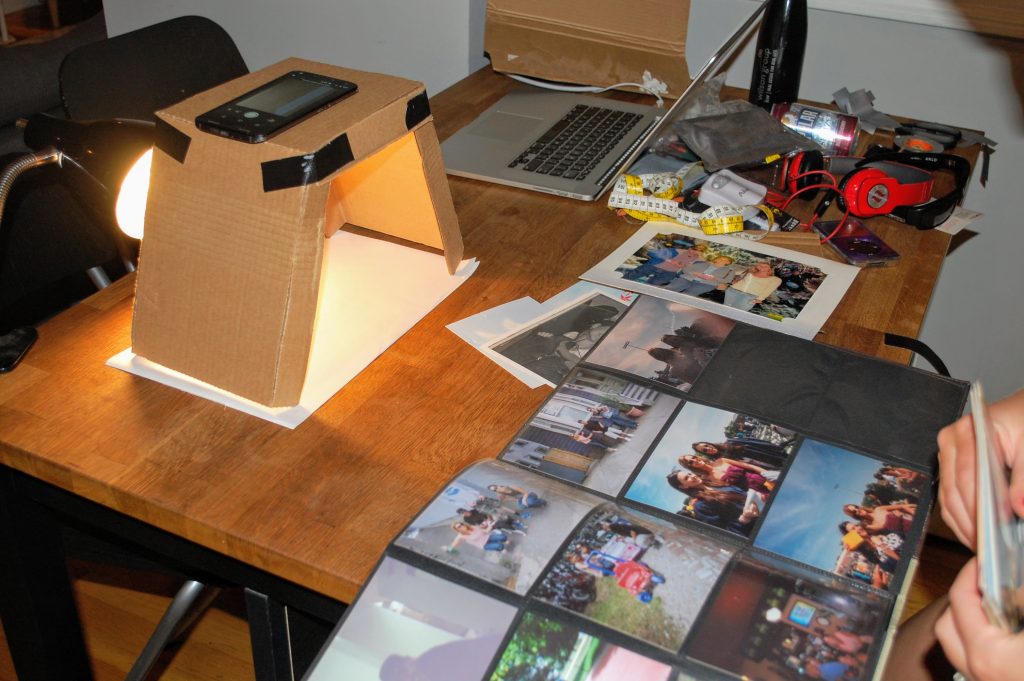 ][4] Setup for PhotoScan\[/caption\] \[caption id="attachment_1053" align="aligncenter" width="1024"\][
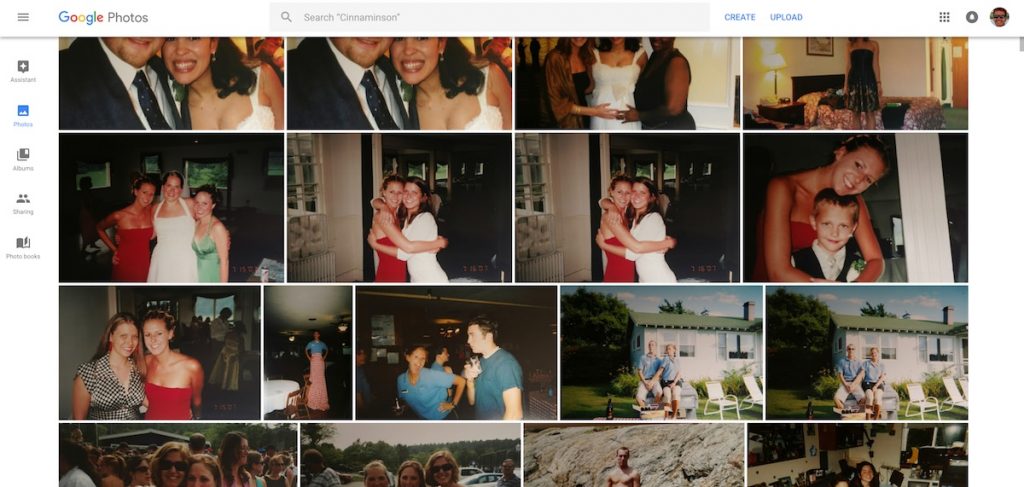 ][5] Results of PhotoScan by Google Photos[/caption]
[1]: https://nattaylor.com/blog/2017/google-photos/
[2]: https://nattaylor.com/blog/2017/intro-google-photos/
[3]: https://www.google.com/photos/scan/
[4]: https://nattaylor.com/wp-content/uploads/2017/07/photoscan_setup-1.jpg
[5]: https://nattaylor.com/wp-content/uploads/2017/07/google_photo_scanning.jpg
# USPS Informed Delivery
In my mostly digital world, SnailMail is a chore. That's why I applaud the USPS's new [Informed Delivery][1] service, which sends me an email every day so I can view it in my normal morning routine. [caption id="attachment_1059" align="aligncenter" width="1024"][
][5] Results of PhotoScan by Google Photos[/caption]
[1]: https://nattaylor.com/blog/2017/google-photos/
[2]: https://nattaylor.com/blog/2017/intro-google-photos/
[3]: https://www.google.com/photos/scan/
[4]: https://nattaylor.com/wp-content/uploads/2017/07/photoscan_setup-1.jpg
[5]: https://nattaylor.com/wp-content/uploads/2017/07/google_photo_scanning.jpg
# USPS Informed Delivery
In my mostly digital world, SnailMail is a chore. That's why I applaud the USPS's new [Informed Delivery][1] service, which sends me an email every day so I can view it in my normal morning routine. [caption id="attachment_1059" align="aligncenter" width="1024"][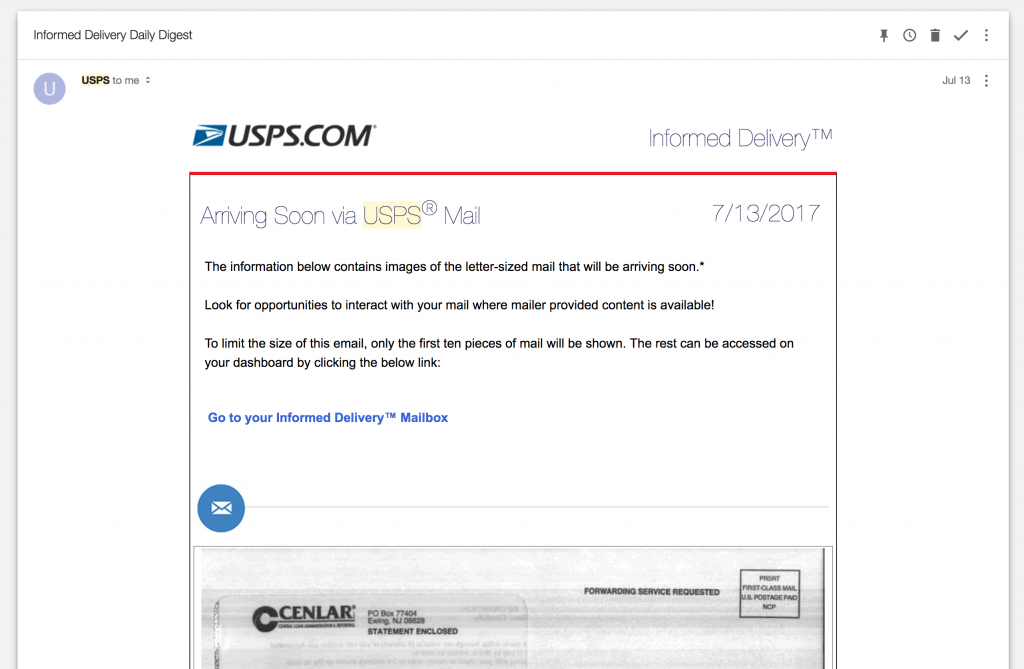 ][2] Screenshot of USPS Informed Delivery[/caption]
[1]: https://informeddelivery.usps.com/box/pages/intro/start.action
[2]: https://nattaylor.com/wp-content/uploads/2017/07/usps.png
# Customizing Website Subscription Emails
Swappa.com allows users to subscribe to listings via email, but the messages only contain a link and omit useful information like the price. I wanted to use the email notifications to generate better email notifications, and cooked up the following:
1. Forward the email to a separate dedicated email account
2. Apply a filter to the messages and pipe it to a script
3. Parse useful information out of the email
4. Generate and send a new email This was a relatively easy project and as usual a useful learning exercise. Note: At BlueHost.com, the email filter's "pipe to a program" destination needs to be
`$home/script.php` and `chmod 644 script.php` (assuming its in your home directory.) My ugly script is below. It's fragile with no error checking or `DomDocumenet` node validation. Here's what the emails look like before and after. [gallery columns="2" link="file" size="medium" ids="1062,1064"]
#!/usr/bin/php -q
loadHTML( ''.$response );
if( !isset( $doc->documentElement ) ) {
return false;
}
$title = $doc->getElementsByTagName("title")->item(0)->textContent;
$h1 = trim(str_replace("\n"," ",str_replace("\t","",$doc->getElementsByTagName("h1")->item(0)->textContent)));
$h2 = trim($doc->getElementsByTagName("h2")->item(0)->textContent);
$storage = trim($doc->getElementsByTagName("table")->item(0)->childNodes->item(1)->childNodes->item(6)->textContent);
$color = trim($doc->getElementsByTagName("table")->item(0)->childNodes->item(1)->childNodes->item(8)->textContent);
$condition = trim($doc->getElementsByTagName("h1")->item(0)->childNodes->item(1)->childNodes->item(1)->textContent);
$price = trim($doc->getElementsByTagName("h1")->item(0)->childNodes->item(3)->textContent);
foreach( $doc->getElementsByTagName("li") as $node ) {
if( strpos( $node->textContent, "Device:" ) ) {
$device = trim(str_replace("Device: ", "", $node->textContent));
}
}
$emailto = 'nattaylor@gmail.com';
$toname = 'Nat Taylor';
$emailfrom = 'swappa@nattaylor.com';
$fromname = 'Nat Taylor';
$subject = "$".$price." for ".$storage.", ".$condition.", ".$color." ".$device;
$messagebody = implode("\n", array($h1, $h2, $f));
$headers =
'Return-Path: ' . $emailfrom . "\r\n" .
'From: ' . $fromname . ' ' . "\r\n" .
'X-Priority: 3' . "\r\n" .
'X-Mailer: PHP ' . phpversion() . "\r\n" .
'Reply-To: ' . $fromname . ' ' . "\r\n" .
'MIME-Version: 1.0' . "\r\n" .
'Content-Transfer-Encoding: 8bit' . "\r\n" .
'Content-Type: text/plain; charset=UTF-8' . "\r\n";
$params = '-f ' . $emailfrom;
$send = mail($emailto, $subject, $messagebody, $headers, $params);
}
}
?>
# New, Boring Theme!
After about a year of using a slightly modified version of the Less theme, I've developed and deployed a new even lesser theme for nattaylor.com that is focused on performance and simplicity. The design won't "wow" anyone, but it should load almost instantly and be easy to read. There are several things that I'm trying out, including the following:
1. **Disables oEmbed & emoji** I don't have much use for these, so I disabled them to avoid loading extra resources in the ``
2. **HTML5 gallery and caption markup** It only takes 1 line of code to enable this core feature
3. **NOINDEX for archives, paged-sections and attachments** I hate the way these pages look when they show up in Google search results, since they don't represent actual content.
4. **Basic responsive stylesheet** I set `max-width:100%, overflow-x: scroll` for most elements, which basically delivers a fully responsive layout.
5. **~60 characters per line** For the sake of readability, the [line length][1] is around 60 characters.
6. **2kb Payload** Pages weigh just a few kilobytes compressed. The homepage is just 1,458 bytes!
7. **A Single HTTP Request** Pages (excluding images) require just one HTTP request. I'm not completely done. I'm omitting the Google Analytics tag, at least for now, and relying on awstats instead but I'm toying with both a
[micro Google Analytics library][2] or using the pixel version. I also want a better solution for the gallery lightbox, which currently relies on a plugin and a better gallery layout.
[1]: https://en.wikipedia.org/wiki/Line_length
[2]: https://github.com/lukeed/ganalytics
# Boston Harbor Flooding
A winter storm on January 4th, 2018 caused extreme flooding in Boston. Here are some pictures.[gallery link="file" ids="1083,1082,1081,1080,1079,1078,1077,1076,1075,1074,1073"]
# East Boston Floods Again
A nor'easter rolled through East Boston on March 2nd, 2018 and the resulting tidal surge caused extreme flooding for the second time, after a [similar storm in January][1]. Here are some pictures and few videos: [1][2], [2][3], [3][4] & [4][5] [gallery link="file" ids="1094,1093,1092,1091,1090,1089,1088"]
[1]: https://nattaylor.com/blog/2018/boston-harbor-flooding/
[2]: https://youtu.be/7Ic_AnIStMw
[3]: https://youtu.be/r4dbUgvlLd0
[4]: https://youtu.be/5Y18Y2PFD60
[5]: https://youtu.be/nj32G8RybqU
# Gitweb Setup
Recently I setup and customized [Gitweb][1] (a web frontend to Git repositories) and I'm quite pleased with the result but also found a few quirks. Here is a screenshot and a summary of my setup.
][2] Screenshot of USPS Informed Delivery[/caption]
[1]: https://informeddelivery.usps.com/box/pages/intro/start.action
[2]: https://nattaylor.com/wp-content/uploads/2017/07/usps.png
# Customizing Website Subscription Emails
Swappa.com allows users to subscribe to listings via email, but the messages only contain a link and omit useful information like the price. I wanted to use the email notifications to generate better email notifications, and cooked up the following:
1. Forward the email to a separate dedicated email account
2. Apply a filter to the messages and pipe it to a script
3. Parse useful information out of the email
4. Generate and send a new email This was a relatively easy project and as usual a useful learning exercise. Note: At BlueHost.com, the email filter's "pipe to a program" destination needs to be
`$home/script.php` and `chmod 644 script.php` (assuming its in your home directory.) My ugly script is below. It's fragile with no error checking or `DomDocumenet` node validation. Here's what the emails look like before and after. [gallery columns="2" link="file" size="medium" ids="1062,1064"]
#!/usr/bin/php -q
loadHTML( ''.$response );
if( !isset( $doc->documentElement ) ) {
return false;
}
$title = $doc->getElementsByTagName("title")->item(0)->textContent;
$h1 = trim(str_replace("\n"," ",str_replace("\t","",$doc->getElementsByTagName("h1")->item(0)->textContent)));
$h2 = trim($doc->getElementsByTagName("h2")->item(0)->textContent);
$storage = trim($doc->getElementsByTagName("table")->item(0)->childNodes->item(1)->childNodes->item(6)->textContent);
$color = trim($doc->getElementsByTagName("table")->item(0)->childNodes->item(1)->childNodes->item(8)->textContent);
$condition = trim($doc->getElementsByTagName("h1")->item(0)->childNodes->item(1)->childNodes->item(1)->textContent);
$price = trim($doc->getElementsByTagName("h1")->item(0)->childNodes->item(3)->textContent);
foreach( $doc->getElementsByTagName("li") as $node ) {
if( strpos( $node->textContent, "Device:" ) ) {
$device = trim(str_replace("Device: ", "", $node->textContent));
}
}
$emailto = 'nattaylor@gmail.com';
$toname = 'Nat Taylor';
$emailfrom = 'swappa@nattaylor.com';
$fromname = 'Nat Taylor';
$subject = "$".$price." for ".$storage.", ".$condition.", ".$color." ".$device;
$messagebody = implode("\n", array($h1, $h2, $f));
$headers =
'Return-Path: ' . $emailfrom . "\r\n" .
'From: ' . $fromname . ' ' . "\r\n" .
'X-Priority: 3' . "\r\n" .
'X-Mailer: PHP ' . phpversion() . "\r\n" .
'Reply-To: ' . $fromname . ' ' . "\r\n" .
'MIME-Version: 1.0' . "\r\n" .
'Content-Transfer-Encoding: 8bit' . "\r\n" .
'Content-Type: text/plain; charset=UTF-8' . "\r\n";
$params = '-f ' . $emailfrom;
$send = mail($emailto, $subject, $messagebody, $headers, $params);
}
}
?>
# New, Boring Theme!
After about a year of using a slightly modified version of the Less theme, I've developed and deployed a new even lesser theme for nattaylor.com that is focused on performance and simplicity. The design won't "wow" anyone, but it should load almost instantly and be easy to read. There are several things that I'm trying out, including the following:
1. **Disables oEmbed & emoji** I don't have much use for these, so I disabled them to avoid loading extra resources in the ``
2. **HTML5 gallery and caption markup** It only takes 1 line of code to enable this core feature
3. **NOINDEX for archives, paged-sections and attachments** I hate the way these pages look when they show up in Google search results, since they don't represent actual content.
4. **Basic responsive stylesheet** I set `max-width:100%, overflow-x: scroll` for most elements, which basically delivers a fully responsive layout.
5. **~60 characters per line** For the sake of readability, the [line length][1] is around 60 characters.
6. **2kb Payload** Pages weigh just a few kilobytes compressed. The homepage is just 1,458 bytes!
7. **A Single HTTP Request** Pages (excluding images) require just one HTTP request. I'm not completely done. I'm omitting the Google Analytics tag, at least for now, and relying on awstats instead but I'm toying with both a
[micro Google Analytics library][2] or using the pixel version. I also want a better solution for the gallery lightbox, which currently relies on a plugin and a better gallery layout.
[1]: https://en.wikipedia.org/wiki/Line_length
[2]: https://github.com/lukeed/ganalytics
# Boston Harbor Flooding
A winter storm on January 4th, 2018 caused extreme flooding in Boston. Here are some pictures.[gallery link="file" ids="1083,1082,1081,1080,1079,1078,1077,1076,1075,1074,1073"]
# East Boston Floods Again
A nor'easter rolled through East Boston on March 2nd, 2018 and the resulting tidal surge caused extreme flooding for the second time, after a [similar storm in January][1]. Here are some pictures and few videos: [1][2], [2][3], [3][4] & [4][5] [gallery link="file" ids="1094,1093,1092,1091,1090,1089,1088"]
[1]: https://nattaylor.com/blog/2018/boston-harbor-flooding/
[2]: https://youtu.be/7Ic_AnIStMw
[3]: https://youtu.be/r4dbUgvlLd0
[4]: https://youtu.be/5Y18Y2PFD60
[5]: https://youtu.be/nj32G8RybqU
# Gitweb Setup
Recently I setup and customized [Gitweb][1] (a web frontend to Git repositories) and I'm quite pleased with the result but also found a few quirks. Here is a screenshot and a summary of my setup. 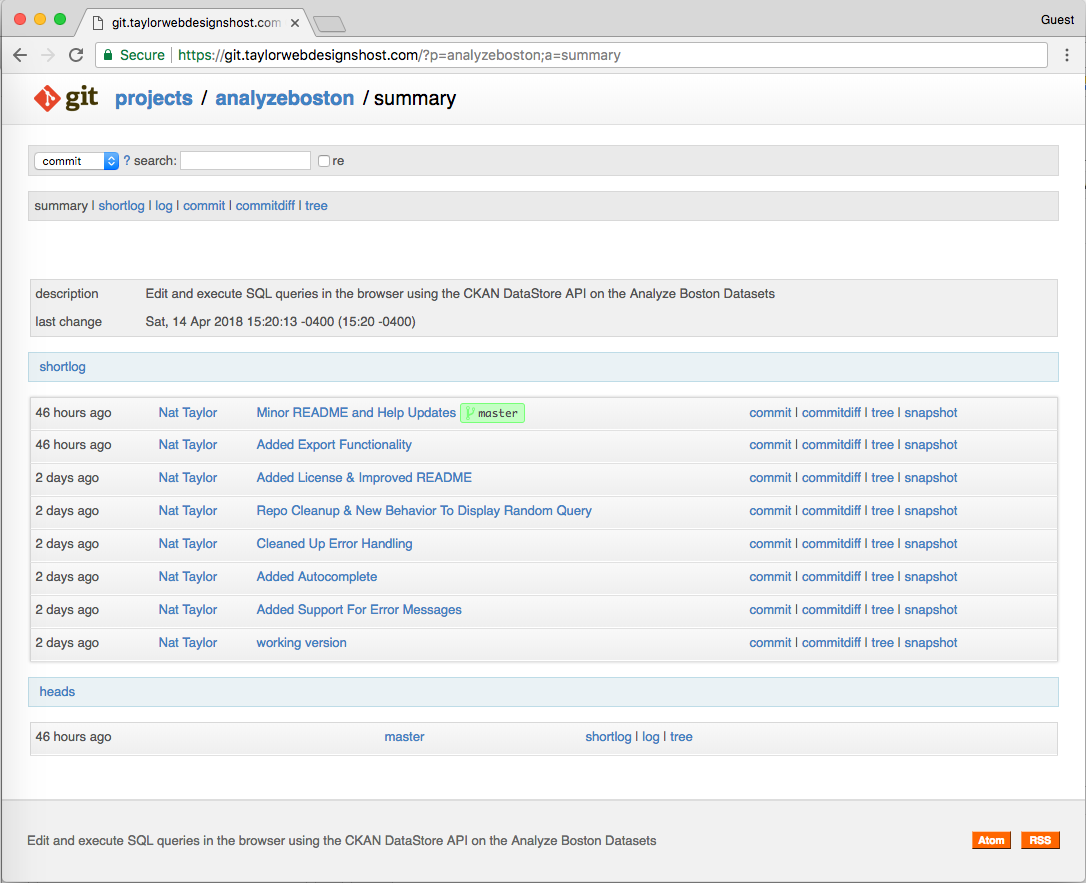 Screenshot of Gitweb with custom theme The Git book's [Git on the Server][2] page has great instructions for how to generate the `.cgi` script (including setting the `$projectroot` path, as well as for configuring `.htaccess` Gitweb is a CGI script, so you need to enable CGI in the directory and a few other things with the following code:
Options +ExecCGI +FollowSymLinks +SymLinksIfOwnerMatch
        AllowOverride All
        order allow,deny
        Allow from all
        AddHandler cgi-script cgi
        DirectoryIndex gitweb.cgi
At first I got a "No Projects" error, which I resolved by determining the path to git on my server with
`which git` then configuring `gitweb.cgi` with `our $GIT="your/path/to/git"` I then choose to put the application on a subdomain and enabled basic authentication, as I plan to keep non-public projects there and I was also concerned about the potential for server load since I didn't enable any of the caching customization. Lastly, I deployed a [kogakure's Github inspired theme][3]. This was as simple as replacing three files in gitweb's `static/` folder. If you're disappointed by the lack of a Markdown renderer, one option is to script a hook that converts into HTML, then Gitweb will display it on the summary page. For example:
#!/bin/sh
git cat-file blob HEAD:README.md | php -f markdown.php > $GIT_DIR/README.html
[1]: https://git-scm.com/docs/gitweb
[2]: https://git-scm.com/book/en/v2/Git-on-the-Server-GitWeb
[3]: https://github.com/kogakure/gitweb-theme
# Analyze Boston SQL Client Beta Release
I am proud to announce the beta release of the unofficial browser-based SQL Client for Analyze Boston at 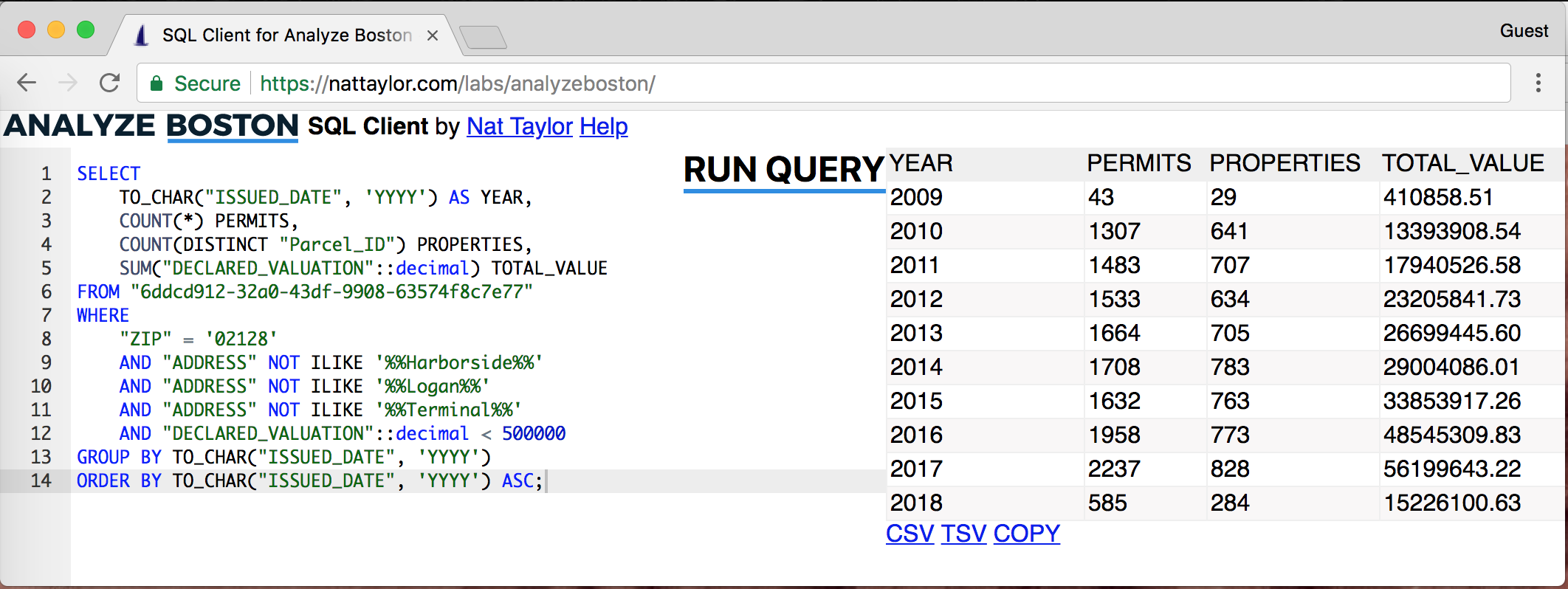 Screenshot of the Analyze Boston SQL Client beta release The client provides a browser-based interface for executing and display the results of SQL queries against Analyze Boston's open data portal datasets.
#### Features The client is designed to stay lite, offering just:
* SQL editor with syntax highlighting
* HTML table results presentation
* Typeahead schema search
* Export to CSV, TSV & clipboard
#### Limitations At this time the configuration of the Analyze Boston open data portal does not include an
`Access-Control-Allow-Origin` header so a browser extension is required to display error messages since they return a 409 status code which is blocked by default.
#### Future Plans Eventually I'd like to contribute the source to Analyze Boston or CKAN (which powers Analyze Boston.) Along the way, I'd really like to add some sort of automated testing as well as cleanup the codebase.
#### Feedback Please send feedback to
# Web Analytics with awstats in 2018
There are a wealth of free web analytics tools (like Google Analytics,) but they add overhead to every page load, require webmasters to relinquish control, inherently employ third-party user tracking and are may be redundant to existing processes. The alternative is to just use access logs and software like awstats, which is just what I've opted for, but with customization (since everything is worth over engineering!) including:
1. Multisite Summary
2. Static Generation
3. Custom Theme
4. Breadcrumbs
5. Log merging
6. Basic Auth Here is a screenshot of the stats portal.
Screenshot of the Analyze Boston SQL Client beta release The client provides a browser-based interface for executing and display the results of SQL queries against Analyze Boston's open data portal datasets.
#### Features The client is designed to stay lite, offering just:
* SQL editor with syntax highlighting
* HTML table results presentation
* Typeahead schema search
* Export to CSV, TSV & clipboard
#### Limitations At this time the configuration of the Analyze Boston open data portal does not include an
`Access-Control-Allow-Origin` header so a browser extension is required to display error messages since they return a 409 status code which is blocked by default.
#### Future Plans Eventually I'd like to contribute the source to Analyze Boston or CKAN (which powers Analyze Boston.) Along the way, I'd really like to add some sort of automated testing as well as cleanup the codebase.
#### Feedback Please send feedback to
# Web Analytics with awstats in 2018
There are a wealth of free web analytics tools (like Google Analytics,) but they add overhead to every page load, require webmasters to relinquish control, inherently employ third-party user tracking and are may be redundant to existing processes. The alternative is to just use access logs and software like awstats, which is just what I've opted for, but with customization (since everything is worth over engineering!) including:
1. Multisite Summary
2. Static Generation
3. Custom Theme
4. Breadcrumbs
5. Log merging
6. Basic Auth Here is a screenshot of the stats portal.
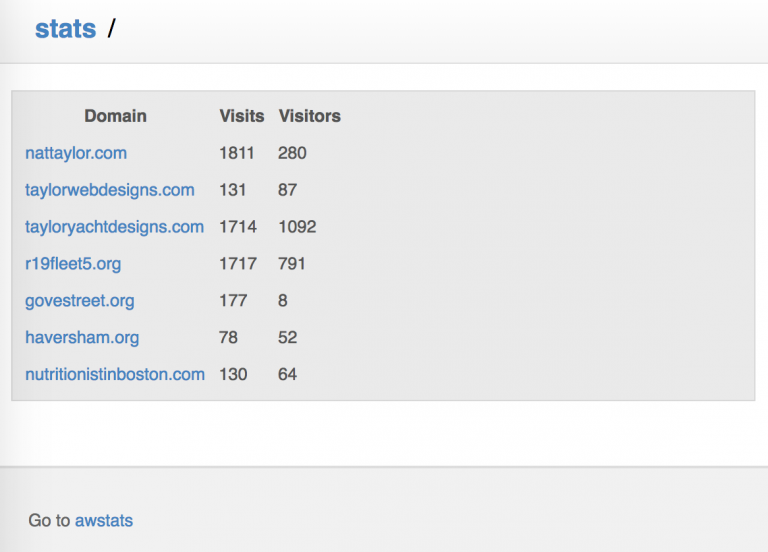 Themed multisite summary dashboard for awstats My server already stores access logs and processes them with awstats every day, but I found it painful to log into CPanel then check site by site. (SSL is also tracking separately from non-SSL, which was annoying.) Multisite summary was something I craved. After much deliberation, I realized that the awstat "databases" (text files) already had the required SiteVisit and SiteVisitor counts, so it was only a few lines of code to read and combine them. Once they were summarized though, I needed a quick way to access them preferably without a CPanel session and without checking HTTP and SSL separately. I accomplished this first by merging the "databases" with [AwstatsParser][1], then by generating static reports. Manually building the awstats reports was a bit tricky to figure out, as the `awstats.conf` files must be in the same directory as `awstats.pl` and the working directory must be the location of the `awstats.pl` script. With that sorted out, it was a short script to generate static copies of the reports, get the paths right for the assets (icons, css, etc) and putting them somewhere web accessible. My server also stores all of the "database text files in the same directory key by their subdomain, so I settled on a `config.json` file to specify which to process and how to map them to their actual domain name. Lastly came theming and breadcrumbs. awstats allows a configurable stylesheet, making theming quite simple (especially if you just borrow from [kogakure's gitweb theme][2] like I did.) The breadcrumbs are accomplished by using a form of `str_replace('{{breadcrumbs}}',$breadcrumbs)` which is lazy but works fine. Accessing the result requires SSL and basic auth credentials.
[1]: https://github.com/AaronVanGeffen/AwstatsParser/
[2]: https://github.com/kogakure/gitweb-theme
# TaylorNet Stack Dive
I've attended a few awesome StackDives that _dive_ into what software is used in a company's stack, so here is the [TaylorNet][1] edition.
### Shared Hosting: LiteSpeed Server & CPanel at VPShared
My hosting requirements are easily met with shared hosting, but after growing frustrated with the diminishing cost versus performance ratio of Bluehost, I've recently finished migrating everything to [VPShared][2] and I'm extremely pleased.
As part of the migration I consolidated the entire [Nat Taylor Web Designs][3] network, so now all of the sites I maintain are managed on the same server which greatly simplifies my life, especially when it comes to backups.
Some of the best features of VPShared, besides the basics like CPanel and SSH, include:
* **Automated and Free SSL certificates** Thanks to Let's Encrypt and AutoSSL, all of my domains (including subdomains) and mail server get automatically updated, free SSL certificates.
* **LiteSpeed Cache** [LSCache][4] is very similar to mod_cache, but it is built into the server and has an easy WordPress plugin. So far it has been very performant and easy to configure.
* **Email** I am very pleased with the out-of-the-box email configuration as it includes SSL, authentication via DKIM and SPF, and SpamAssassin.
* **Backups** JetBackup is available and supports incremental backups, which makes restoration quite simple.
* **Speed** The server speed has been excellent for everything including CPanel, the WordPress Dashboard and WordPress itself.
* **Server Load** Currently I feel pretty confident that the server won't get overcrowded since there are limits Physical Memory, CPU Usage, I/O and IOPS as well as Number Of Processes and Entry Processes.
### Websites: WordPress (Mostly)
[WordPress][5] has a lot going for it including: ubiquity, cost, web UI and extensibility, among others. It can be overkill and a performance drag, but with good caching its fine and it lets users easily edit their sites.
My WordPress [theme is extremely boring][6].
### Version Control System: Git
Git is ubiquitous and serves my purposes well, especially when couple with `hooks` to do deployments and [my deployment of Gitweb][7] to view repositories.
### Site Metrics: Awstats
AWStats is maintained reasonably well and offers a wealth of usage statistics which makes it my goto. The alternatives like Webalizer have gotten stale and the juggernaut Google Analyics loads too much Javascript for my taste.
It's also well documented, so it can be extended if needed--something that I have done myself which you can read about in my post [Web Analytics with awstats in 2018][8].
### Email: Roundcube, SpamAssassain
[Roundcube][9] is a great little web-based email client. SpamAssassain is brilliant.
### Project Management: Freelance Cockpit
Freelance Cockpit 2 is a [brilliant project management][10] tool that I vastly underutilize.
### Security: SSL, BasicAuth & ModSecurity
I keep security simple. Basic Auth over SSL is pretty good, so I have a "private" realm that's easy to manage and relatively secure. I also use ModSecurity for brute force attacks.
[1]: https://nattaylor.com/about/taylornet/
[2]: https://vpshared.com/
[3]: https://taylorwebdesigns.com
[4]: https://www.litespeedtech.com/support/wiki/doku.php/litespeed_wiki:cache:no-plugin-setup-guidline
[5]: https://wordpress.org
[6]: https://nattaylor.com/blog/2017/new-theme/
[7]: https://nattaylor.com/blog/2018/gitweb
[8]: https://nattaylor.com/blog/2018/web-analytics-with-awstats-in-2018/
[9]: https://roundcube.net/
[10]: https://www.freelancecockpit.com/
# Around The House
Reviews, relishing, rants and raves about stuff around the house.
### Reel Mower ($84) ?? Reel mowers like
[this one][1] go for $100 or less and are light, small, noise-free and non-polluting. I love it. I keep it hanging on the wall and when it got a bit dull and rusty, sharpening it was a 20-minute $7 chore ([instructions][2].) I had the $175 big brother, but at 50lbs it was annoyingly heavy.
### Voltmeter ($10) ?? Voltmeters like
[this one][3] are only $10-$20 and are invaluable for diagnosing electric problems, even for novices.
### Infrared Thermometer ($10) ?? I use
[mine][4] all the time for measuring drafts, windows, cooking oil, AC vents and more.
### Sprinkler: Oscillating ($20) ??- Ring ($3) ?? My lawn is so small that I actually spent an entire summer just spraying my lawn with a hose in the mornings before I got a sprinkler. I opted for a
[$3 ring sprinkler][5] at first which was useless, because without any moving parts it just created puddles. I replaced that with this [great oscillating sprinkler][6], which is very adjustable and thus great for my tiny yard.
### [Poo-Pourri Before-You-Go Toilet Spray][7] ($10) ?? This is one of several essentials for marital bliss.
### Ceiling Mount Ventilator Fan ($150) ?? I replaced an old, low flow, loud ceiling fan with the far superior Panasonic WhisperFit® EZ ceiling mount fan. It is a serious bit of engineering that was relatively complicated to install, giving me confidence that it would be quiet, which was later confirmed. It produces 50% more flow than the fan I replaced and is so quiet that I can barely hear it from outside the bathroom.
[1]: https://www.homedepot.com/p/Scotts-14-in-5-Blade-Manual-Walk-Behind-Reel-Mower-304-14S/100329907
[2]: http://www.instructables.com/id/Sharpen-a-push-reel-mower/
[3]: http://a.co/9gt2jiT
[4]: http://a.co/ialyvdJ
[5]: https://www.homedepot.com/p/Orbit-Plastic-Ring-Sprinkler-27924/100659312
[6]: http://a.co/dm8lDZy
[7]: https://www.amazon.com/Poo-Pourri-Before-You-Go-Toilet-Bottle-Original/dp/B0108XRDJE
# Homebrewing Beer
Since Christmas, I've brewed 10 gallons of beer ...so I suppose I'm officially a home brewer! It's a blast to drink and share your own brew, and if you stick to extract brewing like I do then it's easy. The economics aren't quite what I expected: a 5 gallon batch (640 ounces) fills about 4x 12-packs. You'll need one set of equipment (I got a $65 kit) and bottles ($13/12-bottles) then ingredients (~$40) for every batch. If you assume a 12-pack of craft beer costs $20, then you save about 50% per batch after and break even on your equipment and bottle investment around your third batch. ...but that's not the point any way. It's the fun of it, the patience of it, the anticipation of the first sip and then the reaction of your first victim(/happy customer!) The equipment list is pretty short, and fits neatly stacked in the back corner of my closet. Although it might have been a fun project to piece it together myself, I'm glad I got the kit. If you already had a 5-gallon pot, its probably possible to get the job done with 2 standard 5-gallon buckets and a tube. But, it's much easier to have the lid, airlock, spigot, bottle filler, bottle brush, bottler capper and a few other bits and cleaners.[
Themed multisite summary dashboard for awstats My server already stores access logs and processes them with awstats every day, but I found it painful to log into CPanel then check site by site. (SSL is also tracking separately from non-SSL, which was annoying.) Multisite summary was something I craved. After much deliberation, I realized that the awstat "databases" (text files) already had the required SiteVisit and SiteVisitor counts, so it was only a few lines of code to read and combine them. Once they were summarized though, I needed a quick way to access them preferably without a CPanel session and without checking HTTP and SSL separately. I accomplished this first by merging the "databases" with [AwstatsParser][1], then by generating static reports. Manually building the awstats reports was a bit tricky to figure out, as the `awstats.conf` files must be in the same directory as `awstats.pl` and the working directory must be the location of the `awstats.pl` script. With that sorted out, it was a short script to generate static copies of the reports, get the paths right for the assets (icons, css, etc) and putting them somewhere web accessible. My server also stores all of the "database text files in the same directory key by their subdomain, so I settled on a `config.json` file to specify which to process and how to map them to their actual domain name. Lastly came theming and breadcrumbs. awstats allows a configurable stylesheet, making theming quite simple (especially if you just borrow from [kogakure's gitweb theme][2] like I did.) The breadcrumbs are accomplished by using a form of `str_replace('{{breadcrumbs}}',$breadcrumbs)` which is lazy but works fine. Accessing the result requires SSL and basic auth credentials.
[1]: https://github.com/AaronVanGeffen/AwstatsParser/
[2]: https://github.com/kogakure/gitweb-theme
# TaylorNet Stack Dive
I've attended a few awesome StackDives that _dive_ into what software is used in a company's stack, so here is the [TaylorNet][1] edition.
### Shared Hosting: LiteSpeed Server & CPanel at VPShared
My hosting requirements are easily met with shared hosting, but after growing frustrated with the diminishing cost versus performance ratio of Bluehost, I've recently finished migrating everything to [VPShared][2] and I'm extremely pleased.
As part of the migration I consolidated the entire [Nat Taylor Web Designs][3] network, so now all of the sites I maintain are managed on the same server which greatly simplifies my life, especially when it comes to backups.
Some of the best features of VPShared, besides the basics like CPanel and SSH, include:
* **Automated and Free SSL certificates** Thanks to Let's Encrypt and AutoSSL, all of my domains (including subdomains) and mail server get automatically updated, free SSL certificates.
* **LiteSpeed Cache** [LSCache][4] is very similar to mod_cache, but it is built into the server and has an easy WordPress plugin. So far it has been very performant and easy to configure.
* **Email** I am very pleased with the out-of-the-box email configuration as it includes SSL, authentication via DKIM and SPF, and SpamAssassin.
* **Backups** JetBackup is available and supports incremental backups, which makes restoration quite simple.
* **Speed** The server speed has been excellent for everything including CPanel, the WordPress Dashboard and WordPress itself.
* **Server Load** Currently I feel pretty confident that the server won't get overcrowded since there are limits Physical Memory, CPU Usage, I/O and IOPS as well as Number Of Processes and Entry Processes.
### Websites: WordPress (Mostly)
[WordPress][5] has a lot going for it including: ubiquity, cost, web UI and extensibility, among others. It can be overkill and a performance drag, but with good caching its fine and it lets users easily edit their sites.
My WordPress [theme is extremely boring][6].
### Version Control System: Git
Git is ubiquitous and serves my purposes well, especially when couple with `hooks` to do deployments and [my deployment of Gitweb][7] to view repositories.
### Site Metrics: Awstats
AWStats is maintained reasonably well and offers a wealth of usage statistics which makes it my goto. The alternatives like Webalizer have gotten stale and the juggernaut Google Analyics loads too much Javascript for my taste.
It's also well documented, so it can be extended if needed--something that I have done myself which you can read about in my post [Web Analytics with awstats in 2018][8].
### Email: Roundcube, SpamAssassain
[Roundcube][9] is a great little web-based email client. SpamAssassain is brilliant.
### Project Management: Freelance Cockpit
Freelance Cockpit 2 is a [brilliant project management][10] tool that I vastly underutilize.
### Security: SSL, BasicAuth & ModSecurity
I keep security simple. Basic Auth over SSL is pretty good, so I have a "private" realm that's easy to manage and relatively secure. I also use ModSecurity for brute force attacks.
[1]: https://nattaylor.com/about/taylornet/
[2]: https://vpshared.com/
[3]: https://taylorwebdesigns.com
[4]: https://www.litespeedtech.com/support/wiki/doku.php/litespeed_wiki:cache:no-plugin-setup-guidline
[5]: https://wordpress.org
[6]: https://nattaylor.com/blog/2017/new-theme/
[7]: https://nattaylor.com/blog/2018/gitweb
[8]: https://nattaylor.com/blog/2018/web-analytics-with-awstats-in-2018/
[9]: https://roundcube.net/
[10]: https://www.freelancecockpit.com/
# Around The House
Reviews, relishing, rants and raves about stuff around the house.
### Reel Mower ($84) ?? Reel mowers like
[this one][1] go for $100 or less and are light, small, noise-free and non-polluting. I love it. I keep it hanging on the wall and when it got a bit dull and rusty, sharpening it was a 20-minute $7 chore ([instructions][2].) I had the $175 big brother, but at 50lbs it was annoyingly heavy.
### Voltmeter ($10) ?? Voltmeters like
[this one][3] are only $10-$20 and are invaluable for diagnosing electric problems, even for novices.
### Infrared Thermometer ($10) ?? I use
[mine][4] all the time for measuring drafts, windows, cooking oil, AC vents and more.
### Sprinkler: Oscillating ($20) ??- Ring ($3) ?? My lawn is so small that I actually spent an entire summer just spraying my lawn with a hose in the mornings before I got a sprinkler. I opted for a
[$3 ring sprinkler][5] at first which was useless, because without any moving parts it just created puddles. I replaced that with this [great oscillating sprinkler][6], which is very adjustable and thus great for my tiny yard.
### [Poo-Pourri Before-You-Go Toilet Spray][7] ($10) ?? This is one of several essentials for marital bliss.
### Ceiling Mount Ventilator Fan ($150) ?? I replaced an old, low flow, loud ceiling fan with the far superior Panasonic WhisperFit® EZ ceiling mount fan. It is a serious bit of engineering that was relatively complicated to install, giving me confidence that it would be quiet, which was later confirmed. It produces 50% more flow than the fan I replaced and is so quiet that I can barely hear it from outside the bathroom.
[1]: https://www.homedepot.com/p/Scotts-14-in-5-Blade-Manual-Walk-Behind-Reel-Mower-304-14S/100329907
[2]: http://www.instructables.com/id/Sharpen-a-push-reel-mower/
[3]: http://a.co/9gt2jiT
[4]: http://a.co/ialyvdJ
[5]: https://www.homedepot.com/p/Orbit-Plastic-Ring-Sprinkler-27924/100659312
[6]: http://a.co/dm8lDZy
[7]: https://www.amazon.com/Poo-Pourri-Before-You-Go-Toilet-Bottle-Original/dp/B0108XRDJE
# Homebrewing Beer
Since Christmas, I've brewed 10 gallons of beer ...so I suppose I'm officially a home brewer! It's a blast to drink and share your own brew, and if you stick to extract brewing like I do then it's easy. The economics aren't quite what I expected: a 5 gallon batch (640 ounces) fills about 4x 12-packs. You'll need one set of equipment (I got a $65 kit) and bottles ($13/12-bottles) then ingredients (~$40) for every batch. If you assume a 12-pack of craft beer costs $20, then you save about 50% per batch after and break even on your equipment and bottle investment around your third batch. ...but that's not the point any way. It's the fun of it, the patience of it, the anticipation of the first sip and then the reaction of your first victim(/happy customer!) The equipment list is pretty short, and fits neatly stacked in the back corner of my closet. Although it might have been a fun project to piece it together myself, I'm glad I got the kit. If you already had a 5-gallon pot, its probably possible to get the job done with 2 standard 5-gallon buckets and a tube. But, it's much easier to have the lid, airlock, spigot, bottle filler, bottle brush, bottler capper and a few other bits and cleaners.[ ][1] My first two bees have been a huge success. I tried the [Block Party Amber Ale][2] and [Kama Citra Session IPA][3]. Both were good, but I definitely prefer the IPA. After 5-gallons worth, I was getting pretty sick of the relatively bland taste of the amber ale. The IPA on the hand, has a nice citrus aroma that I love. I specifically picked a session beer so that I could drink 5-gallons without being a complete waste of life. Assuming you will be bottling, I highly recommend 220z bottles. You can do the math, but halving your bottling time is quite nice and then you can have "one" especially satisfying beer!
[1]: https://nattaylor.com/wp-content/uploads/2018/05/beer.jpg
[2]: https://www.northernbrewer.com/block-party-amber-ale "Block Party Amber Ale Recipe Kit with Yeast & Priming Sugar"
[3]: https://www.northernbrewer.com/kama-citra-session-ipa-recipe-kit "Kama Citra Session IPA Extract Kit"
# Chewy Customer Service is Awesome
After a very brief online chat, [Chewy.com's awesome customer service][1] is going to replace my stolen dog food at no cost to me and I am very grateful. So grateful, that I had this cartoon commissioned:[
][1] My first two bees have been a huge success. I tried the [Block Party Amber Ale][2] and [Kama Citra Session IPA][3]. Both were good, but I definitely prefer the IPA. After 5-gallons worth, I was getting pretty sick of the relatively bland taste of the amber ale. The IPA on the hand, has a nice citrus aroma that I love. I specifically picked a session beer so that I could drink 5-gallons without being a complete waste of life. Assuming you will be bottling, I highly recommend 220z bottles. You can do the math, but halving your bottling time is quite nice and then you can have "one" especially satisfying beer!
[1]: https://nattaylor.com/wp-content/uploads/2018/05/beer.jpg
[2]: https://www.northernbrewer.com/block-party-amber-ale "Block Party Amber Ale Recipe Kit with Yeast & Priming Sugar"
[3]: https://www.northernbrewer.com/kama-citra-session-ipa-recipe-kit "Kama Citra Session IPA Extract Kit"
# Chewy Customer Service is Awesome
After a very brief online chat, [Chewy.com's awesome customer service][1] is going to replace my stolen dog food at no cost to me and I am very grateful. So grateful, that I had this cartoon commissioned:[ ][2] It's probably missing a thought bubble with dollar signs, or something to indicate "dollar signs in the eyes," but the image of a crook lugging home a 25-pound box expect to get expensive electronics or something, only to find out that it's just dog food really cracked me up. To the thief: you are a jerk and I hope you get caught. To Chewy.com: thank you for your awesome customer service! After this experience, I'm thinking of offering a service where I fill patrons used shipping boxes with bricks, junk and garbage as decoys for thieves.
[1]: https://www.chewy.com/app/content/contact
[2]: https://nattaylor.com/wp-content/uploads/2018/06/theifb.jpg
# Google Keep Easter Eggs
**Google Keep** () is a tool for creating, editing and sharing of notes, lists, photos, and audio. I have a love/hate relationship with it because while I love it's simplicity (especially for checklists), sometimes I wan't richer formatting controls. Much of Google Keep's functionality is documented. Most of it has UI or help, but recently I discovered a few Easter Eggs:
* **Bold & Italics** The keyboard shortcuts `cmd + b, b` makes text bold and `cmd + i, i` makes it italic. This double-tap shortcut is a little finicky. You usually have to tap `b` or `i` twice, but sometimes once.
* **Unordered Lists** You can start an unordered list with either `*`, `-`, or `+` then when you hit enter the next line will automatically be prepended with a symbol.
* **Numbered Lists** You can start a list with `1.` then when you hit enter the next line will automatically be `2.`
* **Nested Checklists** (This is documented now, but) you can indent (or un-indent) with `cmd + [` or `cmd + ]` respectively. Ain't that somethin'!
# Chappelle, Stewart Stay On Stage After Opening Night
(Note: I haven't proofread yet and may write more.) Dave Chapelle, looking fit wearing a black tank top on his fit frame, alongside a less fit and suit-less John Stewart delivered a hilarious night of stand-up at the Wang Theatre last night, but the on stage dialog about society that followed stole the show. The duo, who barred cell phones, stayed on stage for an additional 90-minutes after their acts (though who knew how long, since we couldn't check out phones!) and shared heartfelt commentary on the state of their lives and of the Nation. With no phones or notepads, the special serious-yet-humorous dialog after the show's opening night will forever be an undocumented experience that only the attendees can share. That said, it was powerful to hear the words of the two successful men and should not be forgotten. After opening with a skit on the meeting between Kim Jong Un and Donald Trump, they shared their personal beliefs on race, gender, wealth, political office, fame and more. At one point early on, Stewart asked Chappelle to compare the #MeToo movement to Black Equality. Without pause, Dave said Black Equality. He suggested that the strong matriarchs in black culture were examples of strength, and begged the question of how they would have reacted to what Louis CK did and whether having those women come forward helps the #MeToo movement as much as it would if a different set of women came forward. He asked (rhetorically) if that [what happened with Louis CK] is really what the #MeToo movement should be fighting for, then launched into a bit about men instinctively protect women. As evidence he started with slave owners raping female slaves to put the male slaves in their places, before moving on to a similar scenario in Bosnia and finally citing that a driving factor in why female's weren't allowed on the battle field is that their cries (from injury) would distract men more than other men. He contrasted this to how men instinctively want to preserve their well being (in the context of Louis CK loosing $30M of wealth in an afternoon,) and rhetorically asked if there was a play for the #MeToo movement to grow strong from playing into these instincts instead of pitting them against each other. Later, Chappelle gave convincing "no" and eloquently explained, when Stewart asked whether Blacks would "run it [slavery] back on Whites" when they come to power. Stating that he had experienced both, he observed that the Opioid Epidemic's victims are mostly white and the Crack Epidemic's victims were mostly black. He went on to point out how difficult it is to fully understand something until you experience it yourself. Chappelle then launched into the story of the heavy-weight boxing champ Jack Jackson. (If you don't know (I didn't) Jack Johnson was the first black heavy weight boxing champion in 1910. The day after his victory on July 5th, race riots broke out in several cities leading the killing of at least 26 blacks. Johnson was later jailed for allegedly transporting women across state lines, which is widely believed to be a racially inspired punishment for his sex life with white women.) The _punchline_ (har-har) of the story was Stewart state that "they don't teach that one in school!" Chappelle wrapped it with a recounting of how the police killings of two blacks in 2016 felt like "Black 9/11" to him, and that after the Dallas Police Shooting incident the same year was a huge missed opportunity for shared empathy; that everyone's reaction should not have been one of "black or blue" but of shared empathy. Chappelle also spoke about growing up in poverty. He told one story during his performance (not the after-show,) but brought it up again. His point was that there's a difference between being poor and being broke, and that his father stressed that even though they didn't have money for heat, that they were broke, not poor, because being poor is a mindset and a trap. His second story was about a grade-school dance that cost $3 which he had to pay for, in front a long line of his jeering pays, by counting out pennies one-by-one. His point was that after sulking for an hour, he didn't go shoot everyone up and instead got over it and enjoyed himself for the remaining two hours. They went on and on (and I may write more,) but together made the point that America will only make progress through truthful engagement not political correctness. It was really amazing to see two successful, eloquent comics keep a crowd engaged with meaningful discourse about society and not just jokes. Good for them, and lucky us!
# A Visit To Vinalhaven
The natural beauty of Vinalhaven, an island in the middle of Penobscot Bay in Maine, is awe inspiring. I was lucky enough to visit this past week, and I'm still reflecting. The highlight of my trip was an early morning kayak expedition out in the 360-acre tidal embayment dubbed "The Basin." It was a perfectly still morning with hardly a ripple across the entire expanse and also a rare morning without the rumble of Lobster Boat's diesel engines thanks to the holiday. I gently approached a group of five seals sunning themselves on a rock formation. With every patient stroke, they grew more alert until I got about 150-yards away when they disappeared into the depths. Except they didn't. As I sat motionless, individual seals all repeatedly surfaced with an audible breath as their heads broke the surface, still about 150-yards away, and curiously watched me. Enchanted, I watched back for most of 30-minutes, our shared curiosity stronger than the threat of the unknown. Then, so as to let them get back to sunning, I eventually paddled off, but it was an experience I will not soon forget. The clarity of the water also struck me. The sea weed thrived, and the rocks where it grew on weren't slippery, which might be a function of algae's inability to grow in such cold water or could be an indicator of just how clean the water is. The seabed was frequently visible at depths well over ten feet. Still more amazing were the hints of turquoise, reminiscent of the Carribiean, which occurred when the seabed was covered with broken white shells. Equally striking was the resulting current from 11-foot tides, which was most evident at The Gut. Through The Gut flows the massive volume of water (perhaps a billion gallons) that covers and uncovers the banks of The Basin. A friend told me it peaks at 11-knots and I don't doubt it as there's at least a 1-foot head of water at mid-tide and it flows so hard that it both sounds and looks like river rapids. Still, Loberstmen and recreational boaters alike both shoot through it and it's perilous rocky banks to enjoy the spoils of the basin. Wildlife was unrelentingly abundant. We saw seals, porpoises, puffins, eider duck, osprey, eagles, terns, cormorants, gulls, lobster and more. No doubt the ample moisture, which makes moss so thick its like walking on a trampoline and also covers trees in Old Man's Beard, is a major contributor to such a flourishing ecosystem. Vinalhaven itself was also interesting. The Lobster industry appears resilient to the weak shell-fisheries elsewhere in the region, with some harbors and coves just littered with pots. Meanwhile, the conservation efforts flourish too. Many parcels have been eased or donated for public use, and power is supplied primarily by three large wind turbines. I only had my phone, so I didn't get any good wildlife pictures, but I did capture some of the views. [gallery link="file" ids="1147,1148,1149,1150,1151,1152"]
# Leesa Mattress Review: We Returned It
We're from Boston and when the wicked local Salvation Army fellow arrived (since Leesa mattresses are returned as donations,) he just said "Too Hahhhd?" My wife laughed and he said "Yup, lotsa folks sendin' them back. Who wants to pay that much foh a boahd?" And that was that; our Leesa was gone. Good riddance! Prior to our foray into mattress buying I'd slept on my childhood mattress, a waterproof college-dorm style Twin XL, a futon, my Mom's old (like 30+ year old) mattress and an Ikea latex mattress. I barely thought about my mattress. I kid you not however, that every day for the two weeks we slept on the Leesa, I woke up with a sore back. 31-years with barely a thought, and then 2 lousy weeks of discomfort every day! Ultimately we slept on 4 mattresses in a month. (We started and finished with one, so we tried three.) My wife long felt our IKEA mattress was too firm, so after two years we visited a Casper showroom and bought one. We slept on that for about two weeks, and returned that too for being too firm. My wife had previously slept on a Leesa, so we bought that without trialing in a showroom, and had the experience above. Finally, we went Jordan's and trialed a plethora of spring mattresses and ultimately settled a Sealy. I suppose we shouldn't have tried the Lessa at all knowing that we liked spring mattresses, but we'd slept on a latex mattress for two years so it seemed reasonable. The Leesa mattress was simply too firm for our taste, I guess.
# Web Browser Tips
Recently I've begun using a few extensions that make my web browser more enjoyable.
### uBlock Origin I have two
[Google Chrome profiles][1]: one with this extension and one without. Advertising is essential to the web and my career, but it is also full of [landmines][2]. By using uBlock some of the time, I get to compare the ads/no-ads experiences. See
### Dark Reader Dark Reader " inverts brightness of web pages and aims to reduce eyestrain while browsing the web" and does a very good job of it. Combined with
[Night Shift][3] or [f.lux][4], it makes nighttime computer use much more pleasant. See
### Newsfeed Eradicator I find Facebook unavoidable for groups, events and marketplace, but I block the newsfeed to avoid distractions. See
### Other Extensions I use a few other extensions too, though less frequently.
* **Alexa Traffic Rank** _"The Official Alexa Traffic Rank Extension, providing Alexa Traffic Rank and site Information when clicked." _Google's `related:` operator sometimes fails me, so now I use the Alexa extension to find similar sites.
* **Allow-Control-Allow-Origin: *** _"Allows to you request any site with ajax from any source. Adds to response 'Allow-Control-Allow-Origin: *' header"_ I use this for development occasionally. It is required for my [Analyze Boston SQL Client][5].
* **Cite This For Me: Web Citer** _"Automatically create website citations in the APA, MLA 8, Chicago, or Harvard referencing styles at the click of a button."_ For sharing content via Wikis and emails, citations are superieor to links because they contain the title, date, publisher and more -- so this extension simplifies sharing them.
* **Earth View from Google Earth** _"Experience a beautiful image from Google Earth every time you open a new tab."_ Does what it says...
* **h264ify** _"Makes YouTube stream H.264 videos instead of VP8/VP9 videos."_ I get irritated when my laptop fans start buzzing and this extension forces Youtube to use H.264 streams with hardware accelerated decoding.
* **History Trends** _"Displays interactive charts and statistics of your entire browsing history."_ I like this mainly to see how my browsing compares to a broader ranking, like the [Alexa Top 500][6].
[1]: https://support.google.com/chrome/answer/2364824?co=GENIE.Platform%3DDesktop&hl=en
[2]: https://nattaylor.com/blog/2017/web-landmines/
[3]: https://support.apple.com/en-us/HT207513
[4]: https://justgetflux.com/
[5]: https://nattaylor.com/blog/2018/analyze-boston-sql-client-beta-release/
[6]: https://www.alexa.com/topsites/countries/US
# Boston Zoning Board of Appeal Decisions Archive
**Update: Since I wrote this, I have made lots of changes but the latest is still at the same link!**
At this weeks' PLAN East Boston kickoff, someone said "but they approve everything" about the [Boston Zoning Board of Appeals][1]. I wondered how true this was.
Zoning decisions are made available as PDFS and aggregated metrics are not offered, so I decided to generate and make available a plain HTML archive with aggregated metrics.
You can find it here****
East Boston has had 127 appeals since the start of 2017 (30% more appeals than the next highest neighborhood) and 91% of them are approved!
][2] It's probably missing a thought bubble with dollar signs, or something to indicate "dollar signs in the eyes," but the image of a crook lugging home a 25-pound box expect to get expensive electronics or something, only to find out that it's just dog food really cracked me up. To the thief: you are a jerk and I hope you get caught. To Chewy.com: thank you for your awesome customer service! After this experience, I'm thinking of offering a service where I fill patrons used shipping boxes with bricks, junk and garbage as decoys for thieves.
[1]: https://www.chewy.com/app/content/contact
[2]: https://nattaylor.com/wp-content/uploads/2018/06/theifb.jpg
# Google Keep Easter Eggs
**Google Keep** () is a tool for creating, editing and sharing of notes, lists, photos, and audio. I have a love/hate relationship with it because while I love it's simplicity (especially for checklists), sometimes I wan't richer formatting controls. Much of Google Keep's functionality is documented. Most of it has UI or help, but recently I discovered a few Easter Eggs:
* **Bold & Italics** The keyboard shortcuts `cmd + b, b` makes text bold and `cmd + i, i` makes it italic. This double-tap shortcut is a little finicky. You usually have to tap `b` or `i` twice, but sometimes once.
* **Unordered Lists** You can start an unordered list with either `*`, `-`, or `+` then when you hit enter the next line will automatically be prepended with a symbol.
* **Numbered Lists** You can start a list with `1.` then when you hit enter the next line will automatically be `2.`
* **Nested Checklists** (This is documented now, but) you can indent (or un-indent) with `cmd + [` or `cmd + ]` respectively. Ain't that somethin'!
# Chappelle, Stewart Stay On Stage After Opening Night
(Note: I haven't proofread yet and may write more.) Dave Chapelle, looking fit wearing a black tank top on his fit frame, alongside a less fit and suit-less John Stewart delivered a hilarious night of stand-up at the Wang Theatre last night, but the on stage dialog about society that followed stole the show. The duo, who barred cell phones, stayed on stage for an additional 90-minutes after their acts (though who knew how long, since we couldn't check out phones!) and shared heartfelt commentary on the state of their lives and of the Nation. With no phones or notepads, the special serious-yet-humorous dialog after the show's opening night will forever be an undocumented experience that only the attendees can share. That said, it was powerful to hear the words of the two successful men and should not be forgotten. After opening with a skit on the meeting between Kim Jong Un and Donald Trump, they shared their personal beliefs on race, gender, wealth, political office, fame and more. At one point early on, Stewart asked Chappelle to compare the #MeToo movement to Black Equality. Without pause, Dave said Black Equality. He suggested that the strong matriarchs in black culture were examples of strength, and begged the question of how they would have reacted to what Louis CK did and whether having those women come forward helps the #MeToo movement as much as it would if a different set of women came forward. He asked (rhetorically) if that [what happened with Louis CK] is really what the #MeToo movement should be fighting for, then launched into a bit about men instinctively protect women. As evidence he started with slave owners raping female slaves to put the male slaves in their places, before moving on to a similar scenario in Bosnia and finally citing that a driving factor in why female's weren't allowed on the battle field is that their cries (from injury) would distract men more than other men. He contrasted this to how men instinctively want to preserve their well being (in the context of Louis CK loosing $30M of wealth in an afternoon,) and rhetorically asked if there was a play for the #MeToo movement to grow strong from playing into these instincts instead of pitting them against each other. Later, Chappelle gave convincing "no" and eloquently explained, when Stewart asked whether Blacks would "run it [slavery] back on Whites" when they come to power. Stating that he had experienced both, he observed that the Opioid Epidemic's victims are mostly white and the Crack Epidemic's victims were mostly black. He went on to point out how difficult it is to fully understand something until you experience it yourself. Chappelle then launched into the story of the heavy-weight boxing champ Jack Jackson. (If you don't know (I didn't) Jack Johnson was the first black heavy weight boxing champion in 1910. The day after his victory on July 5th, race riots broke out in several cities leading the killing of at least 26 blacks. Johnson was later jailed for allegedly transporting women across state lines, which is widely believed to be a racially inspired punishment for his sex life with white women.) The _punchline_ (har-har) of the story was Stewart state that "they don't teach that one in school!" Chappelle wrapped it with a recounting of how the police killings of two blacks in 2016 felt like "Black 9/11" to him, and that after the Dallas Police Shooting incident the same year was a huge missed opportunity for shared empathy; that everyone's reaction should not have been one of "black or blue" but of shared empathy. Chappelle also spoke about growing up in poverty. He told one story during his performance (not the after-show,) but brought it up again. His point was that there's a difference between being poor and being broke, and that his father stressed that even though they didn't have money for heat, that they were broke, not poor, because being poor is a mindset and a trap. His second story was about a grade-school dance that cost $3 which he had to pay for, in front a long line of his jeering pays, by counting out pennies one-by-one. His point was that after sulking for an hour, he didn't go shoot everyone up and instead got over it and enjoyed himself for the remaining two hours. They went on and on (and I may write more,) but together made the point that America will only make progress through truthful engagement not political correctness. It was really amazing to see two successful, eloquent comics keep a crowd engaged with meaningful discourse about society and not just jokes. Good for them, and lucky us!
# A Visit To Vinalhaven
The natural beauty of Vinalhaven, an island in the middle of Penobscot Bay in Maine, is awe inspiring. I was lucky enough to visit this past week, and I'm still reflecting. The highlight of my trip was an early morning kayak expedition out in the 360-acre tidal embayment dubbed "The Basin." It was a perfectly still morning with hardly a ripple across the entire expanse and also a rare morning without the rumble of Lobster Boat's diesel engines thanks to the holiday. I gently approached a group of five seals sunning themselves on a rock formation. With every patient stroke, they grew more alert until I got about 150-yards away when they disappeared into the depths. Except they didn't. As I sat motionless, individual seals all repeatedly surfaced with an audible breath as their heads broke the surface, still about 150-yards away, and curiously watched me. Enchanted, I watched back for most of 30-minutes, our shared curiosity stronger than the threat of the unknown. Then, so as to let them get back to sunning, I eventually paddled off, but it was an experience I will not soon forget. The clarity of the water also struck me. The sea weed thrived, and the rocks where it grew on weren't slippery, which might be a function of algae's inability to grow in such cold water or could be an indicator of just how clean the water is. The seabed was frequently visible at depths well over ten feet. Still more amazing were the hints of turquoise, reminiscent of the Carribiean, which occurred when the seabed was covered with broken white shells. Equally striking was the resulting current from 11-foot tides, which was most evident at The Gut. Through The Gut flows the massive volume of water (perhaps a billion gallons) that covers and uncovers the banks of The Basin. A friend told me it peaks at 11-knots and I don't doubt it as there's at least a 1-foot head of water at mid-tide and it flows so hard that it both sounds and looks like river rapids. Still, Loberstmen and recreational boaters alike both shoot through it and it's perilous rocky banks to enjoy the spoils of the basin. Wildlife was unrelentingly abundant. We saw seals, porpoises, puffins, eider duck, osprey, eagles, terns, cormorants, gulls, lobster and more. No doubt the ample moisture, which makes moss so thick its like walking on a trampoline and also covers trees in Old Man's Beard, is a major contributor to such a flourishing ecosystem. Vinalhaven itself was also interesting. The Lobster industry appears resilient to the weak shell-fisheries elsewhere in the region, with some harbors and coves just littered with pots. Meanwhile, the conservation efforts flourish too. Many parcels have been eased or donated for public use, and power is supplied primarily by three large wind turbines. I only had my phone, so I didn't get any good wildlife pictures, but I did capture some of the views. [gallery link="file" ids="1147,1148,1149,1150,1151,1152"]
# Leesa Mattress Review: We Returned It
We're from Boston and when the wicked local Salvation Army fellow arrived (since Leesa mattresses are returned as donations,) he just said "Too Hahhhd?" My wife laughed and he said "Yup, lotsa folks sendin' them back. Who wants to pay that much foh a boahd?" And that was that; our Leesa was gone. Good riddance! Prior to our foray into mattress buying I'd slept on my childhood mattress, a waterproof college-dorm style Twin XL, a futon, my Mom's old (like 30+ year old) mattress and an Ikea latex mattress. I barely thought about my mattress. I kid you not however, that every day for the two weeks we slept on the Leesa, I woke up with a sore back. 31-years with barely a thought, and then 2 lousy weeks of discomfort every day! Ultimately we slept on 4 mattresses in a month. (We started and finished with one, so we tried three.) My wife long felt our IKEA mattress was too firm, so after two years we visited a Casper showroom and bought one. We slept on that for about two weeks, and returned that too for being too firm. My wife had previously slept on a Leesa, so we bought that without trialing in a showroom, and had the experience above. Finally, we went Jordan's and trialed a plethora of spring mattresses and ultimately settled a Sealy. I suppose we shouldn't have tried the Lessa at all knowing that we liked spring mattresses, but we'd slept on a latex mattress for two years so it seemed reasonable. The Leesa mattress was simply too firm for our taste, I guess.
# Web Browser Tips
Recently I've begun using a few extensions that make my web browser more enjoyable.
### uBlock Origin I have two
[Google Chrome profiles][1]: one with this extension and one without. Advertising is essential to the web and my career, but it is also full of [landmines][2]. By using uBlock some of the time, I get to compare the ads/no-ads experiences. See
### Dark Reader Dark Reader " inverts brightness of web pages and aims to reduce eyestrain while browsing the web" and does a very good job of it. Combined with
[Night Shift][3] or [f.lux][4], it makes nighttime computer use much more pleasant. See
### Newsfeed Eradicator I find Facebook unavoidable for groups, events and marketplace, but I block the newsfeed to avoid distractions. See
### Other Extensions I use a few other extensions too, though less frequently.
* **Alexa Traffic Rank** _"The Official Alexa Traffic Rank Extension, providing Alexa Traffic Rank and site Information when clicked." _Google's `related:` operator sometimes fails me, so now I use the Alexa extension to find similar sites.
* **Allow-Control-Allow-Origin: *** _"Allows to you request any site with ajax from any source. Adds to response 'Allow-Control-Allow-Origin: *' header"_ I use this for development occasionally. It is required for my [Analyze Boston SQL Client][5].
* **Cite This For Me: Web Citer** _"Automatically create website citations in the APA, MLA 8, Chicago, or Harvard referencing styles at the click of a button."_ For sharing content via Wikis and emails, citations are superieor to links because they contain the title, date, publisher and more -- so this extension simplifies sharing them.
* **Earth View from Google Earth** _"Experience a beautiful image from Google Earth every time you open a new tab."_ Does what it says...
* **h264ify** _"Makes YouTube stream H.264 videos instead of VP8/VP9 videos."_ I get irritated when my laptop fans start buzzing and this extension forces Youtube to use H.264 streams with hardware accelerated decoding.
* **History Trends** _"Displays interactive charts and statistics of your entire browsing history."_ I like this mainly to see how my browsing compares to a broader ranking, like the [Alexa Top 500][6].
[1]: https://support.google.com/chrome/answer/2364824?co=GENIE.Platform%3DDesktop&hl=en
[2]: https://nattaylor.com/blog/2017/web-landmines/
[3]: https://support.apple.com/en-us/HT207513
[4]: https://justgetflux.com/
[5]: https://nattaylor.com/blog/2018/analyze-boston-sql-client-beta-release/
[6]: https://www.alexa.com/topsites/countries/US
# Boston Zoning Board of Appeal Decisions Archive
**Update: Since I wrote this, I have made lots of changes but the latest is still at the same link!**
At this weeks' PLAN East Boston kickoff, someone said "but they approve everything" about the [Boston Zoning Board of Appeals][1]. I wondered how true this was.
Zoning decisions are made available as PDFS and aggregated metrics are not offered, so I decided to generate and make available a plain HTML archive with aggregated metrics.
You can find it here****
East Boston has had 127 appeals since the start of 2017 (30% more appeals than the next highest neighborhood) and 91% of them are approved!
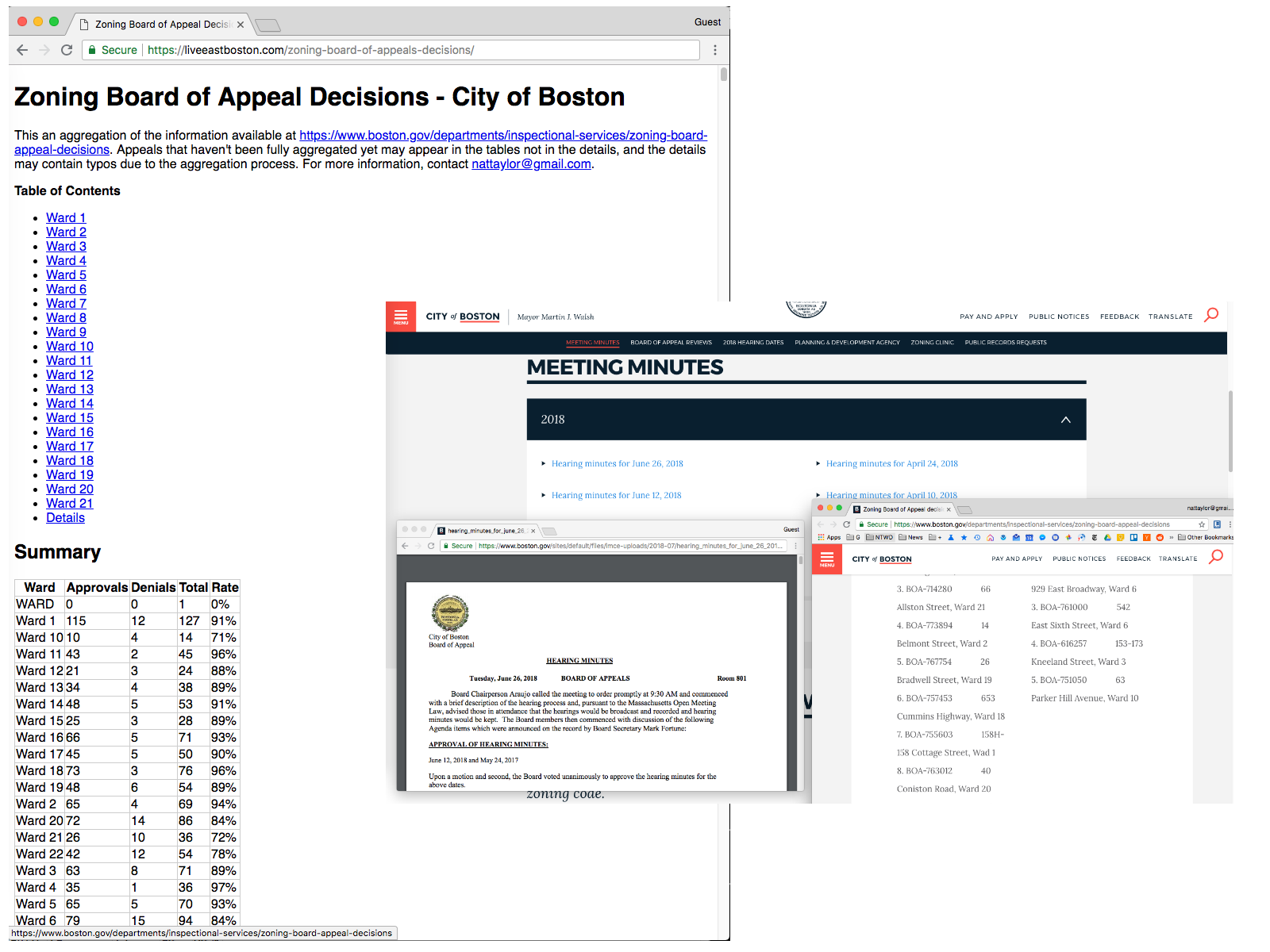 Zoning Before and After
It is generated with a multistep process that involves some [messy PHP scripts][2] I wrote.
First I parsed the decisions from into tabular data, using a lame script called `process-site.php`
Next, I parsed the PDF meeting minutes from . A few were raster image PDF, so I OCRed them with [VietOCR][3] to prepare them. For the text PDFs, I converted them to HTML with [pdftohtml][4] and a command like `pdftohtml -noframes mypdf.pdf`.
Once I had processable text, I messily tokenized it on keywords like "Vote:" and then sussed it into a structured format with `process.php`. There is a single file mode which produces tabular output to be merged with the results from `process-site.php` and there's multi-file mode which processes HTML results for use in the final step.
The final step produces the HTML Archive with [`out.php`][5]. Each case is deep-linkable.
The result is a single file that works on all devices, is shareable by URL and simple to reference. ("[Why GOV.UK content should be published in HTML and not PDF][6]" goes into great detail about all the benefits of HTML.)
When new meeting minutes are published, it will be just a few clicks to update the archive!
[1]: https://www.boston.gov/departments/inspectional-services/zoning-board-appeal#meeting-minutes
[2]: https://gist.github.com/nattaylor/8ed8c65eda4dc7c966498cf70f1008fd
[3]: http://vietocr.sourceforge.net/
[4]: http://pdftohtml.sourceforge.net/
[5]: https://gist.github.com/nattaylor/8ed8c65eda4dc7c966498cf70f1008fd#file-out-php
[6]: https://gds.blog.gov.uk/2018/07/16/why-gov-uk-content-should-be-published-in-html-and-not-pdf/
# East Boston Master Plan Webpage
The digital version of the [East Boston Master Plan][1] is a 52-page raster PDF that is almost impossible to read on a smartphone and difficult to read on large monitor, so I set out to convert it to a webpage thus making it accessible for more people. Here is the result: In the two weeks since I published it, over 2,000 people have viewed it. It features:
* Responsive layout and images for all screen sizes
* Markdown files for easy version control
* Builds into a static file to simplify deployment You can view the code and content here:
It's a shame that the digital version of the document is lost because the added step of OCR made the conversion especially difficult. It went something like this:
1. **OCR with** [**VietOCR**][2] This worked fairly well with the default settings, but since the source PDF wasn't especially high quality, there were lots of errors.
2. **Split the resulting plain text into chapters** Prior to doing this, it felt daunting so this was actually the most important step.
3. **Screenshot & caption all the figures** There must have been a better way to do this, but screenshotting didn't take too long.
4. **Manually format in Markdown** This also was a time suck, but at least it worked (I guess?)
5. **Spellcheck Markdown in MSWord** Again there may have been a better way, but at least it worked.
6. **Build with `pandoc` and post-process with PHP** I could(/should?) have done this with a [pandoc filter][3], and now that I didn't do that I realize there's even a [PHP library for writing filters][4]! Overall, it was mostly an enjoyable project.
[1]: http://www.bostonplans.org/planning/planning-initiatives/eastbostonmasterplan
[2]: http://vietocr.sourceforge.net/
[3]: https://pandoc.org/filters.html
[4]: https://github.com/vinai/pandocfilters-php
# Janelle Monáe in Boston
Amanda introduced me to Janelle Monáe after her release of "Electric Lady" and I became an immediate fan because of her powerful style. Yesterday, we got the chance to see her live on a warm summer's night at the Pavilion and it was incredible, as she put on a sensational performance. Perhaps the highlight was when she brought fans on stage during "I Got The Juice" and gave them each a chance to show off their own juice for a few awkward seconds. I snapped a few photos to capture the show. [gallery link="file" columns="1" size="medium" ids="1169,1170,1171,1172,1173"]
# Android
Some thoughts on Android
## HP TouchPad (tenderloin) The HP TouchPad I bought during the fire sale has led me to wander into the world of Android customization. What a strange world it is. The version of Android that a device runs is controlled by the manufacturer and usually lags behind the Android Open Source Project, so tweakers release custom ROMs based on more recent releases. Typically the easiest way to stay up to date is the relevant forum on reddit or xda-developers.com (e.g.
and ) There, tweakers announce their builds with instructions on how to install. For TouchPad, codenamed _tenderloin_, that's: , and ([instructions][1]) Miraculously, nearly a decade after the TouchPad's release, these faithful tweakers are still releasing updates. It was slow with GApps.
## Motorola Droid Turbo 2 (XT1585 kinzie) I got a Droid Turbo 2 in November 2015, and even today (3 years later) is a great device for general use. However, the Verizon experience (shown in this
[simulator][2]) can be greatly improved with the following modifications:
1. **Learn Moto Actions** Twist your device to turn on the camera; chop cop your device to turn on the flashlight
2. **Upgrade to Android 7.1** It ships with Android 5, which lacks 6 doze (for battery life) and new permissions scheme, and 7's new notification scheme
3. **Uninstall/Disable Unwanted Apps **Most of the Verizon Apps (Caller Name ID, Cloud, Message+, Support & Protection & VZ Navigator) are inferior the Google equivalents and some are just bloatware (Amazon*, Amazon Kindle, Audible, IMDb, NFL Mobile & Slacker Radio.)
4. **Replace Default Apps** with Messages (for saner group texts and Android for Web), Contacts (for synced contacts,) Phone, Photos (for sync and search,) Gboard (for swipe), GMail, [Camera][3] (for special features like photosphere -- [v4.1 arm-v7a][3] is the latest that has the required drivers for the Sony IMX230 sensor) and [Launcher][4] (for smartspace and Now)
5. **Activate System UI Tuner** Hide icons from the status bar (NOTE: To activate, tap and hold "Settings" icon from the quick settings panel)
6. **Enable Night Mode** Night mode reduces eye strain at night by reducing the amount of blue light, so whites appear reddish. Enable with the [Night Mode Enabler app][5].
7. **Activate HD Voice** Use WiFi for calls. [Activation Instructions here][6].
8. **Battery Tweaks** None! :) The battery life is excellent out of the box, although I do disable Auto-Update for apps (since these happen frequently and consume battery unpredictably) and I do use Battery Saver mode when I need it. Facebook and Snapchat just seem to drain battery, so I don't install them.
## Favorite Apps A few apps that I find especially interesting:
* **Google Photos** because the sync and search work incredibly well
* **Google Fit** because it passively collects activity data
* **Firefox Focus** because it's fast (since it blocks ads and trackers) and it's pushing the limits (brining GeckoView to Android)
* **KOReader** (ebooks) because it also works on my Kindle Paperwhite
* **Google Podcasts** because it can find basically any podcast regardless of how it's distributed.
## App Mods, Patches & Ports Some developers modify, patch and port some apps (e.g. a Google Pixel app to another device.) Examples include:
* [Phone by Google][7] patched by XDA's Martin.077
* [Camera by Google][8] patched by most notably by Arnova
* [Launcher3 by Google][4] patched by Amir Zaidi
[1]: https://forum.xda-developers.com/hp-touchpad/general/rom-lineage-osinvisiblek-t3536502
[2]: https://www.verizonwireless.com/support/motorola-droid-turbo-2/simulator/
[3]: https://www.apkmirror.com/apk/google-inc/camera/camera-4-1-006-126161292-release/google-camera-4-1-006-126161292-android-apk-download/
[4]: https://github.com/amirzaidi/Launcher3
[5]: https://play.google.com/store/apps/details?id=org.michaelevans.nightmodeenabler
[6]: https://www.verizonwireless.com/support/knowledge-base-130983/
[7]: https://forum.xda-developers.com/android/apps-games/app-google-phone-v14-0-175904292-bubble-t3708218
[8]: https://www.celsoazevedo.com/files/android/google-camera/
# Whale Bones in Haversham, RI
I discovered a whale skeleton on the beach in Haversham, RI last week. The location was approximately here . I'm not sure what type of whale it was, but based on looking at pictures of complete whale skeletons, I am fairly sure it was indeed a whale. I estimate:
* The vertibre column was about 6" (though unfortunately I didn't take a picture with my hand the frame for scale)
* The spine was at least 20' feet long (based on the 12' or so feet that I was able to dig up)
* The scapula was about 16" across
* The ribs were about 30"-40" long (No pictures, doh) The
[Orca Bone Atlas][1] gives some clues about what specific bones I dug up. I would have dug more, but I kept unearthing more disgusting bits of decomposing whale. Please send an email to if you have any clues about how to identify what type of whale it is. [gallery link="file" size="medium" columns="1" ids="1184,1185,1186,1187,1188,1189,1190,1191,1192"]
[1]: https://ptmsc.org/boneatlas/
# Flashing TM-AC1900 to RT-AC68U
Zoning Before and After
It is generated with a multistep process that involves some [messy PHP scripts][2] I wrote.
First I parsed the decisions from into tabular data, using a lame script called `process-site.php`
Next, I parsed the PDF meeting minutes from . A few were raster image PDF, so I OCRed them with [VietOCR][3] to prepare them. For the text PDFs, I converted them to HTML with [pdftohtml][4] and a command like `pdftohtml -noframes mypdf.pdf`.
Once I had processable text, I messily tokenized it on keywords like "Vote:" and then sussed it into a structured format with `process.php`. There is a single file mode which produces tabular output to be merged with the results from `process-site.php` and there's multi-file mode which processes HTML results for use in the final step.
The final step produces the HTML Archive with [`out.php`][5]. Each case is deep-linkable.
The result is a single file that works on all devices, is shareable by URL and simple to reference. ("[Why GOV.UK content should be published in HTML and not PDF][6]" goes into great detail about all the benefits of HTML.)
When new meeting minutes are published, it will be just a few clicks to update the archive!
[1]: https://www.boston.gov/departments/inspectional-services/zoning-board-appeal#meeting-minutes
[2]: https://gist.github.com/nattaylor/8ed8c65eda4dc7c966498cf70f1008fd
[3]: http://vietocr.sourceforge.net/
[4]: http://pdftohtml.sourceforge.net/
[5]: https://gist.github.com/nattaylor/8ed8c65eda4dc7c966498cf70f1008fd#file-out-php
[6]: https://gds.blog.gov.uk/2018/07/16/why-gov-uk-content-should-be-published-in-html-and-not-pdf/
# East Boston Master Plan Webpage
The digital version of the [East Boston Master Plan][1] is a 52-page raster PDF that is almost impossible to read on a smartphone and difficult to read on large monitor, so I set out to convert it to a webpage thus making it accessible for more people. Here is the result: In the two weeks since I published it, over 2,000 people have viewed it. It features:
* Responsive layout and images for all screen sizes
* Markdown files for easy version control
* Builds into a static file to simplify deployment You can view the code and content here:
It's a shame that the digital version of the document is lost because the added step of OCR made the conversion especially difficult. It went something like this:
1. **OCR with** [**VietOCR**][2] This worked fairly well with the default settings, but since the source PDF wasn't especially high quality, there were lots of errors.
2. **Split the resulting plain text into chapters** Prior to doing this, it felt daunting so this was actually the most important step.
3. **Screenshot & caption all the figures** There must have been a better way to do this, but screenshotting didn't take too long.
4. **Manually format in Markdown** This also was a time suck, but at least it worked (I guess?)
5. **Spellcheck Markdown in MSWord** Again there may have been a better way, but at least it worked.
6. **Build with `pandoc` and post-process with PHP** I could(/should?) have done this with a [pandoc filter][3], and now that I didn't do that I realize there's even a [PHP library for writing filters][4]! Overall, it was mostly an enjoyable project.
[1]: http://www.bostonplans.org/planning/planning-initiatives/eastbostonmasterplan
[2]: http://vietocr.sourceforge.net/
[3]: https://pandoc.org/filters.html
[4]: https://github.com/vinai/pandocfilters-php
# Janelle Monáe in Boston
Amanda introduced me to Janelle Monáe after her release of "Electric Lady" and I became an immediate fan because of her powerful style. Yesterday, we got the chance to see her live on a warm summer's night at the Pavilion and it was incredible, as she put on a sensational performance. Perhaps the highlight was when she brought fans on stage during "I Got The Juice" and gave them each a chance to show off their own juice for a few awkward seconds. I snapped a few photos to capture the show. [gallery link="file" columns="1" size="medium" ids="1169,1170,1171,1172,1173"]
# Android
Some thoughts on Android
## HP TouchPad (tenderloin) The HP TouchPad I bought during the fire sale has led me to wander into the world of Android customization. What a strange world it is. The version of Android that a device runs is controlled by the manufacturer and usually lags behind the Android Open Source Project, so tweakers release custom ROMs based on more recent releases. Typically the easiest way to stay up to date is the relevant forum on reddit or xda-developers.com (e.g.
and ) There, tweakers announce their builds with instructions on how to install. For TouchPad, codenamed _tenderloin_, that's: , and ([instructions][1]) Miraculously, nearly a decade after the TouchPad's release, these faithful tweakers are still releasing updates. It was slow with GApps.
## Motorola Droid Turbo 2 (XT1585 kinzie) I got a Droid Turbo 2 in November 2015, and even today (3 years later) is a great device for general use. However, the Verizon experience (shown in this
[simulator][2]) can be greatly improved with the following modifications:
1. **Learn Moto Actions** Twist your device to turn on the camera; chop cop your device to turn on the flashlight
2. **Upgrade to Android 7.1** It ships with Android 5, which lacks 6 doze (for battery life) and new permissions scheme, and 7's new notification scheme
3. **Uninstall/Disable Unwanted Apps **Most of the Verizon Apps (Caller Name ID, Cloud, Message+, Support & Protection & VZ Navigator) are inferior the Google equivalents and some are just bloatware (Amazon*, Amazon Kindle, Audible, IMDb, NFL Mobile & Slacker Radio.)
4. **Replace Default Apps** with Messages (for saner group texts and Android for Web), Contacts (for synced contacts,) Phone, Photos (for sync and search,) Gboard (for swipe), GMail, [Camera][3] (for special features like photosphere -- [v4.1 arm-v7a][3] is the latest that has the required drivers for the Sony IMX230 sensor) and [Launcher][4] (for smartspace and Now)
5. **Activate System UI Tuner** Hide icons from the status bar (NOTE: To activate, tap and hold "Settings" icon from the quick settings panel)
6. **Enable Night Mode** Night mode reduces eye strain at night by reducing the amount of blue light, so whites appear reddish. Enable with the [Night Mode Enabler app][5].
7. **Activate HD Voice** Use WiFi for calls. [Activation Instructions here][6].
8. **Battery Tweaks** None! :) The battery life is excellent out of the box, although I do disable Auto-Update for apps (since these happen frequently and consume battery unpredictably) and I do use Battery Saver mode when I need it. Facebook and Snapchat just seem to drain battery, so I don't install them.
## Favorite Apps A few apps that I find especially interesting:
* **Google Photos** because the sync and search work incredibly well
* **Google Fit** because it passively collects activity data
* **Firefox Focus** because it's fast (since it blocks ads and trackers) and it's pushing the limits (brining GeckoView to Android)
* **KOReader** (ebooks) because it also works on my Kindle Paperwhite
* **Google Podcasts** because it can find basically any podcast regardless of how it's distributed.
## App Mods, Patches & Ports Some developers modify, patch and port some apps (e.g. a Google Pixel app to another device.) Examples include:
* [Phone by Google][7] patched by XDA's Martin.077
* [Camera by Google][8] patched by most notably by Arnova
* [Launcher3 by Google][4] patched by Amir Zaidi
[1]: https://forum.xda-developers.com/hp-touchpad/general/rom-lineage-osinvisiblek-t3536502
[2]: https://www.verizonwireless.com/support/motorola-droid-turbo-2/simulator/
[3]: https://www.apkmirror.com/apk/google-inc/camera/camera-4-1-006-126161292-release/google-camera-4-1-006-126161292-android-apk-download/
[4]: https://github.com/amirzaidi/Launcher3
[5]: https://play.google.com/store/apps/details?id=org.michaelevans.nightmodeenabler
[6]: https://www.verizonwireless.com/support/knowledge-base-130983/
[7]: https://forum.xda-developers.com/android/apps-games/app-google-phone-v14-0-175904292-bubble-t3708218
[8]: https://www.celsoazevedo.com/files/android/google-camera/
# Whale Bones in Haversham, RI
I discovered a whale skeleton on the beach in Haversham, RI last week. The location was approximately here . I'm not sure what type of whale it was, but based on looking at pictures of complete whale skeletons, I am fairly sure it was indeed a whale. I estimate:
* The vertibre column was about 6" (though unfortunately I didn't take a picture with my hand the frame for scale)
* The spine was at least 20' feet long (based on the 12' or so feet that I was able to dig up)
* The scapula was about 16" across
* The ribs were about 30"-40" long (No pictures, doh) The
[Orca Bone Atlas][1] gives some clues about what specific bones I dug up. I would have dug more, but I kept unearthing more disgusting bits of decomposing whale. Please send an email to if you have any clues about how to identify what type of whale it is. [gallery link="file" size="medium" columns="1" ids="1184,1185,1186,1187,1188,1189,1190,1191,1192"]
[1]: https://ptmsc.org/boneatlas/
# Flashing TM-AC1900 to RT-AC68U
tl;dr you're probably here for these:
Below is a summary of how I flashed a TM-AC1900 to a RT-AC68U, which is based on the instructions at https://www.bayareatechpros.com/ac1900-to-ac68u/
I started on firmware version 3.0.0.4.376_3108
You will need the router, a computer, a flash drive and an ethernet cable.
The process involves first downgrading the firmware, then installing a modified CFE and firmware.I thought it was useful to know:
mtd-write is a utility for writing to flash memory (Memory Technology Device)
brew install telnet). Connect to the router over ethernet and Configure IPv4 to manual with (IP: 192.168.29.5, Subnet: 255.255.255.0, Gateway: 192.168.29.1). Turn off WiFi
telnet -l admin 192.168.1.1 password: password) and do cat /dev/mtd0 > /tmp/mnt/sda1/original_cfe.bin then remove the flash drive
original_cfe.bin select “Select 1.0.2.0 US AiMesh” then download to the flash drive
cd /tmp/mnt/sda1/
chmod u+x mtd-write
./mtd-write new_cfe.bin boot
mtd-write2 FW_RT_AC68U_30043763626.trx linux
You now have an AC68u!
# Ads Lead to Inbox by Gmail Shut Down Google announced on September 12th that [Inbox by Gmail would be shut down in March 2019][1] and while many speculated it was just another example of generally anti-user decision making, it can probably be attributed to ads. By 2015, Gmail had over 1 Billion monthly active users1, which is a massive audience to reach with ads. Additionally, marketers love email, email users are easily addressable, easily trackable, already used to receiving promotions, already spending lots of time in email clients, already spending lots of mobile time, difficult to ad block, can be contained in the in-app browser and more. There are no publicly available metrics for Gmail ads or Inbox by Gmail adoption, but in many cases Gmail is the top placement for marketers running Google Ads display network campaigns. For Google to sell Gmail ads, they need to engineer and maintain a lot of code including the ad units themselves, the ad slot code in the clients, the UI to manage the ads, the backend campaign mechanics and inclusion in the [AdWords API][2], plus provide support and marketing. After Gmail Ads were launched in September 2015, of the course of years, they have steadily announced feature enhancements, including the release of Gmail Dynamic Retargeting Ads last November. The development cost of this is significant and undeniable. The cost of doing basically all of that work a second time is no doubt untenable, and lead Google to shutdown Inbox by Gmail, especially since they had already ported many of the most popular features like "snooze." Gmail ads launched as Gmail Sponsored Promotions, which had to be managed outside of AdWords and also required a change to Gmail's email scanning policy. Years later the benefits of merging into mainline Google Ads is clear. Google killed Inbox by Gmail because of ads, or the lack thereof. RIP. ## Gmail Ads Timeline * 2015 Monday, May 25th [Gmail Sponsored Promotions][3] * September 01, 2015 [Gmail Ads Launched][4] * May 18, 2016 [New Gmail Placements Announced][5] * October 05, 2016 [AdWords Editor Support Announced][6] * December 7, 2016 [AdWords Editor Support Enhanced][7] * January 26, 2017 [Gmail Marketing Material Refresh][8] * June 23, 2017 [End Gmail Content Scanning Announced][9] * November 09, 2017 [Gmail Dynamic Retargeting Launched][10] * November 21, 2017 [AdWords Editor Support Enhanced][11] * February 28, 2018 [Gmail Updates in AdWords API Announced][2] ### References 1. [Google Q4 2015 Earnings Call][12] P.S. Take a trip down memory lane and look at an early Gmail promotional page: [1]: https://gsuiteupdates.googleblog.com/2018/09/inbox-by-gmail-shutdown.html [2]: https://ads-developers.googleblog.com/2018/02/announcing-v201802-of-adwords-api.html [3]: https://adwords-lt.googleblog.com/2015/05/gmail-sponsored-promotions-gsp-reklamos.html [4]: https://adwords.googleblog.com/2015/09/native-gmail-ads-arrive-in-adwords.html [5]: https://adwords.googleblog.com/2016/05/Google-IO-new-features-to-find-the-right-users-for-your-app.html [6]: https://adwords.googleblog.com/2016/10/adwords-editor-now-supports-mobile.html [7]: https://support.google.com/adwords/editor/answer/7233296?hl=en [8]: https://adwords.googleblog.com/2017/01/a-new-guide-to-driving-sales-with-gmail.html [9]: https://www.blog.google/products/gmail/g-suite-gains-traction-in-the-enterprise-g-suites-gmail-and-consumer-gmail-to-more-closely-align/ [10]: https://adwords.googleblog.com/2017/11/new-efficiency-tools.html [11]: https://support.google.com/adwords/editor/answer/7522826?hl=en [12]: https://www.sec.gov/Archives/edgar/data/1288776/000165204416000012/goog10-k2015.htm # Contemplating an EXT4 Filesystem for a User Profile Store Can you build a disk backed user profile store, if you make the following assumptions: 1. Retrieval is exclusively by key 2. Profiles are relatively large (10kb-20kb) 3. It needs to scale horizontally 4. It needs to be fast 5. Relatively few profiles are hot I think the answer might be yes, because file systems like ext4: 1. Can hold many of files (4B on ext4) 2. Can access files quickly on SSDs (25µs) 3. Can accomplish TTL with `mtime` 4. Can keep "hot" profiles fast `mmap()` So, I wonder if this has a few advantages over a database, like: 1. No overhead of a database 2. Simple replication 3. Built-in reliability The application would then just be a server that accesses the files. I think replication would be handled by ZooKeeper. Additionally, I assume using FlatBuffers (or similar binary storage) would improve performance by eliminating the time for serialization and deserialization, as well as network latency. If you do this, you might be able to reduce network traffic by using delta encoding. # Motorola Droid Turbo 2 — Still Great 3 Years Later In November 2015 I purchased a top-of-the-line [Motorola Droid Turbo 2][1] for $200 (down from $600 after credits.) After 3 years of rugged use, I recently replaced it... with a used DT2 for $74! Why not an iPhone XR, Google Pixel 3 or Samsung Galaxy S9+? Well, other than the almost $1,000 price tag, the DT2 is still an excellent device 3 years later! With a 5.4" high-DPI shatterproof AMOLED screen, 21MP camera, 3,760mah fast charging battery, moto actions and good performance, it provides almost everything I want from a smartphone. Check out the full specs at [GSMArena][2]. My only complaints are that it only supports Android 7.0 and it can't run recent versions of Google Camera. I'm doubtful that the DT2 will ever see an Android version higher than 7.0, which is unfortunate and almost enough to make me consider a Pixel. Right now it's not an issue, but after 3 more years I am worried about what I'll be missing. Similarly, camera upgrades to the camera software are unlikely because of the uncommon Sony sensor which requires special drivers. Aside from that, this DT2 is awesome, starting with the camera. At this point, my DSLR mostly collects dust because I can usually get by with just the DT2 camera, with gets an excellent [DXOMARK MOBILE 84][3] score. Performance is also excellent with the DT2's Snapdragon 810 (8 cores @ 2 gHz) and 3GB RAM. Granted I don't game, but for everything else this is way more than I ever need. The durability is difficult to beat with the shatterpoof screen and water-repellent nano-coating. My original DT2 was beginning to show its age, but I abused it. At some point I stepped on the charger cord launching the device through the air and damaging the USB port, causing it to no longer TurboCharge nor connect to devices like a DJi drone remote. I also literally threw it into a concrete floor ones, which seemed to damage the bluetooth connectivity. The final straw was peeling of the shatterscreen (which was easily solved with super-glue!) caused by the bite of a foster dog, which resulted in everyone saying "Dude, you need a new phone!" so I caved. Even so, it still works and that's after almost 1,000 days of sitting on it in my back pocket, random drops and no case. The battery life and charging speed is spectacular. Currently I'm on pace for 30 hours on one charge, and recharges in about an hour.
[1]: https://www.motorola.com/us/products/droid-turbo-2
[2]: https://www.gsmarena.com/motorola_droid_turbo_2-7713.php
[3]: https://www.dxomark.com/motorola-droid-turbo-2-mobile-review-challenging-for-the-top/
# Tabata Workout Library for Tabata Timer app
[][1]I love the Tabata class at my gym, so I got the [Tabata Timer app][2] to do it myself but had trouble getting started.
Here is a library of Tabata workouts for the Tabata Timer app:
Technically some of these aren't Tabatas, but they are interval workouts. Non-Google download links [here][3], [here][4] and [here][5].
I like Tabata because it's short but intense. You can read the research here: [https://www.researchgate.net/file.PostFileLoader.html?assetKey=AS%3A378346627190785%401467216273883&id=5773f191615e27e2e9037031
][6]
[1]: https://www.bodybuilding.com/content/the-real-tabata-a-brutal-circuit-from-the-protocols-inventor.html
[2]: https://play.google.com/store/apps/details?id=com.evgeniysharafan.tabatatimer
[3]: https://nattaylor.com/wp-content/uploads/2018/12/7-minute_Advanced_Workout.workout
[4]: https://nattaylor.com/wp-content/uploads/2018/12/7-minute_Work_Out_3x.workout
[5]: https://nattaylor.com/wp-content/uploads/2018/12/7-minute_Work_Out.workout
[6]: https://www.researchgate.net/file.PostFileLoader.html?assetKey=AS%3A378346627190785%401467216273883&id=5773f191615e27e2e9037031
# Hue White Ambiance Bulbs for Warm & Cool Light
Motivated by a lack of daylight in my home, I installed and am now enjoying 8 [Philips Hue White Ambiance flood lights][1] which I can tune between a daylight white during the day and a warmer color in the evenings. As someone obsessed with light, I love it. [caption id="attachment_1215" align="aligncenter" width="800"]
I'm doubtful that the DT2 will ever see an Android version higher than 7.0, which is unfortunate and almost enough to make me consider a Pixel. Right now it's not an issue, but after 3 more years I am worried about what I'll be missing. Similarly, camera upgrades to the camera software are unlikely because of the uncommon Sony sensor which requires special drivers. Aside from that, this DT2 is awesome, starting with the camera. At this point, my DSLR mostly collects dust because I can usually get by with just the DT2 camera, with gets an excellent [DXOMARK MOBILE 84][3] score. Performance is also excellent with the DT2's Snapdragon 810 (8 cores @ 2 gHz) and 3GB RAM. Granted I don't game, but for everything else this is way more than I ever need. The durability is difficult to beat with the shatterpoof screen and water-repellent nano-coating. My original DT2 was beginning to show its age, but I abused it. At some point I stepped on the charger cord launching the device through the air and damaging the USB port, causing it to no longer TurboCharge nor connect to devices like a DJi drone remote. I also literally threw it into a concrete floor ones, which seemed to damage the bluetooth connectivity. The final straw was peeling of the shatterscreen (which was easily solved with super-glue!) caused by the bite of a foster dog, which resulted in everyone saying "Dude, you need a new phone!" so I caved. Even so, it still works and that's after almost 1,000 days of sitting on it in my back pocket, random drops and no case. The battery life and charging speed is spectacular. Currently I'm on pace for 30 hours on one charge, and recharges in about an hour.
[1]: https://www.motorola.com/us/products/droid-turbo-2
[2]: https://www.gsmarena.com/motorola_droid_turbo_2-7713.php
[3]: https://www.dxomark.com/motorola-droid-turbo-2-mobile-review-challenging-for-the-top/
# Tabata Workout Library for Tabata Timer app
[][1]I love the Tabata class at my gym, so I got the [Tabata Timer app][2] to do it myself but had trouble getting started.
Here is a library of Tabata workouts for the Tabata Timer app:
Technically some of these aren't Tabatas, but they are interval workouts. Non-Google download links [here][3], [here][4] and [here][5].
I like Tabata because it's short but intense. You can read the research here: [https://www.researchgate.net/file.PostFileLoader.html?assetKey=AS%3A378346627190785%401467216273883&id=5773f191615e27e2e9037031
][6]
[1]: https://www.bodybuilding.com/content/the-real-tabata-a-brutal-circuit-from-the-protocols-inventor.html
[2]: https://play.google.com/store/apps/details?id=com.evgeniysharafan.tabatatimer
[3]: https://nattaylor.com/wp-content/uploads/2018/12/7-minute_Advanced_Workout.workout
[4]: https://nattaylor.com/wp-content/uploads/2018/12/7-minute_Work_Out_3x.workout
[5]: https://nattaylor.com/wp-content/uploads/2018/12/7-minute_Work_Out.workout
[6]: https://www.researchgate.net/file.PostFileLoader.html?assetKey=AS%3A378346627190785%401467216273883&id=5773f191615e27e2e9037031
# Hue White Ambiance Bulbs for Warm & Cool Light
Motivated by a lack of daylight in my home, I installed and am now enjoying 8 [Philips Hue White Ambiance flood lights][1] which I can tune between a daylight white during the day and a warmer color in the evenings. As someone obsessed with light, I love it. [caption id="attachment_1215" align="aligncenter" width="800"]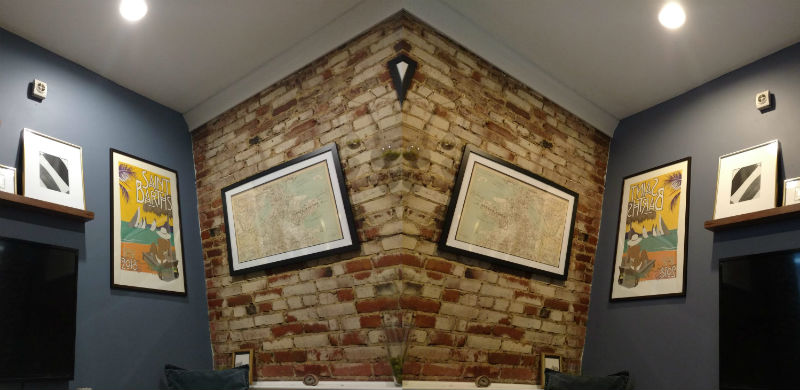 The subtle but impactful difference of warm (right) versus white (left) light[/caption] They're controlled with my Google Home, my phone, my wife's phone and my traditional light switches. I was hesitant for months because I thought that Smart Homes are gimmicky and weren't worth the complication. I failed to understand that the lights work regardless of network connectivity, and just turn on to a default state. Further, the lights connect to radio frequency Hue bridge, not the Wifi directly, so there is only one additional network connected device. I really thought that I'd program them to change automatically with the sun throughout the day, but I tried that and it's easier to just change them manually. Hue bulbs can emit shades of white between 2200K and 6500K with a maximum brightness of 680 lumens. The graphic below shows the color temperature range from warm to cool. Too cool feels like a dentist, and too warm feels sleepy. I wanted control to avoid jarring hospital cool in the evenings, and lazy warm light in the middle of the day.
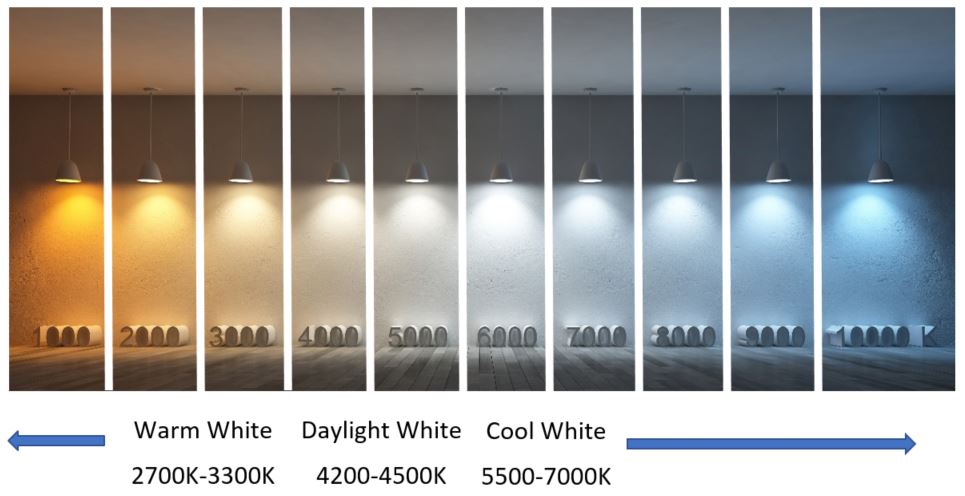 [1]: https://www2.meethue.com/en-us/p/hue-doublepack-br30/046677466503
# East Boston Internet Options
Comcast is East Boston's only broadband internet provider, which usually involves lots of promotional rates, fees and sales calls. This page is about how to just get internet for $50 per month by:
1. Buying your own modem and router
2. Choosing 15mbps Internet (Performance Starter)
3. Self-installing
Verizon FiOS, RCN, Google Fiber, Verizon 5G and other broadband internet providers are currently unavailable, though they may come at some point (and you can check availability on their websites.)
There are some less practical options including ViaSat satellite internet, Starry 5G internet, Netblazr and Verizon DSL, but those aren't discussed here.
Economically, your mileage may vary. I paid $60 for my modem and router, which compares with $13 per month for Comcast's "Gateway" (modem router combo device) rental, so I broke even after about 5 months.
Also, sometimes, the promotional rates are quite good, so if you are eligible for one (e.g. you just moved in) it can be worth it.
However, now I pay exactly $50 per month, and don't have to hassle with promotional rates, fees or haggling with sales people.
### Buying Your Own Modem and Router
Use Google to get specifics, but here's what I have:
1. Modem: ARRIS SURFboard SB6141
2. Router: ASUS RT-AC68U
This is sufficient, assuming you'll just be streaming, gaming, browsing, etc in a small home or apartment. I picked these up for $20 and $40 respectively.
Modem and router prices vary wildly, but in general you need to pay more speed, which you should only do if you need the speed. As a benchmark, an HD stream is about 5mbps, so ask yourself "How often will I be using more than 2 streams simultaneously?" (or similar networking like large file transfers or uploading camera footage) and opt for better components only if you need more speed.
### Choosing 15mbps Internet (Performance Starter)
Performance Starter with speeds up to 15mbps is available for $50 monthly, without any promotion pricing or additional fees. Follow [this link][1]. (Note: You need a clean cookie to see Comcast offers, so use Chrome "Guest Windows", Chrome Incognito, Firefox private, clear your cookies or similar.)
I needed to downgrade from Performance Internet (60mbps) and the fellow on the phone refused to do it, but the online chat representative was able to do it within about two minutes.
### Self-installing
Comcast says you can just follow the self-install steps and eventually activate at but I had to call support at [1-877-680-7173][2] in order to get them add my modem.
That's it. $50 per month. No more frustrations every year or two when your price increases by about 50% as the promotional rate expires and no frustration of calling and haggling.
### Other Notes
* I recommend a leaf antenna for watching broadcast TV. Something like [this][3] for $15 should get you over 20 channels in East Boston.
* If you cut the cord, you can get [free streaming movies and TV from the Boston Public Library via Hoopla][4].
* Be wary of adding Comcast TV, as the fees and rental costs can easily total $25 per month. See table below.
* You can get free WiFi from several locations in East Boston including:
* The city's [Wicked Free WiFi][5]
* Chains like McDonalds, Burger King and Dunkin
* [Boston Public Library WiFi][6]
### Comcast Internet Prices
Speed
Monthly Cost
15mbps
$50
60mbps
$75
150mbps
$90
250mbps
$95
400mbps
$100
1000mbps
$104
### Comcast Fees and Rentals
See more at
Fee
Monthly Cost
Gateway (Router & Modem)
$13.00
Service with TV Box
$2.68
DVR Service
$12.68
HD Technology Fee
$9.95
DVR Service
$10.00
AnyRoom DVR Service
$10.00
Regional Sports Fee
$8.25
Broadcast TV Fee
$10.00
[1]: http://www.xfinity.com/learn/offers/details?offerId=9626110044&marketId=5111&CMP=ILC:shareoffer
[2]: tel:+1-877-680-7173
[3]: https://www.microcenter.com/product/486293/slim-leaf-indoor-antenna
[4]: https://www.bpl.org/resources-types/downloadable-media/
[5]: https://www.boston.gov/departments/innovation-and-technology/wicked-free-wi-fi
[6]: https://www.bpl.org/about-us/official-policies/computer-use-and-technology-policy/#Wireless
# Fred Salvucci RE Route 1A
Abridged from Mr. Salvucci's Suffolk Downs DEIR Comment Letter
Many sound proposals exist to reduce the gridlock lock now engulfing Route 1 and East Boston. The airport can provide political will (and funds) to implement these plans. However, the present transportation system cannot handle the stress of additional development and increasing the capacity of Route 1 will only inundate East Boston further. After decades of inaction, it is the responsibility of MassDOT, Massport and MBTA to fix it.
### Short-term actions
1. Separate, direct, frequent AIRPORT T to terminal shuttle without going to CONRAC
2. Allow Silver Line to use emergency ramp & coordinate Chelsea Bridge to reduce delay
3. New shuttle bus from South Station to air terminals
4. Airport access fee paid by Massport to fund imorovements in the crisis we are facing
5. Increase frequency of regional commuter rail service from Lynn to North Station1
### Long-term actions
1. Extend the Blue Line to the Red Line at Charles Street2
2. Add Logan Express facilities near Route 128 at I90, and at Hanscom Field
3. Extend rail service beyond South Station to Logan, and points north, in a new harbor tunnel3
4. Extend a branch of the Blue Line for direct service to the terminals4
5. Extend the Blue Line to Lynn5
6. Silver Line Phase III6
7. Boardman Street bridge over the Chelsea Creek7
8. Airport User Fee on TNC8
### Annotations
1. This will divert drivers from the grilocked Route 1. The idea has support in the recently issued commission report commissioned by Governor Baker. It should be implement as a fast track pilot of the new concept.
2. Committed to the complete by 2010 by MassDot in the 1991 ventilation shaft permits for I90 and I93, and the 1993 State Implementation Plan under the Federal Clean Air Act. It was agree in 2006 by MassDOT in a settlement of a lawsuit with Conservation Law Foundation that the final engineering would be completed by 2014.
3. MassDOT committed to study extension of rail service from South Tation to Logain in the 1990 MassDOT/CLF agreement. It received no serious attention. It should be considered now as part of the east-west rail service now under consideration to link Springfield and Worcester to Boston.
4. The Secretary of MassDOT proposed this extension in 1992. It was a good idea then, and a far more useful idea than the People Mover that Massport is pursuing. Massport should shift priority from the People Mover to the Blue Line spur.
5. In 1975 the state was committed to use avaialble funding to extend the Blue Line to Lynn, but the mayor of Lynn opposed the plan. Today the mayor of Lynn supports the plan. It should be implemented.
6. In the late 1990s and early 2000 period the MBTA completed detailed conceptual engineering, and a final EIR to improve connectivity of Roxbury and Back Bay via Boylston, Chinatown and South Stations to the innovation district and airport through improvents to the Silver Line. Then the project stalled and was abandoned. It should be reinitiated.
7. During the 1930s the city planning commission of Boston proposed extending Boardman Street across a bridge over the Chelsea Creek to connect Withrop, East Boston and Chelsea to provide new mobility opportunities and connectivity to the three communities. It is a good idea to diversify the accessibility options of the three communities and should be considered in the supplemental EIR.
8. A supplemental EIR should analyze TNC traffic impact on gridlock on regional and internal airport roadways. The TNC service is attractive compared to crowded and inconvenient public transportation options. Increased user fees on TNCs could be used to improve the quality and capacity of transit options and Logan Express. It is important to note that every busload of people attracted to Uber and away from public transit means twenty of so Uber autos in the place of one bus (Which likely needs to be continue to provide service.)
# The Joy of Snowflake
I’ve been in AdTech for about a decade now, and data analysis used to be a chore. Then along came Snowflake, the speed and simplicity of which, makes it joyful. I present the following use case and explain why I think Snowflake excels at it and briefly foray into the underlying data engineering.
Each day billions of OpenRTB Bid Requests are exchanged between 100s of AdTech vendors.
With so many participants, the transactions can include any version of the OpenRTB specification, any number of extensions, varied-size array data and other differences – all of which make it extremely challenging to structure and flatten into a schema for database storage.
The Bid Requests are complex JSON objects that resemble the following example – but that are always a little bit different in structure and the spec is evolving – so attempting to represent it with structure (as in schema for databases) requires considerable maintainence.
[1]: https://www2.meethue.com/en-us/p/hue-doublepack-br30/046677466503
# East Boston Internet Options
Comcast is East Boston's only broadband internet provider, which usually involves lots of promotional rates, fees and sales calls. This page is about how to just get internet for $50 per month by:
1. Buying your own modem and router
2. Choosing 15mbps Internet (Performance Starter)
3. Self-installing
Verizon FiOS, RCN, Google Fiber, Verizon 5G and other broadband internet providers are currently unavailable, though they may come at some point (and you can check availability on their websites.)
There are some less practical options including ViaSat satellite internet, Starry 5G internet, Netblazr and Verizon DSL, but those aren't discussed here.
Economically, your mileage may vary. I paid $60 for my modem and router, which compares with $13 per month for Comcast's "Gateway" (modem router combo device) rental, so I broke even after about 5 months.
Also, sometimes, the promotional rates are quite good, so if you are eligible for one (e.g. you just moved in) it can be worth it.
However, now I pay exactly $50 per month, and don't have to hassle with promotional rates, fees or haggling with sales people.
### Buying Your Own Modem and Router
Use Google to get specifics, but here's what I have:
1. Modem: ARRIS SURFboard SB6141
2. Router: ASUS RT-AC68U
This is sufficient, assuming you'll just be streaming, gaming, browsing, etc in a small home or apartment. I picked these up for $20 and $40 respectively.
Modem and router prices vary wildly, but in general you need to pay more speed, which you should only do if you need the speed. As a benchmark, an HD stream is about 5mbps, so ask yourself "How often will I be using more than 2 streams simultaneously?" (or similar networking like large file transfers or uploading camera footage) and opt for better components only if you need more speed.
### Choosing 15mbps Internet (Performance Starter)
Performance Starter with speeds up to 15mbps is available for $50 monthly, without any promotion pricing or additional fees. Follow [this link][1]. (Note: You need a clean cookie to see Comcast offers, so use Chrome "Guest Windows", Chrome Incognito, Firefox private, clear your cookies or similar.)
I needed to downgrade from Performance Internet (60mbps) and the fellow on the phone refused to do it, but the online chat representative was able to do it within about two minutes.
### Self-installing
Comcast says you can just follow the self-install steps and eventually activate at but I had to call support at [1-877-680-7173][2] in order to get them add my modem.
That's it. $50 per month. No more frustrations every year or two when your price increases by about 50% as the promotional rate expires and no frustration of calling and haggling.
### Other Notes
* I recommend a leaf antenna for watching broadcast TV. Something like [this][3] for $15 should get you over 20 channels in East Boston.
* If you cut the cord, you can get [free streaming movies and TV from the Boston Public Library via Hoopla][4].
* Be wary of adding Comcast TV, as the fees and rental costs can easily total $25 per month. See table below.
* You can get free WiFi from several locations in East Boston including:
* The city's [Wicked Free WiFi][5]
* Chains like McDonalds, Burger King and Dunkin
* [Boston Public Library WiFi][6]
### Comcast Internet Prices
Speed
Monthly Cost
15mbps
$50
60mbps
$75
150mbps
$90
250mbps
$95
400mbps
$100
1000mbps
$104
### Comcast Fees and Rentals
See more at
Fee
Monthly Cost
Gateway (Router & Modem)
$13.00
Service with TV Box
$2.68
DVR Service
$12.68
HD Technology Fee
$9.95
DVR Service
$10.00
AnyRoom DVR Service
$10.00
Regional Sports Fee
$8.25
Broadcast TV Fee
$10.00
[1]: http://www.xfinity.com/learn/offers/details?offerId=9626110044&marketId=5111&CMP=ILC:shareoffer
[2]: tel:+1-877-680-7173
[3]: https://www.microcenter.com/product/486293/slim-leaf-indoor-antenna
[4]: https://www.bpl.org/resources-types/downloadable-media/
[5]: https://www.boston.gov/departments/innovation-and-technology/wicked-free-wi-fi
[6]: https://www.bpl.org/about-us/official-policies/computer-use-and-technology-policy/#Wireless
# Fred Salvucci RE Route 1A
Abridged from Mr. Salvucci's Suffolk Downs DEIR Comment Letter
Many sound proposals exist to reduce the gridlock lock now engulfing Route 1 and East Boston. The airport can provide political will (and funds) to implement these plans. However, the present transportation system cannot handle the stress of additional development and increasing the capacity of Route 1 will only inundate East Boston further. After decades of inaction, it is the responsibility of MassDOT, Massport and MBTA to fix it.
### Short-term actions
1. Separate, direct, frequent AIRPORT T to terminal shuttle without going to CONRAC
2. Allow Silver Line to use emergency ramp & coordinate Chelsea Bridge to reduce delay
3. New shuttle bus from South Station to air terminals
4. Airport access fee paid by Massport to fund imorovements in the crisis we are facing
5. Increase frequency of regional commuter rail service from Lynn to North Station1
### Long-term actions
1. Extend the Blue Line to the Red Line at Charles Street2
2. Add Logan Express facilities near Route 128 at I90, and at Hanscom Field
3. Extend rail service beyond South Station to Logan, and points north, in a new harbor tunnel3
4. Extend a branch of the Blue Line for direct service to the terminals4
5. Extend the Blue Line to Lynn5
6. Silver Line Phase III6
7. Boardman Street bridge over the Chelsea Creek7
8. Airport User Fee on TNC8
### Annotations
1. This will divert drivers from the grilocked Route 1. The idea has support in the recently issued commission report commissioned by Governor Baker. It should be implement as a fast track pilot of the new concept.
2. Committed to the complete by 2010 by MassDot in the 1991 ventilation shaft permits for I90 and I93, and the 1993 State Implementation Plan under the Federal Clean Air Act. It was agree in 2006 by MassDOT in a settlement of a lawsuit with Conservation Law Foundation that the final engineering would be completed by 2014.
3. MassDOT committed to study extension of rail service from South Tation to Logain in the 1990 MassDOT/CLF agreement. It received no serious attention. It should be considered now as part of the east-west rail service now under consideration to link Springfield and Worcester to Boston.
4. The Secretary of MassDOT proposed this extension in 1992. It was a good idea then, and a far more useful idea than the People Mover that Massport is pursuing. Massport should shift priority from the People Mover to the Blue Line spur.
5. In 1975 the state was committed to use avaialble funding to extend the Blue Line to Lynn, but the mayor of Lynn opposed the plan. Today the mayor of Lynn supports the plan. It should be implemented.
6. In the late 1990s and early 2000 period the MBTA completed detailed conceptual engineering, and a final EIR to improve connectivity of Roxbury and Back Bay via Boylston, Chinatown and South Stations to the innovation district and airport through improvents to the Silver Line. Then the project stalled and was abandoned. It should be reinitiated.
7. During the 1930s the city planning commission of Boston proposed extending Boardman Street across a bridge over the Chelsea Creek to connect Withrop, East Boston and Chelsea to provide new mobility opportunities and connectivity to the three communities. It is a good idea to diversify the accessibility options of the three communities and should be considered in the supplemental EIR.
8. A supplemental EIR should analyze TNC traffic impact on gridlock on regional and internal airport roadways. The TNC service is attractive compared to crowded and inconvenient public transportation options. Increased user fees on TNCs could be used to improve the quality and capacity of transit options and Logan Express. It is important to note that every busload of people attracted to Uber and away from public transit means twenty of so Uber autos in the place of one bus (Which likely needs to be continue to provide service.)
# The Joy of Snowflake
I’ve been in AdTech for about a decade now, and data analysis used to be a chore. Then along came Snowflake, the speed and simplicity of which, makes it joyful. I present the following use case and explain why I think Snowflake excels at it and briefly foray into the underlying data engineering.
Each day billions of OpenRTB Bid Requests are exchanged between 100s of AdTech vendors.
With so many participants, the transactions can include any version of the OpenRTB specification, any number of extensions, varied-size array data and other differences – all of which make it extremely challenging to structure and flatten into a schema for database storage.
The Bid Requests are complex JSON objects that resemble the following example – but that are always a little bit different in structure and the spec is evolving – so attempting to represent it with structure (as in schema for databases) requires considerable maintainence.
{
    "id": "7979d0c78074638bbdf739ffdf285c7e1c74a691",
    "at": 2,
    "tmax": 143,
    "imp": [{
        "id": "1",
        "tagid": "76334",
        "iframebuster": ["ALL"],
        "banner": {
            "w": 300,
            "h": 250,
            "pos": 1,
            "battr": [9, 1, 14014, 3, 13, 10, 8, 14],
            "api": [3, 1000],
            "topframe": 1
        }
    }],
    "app": {
        "id": "20625",
        "cat": ["IAB1"],
        "name": "com.cheezburger.icanhas",
        "domain": "http://cheezburger.com",
        "privacypolicy": 1,
        "publisher": {
            "id": "8428"
        },
        "ext": {
            "storerating": 1,
            "appstoreid": "457637357"
        }
    },
    "device": {
        "make": "Samsung",
        "model": "SCH-I535",
        "os": "Android",
        "osv": "4.3",
        "ua": "Mozilla/5.0 (Linux; U; Android 4.3; en-us; SCH-I535 Build/JSS15J) AppleWebKit/534.30 (KHTML, like Gecko) Version/4.0 Mobile Safari/534.30",
        "ip": "192.168.1.1",
        "language": "en",
        "devicetype": 1,
        "js": 1,
        "connectiontype": 3,
        "dpidsha1": "F099E6D1C485756C45D1EEACB33C73B55C4BC499",
        "carrier": "Verizon Wireless",
        "geo": {
            "country": "USA",
            "region": "PA",
            "type": 3,
            "ext": {
                "latlonconsent": 1
            }
        }
    },
    "user": {
        "id": "bd5adc55dcbab4bf090604df4f543d90b09f0c88",
        "ext": {
            "sessiondepth": 207
        }
    }
}
Still, the ability to quickly analyze the dataset often unblocks data scientists working on algorthm, customer success managers working on campaigns, BizDev folks working on supply deals, product managers looking at trends and more.
The OLAP workload is an excellent fit for partitioned columnar storage, so long as complex nested data types with optional fields are supported. The compute requirements for processing such a dataset are also significant, and there is a huge benefit from an efficient distributed SQL query engine that avoids Volcano Iteration and implements vectorization.
Luckily for thrifty organizations, it is possible to cobble together a solution that meets those conditions (columnar storage and efficient distributed SQL query engine) from open source software. Parquet and SparkSQL make a great combination.
However, for organizations that don’t want to cobble things together, manage them and want more functionality – paid solutions exist like Vertica, Neteeza and more recently Snowflake.
In my experience, every solution eventually falls short. Snowflake hasn’t yet.
Getting started with Snowflake can be as simple as uploading data S3, configuring your bucket as a datasource, creating a schemaless table, loading the data – and then the truly joyful part – querying with flexibility and blazing speed.
Snowflake is a fully featured cloud datawarehouse offering a wide range of related features, but to me, the joyful part is the query speed and flexibility, especially if you have been experiencing painfully slow (or schema-ed) querying on another platform.
Here’s an example. We want to look at the top sites by volume, so we want to run the following query.
select
    get_json_object(bid_request_json, '$.site.domain') domain,
    count(*) volume
from bid_requests
where concat_ws('-', year, month, day) = '2019-02-23'
group by rollup(domain)
order by volume desc
limit 10;
Let’s contemplate doing this without Snowflake.
If we just had this tables’ 58B rows of JSON sitting on a disk with each record taking about 1,500 Bytes, there would be about 87TB to scan. By simply partitioning by day, we could scan more like 300GB. With compression, more like 100GB. But then we’d be sort of stuck, since we really don’t want to add an ETL step to extract domain (e.g. for many reasons including that app records don’t have a `site.domain` so we have be careful to coalesce with `app.bundle` and we don’t want to think about that.)
So, we could turn to Parquet [0] and define a schema with a single column for the nested JSON (and still partition by day.) Parquet would do its’ thing, and parsing the JSON, automatically creating a column for `$.site.domain` and cleverly use dictionary compression. This sounds great!
Columnar storage of nested data is amazing. By automatically maintaining columns within the nested column we defined on our schema, a few things happen:
1. Parquet can use the best encoding for the data (e.g. RLE for integers, dictionary for strings, delta for timestamps, etc) `$.site.domain` is highly repetive, so we can build a dictionary of sites mapped to numeric IDs, then store the numeric IDs in place of the `domain::string` and do RLE on top of that!
2. Parquet can keep metadata (min,max,distincts,bloomfilter, etc) about each path individually. Thus, if we our query later includes a filter (e.g. `$.site.domain = 'example.com'`) a good query engine could use nested predicate pushdown for pruning.
Now we need to query it, so we’ll turn to SparkSQL [1]. We’ll have to get a cluster spun up, configure it to read our Parquet, and finally execute our query. Luckily SparkSQL is pretty amazing. Version 2.0 rewrote the query engine to avoid Volcano iterators and leverage vectorization, and Version 2.4 supports nested schema pruning, so we can just read the automatically columnarized chunk for `$.site.domain`. Rejoice!
There is a lot to going on here. Most importantly:
1. SparkSQL uses Hive’s SQL dialect [3], so we get lots of SQL power
2. After nested schema pruning, it is very difficult to further reduce IO, so CPU becomes the bottleneck.
3. IteratorModel execution would result in lots of function calls and returns, writes/reads back and forth to memory, can’t leverage fast implementations like pipelining, cache locality and vectorization – so Spark’s Tungsten Engine is crucial, with Whole Stage Code Generation and vectorized in-memory columanr data.
Now we “just” run the query via `spark-shell` or a JDBC client, and viola! (Well, probably “viola” but I don’t have this spun up right now and can’t remember exactly the nuances of HiveSQL and such.)
Then let’s run the same query in Snowflake
select
    bid_request:site.domain domain,
    count(*) volume
from bid_requests
where event_date = '2019-02-23'
group by rollup(domain)
order by volume desc
limit 10;
The first thing to notice is the simple syntax for working with semi-structured data, which I much prefer to lots of `get_path()` or similar. And second, we didn’t have to fuss with the parition folder structure into a `concast_ws()` (though this may be easier now since its been a while since I used Hive.)
Anyway, the imporant bit: the query speed should be at least as fast or faster than our homemade solution (Sorry, no benchmark!) but without the chore of maintaining all that code and infrastructure.
With only minimal management, Snowflake (internally) probably did something very similar, though we don’t actually know.
We can glean a lot from the query profile, but Snowflake is closed source so we can only make educated guesses about what’s going on based on what they describe in the SIGMOD 2016 whitepaper [4].
Let’s look the query profile (which I’ve included as text below but is presented visually in the browser-based Snowflake console.)
1.38s Compilation Time
19.748s Total Execution Time
12% Processing
15% Local Disk IO
73% Remote Disk IO
0% Initialization
IO: 12.50GB Bytes scanned
IO: 0.00% Percentage scanned from cache
IO: 0.07MB Bytes written
Network: Bytes sent over the network 12.17MB
Pruning: 4,564 Partitions scanned
Pruning: 4,299,796 Partitions total
The parition pruning eliminated 99.9% of the data was 99.98% effective where we needed 83,305,203 out of the 83,287,837 scanned records and after nested schema pruning we “only” scanned 12.5GB of data.
Once we had that data, we processed records at a rate of 35M/sec (83,287,837 / (19.8s * 12% processing)) so we can assume that the query execution was probably not Volcano Iterator and included in-memory columnar data that was well laid out for cache-ulitization and vectorization.
Running this query cost us about $0.04 (20s \* 4 credits/hour \* $2/credit) then we can automatically suspend the warehouse when it finished and then pay just for storage ($40/TB/mo.)
All we had to do was SQL (CREATE DATABASE, COPY INTO, SELECT)
Snowflake does much, much, much more too, which will be the topic of another blog post.
P.S. It later occurred to me to think through the scenario of using S3 + EC2 + GNU Utils. Something like `ls chunk_* | xargs -n 1 -P 8 | zgrep -Eo 'site.domain="(.*?)"' | sort | uniq -c | sort -nr`. I understand that S3 to EC2 now has a max throughput of 3125 MB/s, `gzip -d` is something like 200MB/s per core and that `grep` is around 100MB/s, which translate to about 90 seconds.
### References
* [0] -
* [1] -
* [2] -
* [3] -
* [4] -
# Analyze Boston SQL Client 1.0 Release
I am proud to announce the 1.0 release of the unofficial browser-based SQL Client for Analyze Boston at
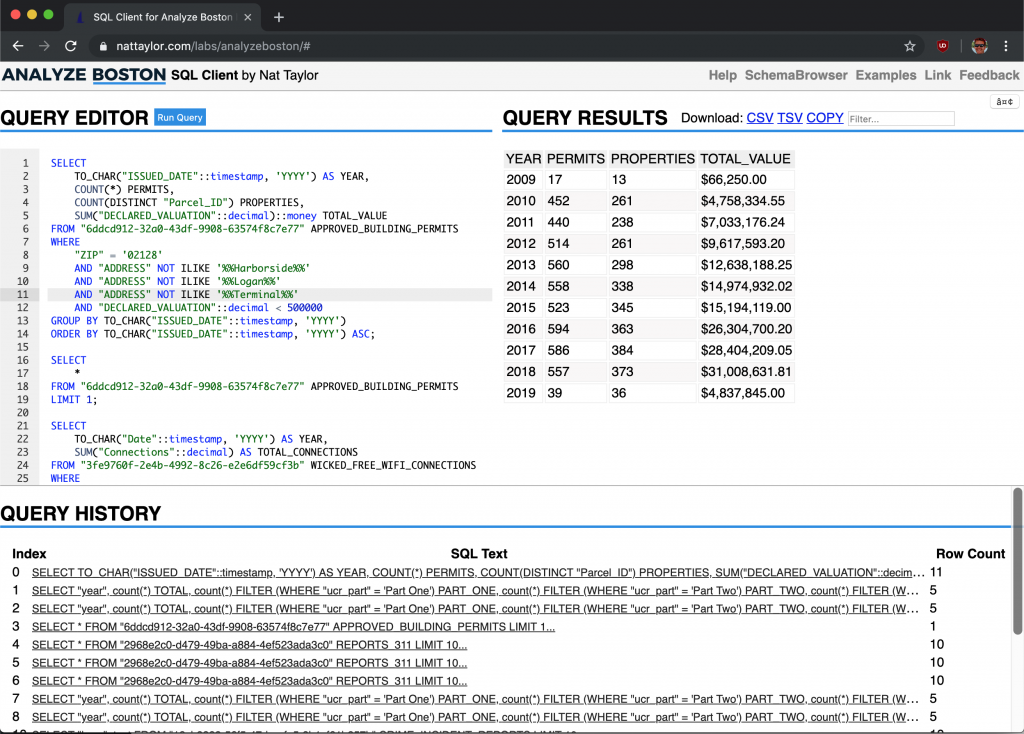 Screenshot of the Analyze Boston SQL Client 1.0 release
Version 1.0 now offers a very approachable UX. This screencast offers a walkthrough of the new features
Notable New Features include:
* **Help** screen is now much more detailed including an overview view.
* **Query Worksheet** supports multiple queries and rich autocomplete including table names, column names and data types
* **Query History** The query history panel enables retrieving previous results
* **Query Results** now features filtering
* **Schema Browser** enables users to discover the available datasets
* **Design** Consistent styling and design
* **Error Handling** is dramatically improved with the introduction of a proxy so that all errors can be returned.
The code is messy and abuses the global namespace. There are a few places that aren't very DRY and could be easily fixed, but fixes the remaining problems will be challenging because I haven't adopted many common design patterns.
Even so, this was a very rewarding project to work on and I learned a ton. I will publish the code on Github soon.
# In Praise of GIMP 2.10
I recently installed GIMP 2.10, the latest (stable) release of the free and open source image editor and am floored and overjoyed with how streamlined it feels compared to previous releases.
I've been a Photoshop user for over 15 years. When I was young my (incredible!) Mom bought me a copy of Photoshop 5.0, which I used until I got access to Photoshop CS2 in college, which I used until I got access to Photoshop CS6(/CC) during my brief marketing career. I used it for everything from photography to web design, and consider myself a power user. Among other things, I know a majority of the keyboard shortcuts by heart.
But now, as a very part-time mostly pro-bono web designer, I don't have a Photoshop license except on a quite old PC that I basically never use. Sadly, I've stopped editing images mostly. In a pinch I'd use and otherwise I'd use Google Photos.
This left me feeling a bit empty and feeling like I should get back into it. However, Photoshop now offers only a $200+ annual subscription, the economics of which don't work out for pro-bono web services. Twice in the past, this has lead me to [GIMP][1] (The Free & Open Source Image Editor) but only until I gave up in frustration.
It's built by developers and the old versions felt that way. Even something easy like loading Photoshop shortcuts that someone else had done all the legwork of creating was tough (for me) because it required navigating deep into the folder structure and placing dot-files (which at the time I didn't understand.) Even with shortcuts, and maybe a familiar Photoshop-inspired theme, the learning curve was just too tough for me and I gave up.
The [GIMP 2.10 release notes][2] include an impressive feature list, but as a user you can't miss the new theme when you first open GIMP. As a Photoshop-native, it just feels so much more homey. Another thing you'll quickly notice are the 80+ built-in filters, which also make photoshop users feel at home.
I'm still stubborn, so something I had to adjust rather than overcome including keyboard shortcuts (which I remapped to Photoshop equivalents) and selection & move tool behaviors (which I also adjust to Photoshop equivalents.)
[1]: https://gimp.org
[2]: https://www.gimp.org/release-notes/gimp-2.10.html
# A Future (in Boston) with More Ferries
Tonight Boston Harbor Now released water transportation business plans as part of its first speaker series event marketed as "A Future with More Ferries: Business Plan Release + Panel Discussion." More info, including the plans are available at , but I wanted to share what I thought were some intriguing stats from the panelists:
* NYC Ferry expanded from 1 route in 2011 to 6 by 2017
* Bay Area ferry system doubled ridership from 2012 to 2018
* Bay Area ferry system in 1935 had 100M trips per year with 90-second frequency
* Bay Area has 28 transit operators sharing 1 fare collection system
* NYC transit expansion costs: Subway $1B/mi, Roads $30M/mi and Ferry $2.5M/mi
* Bay Area 20-year vision is: 5x riders, 4x budget, 3x vessels and 2x (inaudible)
* NYC Ferry built their 17 vessel fleet in 15-months
* Bay Area and NYC both have about 10,000 riders per day
* In the Bay Area, 70%-80% of ferry riders do so by choice (i.e. they have an alternative)
* NYC Ferry has a staff of 10 just to manage contracts
* In Bay Area, post-launch ridership requires two years to rise to projections
Below are the notes I took in their entirety. I think a Facebook Live video might also be available. Contact with any questions or revisions. I recommend starting by leafing through the [Inner Harbor Connector pamphlet][1].
Screenshot of the Analyze Boston SQL Client 1.0 release
Version 1.0 now offers a very approachable UX. This screencast offers a walkthrough of the new features
Notable New Features include:
* **Help** screen is now much more detailed including an overview view.
* **Query Worksheet** supports multiple queries and rich autocomplete including table names, column names and data types
* **Query History** The query history panel enables retrieving previous results
* **Query Results** now features filtering
* **Schema Browser** enables users to discover the available datasets
* **Design** Consistent styling and design
* **Error Handling** is dramatically improved with the introduction of a proxy so that all errors can be returned.
The code is messy and abuses the global namespace. There are a few places that aren't very DRY and could be easily fixed, but fixes the remaining problems will be challenging because I haven't adopted many common design patterns.
Even so, this was a very rewarding project to work on and I learned a ton. I will publish the code on Github soon.
# In Praise of GIMP 2.10
I recently installed GIMP 2.10, the latest (stable) release of the free and open source image editor and am floored and overjoyed with how streamlined it feels compared to previous releases.
I've been a Photoshop user for over 15 years. When I was young my (incredible!) Mom bought me a copy of Photoshop 5.0, which I used until I got access to Photoshop CS2 in college, which I used until I got access to Photoshop CS6(/CC) during my brief marketing career. I used it for everything from photography to web design, and consider myself a power user. Among other things, I know a majority of the keyboard shortcuts by heart.
But now, as a very part-time mostly pro-bono web designer, I don't have a Photoshop license except on a quite old PC that I basically never use. Sadly, I've stopped editing images mostly. In a pinch I'd use and otherwise I'd use Google Photos.
This left me feeling a bit empty and feeling like I should get back into it. However, Photoshop now offers only a $200+ annual subscription, the economics of which don't work out for pro-bono web services. Twice in the past, this has lead me to [GIMP][1] (The Free & Open Source Image Editor) but only until I gave up in frustration.
It's built by developers and the old versions felt that way. Even something easy like loading Photoshop shortcuts that someone else had done all the legwork of creating was tough (for me) because it required navigating deep into the folder structure and placing dot-files (which at the time I didn't understand.) Even with shortcuts, and maybe a familiar Photoshop-inspired theme, the learning curve was just too tough for me and I gave up.
The [GIMP 2.10 release notes][2] include an impressive feature list, but as a user you can't miss the new theme when you first open GIMP. As a Photoshop-native, it just feels so much more homey. Another thing you'll quickly notice are the 80+ built-in filters, which also make photoshop users feel at home.
I'm still stubborn, so something I had to adjust rather than overcome including keyboard shortcuts (which I remapped to Photoshop equivalents) and selection & move tool behaviors (which I also adjust to Photoshop equivalents.)
[1]: https://gimp.org
[2]: https://www.gimp.org/release-notes/gimp-2.10.html
# A Future (in Boston) with More Ferries
Tonight Boston Harbor Now released water transportation business plans as part of its first speaker series event marketed as "A Future with More Ferries: Business Plan Release + Panel Discussion." More info, including the plans are available at , but I wanted to share what I thought were some intriguing stats from the panelists:
* NYC Ferry expanded from 1 route in 2011 to 6 by 2017
* Bay Area ferry system doubled ridership from 2012 to 2018
* Bay Area ferry system in 1935 had 100M trips per year with 90-second frequency
* Bay Area has 28 transit operators sharing 1 fare collection system
* NYC transit expansion costs: Subway $1B/mi, Roads $30M/mi and Ferry $2.5M/mi
* Bay Area 20-year vision is: 5x riders, 4x budget, 3x vessels and 2x (inaudible)
* NYC Ferry built their 17 vessel fleet in 15-months
* Bay Area and NYC both have about 10,000 riders per day
* In the Bay Area, 70%-80% of ferry riders do so by choice (i.e. they have an alternative)
* NYC Ferry has a staff of 10 just to manage contracts
* In Bay Area, post-launch ridership requires two years to rise to projections
Below are the notes I took in their entirety. I think a Facebook Live video might also be available. Contact with any questions or revisions. I recommend starting by leafing through the [Inner Harbor Connector pamphlet][1].

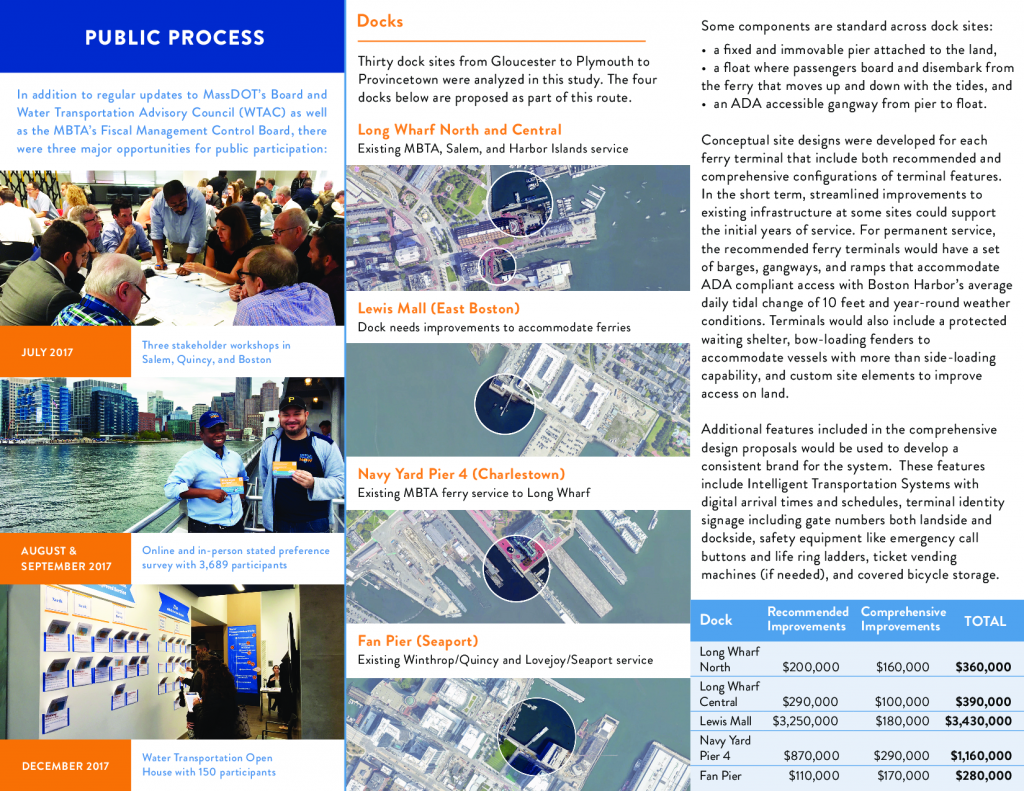
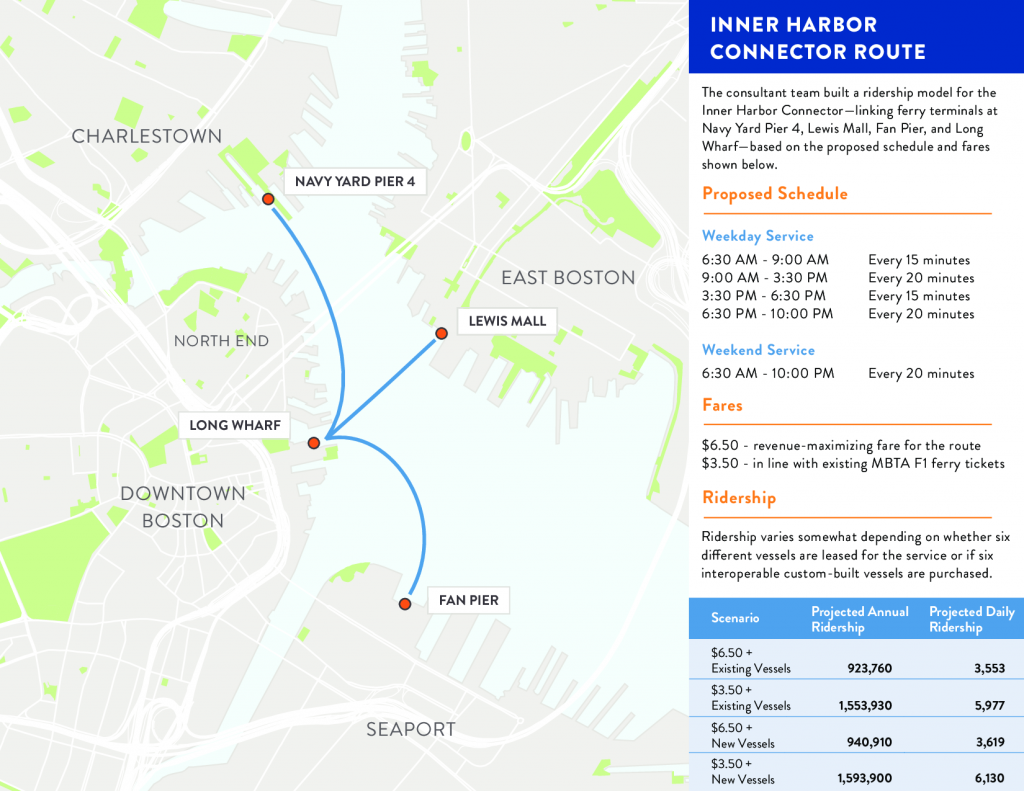

javascript: (function() { var pageid = Array.from(document.body.classList).filter(function(item) { return item.includes("page-id-") });var shortlink = document.querySelector("link[rel='shortlink']").getAttribute('href').match(/\?p=(\d+)/)[1];var id = (pageid.length > 0) ? pageid[0].replace("page-id-", "") : shortlink; document.location = document.location.origin + "/wp-login.php?redirect_to=" + encodeURIComponent(document.location.origin + "/wp-admin/post.php?&action=edit&post=" + id)})()
# 2019 Rhodes 19 Nationals Recap
Rhodes 19 #1926 finished in 3rd place at the 2019 Nationals in Hingham, MA with a crew of Nat Taylor, Jim Taylor and Yati McMahon. Our scoreline was 4-3-9-(10)-4-4-4-2. We were 2nd, 7th and 3rd after Day 1, 2 and 3 respectively. The Top 10 finishers were as follows and full results [here][1].
Name
Sail No.
Place
Points
R1
R2
R3
R4
R5
R6
R7
R8
Schreiber, Chris
1680
1
14
2
7
1
1
3
2
2
3
Nelson, David
3172
2
28
6
4
10
6
7
1
3
1
Taylor, Team
1926
3
30
4
3
9
10
4
4
4
2
Berkeley, Joe
892
4
33
1
2
15
4
1
5
SCP
5
Wilson Kaznoski
2648
5
35
5
5
5
2
8
6
OCS
4
Clancy, Steven
1799
6
41
7
8
6
9
2
9
1
8
Uhl, Steve
2585
7
44
3
12
3
5
11
8
5
9
Koskinas, Allison
122
8
47
13
1
2
12
10
3
SCP
6
Obersheimer, Charles
957
9
68
15
6
8
3
19
15
8
13
[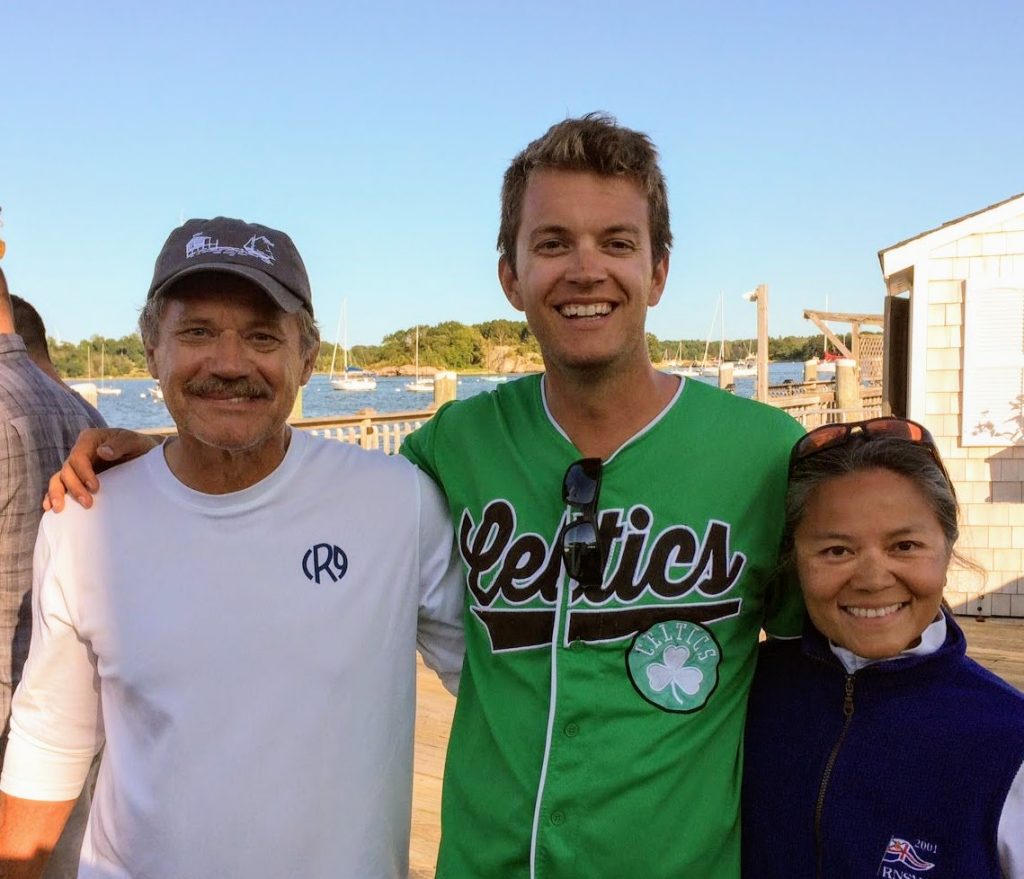 ][2]Jim Taylor, Nat Taylor and Yati McMahon
We are grateful to Hingham and Hull for hosting an awesome event, which included many social highlights including a pig roast! Hats off to the tireless folks who pulled off the most well attended Nationals in recent memory, with 36 competitors including 5 junior (under 25) boats! Also, huge thanks also to the Nancy and Rik Johnson for housing us.
#### Recap
We sailed the boat at around 475lbs crew weight with a 2017 Doyle mainsail, 2019 Doyle jib and a circa 2016 Doyle spinnaker. We made relatively few offseason modifications to the boat, so it was the setup we are used to with a mid-boom traveler, no jumpers and inboard jib tracks.
As always we learned a ton and have made some additions to our growing list of "dope slaps," (the checklist-style document we maintain to remind ourselves to get the simple things right.)
We learned(/relearned) that downwind, it is better to err on having weight too far forward, compared to too far back since dragging ass is worse than bow-plowing, but as always important to listen to the gurgle and announce "back(/forward) a butt-width" accordingly.
We were reminded that big roll tacks are fast, maybe especially in flat water, and the key is rolling in unison and not before the jib backs.
We were reminded that patience is a virtue, and then getting antsy and over-tacking (which is usually is only possible in the middle of the course) is deadly in these underpowered little boats; instead it pays to play a side since that forces you to tack less.
We also did a full course current survey with a sponge, which was incredibly helpful even though there wasn't much current on the course, since it eliminated an unknown and therefore made it easier to choose a race plan based on velocity without second guessing it for current.
Lastly, it is helpful for one crew to focus on announcing headings. That way even if you forget what phase you are in, you can likely deduce it by recalling the last couple of headings. Similarly, it is worth the time and weight for one crew to spend time cleaning up after mark roundings to ensure you're prepared for the next mark. It's also worth discussing the minute details of maneuvers, especially the stuff may seem obvious, to ensure everyone is ready.
There are some things I wish we did differently.
First and foremost is avoiding distractions. On Day 2, I was incredibly frustrated by my perception that 8-12 boats were egregiously over without only 1-2 sacrificial lambs getting called over; that we were sailing short W-L one-around that only took 30-minutes; and that the windward mark was tucked away under spinnaker island where it was incredibly fluky. While all of this was true, everyone had to deal with it, so by getting hung up on it we simply got distracted. In hindsight, I wish we would have let it all go and spent more time focusing on planning out our races. For example, before Race 2 we looked up and thought the right looked good, but the pin was so favored that we got started down there and got caught behind a boat reaching down the line; we should have followed our instincts and started closer to the boat where we'd have the freedom to tack, which the Schreibers did we great success.
That leads directly to the second thing, which is avoiding losing the forest for the trees. It is easy to forget that it's not all that hard for a Rhodes 19 with clear-air to approximately double the boatspeed of one of who is pinching and fighting for a lane in a pack. As such, even with such short races and long biased lines, it was advantageous to start away from the pack, and therefore at the unfavored end, and make up the lost distance with boat speed. I wish we had Kattack to see just how big the speed differences were, but given how light it was and thus how extreme the "bubble effect" was, I would not be surprised it was it was 50%-100%.
I also wish we had a grease pencil to draw current lines on the chart, since we spent so much time taking readings (with a sponge.) I think this would have helped in certain scenarios, especially clueing into the fact that the left hand side was really good on Day 3.
Our proudest moments undoubtedly came on Day 3, when we broke our spinnaker halyard during the second race of the day, so had to do 5 bare-headed hoists and 2 bare-headed leeward mark roundings. Yati did an incredible job making that all go smoothly, such that we only lost a couple of boatlengths during each maneuver. We moved up from 7th to 2 points out of second mostly without a spinnaker halyard, which is a point-of-pride we will not soon forget.
Day 3's 11-13kt breeze coming right off the land with no fetch for chop made for absolutely spectacular sailing conditions, especially as a relatively heavy boat. We rolled a 4-4-4-2 and were only ever behind a small handful of boats.
#### Racing Area
All of the races were held in Hull Bay. Low tide was at 10:38AM, 11:26AM and 12:18PM on each day respectively, so we primarily had incoming tide except for the beginning of racing on Saturday. Wind was were 8 @ 280°, 6 @ 320° and 12 @ 65° respectively. The current was a factor, especially at the windward mark on Day 1, but velocity and clear air were paramount.
][2]Jim Taylor, Nat Taylor and Yati McMahon
We are grateful to Hingham and Hull for hosting an awesome event, which included many social highlights including a pig roast! Hats off to the tireless folks who pulled off the most well attended Nationals in recent memory, with 36 competitors including 5 junior (under 25) boats! Also, huge thanks also to the Nancy and Rik Johnson for housing us.
#### Recap
We sailed the boat at around 475lbs crew weight with a 2017 Doyle mainsail, 2019 Doyle jib and a circa 2016 Doyle spinnaker. We made relatively few offseason modifications to the boat, so it was the setup we are used to with a mid-boom traveler, no jumpers and inboard jib tracks.
As always we learned a ton and have made some additions to our growing list of "dope slaps," (the checklist-style document we maintain to remind ourselves to get the simple things right.)
We learned(/relearned) that downwind, it is better to err on having weight too far forward, compared to too far back since dragging ass is worse than bow-plowing, but as always important to listen to the gurgle and announce "back(/forward) a butt-width" accordingly.
We were reminded that big roll tacks are fast, maybe especially in flat water, and the key is rolling in unison and not before the jib backs.
We were reminded that patience is a virtue, and then getting antsy and over-tacking (which is usually is only possible in the middle of the course) is deadly in these underpowered little boats; instead it pays to play a side since that forces you to tack less.
We also did a full course current survey with a sponge, which was incredibly helpful even though there wasn't much current on the course, since it eliminated an unknown and therefore made it easier to choose a race plan based on velocity without second guessing it for current.
Lastly, it is helpful for one crew to focus on announcing headings. That way even if you forget what phase you are in, you can likely deduce it by recalling the last couple of headings. Similarly, it is worth the time and weight for one crew to spend time cleaning up after mark roundings to ensure you're prepared for the next mark. It's also worth discussing the minute details of maneuvers, especially the stuff may seem obvious, to ensure everyone is ready.
There are some things I wish we did differently.
First and foremost is avoiding distractions. On Day 2, I was incredibly frustrated by my perception that 8-12 boats were egregiously over without only 1-2 sacrificial lambs getting called over; that we were sailing short W-L one-around that only took 30-minutes; and that the windward mark was tucked away under spinnaker island where it was incredibly fluky. While all of this was true, everyone had to deal with it, so by getting hung up on it we simply got distracted. In hindsight, I wish we would have let it all go and spent more time focusing on planning out our races. For example, before Race 2 we looked up and thought the right looked good, but the pin was so favored that we got started down there and got caught behind a boat reaching down the line; we should have followed our instincts and started closer to the boat where we'd have the freedom to tack, which the Schreibers did we great success.
That leads directly to the second thing, which is avoiding losing the forest for the trees. It is easy to forget that it's not all that hard for a Rhodes 19 with clear-air to approximately double the boatspeed of one of who is pinching and fighting for a lane in a pack. As such, even with such short races and long biased lines, it was advantageous to start away from the pack, and therefore at the unfavored end, and make up the lost distance with boat speed. I wish we had Kattack to see just how big the speed differences were, but given how light it was and thus how extreme the "bubble effect" was, I would not be surprised it was it was 50%-100%.
I also wish we had a grease pencil to draw current lines on the chart, since we spent so much time taking readings (with a sponge.) I think this would have helped in certain scenarios, especially clueing into the fact that the left hand side was really good on Day 3.
Our proudest moments undoubtedly came on Day 3, when we broke our spinnaker halyard during the second race of the day, so had to do 5 bare-headed hoists and 2 bare-headed leeward mark roundings. Yati did an incredible job making that all go smoothly, such that we only lost a couple of boatlengths during each maneuver. We moved up from 7th to 2 points out of second mostly without a spinnaker halyard, which is a point-of-pride we will not soon forget.
Day 3's 11-13kt breeze coming right off the land with no fetch for chop made for absolutely spectacular sailing conditions, especially as a relatively heavy boat. We rolled a 4-4-4-2 and were only ever behind a small handful of boats.
#### Racing Area
All of the races were held in Hull Bay. Low tide was at 10:38AM, 11:26AM and 12:18PM on each day respectively, so we primarily had incoming tide except for the beginning of racing on Saturday. Wind was were 8 @ 280°, 6 @ 320° and 12 @ 65° respectively. The current was a factor, especially at the windward mark on Day 1, but velocity and clear air were paramount.
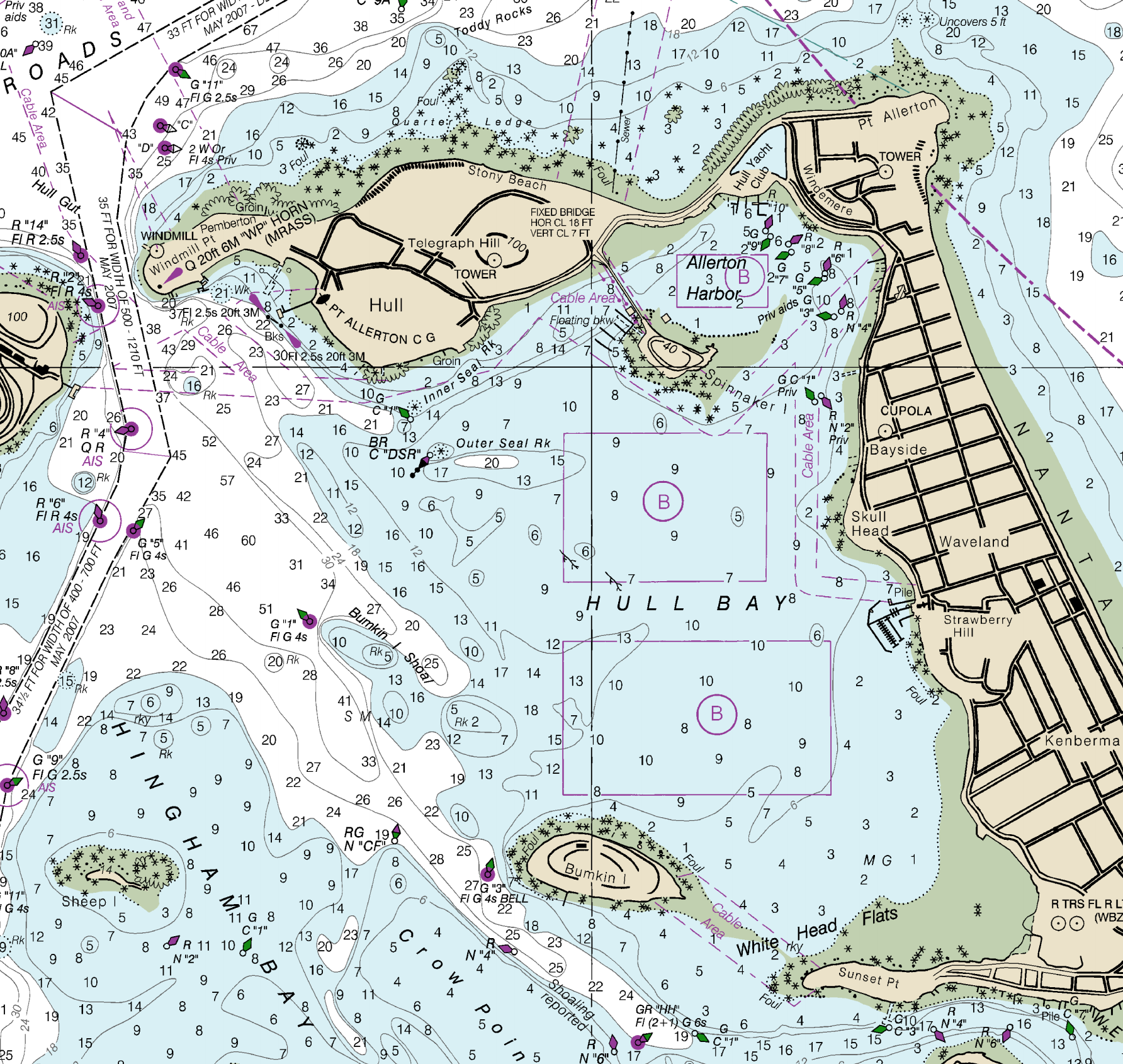 #### Day 1 Race Log
**Conditions**: Low tide: 10:38AM; Wind: 8kts @ 280°;
**Summary**: Windward mark was in the current; boats were coming out from both corners; did a full current survey
**R1** - Decent start; got fouled by 3234 at W1 (they spun) then approached L1 in about 5th; we should have--but didn't--take room on 1799 at L1; no passing lanes upwind; got a favorable shift in the cone for W2 to pass 1799; On the first beat, #122 came out big from the right and #892 from the left.
**R2** - Awesome pin end start and played the left, but once again #122 banged the right hand corner and lead; went +3 at W1 by jibing to the inside in a righty; over-estimated current at W2 and over-stood, thus giving up a point on #892.
#### Day 2 Race Log
**Conditions**: Low tide: 11:26AM; Wind: 6kts @ 320°;
**Summary**: Windward mark tucked behind Spinnaker Island, crazy pin favor all day, short lame one-lap 30 minute races; lots of reshuffling of mid-fleet boats getting top results
**R3** – started second boat from the pin since it was left when we took a windshot at about 1:30, but must have been a big right shift late, because right punched out immediately and then there wasn't much racecourse to play catchup
**R4** – started close the pin but #122 reached down overtop of us and fouled us; leaders abandoned pin and just went for clean starts at the unfavored boat end and then went right; right favored again early, left late, maybe due to geography and condos above the top mark;
#### Day 3 Race Log
**Conditions**: Low tide: 12:18PM; Wind: 12kts @ 65°;
**Summary**: Amazing sailing day; only day with outgoing tide; breezy enough that by the time Yati finished cleaning up we were almost back to the windward mark.
**R5** (one lap) - picked our hole late and really had to fight to get off the line (but that was the plan, to keep back off the line and burst with full speed); went right, got favorable late righty on the shy starboard layline in the cone to round 3rd, damaged spin halyard; coughed up 1 boat by jibing into the middle without pressure (oops)
**R6** - started boat-third under 1799 and stayed on starboard until they started to roll us, then worked the upper right; rounded W1 in 3rd; had to do a bare headed hoist; rounded L1 in 1st to the unfavored gate (and had barely able to get kite down due to damaged cover) then coughed up Nelson, Clancy and Shreiber on the beat by letting the get left;
**R7** - Late Vanderbilt-style start after making repairs, played left-middle then late right rounded W1 in 2nd (behind Nelson since we misjudged the layline); many close crosses with Shreiber; gapped a bit with a nice righty in the cone; gained by doing a bear-away hoist (everyone else jibed) then sailing to the favored gate.
**R8** - all bare headed, eventually go ahead of Wilson after a long grind, but Dave came out of the top left slightly ahead and we could never pass him.
In Race 6, the second race of the day, the cover on our spinnaker halyard broke on the first run and after barely caming down at the leeward mark, it then wouldn't go up at all for the next hoist so we had to do our first of 7 bare-headed sail changes. Crucially, on the second beat, we talked through what we'd do if it wouldn't go up, so when it failed we were prepared and minimized our losses. In between Race 6 and 7, thanks to a long break for a course change, we frantically tried to run a spare spinnaker sheet through the mast to use as a halyard. The effort failed, and we were so distracted and that we missed the 5 minute and 4 minute warning signals, so we entered the starting box around 1:10. Somehow Yati caught the 1-minute warning and the competition left a big hole to barge through, so we were able to eek out a great start! Yati continued here heroics and we didn't loose much distance overall. The key turned out to be overstanding the offset so we could drop the jib a moment early then do a (mostly) normal hoist. A bit of luck played in at the leeward mark, since we didn't have any roundings where taking the kite earlier than desired could have cost us a lot.
Overall it was an awesome event!
Here are a few photos and a few other notes:
* The Shreiber family sailed an incredible event. Their scoreline is impressive, in part because they had to seriously grind for a bunch of those finishes.
* How 'bout the rising dynasty of the Kaznoski family? Wilson and Pete sailed tremendously well.
* Kudos to Fleet 46 for rising from the ashes and winning the Fleet Trophy with a 2-4-6!
* There were three boats that were basically in pieces just days before the event. RJ in 121 had his boat upside down on Tuesday, and had to cut 2.5" off his mast on Wednesday before racing on Thursday. Jeff Kent recently redid his boat. Peter Sorlein's hull restoration process was completed just in the time for Nationals, but there was about 36-hours man-hours worth of rigging and hardware work completed the week of the event!
* Hats off to Team Buffalo for their Top-10 finish. That's amazing!
#### Day 1 Race Log
**Conditions**: Low tide: 10:38AM; Wind: 8kts @ 280°;
**Summary**: Windward mark was in the current; boats were coming out from both corners; did a full current survey
**R1** - Decent start; got fouled by 3234 at W1 (they spun) then approached L1 in about 5th; we should have--but didn't--take room on 1799 at L1; no passing lanes upwind; got a favorable shift in the cone for W2 to pass 1799; On the first beat, #122 came out big from the right and #892 from the left.
**R2** - Awesome pin end start and played the left, but once again #122 banged the right hand corner and lead; went +3 at W1 by jibing to the inside in a righty; over-estimated current at W2 and over-stood, thus giving up a point on #892.
#### Day 2 Race Log
**Conditions**: Low tide: 11:26AM; Wind: 6kts @ 320°;
**Summary**: Windward mark tucked behind Spinnaker Island, crazy pin favor all day, short lame one-lap 30 minute races; lots of reshuffling of mid-fleet boats getting top results
**R3** – started second boat from the pin since it was left when we took a windshot at about 1:30, but must have been a big right shift late, because right punched out immediately and then there wasn't much racecourse to play catchup
**R4** – started close the pin but #122 reached down overtop of us and fouled us; leaders abandoned pin and just went for clean starts at the unfavored boat end and then went right; right favored again early, left late, maybe due to geography and condos above the top mark;
#### Day 3 Race Log
**Conditions**: Low tide: 12:18PM; Wind: 12kts @ 65°;
**Summary**: Amazing sailing day; only day with outgoing tide; breezy enough that by the time Yati finished cleaning up we were almost back to the windward mark.
**R5** (one lap) - picked our hole late and really had to fight to get off the line (but that was the plan, to keep back off the line and burst with full speed); went right, got favorable late righty on the shy starboard layline in the cone to round 3rd, damaged spin halyard; coughed up 1 boat by jibing into the middle without pressure (oops)
**R6** - started boat-third under 1799 and stayed on starboard until they started to roll us, then worked the upper right; rounded W1 in 3rd; had to do a bare headed hoist; rounded L1 in 1st to the unfavored gate (and had barely able to get kite down due to damaged cover) then coughed up Nelson, Clancy and Shreiber on the beat by letting the get left;
**R7** - Late Vanderbilt-style start after making repairs, played left-middle then late right rounded W1 in 2nd (behind Nelson since we misjudged the layline); many close crosses with Shreiber; gapped a bit with a nice righty in the cone; gained by doing a bear-away hoist (everyone else jibed) then sailing to the favored gate.
**R8** - all bare headed, eventually go ahead of Wilson after a long grind, but Dave came out of the top left slightly ahead and we could never pass him.
In Race 6, the second race of the day, the cover on our spinnaker halyard broke on the first run and after barely caming down at the leeward mark, it then wouldn't go up at all for the next hoist so we had to do our first of 7 bare-headed sail changes. Crucially, on the second beat, we talked through what we'd do if it wouldn't go up, so when it failed we were prepared and minimized our losses. In between Race 6 and 7, thanks to a long break for a course change, we frantically tried to run a spare spinnaker sheet through the mast to use as a halyard. The effort failed, and we were so distracted and that we missed the 5 minute and 4 minute warning signals, so we entered the starting box around 1:10. Somehow Yati caught the 1-minute warning and the competition left a big hole to barge through, so we were able to eek out a great start! Yati continued here heroics and we didn't loose much distance overall. The key turned out to be overstanding the offset so we could drop the jib a moment early then do a (mostly) normal hoist. A bit of luck played in at the leeward mark, since we didn't have any roundings where taking the kite earlier than desired could have cost us a lot.
Overall it was an awesome event!
Here are a few photos and a few other notes:
* The Shreiber family sailed an incredible event. Their scoreline is impressive, in part because they had to seriously grind for a bunch of those finishes.
* How 'bout the rising dynasty of the Kaznoski family? Wilson and Pete sailed tremendously well.
* Kudos to Fleet 46 for rising from the ashes and winning the Fleet Trophy with a 2-4-6!
* There were three boats that were basically in pieces just days before the event. RJ in 121 had his boat upside down on Tuesday, and had to cut 2.5" off his mast on Wednesday before racing on Thursday. Jeff Kent recently redid his boat. Peter Sorlein's hull restoration process was completed just in the time for Nationals, but there was about 36-hours man-hours worth of rigging and hardware work completed the week of the event!
* Hats off to Team Buffalo for their Top-10 finish. That's amazing!
 Pete had excellent post sailing attire
 Peter was still drilling holes on Day 2 of the event!
 gift for your host family!
 Pig roast!
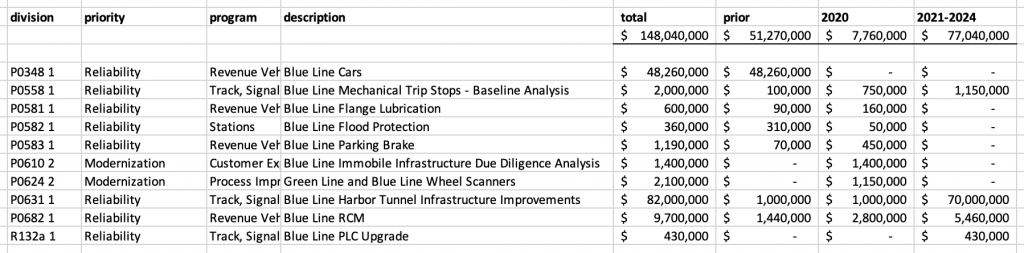 ][2]
[1]: http://massdot.maps.arcgis.com/sharing/rest/content/items/4bf75feb30e148a080f5a89094680669/data
[2]: https://nattaylor.com/wp-content/uploads/2019/09/mbta-blue-cip-2020_2024.png
# Nutritionist In Boston
My amazing wife is the [Nutritionist in Boston][1] offering nutrition counseling, coaching, meal plans and more, in and around East Boston. These days you might also see her at a cooking demo at the YMCA, or a pop-up event in the community.
][2]
[1]: http://massdot.maps.arcgis.com/sharing/rest/content/items/4bf75feb30e148a080f5a89094680669/data
[2]: https://nattaylor.com/wp-content/uploads/2019/09/mbta-blue-cip-2020_2024.png
# Nutritionist In Boston
My amazing wife is the [Nutritionist in Boston][1] offering nutrition counseling, coaching, meal plans and more, in and around East Boston. These days you might also see her at a cooking demo at the YMCA, or a pop-up event in the community.
 Love of my life / Nutritionist
She's the love of my life and she's also the best nutritionist I've ever met because she makes eating healthy so darn easy. When we met I was nutritionally lost and it is a testament to her talents that I dropped 15-pounds within a few weeks of meeting her. She saw what I liked eating and suggested changes that felt small but had a big impact on my health.
Love of my life / Nutritionist
She's the love of my life and she's also the best nutritionist I've ever met because she makes eating healthy so darn easy. When we met I was nutritionally lost and it is a testament to her talents that I dropped 15-pounds within a few weeks of meeting her. She saw what I liked eating and suggested changes that felt small but had a big impact on my health.
 A nice home-cooked meal
It took me a long time to recognize just how big a role nutrition plays in her life. When others give chocolates, she gives homemade, healthful pumpkin bread or muffins. When others fail at dieting, she eats a chocolate and a salad. When she sees a culture of obesity, she engages parents about affordable, healthy food for them and their children. It's what makes her an exceptional nutritionist.
Contact her at
[1]: https://nutritionistinboston.com
# Nat Taylor Web Designs
[ntwd\_showcase] https://nattaylor.com/wp-content/uploads/2019/10/showcase\_nutritionistinboston.com\_.jpg Amanda needed a site for her new business, so we delivered a customized WordPress theme. https://nutritionistinboston.com https://nattaylor.com/wp-content/uploads/2019/10/showcase\_govestreet.org\_.jpg The GSCA had been relying on the newspaper and word-of-mouth to communicate, so we offered them a site. https://govestreet.org https://nattaylor.com/wp-content/uploads/2019/10/showcase\_r19fleet5.org\_.jpg Marblehead's Rhodes 19 Fleet wanted a new site that worked on phones and was simple to update weekly. https://r19fleet5.org https://nattaylor.com/wp-content/uploads/2019/10/showcase\_tayloryachtdesigns.com\_.jpg Jim is my Dad and first client. I made him a site to showcase his designs. https://tayloryachtesigns.com [/ntwd\_showcase]
Nat Taylor Web Designs offers web design and consulting services in Greater Boston. The showcase above highlights a few recent designs, and [our full design portfolio is below][1]. Contact if you have any questions!
A nice home-cooked meal
It took me a long time to recognize just how big a role nutrition plays in her life. When others give chocolates, she gives homemade, healthful pumpkin bread or muffins. When others fail at dieting, she eats a chocolate and a salad. When she sees a culture of obesity, she engages parents about affordable, healthy food for them and their children. It's what makes her an exceptional nutritionist.
Contact her at
[1]: https://nutritionistinboston.com
# Nat Taylor Web Designs
[ntwd\_showcase] https://nattaylor.com/wp-content/uploads/2019/10/showcase\_nutritionistinboston.com\_.jpg Amanda needed a site for her new business, so we delivered a customized WordPress theme. https://nutritionistinboston.com https://nattaylor.com/wp-content/uploads/2019/10/showcase\_govestreet.org\_.jpg The GSCA had been relying on the newspaper and word-of-mouth to communicate, so we offered them a site. https://govestreet.org https://nattaylor.com/wp-content/uploads/2019/10/showcase\_r19fleet5.org\_.jpg Marblehead's Rhodes 19 Fleet wanted a new site that worked on phones and was simple to update weekly. https://r19fleet5.org https://nattaylor.com/wp-content/uploads/2019/10/showcase\_tayloryachtdesigns.com\_.jpg Jim is my Dad and first client. I made him a site to showcase his designs. https://tayloryachtesigns.com [/ntwd\_showcase]
Nat Taylor Web Designs offers web design and consulting services in Greater Boston. The showcase above highlights a few recent designs, and [our full design portfolio is below][1]. Contact if you have any questions!


 Nat Taylor, CEO
[Nat Taylor][10] is AdTech professional and freelance web designer. In his career he has served as a web developer, online marketer, product marketer and product manager all in the AdTech industry. Nat stays true to his Marblehead roots and is an avid sailor. He earned a degree in physics with minors in mathematics and computer science from Connecticut College.
Nat Taylor, CEO
[Nat Taylor][10] is AdTech professional and freelance web designer. In his career he has served as a web developer, online marketer, product marketer and product manager all in the AdTech industry. Nat stays true to his Marblehead roots and is an avid sailor. He earned a degree in physics with minors in mathematics and computer science from Connecticut College.
Tips for residents to take full advantage of being a resident.
 Download as CSV
  Open as Google Doc
  Open as Web Page
### Download Cases
Download Boston ZBA zoning cases formatted as a collection of documents.
Open as Web Page
### Download Cases
Download Boston ZBA zoning cases formatted as a collection of documents.
 Download as JSON Download as CSV Open as Google Doc
### ZBA Trends [boston\_zoning\_charts]
### About the Archive
The archive was created because the Boston ZBA offers no reports or tabular data, so it is very tedious and error prone to aggregate decisions and observe trends.
The source of the decisions data is the [decisions page][1]. The methodology for compiling the decisions, which you can inspect in the [source code][2], is to parse the HTML published by the ZBA then fix typos and other irregularities and translate it into a table.
The source of the cases archive is the [minutes page][3]. The methodology for compiling the cases, which you can inspect in the [source code][2], is to convert the Minutes PDFs to HTML, then fix typos and structure each case into a little "document" with properties like purpose, article(s), discussion, testimony and vote. **NOTE:** In some cases, without indication, properties have been normalized (e.g. "Timuthy" corrected to "Timothy"; "John Smith, Esq." normalized to "John Smith") The archive implements the [Boston Zoning Appeal Archive Specification v1.0][4].
If you have questions about the archive, please contact Nat Taylor <>
### License
Copyright 2019 Nat Taylor
Permission is hereby granted, free of charge, to any person obtaining a copy of this data, to deal in the data without restriction, including without limitation the rights to use, copy, modify, merge, publish, distribute, sublicense, and/or sell copies of the data, and to permit persons to whom the data is furnished to do so, subject to the following conditions:
The above copyright notice and this permission notice shall be included in all copies or substantial portions of the Data.
THE DATA IS PROVIDED "AS IS", WITHOUT WARRANTY OR GUARANTEES OF ACCURACY OF ANY KIND, EXPRESS OR IMPLIED, INCLUDING BUT NOT LIMITED TO THE WARRANTIES OF MERCHANTABILITY, FITNESS FOR A PARTICULAR PURPOSE AND NONINFRINGEMENT. IN NO EVENT SHALL THE AUTHORS OR COPYRIGHT HOLDERS BE LIABLE FOR ANY CLAIM, DAMAGES OR OTHER LIABILITY, WHETHER IN AN ACTION OF CONTRACT, TORT OR OTHERWISE, ARISING FROM, OUT OF OR IN CONNECTION WITH THE SOFTWARE OR THE USE OR OTHER DEALINGS IN THE SOFTWARE.
[1]: https://www.boston.gov/departments/inspectional-services/zoning-board-appeal-decisions
[2]: https://github.com/nattaylor/boston-zoning/blob/master/MinutesParser.php
[3]: https://www.boston.gov/departments/inspectional-services/zoning-board-appeal
[4]: https://nattaylor.com/eastboston/boston-zoning/SPECIFICATION-1.0.html
# About
My mission is to organize East Boston’s information to make it linkable, discoverable, accessible and useful.
Download as JSON Download as CSV Open as Google Doc
### ZBA Trends [boston\_zoning\_charts]
### About the Archive
The archive was created because the Boston ZBA offers no reports or tabular data, so it is very tedious and error prone to aggregate decisions and observe trends.
The source of the decisions data is the [decisions page][1]. The methodology for compiling the decisions, which you can inspect in the [source code][2], is to parse the HTML published by the ZBA then fix typos and other irregularities and translate it into a table.
The source of the cases archive is the [minutes page][3]. The methodology for compiling the cases, which you can inspect in the [source code][2], is to convert the Minutes PDFs to HTML, then fix typos and structure each case into a little "document" with properties like purpose, article(s), discussion, testimony and vote. **NOTE:** In some cases, without indication, properties have been normalized (e.g. "Timuthy" corrected to "Timothy"; "John Smith, Esq." normalized to "John Smith") The archive implements the [Boston Zoning Appeal Archive Specification v1.0][4].
If you have questions about the archive, please contact Nat Taylor <>
### License
Copyright 2019 Nat Taylor
Permission is hereby granted, free of charge, to any person obtaining a copy of this data, to deal in the data without restriction, including without limitation the rights to use, copy, modify, merge, publish, distribute, sublicense, and/or sell copies of the data, and to permit persons to whom the data is furnished to do so, subject to the following conditions:
The above copyright notice and this permission notice shall be included in all copies or substantial portions of the Data.
THE DATA IS PROVIDED "AS IS", WITHOUT WARRANTY OR GUARANTEES OF ACCURACY OF ANY KIND, EXPRESS OR IMPLIED, INCLUDING BUT NOT LIMITED TO THE WARRANTIES OF MERCHANTABILITY, FITNESS FOR A PARTICULAR PURPOSE AND NONINFRINGEMENT. IN NO EVENT SHALL THE AUTHORS OR COPYRIGHT HOLDERS BE LIABLE FOR ANY CLAIM, DAMAGES OR OTHER LIABILITY, WHETHER IN AN ACTION OF CONTRACT, TORT OR OTHERWISE, ARISING FROM, OUT OF OR IN CONNECTION WITH THE SOFTWARE OR THE USE OR OTHER DEALINGS IN THE SOFTWARE.
[1]: https://www.boston.gov/departments/inspectional-services/zoning-board-appeal-decisions
[2]: https://github.com/nattaylor/boston-zoning/blob/master/MinutesParser.php
[3]: https://www.boston.gov/departments/inspectional-services/zoning-board-appeal
[4]: https://nattaylor.com/eastboston/boston-zoning/SPECIFICATION-1.0.html
# About
My mission is to organize East Boston’s information to make it linkable, discoverable, accessible and useful.
 Boston Skyline at Night, from East Boston
 Sunset over the Tobin from Liberty Plaza, East Boston
 Wetlands along the East Boston Greenway
 Boston Skyline from Lewis Wharf, East Boston
 Sunset at Liberty Plaza, East Boston
 Belle Isle Marsh Wetlands in East Boston
 Wetlands along the East Boston Greenway
add_filter(
	'category_template',
	function ($template) {
		if ( is_category(array( 21 )  )  ) {
			$template = locate_template( 'eb.php' );
		}
		return $template;
	}
);
#### WordPress Posts Within Subdirectories
Another thing I wanted was for each "section" to have it's (pseudo) own blog such that the URLs fall within the section's URL (e.g. a blog post for East Boston is `/eastboston/blog/2019/post-name`) I accomplished that with this code.
add_filter('post_link', function ( $permalink, $post ) {
		$category = get_the_category($post->ID);
		if($category[0]->slug=='eastboston') {
			$permalink = str_replace('/blog/', '/eastboston/blog/' , $permalink );
		} else if ($category[0]->slug=='web-design') {
			$permalink = str_replace('/blog/', '/webdesign/blog/' , $permalink );
		}
		return $permalink;
}, 10, 2 );

add_action( 'generate_rewrite_rules',function() {
	global $wp_rewrite;
	$wp_rewrite->rules =
		['^(eastboston|webdesign)/blog/?$' => 'index.php?category_name=$matches[1]']
		+ ['^(?:eastboston|webdesign)/blog/([0-9]{4})/([^/]+)(?:/([0-9]+))?/?$' => 'year=$matches[1]&name=$matches[2]&page=']
		+ $wp_rewrite->rules;
	return $wp_rewrite->rules;
});
#### WordPress Page as Directory Index
For `/eastboston` I wanted to have files accessible within the directory, so I used `.htaccess` so that `/eastboston` is a WordPress page, but I can also put a file at `/eastboston/foo.html`
RewriteEngine on
RewriteCond %{REQUEST_FILENAME} /eastboston/?$
RewriteRule ^(.*)$ /wordpress/$1 [L]
#### WordPress Files in Subdirectory
I also moved WordPress into a subdirectory without changing the URL, in order to keep the directory structure clear for the site root. I had some trouble with the `.htaccess` configuration at first, but landed on the following.
RewriteEngine on
RewriteCond %{HTTP_HOST} ^(www.)?nattaylor.com$
RewriteCond %{REQUEST_URI} !^/wordpress/
RewriteCond %{REQUEST_FILENAME} !-f
RewriteCond %{REQUEST_FILENAME} !-d
RewriteRule ^(.*)$ /wordpress/$1
RewriteCond %{HTTP_HOST} ^(www.)?nattaylor.com$
RewriteRule ^(/)?$ wordpress/index.php [L]
In the future, I might depart from this strategy and install multiple instance of WordPress so that I can have more control over which posts show up where, but for now I am happy with the simplicity.
[1]: https://nattaylor.com/webdesign
[2]: https://nattaylor.com/eastboston
# Fixing Boston’s Broken Development Process
East Boston, MA — On Tuesday evening around 30 East Boston residents gathered at the YMCA on Ashely Street for a discussion on "Fixing Boston's Broken Development Process" featuring District 1 City Councilor Lydia Edwards' presentation of "[Planning for Fair Housing][1]" / "Modernizing the ZBA" and at-large City Councilor Michelle Wu's presentation of "[Abolish the BPDA][2]." Residents are upset with the status quo and were receptive to the proposal, but worried that they would come after significant and irreversible damage to their community was done. Perhaps the highlight of the meeting was that, ironically, for meeting partially about traffic congestion, Councilor Wu was late after trying to drive to the event, before switching to the Blue Line!
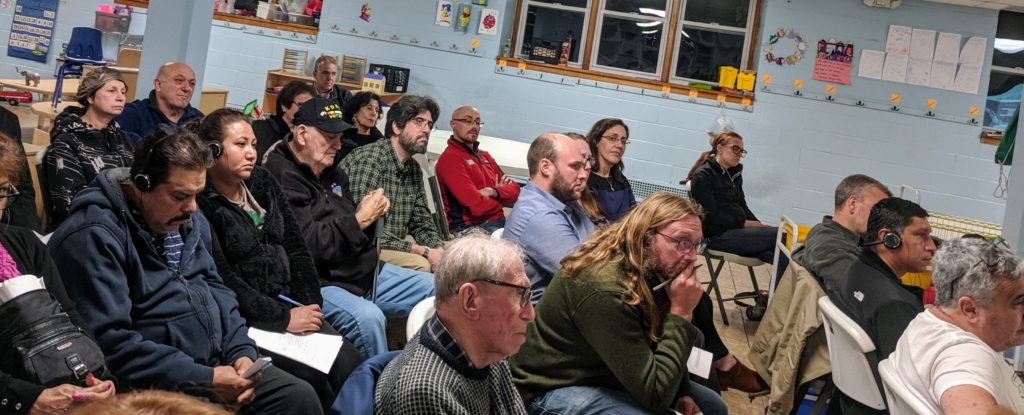 East Boston residents listen to development crisis policy proposal.
### Presentation Summaries
Edwards described fair housing as "Opportunity for All" and cited her office's report Planning for Fair Housing. She stressed that it was the beginning of a process, asked for feedback and expressed her initial thoughts including: focusing on risk of displacement, overhauling planning and zoning, analyzing land use decisions, and negotiating for family housing, access to transportation and affordability.
Edwards then moved on to modernizing the ZBA. She pointed out that Boston's ZBA has unique requirements from the State that membership include real estate, construction, architects and labor interests, in addition to civic groups. She proposed changes including: membership, financial disclosure, legal support for residents, electronic appeals, reports on variances, anti-displacement measures, and ideas including more members, evening/weekend meetings and translation
East Boston residents listen to development crisis policy proposal.
### Presentation Summaries
Edwards described fair housing as "Opportunity for All" and cited her office's report Planning for Fair Housing. She stressed that it was the beginning of a process, asked for feedback and expressed her initial thoughts including: focusing on risk of displacement, overhauling planning and zoning, analyzing land use decisions, and negotiating for family housing, access to transportation and affordability.
Edwards then moved on to modernizing the ZBA. She pointed out that Boston's ZBA has unique requirements from the State that membership include real estate, construction, architects and labor interests, in addition to civic groups. She proposed changes including: membership, financial disclosure, legal support for residents, electronic appeals, reports on variances, anti-displacement measures, and ideas including more members, evening/weekend meetings and translation
 Michelle Wu proposes to abolish the BPDA
Wu's proposal summarized her report "Abolish the BPDA." She proposed restoring public oversight, ending urban renewal and obtaining State approvals. According to Wu, the BPDA has an irreconcilably bad track record including poor record keeping, a lack of community engagement and a lack of public oversight.
### Community Dialog
The feedback from attendees was mostly positive, with many expressing their gratitude to the Councilors for taking on these issues.
One person quite vocally wondered why new housing development can't be "stopped," making the point that the neighborhoods are already very crowded which negatively impacts mobility and quality of life; Councilor Edwards responding that her goal was not to stop growth, but instead to ensure that zoning variances are only granted when the standards for hardship are meaningfully met, with the goal of restoring trust while establishing predictability for decisions. She repeated a few times that variances should never be granted to "make the numbers work [for a developer]."
The dialog eventually moved on to concerns about Suffolk Downs. Councilor Edwards rhetorically asked "Are we going to learn anything from the Seaport?"
The Councilors concluded by pleading for the community to work with them on the problems, and the call to action that "this is worth fighting for."
[1]: https://www.docdroid.net/a0Qa4Jx/10-15-19-planning-for-fair-housing.pdf
[2]: https://abolishthebpda.com/
# East Boston Resources
* [**Make East Boston Yours**][1]** **Talk to your neighbors, beautify your block, log a 311, vote, join a civic group and contact your local Electeds.
* [**East Boston Links**][2] Links to data, GIS, history and more.
* [**East Boston Master Plan**][3] An HTML conversion of the PDF from April 2000.
[1]: https://nattaylor.com/eastboston/make-east-boston-yours/
[2]: https://nattaylor.com/eastboston/east-boston-links/
[3]: https://nattaylor.com/eastboston/masterplan/
# East Boston Data
This site offers a few interesting data assests
* [Zoning Decisions Archive][1] Boston Zoning decisions enhanced with structure and additional data
* [SQL Client for AnalyzeBoston][2] This tool simplifies the workflow for querying AnalyzeBoston datasets.
[1]: https://nattaylor.com/eastboston/boston-zoning/
[2]: https://nattaylor.com/labs/analyzeboston
# East Boston Master Plan – April 2000
This is a PDF to HTML conversion of the East Boston Master Plan published in April 2000.
[
Michelle Wu proposes to abolish the BPDA
Wu's proposal summarized her report "Abolish the BPDA." She proposed restoring public oversight, ending urban renewal and obtaining State approvals. According to Wu, the BPDA has an irreconcilably bad track record including poor record keeping, a lack of community engagement and a lack of public oversight.
### Community Dialog
The feedback from attendees was mostly positive, with many expressing their gratitude to the Councilors for taking on these issues.
One person quite vocally wondered why new housing development can't be "stopped," making the point that the neighborhoods are already very crowded which negatively impacts mobility and quality of life; Councilor Edwards responding that her goal was not to stop growth, but instead to ensure that zoning variances are only granted when the standards for hardship are meaningfully met, with the goal of restoring trust while establishing predictability for decisions. She repeated a few times that variances should never be granted to "make the numbers work [for a developer]."
The dialog eventually moved on to concerns about Suffolk Downs. Councilor Edwards rhetorically asked "Are we going to learn anything from the Seaport?"
The Councilors concluded by pleading for the community to work with them on the problems, and the call to action that "this is worth fighting for."
[1]: https://www.docdroid.net/a0Qa4Jx/10-15-19-planning-for-fair-housing.pdf
[2]: https://abolishthebpda.com/
# East Boston Resources
* [**Make East Boston Yours**][1]** **Talk to your neighbors, beautify your block, log a 311, vote, join a civic group and contact your local Electeds.
* [**East Boston Links**][2] Links to data, GIS, history and more.
* [**East Boston Master Plan**][3] An HTML conversion of the PDF from April 2000.
[1]: https://nattaylor.com/eastboston/make-east-boston-yours/
[2]: https://nattaylor.com/eastboston/east-boston-links/
[3]: https://nattaylor.com/eastboston/masterplan/
# East Boston Data
This site offers a few interesting data assests
* [Zoning Decisions Archive][1] Boston Zoning decisions enhanced with structure and additional data
* [SQL Client for AnalyzeBoston][2] This tool simplifies the workflow for querying AnalyzeBoston datasets.
[1]: https://nattaylor.com/eastboston/boston-zoning/
[2]: https://nattaylor.com/labs/analyzeboston
# East Boston Master Plan – April 2000
This is a PDF to HTML conversion of the East Boston Master Plan published in April 2000.
[ ][1]Browsers can reflow text to adapt to different screen sizes.
## [Continue to the plan →][1]
This was converted in July 2018 by Nat Taylor from the PDF available at [bostonplans.org][2]
The goal is to make it more readable, especially on phones/tablets and as such the positioning of some of the figures has changed and some typographical errors are present due to the image-to-text conversion.
Please submit corrections to
### Updates
* 2018-07-08: First published. Larger images, proofreading and completion of Chapter 3 coming soon.
[1]: https://nattaylor.com/eastboston/masterplan/masterplan.html
[2]: http://www.bostonplans.org/planning/planning-initiatives/eastbostonmasterplan
# Massport Defends Environmental Filing
East Boston, MA — On Tuesday evening Massport held a Logan ESPR Consultation Session to inform the community about their recent MEPA filings, answer questions and take comments. Stewart Dalzell, Deputy Director of Environmental Planning and Permitting, began the night with an overview presentation lasting 40-minutes, which paused for a statement by State Representative Adrian Madaro. Then the trio of Dalzell, Director Aviation Planning and Strategy Flavio Leo and Deputy Director of Community Relations Anthony Guerriero, answered questions from the community and defended their most recent filing, the 2017 Environmental Status and Planning Report (ESPR,) which is available for download [here][1].
(Update 2019-11-06 [The slides are now posted for download here][2].)
The [Mothers Out Front of East Boston][3] were also present, demonstrating over the health impacts for children in the neighborhood. Group leaders Julia Burrel and Sonja Tengblad followed up with [Facebook statements][4].
][1]Browsers can reflow text to adapt to different screen sizes.
## [Continue to the plan →][1]
This was converted in July 2018 by Nat Taylor from the PDF available at [bostonplans.org][2]
The goal is to make it more readable, especially on phones/tablets and as such the positioning of some of the figures has changed and some typographical errors are present due to the image-to-text conversion.
Please submit corrections to
### Updates
* 2018-07-08: First published. Larger images, proofreading and completion of Chapter 3 coming soon.
[1]: https://nattaylor.com/eastboston/masterplan/masterplan.html
[2]: http://www.bostonplans.org/planning/planning-initiatives/eastbostonmasterplan
# Massport Defends Environmental Filing
East Boston, MA — On Tuesday evening Massport held a Logan ESPR Consultation Session to inform the community about their recent MEPA filings, answer questions and take comments. Stewart Dalzell, Deputy Director of Environmental Planning and Permitting, began the night with an overview presentation lasting 40-minutes, which paused for a statement by State Representative Adrian Madaro. Then the trio of Dalzell, Director Aviation Planning and Strategy Flavio Leo and Deputy Director of Community Relations Anthony Guerriero, answered questions from the community and defended their most recent filing, the 2017 Environmental Status and Planning Report (ESPR,) which is available for download [here][1].
(Update 2019-11-06 [The slides are now posted for download here][2].)
The [Mothers Out Front of East Boston][3] were also present, demonstrating over the health impacts for children in the neighborhood. Group leaders Julia Burrel and Sonja Tengblad followed up with [Facebook statements][4].
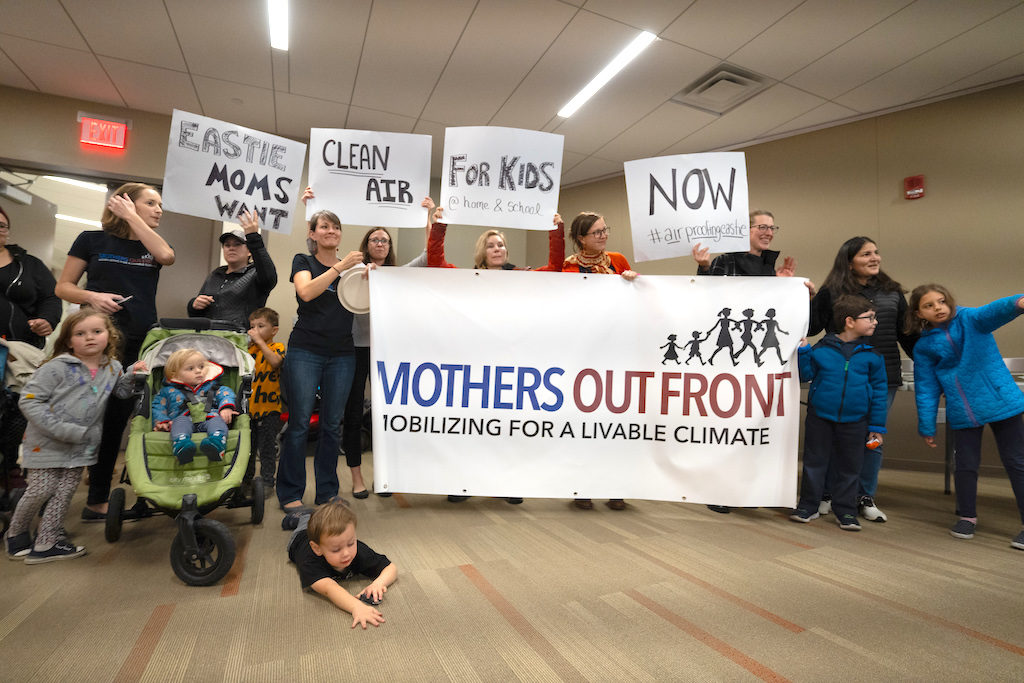 Mothers Out Front - East Boston BY ARGENIS DE LA ROSA
AIR Inc. representative Chris Marchi lived streamed the event on Facebook, the archive of which is available [here][5].
After the presentation, the discussion began.
When pressed on the Airport growth forecast, Leo shrugged it off saying that they both under- and over-shoot, and defended the low growth rate by claiming the country's economic expansion was unprecedented and that Airport growth was correlated to economic growth, insinuating that his low forecast was backed by data and sound bets.
Later, Leo was asked about the addition of flight restrictions, which he deferred on, instead blaming federal regulation for why Massport can't do what the community wants. He continued that peak pricing is ineffective for affecting flight restrictions because flight volume is down from historic highs, so there isn't enough demand to trigger it.
Leo also stated they use FAA models for air and noise, not actual sensor data, citing FAA best practices, and added the no ultrafine particle standards exist.
On noise, Leo stated that Massport is required to report day-night average sound level (DNL) despite that "not being how people experience noise" and that populations affected by noise are a function of noise contours correlated to Census block data.
Dalzell said that Rep. Madaro's comments would need to be addressed through the MEPA process for the next ESPR.
Public comment may be submitted via the following link:
### Rep. Madaro's Remarks
Mothers Out Front - East Boston BY ARGENIS DE LA ROSA
AIR Inc. representative Chris Marchi lived streamed the event on Facebook, the archive of which is available [here][5].
After the presentation, the discussion began.
When pressed on the Airport growth forecast, Leo shrugged it off saying that they both under- and over-shoot, and defended the low growth rate by claiming the country's economic expansion was unprecedented and that Airport growth was correlated to economic growth, insinuating that his low forecast was backed by data and sound bets.
Later, Leo was asked about the addition of flight restrictions, which he deferred on, instead blaming federal regulation for why Massport can't do what the community wants. He continued that peak pricing is ineffective for affecting flight restrictions because flight volume is down from historic highs, so there isn't enough demand to trigger it.
Leo also stated they use FAA models for air and noise, not actual sensor data, citing FAA best practices, and added the no ultrafine particle standards exist.
On noise, Leo stated that Massport is required to report day-night average sound level (DNL) despite that "not being how people experience noise" and that populations affected by noise are a function of noise contours correlated to Census block data.
Dalzell said that Rep. Madaro's comments would need to be addressed through the MEPA process for the next ESPR.
Public comment may be submitted via the following link:
### Rep. Madaro's Remarks
### Event Stream by Chris Marchi https://www.facebook.com/chris.marchi.75/videos/2359774617483982/UzpfSTc4OTYxNzgzNTpWSzoxNjQ3MTY1MzgyMDgxNzky/ ### Massport Flyer"I come before you to discuss the 2017 ESPR and share my thoughts on the discrepancy between the stated projections and the current reality and what this means for us here is East Boston.
First thing I want to address is passenger increases and I want to express my concern over the projected rates passenger and airport growth contained in the ESPR. Passenger growth is forecast at 1.5 percent and aircraft at 1.2 percent for the 2017 ESPR. This appears to be an implausibly low estimate. Over the past 5 years passenger growth averaged 6.5 percent and aircraft 5.9. The 2011 ESPR suggested airport passenger volumes would reach roughly 33 Million by 2019 but we are on pace to surpass 43 Million passengers by 2019. Logan has grown from 25 Million passengers per year in the mid nineties to 43 Million a year this past year, which is an additional 18 Million passengers representing a 72 percent increase. That is not what was presented to the community and certainly far exceeded our expectations.
Now to discuss noise. Estimates show that population exposed to 65 DNL or higher which are residents impacted by the worst airport noise across the region have doubled. All of this increase has occurred right here in my district in East Boston with totals rising a staggering 1400 percent as reported a 2017 ESPR. The 2017 ESPR reports nighttime operations which may cause health impairments associated with sleep interruption, hypertension and some other neurological disorders have increased by 43 percent over the past 6 years. Many European airports such as Heathrow and London and most major German airports have night time flying restrictions. Massport should consider implementing similar nighttime operation restrictions which would greatly benefit residents in around those communities and East Boston.
Now I want to address pollution and traffic. 2017 ESPR data shows that NOX which is a key predictor respiratory illness has increased by 46 percent over the past 5 years. Average weekday traffic has grown by over 21 percent since the last ESPR. A substantial portion of this traffic has been due to an explosion of TNCs here at Logan airport. These have diverted people from public transport into millions of rides.
Now I want to pause and give credit to Massport on this for the recent changes to TNC pick up and drop off which are implemented at Logan this past week as well as other efforts specifically to increase Logan Express which will which will help reduce traffic in our area. But the ESPR should also include an analysis of this traffic, where this traffic is going, and how more public transit mitigation for enhanced Logan Express, fluid Silver Line service and in investments improvements such as the Red-Blue Connector could offset this congestion in traffic. Traffic growth causes congestion and jams clogging our tunnels and backing traffic up into the neighborhood streets of East Boston. This traffic which Logan contributes to significantly causes quality of life, economic and health issues for East Boston residents. People are now routinely late to work, school appointments and stuck in congestions, dealing with the fumes of particulates from traffic on residential streets.
Now I want to discuss mitigation. Many of the impacts is seen in our community have been significantly under estimated. Going by your old forecasts we should not be where we are today. The numbers we are seeing would have put us in the 2040s based on Massport's previous estimates. A direct consequence of this chronic underestimation is the failure to provide adequate solutions in appropriate mitigation to deal with increased impacts. Sometimes the modeling gets it wrong. This is a reality. However when various models are consistently underestimating impacts by a significant margin--whether this speaks to passenger estimates, traffic estimates, noise, fume and particulate estimates--this becomes a serious issue. Modeling that systematically underestimated leave us systematically under prepared to deal with the impacts. Neighboring communities are saddled with unfair burdens and insufficient mitigation. This level of airport growth and environmental degradation speaks to a need for an enhanced level of response and mitigation from that offered to the 2017 ESPR. Mitigation based on projections that fall short of reality that similarly falling short of providing the necessary offset for our community. Projects such as air proofing for our public schools like what's seen today in Seattle can help to ameliorate the effects of the past 10 years of expansion.
This meeting needs to provide for discussion and comments of the MEPA and Massport ESPR 2013 effectiveness of present impacts and to what extent the policy and mitigation provided has addressed the present level of unanticipated airport growth.
We can and must do better for the residents of East Boston. My constituents deserve a high quality of life and deserve to have airport impacts adequately mitigated. I look forward to continued dialogue on this issue with Massport, members of the community and everyone here tonight. Thank you so much for your time.
State. Rep Adrian Madaro
 Massports Flyer
[1]: http://www.massport.com/media/3354/2017-espr-part-1.pdf
[2]: http://www.massport.com/media/3399/logan-espr-public-meeting-presentation-10-29-19.pdf
[3]: https://ma.mothersoutfront.org/east_boston
[4]: https://www.facebook.com/groups/408282242636625/permalink/1715539481910888/
[5]: https://www.facebook.com/chris.marchi.75/videos/2359774617483982/UzpfSTc4OTYxNzgzNTpWSzoxNjQ3MTY1MzgyMDgxNzky/
# How to Filter Forwarded Plus-address Email GMail
I thought I cleverly forwarded emails to a "plus address" (e.g. myusername+tag@gmail.com) so they would be easy to filter, but I didn't know how to filter them in GMail.
The solution is search for:
deliveredto:myusername+tag@gmail.com.
That's it!
# Server-side Google Analytics
While Google Analytics is amazing for its simple integration and powerful analytics, I've always been unhappy that it requires downloading a large resource and results in additional HTTP requests.
Still, analytics are valuable, open-source analytics solutions like AWStats aren't great, Google Analytics is great, Apache access logs contain data sufficient for counting pageviews (etc) and Google Analytics provides a [Measurement Protocol][1] for "[making] HTTP requests to send raw user interaction data directly to Google Analytics servers," and so because of all that `apache2ga` was born.
## apache2ga
`apache2ga` is a script that processes Apache access logs, starting from the byte last read, finds page views and sends them off to Google Analytics.
Massports Flyer
[1]: http://www.massport.com/media/3354/2017-espr-part-1.pdf
[2]: http://www.massport.com/media/3399/logan-espr-public-meeting-presentation-10-29-19.pdf
[3]: https://ma.mothersoutfront.org/east_boston
[4]: https://www.facebook.com/groups/408282242636625/permalink/1715539481910888/
[5]: https://www.facebook.com/chris.marchi.75/videos/2359774617483982/UzpfSTc4OTYxNzgzNTpWSzoxNjQ3MTY1MzgyMDgxNzky/
# How to Filter Forwarded Plus-address Email GMail
I thought I cleverly forwarded emails to a "plus address" (e.g. myusername+tag@gmail.com) so they would be easy to filter, but I didn't know how to filter them in GMail.
The solution is search for:
deliveredto:myusername+tag@gmail.com.
That's it!
# Server-side Google Analytics
While Google Analytics is amazing for its simple integration and powerful analytics, I've always been unhappy that it requires downloading a large resource and results in additional HTTP requests.
Still, analytics are valuable, open-source analytics solutions like AWStats aren't great, Google Analytics is great, Apache access logs contain data sufficient for counting pageviews (etc) and Google Analytics provides a [Measurement Protocol][1] for "[making] HTTP requests to send raw user interaction data directly to Google Analytics servers," and so because of all that `apache2ga` was born.
## apache2ga
`apache2ga` is a script that processes Apache access logs, starting from the byte last read, finds page views and sends them off to Google Analytics.
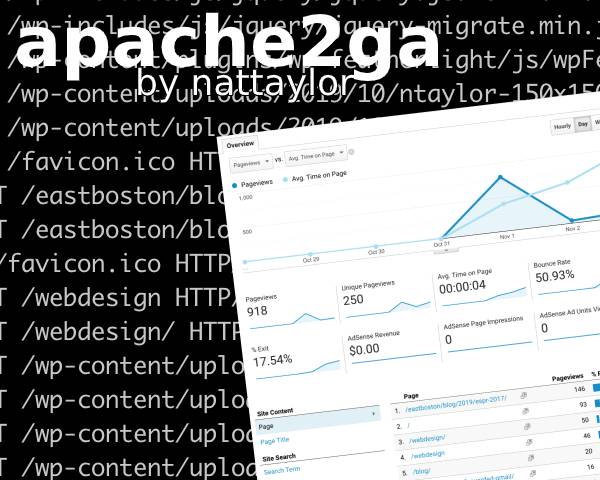 Image explaining what apache2ga is all about
Installation simply requires specifying the hostname and tracking ID in the script, then setting up a CRON job.
[The script source is on Github here][2].
### Motivation
AWStats is good enough that I tried to build around it (see "[Web Analytics with AWStats in 2018][3]"), but it fell short for several reasons including some that are not the fault of AWStats. The issues included: required merging the SSL and non-SSL logs; including non-pageviews (like images) by default; display of bots in metrics; bot filtering isn't perfect; it only updates once a day; it requires logging in to CPanel; there's no WordPress dashboard widget plugin; there's no Google Search Console integration; there's no automated email reports. Many of those could be fixed settings tweaks or plugins, but it's more work than I'm willing to do.
[1]: https://developers.google.com/analytics/devguides/collection/protocol/v1
[2]: https://gist.github.com/nattaylor/da176e1b4a107a6f218859af101fa0cd
[3]: https://nattaylor.com/blog/2018/web-analytics-with-awstats-in-2018/
# Photopea: Browser-based Photoshop-esque Image Editor
I'm a Photoshop native, having been a user since age 14, but now the $250/year price tag is hard to justify as a light user so I've been trying replacements like [GIMP][1] with limited success. However, I recently discovered the remarkable [Photopea][2] [ _photo - pee_ ]
With the [goal of being the most advanced and affordable photo editor][3], it offers most of the features of Photoshop with an intuitive presentation right in the browser for free. Amazing! If you can't find a function, click the 🔍 icon in the main menu bar for global search.
Try it at photopea.com
Image explaining what apache2ga is all about
Installation simply requires specifying the hostname and tracking ID in the script, then setting up a CRON job.
[The script source is on Github here][2].
### Motivation
AWStats is good enough that I tried to build around it (see "[Web Analytics with AWStats in 2018][3]"), but it fell short for several reasons including some that are not the fault of AWStats. The issues included: required merging the SSL and non-SSL logs; including non-pageviews (like images) by default; display of bots in metrics; bot filtering isn't perfect; it only updates once a day; it requires logging in to CPanel; there's no WordPress dashboard widget plugin; there's no Google Search Console integration; there's no automated email reports. Many of those could be fixed settings tweaks or plugins, but it's more work than I'm willing to do.
[1]: https://developers.google.com/analytics/devguides/collection/protocol/v1
[2]: https://gist.github.com/nattaylor/da176e1b4a107a6f218859af101fa0cd
[3]: https://nattaylor.com/blog/2018/web-analytics-with-awstats-in-2018/
# Photopea: Browser-based Photoshop-esque Image Editor
I'm a Photoshop native, having been a user since age 14, but now the $250/year price tag is hard to justify as a light user so I've been trying replacements like [GIMP][1] with limited success. However, I recently discovered the remarkable [Photopea][2] [ _photo - pee_ ]
With the [goal of being the most advanced and affordable photo editor][3], it offers most of the features of Photoshop with an intuitive presentation right in the browser for free. Amazing! If you can't find a function, click the 🔍 icon in the main menu bar for global search.
Try it at photopea.com
 Screenshot of Photopea
The features currently include the following and more, plus new features are added about 6 times a year.
* **Layers** - to split images into several parts
* **Layer masks** - just generally useful
* **Blend modes** - specifying, how layers "combine" with each other
* **Brush** - there must be a way to change the color of pixels
* **Selections** - choosing, which pixels of layer you want to edit
* **Procedural adjustments** - changing brightness, hue, saturation, convolutions (blur, sharpening ...) etc.
Ivan Kutskir, the developer, wrote up a little bit about [creating Photopea][4]--and it's quite an amazing story.
[1]: https://nattaylor.com/blog/2019/gimp/
[2]: https://www.photopea.com/
[3]: https://blog.photopea.com/introduction.html
[4]: https://blog.photopea.com/creating-photopea.html
# Beach Sailor – Day 1
My "Beach Sailor" project (windsurf rig attached to a Mountain board) is off to a good start. I got my first session in on Sunday, in a 11-12 MPH Westerly at Nahant Beach, right after low tide. I suspect I probably maxed out around 10 MPH (by comparison to how it feels going 12 MPH on my electric skateboard.) I have a bit of [lame footage on YouTube][1] (Note: I didn't get any puffs in front of the camera!)Beach Sailor - Day 1
For next time, I'm going to remove the foot straps and tighten the trucks. I might also try a bigger sail, or else get the right sized mast. I'm debating trying to mount the mast further forward too.
Below are a few pictures of the setup. As you can see, all I did was drill a hole through the Mountain Board to fit the bolt of the mast base universal through. It was a piece of cake!
Screenshot of Photopea
The features currently include the following and more, plus new features are added about 6 times a year.
* **Layers** - to split images into several parts
* **Layer masks** - just generally useful
* **Blend modes** - specifying, how layers "combine" with each other
* **Brush** - there must be a way to change the color of pixels
* **Selections** - choosing, which pixels of layer you want to edit
* **Procedural adjustments** - changing brightness, hue, saturation, convolutions (blur, sharpening ...) etc.
Ivan Kutskir, the developer, wrote up a little bit about [creating Photopea][4]--and it's quite an amazing story.
[1]: https://nattaylor.com/blog/2019/gimp/
[2]: https://www.photopea.com/
[3]: https://blog.photopea.com/introduction.html
[4]: https://blog.photopea.com/creating-photopea.html
# Beach Sailor – Day 1
My "Beach Sailor" project (windsurf rig attached to a Mountain board) is off to a good start. I got my first session in on Sunday, in a 11-12 MPH Westerly at Nahant Beach, right after low tide. I suspect I probably maxed out around 10 MPH (by comparison to how it feels going 12 MPH on my electric skateboard.) I have a bit of [lame footage on YouTube][1] (Note: I didn't get any puffs in front of the camera!)Beach Sailor - Day 1
For next time, I'm going to remove the foot straps and tighten the trucks. I might also try a bigger sail, or else get the right sized mast. I'm debating trying to mount the mast further forward too.
Below are a few pictures of the setup. As you can see, all I did was drill a hole through the Mountain Board to fit the bolt of the mast base universal through. It was a piece of cake!
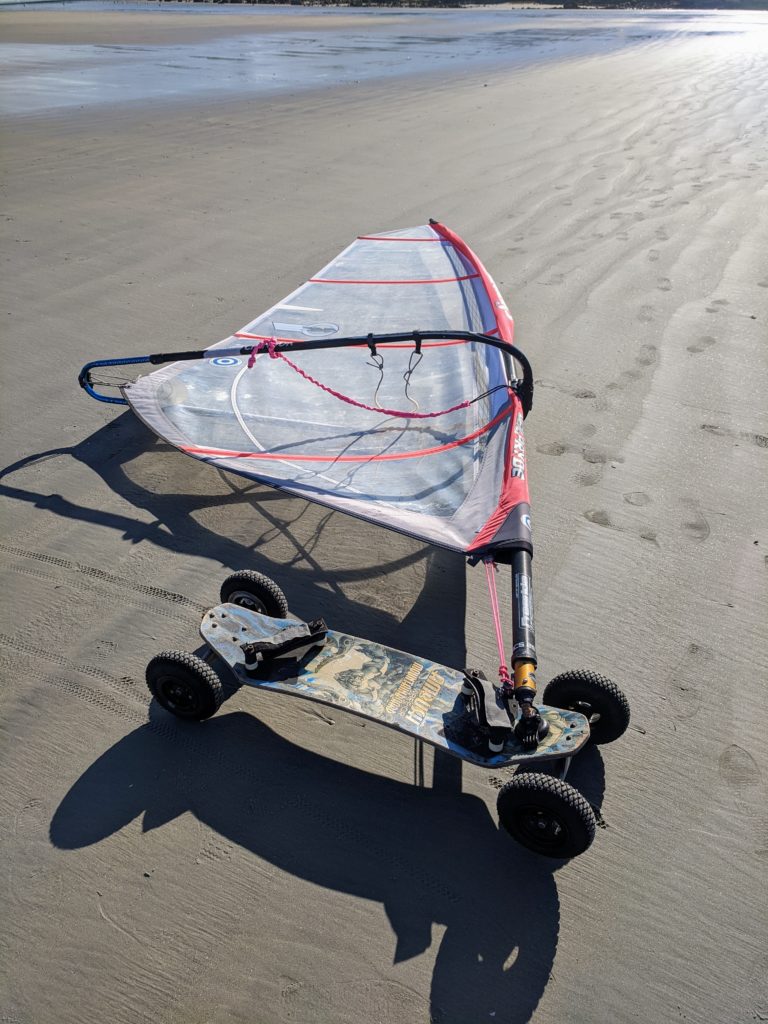 The setup
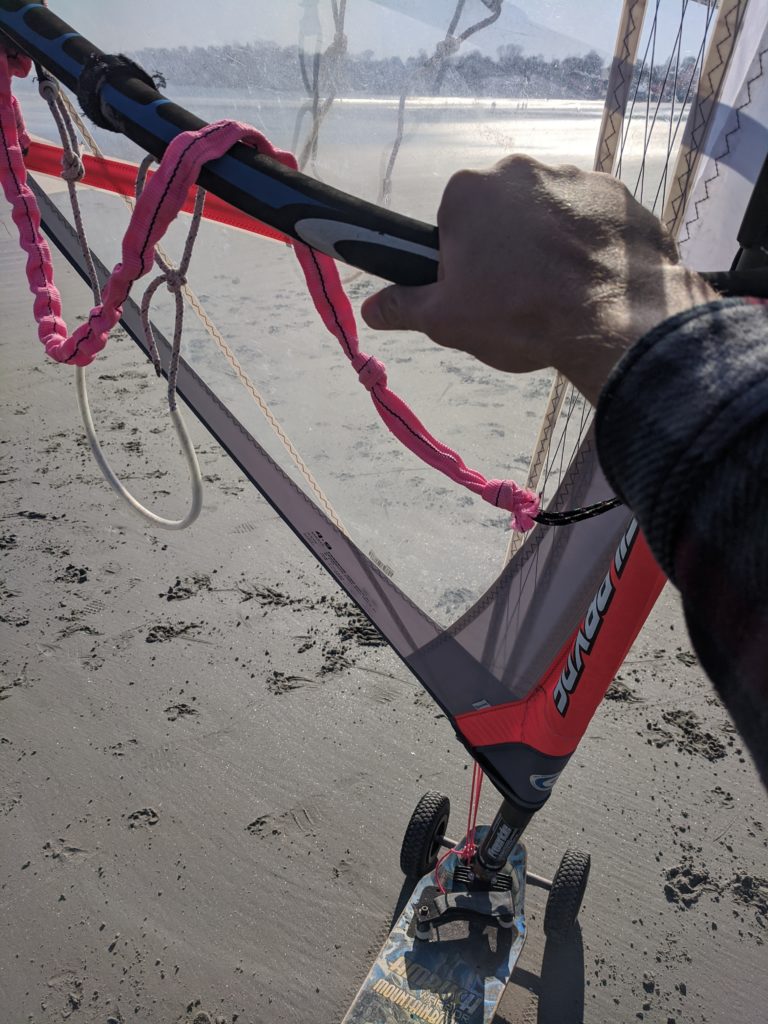
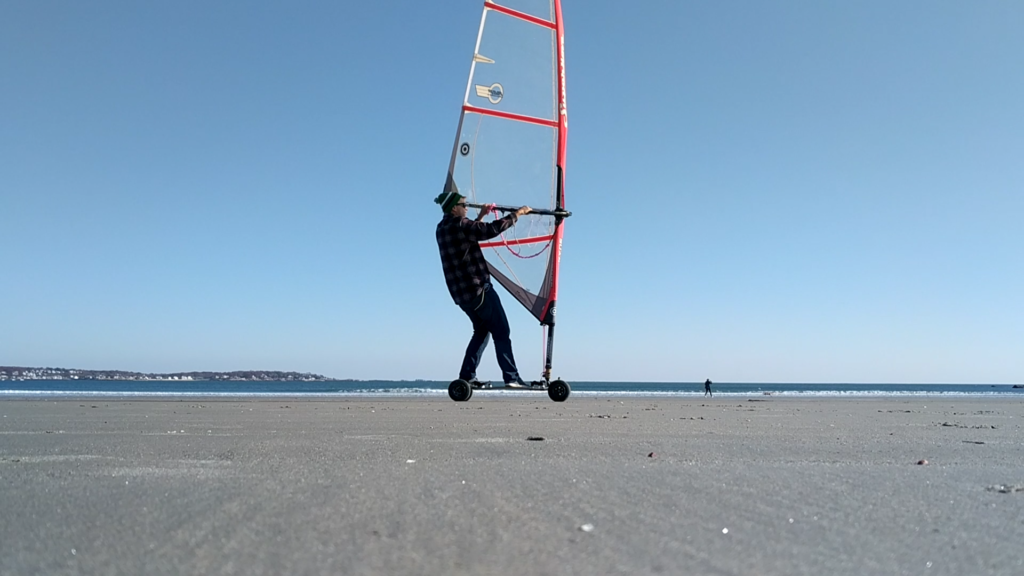
 Empty Package from Amazon
Amazon is shipping a replacement, but I'm left wondering... how did this happen? It must be a manufacturing defect right?
Note this was "Sold by: Amazon.com Services, Inc" not a reseller.
# Zoning Refresh Published
I have just published a refresh of the [Zoning Decisions Archive][1] to reflect the hearings since the last update on 2019-09-18.
#### [][1]
Empty Package from Amazon
Amazon is shipping a replacement, but I'm left wondering... how did this happen? It must be a manufacturing defect right?
Note this was "Sold by: Amazon.com Services, Inc" not a reseller.
# Zoning Refresh Published
I have just published a refresh of the [Zoning Decisions Archive][1] to reflect the hearings since the last update on 2019-09-18.
#### [][1]
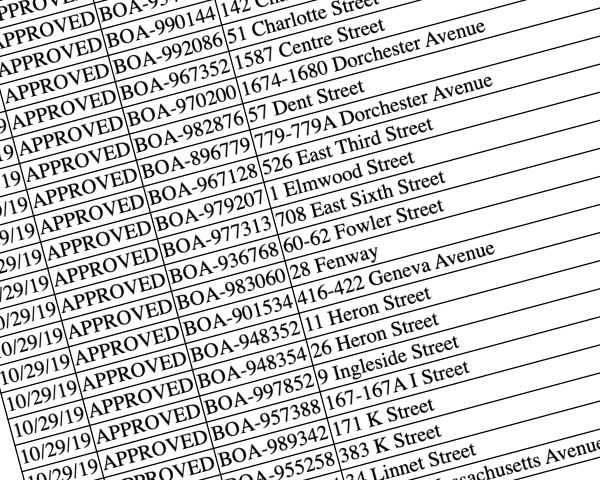 [1]: https://nattaylor.com/eastboston/boston-zoning/
# Announcing: Boston ZBA Cases Archive
I just published an archive of ZBA appeals cases to the Boston Zoning archive at . I believe this is the first time that Boston ZBA's minutes, which document appeals, are available as structured data, and I am excited to offer it to the public! I hope folks find it useful.
[1]: https://nattaylor.com/eastboston/boston-zoning/
# Announcing: Boston ZBA Cases Archive
I just published an archive of ZBA appeals cases to the Boston Zoning archive at . I believe this is the first time that Boston ZBA's minutes, which document appeals, are available as structured data, and I am excited to offer it to the public! I hope folks find it useful.
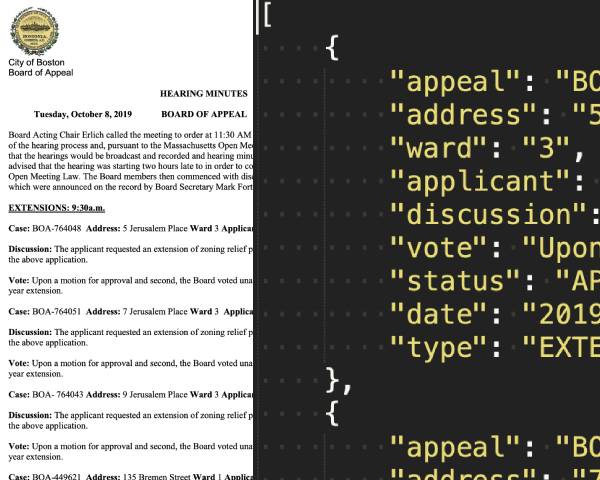 Left: Original PDF Right: JSON
The cases archive is offered as a collection of JSON documents that follow the [Boston Zoning Appeal Archive Specification][1]. JSON was chosen over a tabular format since the data is quite wide and the contents are unpredictable, so a delimiter format like CSV is not suitable.
The archive currently contains 2,959 from January 2017 to October 2019.
Below are a few examples of what can be done with the data.
The ZBA Minutes are enhanced in a few ways, most notably:
1. **Parcels** For GIS use cases, the appeals are linked their GIS Parcel ID from the City's assessing data, so that it is easy to map the cases.
2. **Zoning Code** For users unfamiliar with the zoning code, `lookup-articles.json` is offered to add a description next to the code.
3. **Cleansing** The data is cleansed and normalized to remove typos, etc.
### Top 10 Applicants
Appeals
Applicant
65
Patrick Mahoney
60
George Morancy
43
John Pulgini
34
Derrick Small
30
Timothy Johnson
26
James Christopher
25
Timothy Sheehan
25
CAD Builders, LLC
23
Timothy Burke
22
Oxbow Urban, LLC
### Top 10 Variances
Appeals
Variance
639
Dimensional Regulations Applicable in Residential Subdistricts
438
Dimensional Regulations Applicable in Residential Subdistricts Floor area ratio excessive
418
Off-Street Parking and Loading Requirements
373
Use Regulations Applicable in Residential Subdistricts
211
Dimensional Regulations Applicable in Residential Subdistricts Side yard insufficient
198
Dimensional Regulations Applicable in Residential Subdistricts Bldg height excessive (stories)
187
Dimensional Regulations Applicable in Residential Subdistricts Rear yard insufficient
173
Dimensional Regulations Applicable in Residential Subdistricts Usable open space insufficient
149
Roof Structure Restrictions
134
Extension of Nonconforming Uses and Reconstruction and Extension of Nonconforming Buildings
### 10 Most Recent Approved Appeals
Appeal
Address
BOA-449621
135 Bremen Street
BZC-30746
585-585B Ashmont Street
BOA-596775
158 Lexington Street
BOA-570065
10 Everett Street
BOA-995279
150 West Canton
BOA-996703
15 Arlington Street
BOA-998206
643A Tremont Street
BOA-973517
82 Chandler Street
BOA-973536
82 Chandler Street
BOA-909666
265-275 Dartmouth Street
BOA-991604
751-753 East Fifth Street
BOA-983259
105 M Street
BOA-984114
273 Gold Street
BOA-981180
199-201 Hampden Street
BOA-977345
46 Wareham Street
BOA-992424
754 Tremont Street
BOA-979491
1530 Tremont Street
BOA-997914
295-311 Blue Hill Avenue
BOA-924708
213-217 Washington Street
BOA-962400
49 Summer Street
BOA-903505
49 Hobart Street
BOA-944276
98 Prescott Street
BOA-937963
12-14 Commonwealth Avenue
BOA-939964
77 Worcester Street
BOA-994371
77 Worcester Street
[1]: https://nattaylor.com/eastboston/boston-zoning/SPECIFICATION-1.0.html
# Waterways License No. 10279
[inline\_file]/home/taylorwe/www/nattaylor.com/eastboston/DEP010279.html[/inline\_file]
# Street Trees
[inline\_file]/home/taylorwe/www/nattaylor.com/eastboston/streettrees/completestreets-streettrees.html[/inline\_file]
# 3247 – 2017 Logan Airport ESPR Certificatation
[inline\_file]/home/taylorwe/www/nattaylor.com/eastboston/3247-2017\_Logan\_Airport\_ESPR.html[/inline_file]
# Boston Civic Leaders Summit
Boston, MA — On Saturday, almost 400 Bostonians came together for the 2019 Boston Civic Leaders Summit hosted by Andrea Campbell at the JFK Library. I had a great time and thought I'd share what I learned. A few things that I left with include:
* A stack of 100 contact cards (what a a great idea!) and a bunch of new contacts
* The idea of being "in service to each other" -- to respond to people who need a reason to get involved, but can't find one.
* The idea of "cathedral building" meaning that what we do might be just building a foundation of something great that we'll never see to completion
* The idea of "self-care" as 1 of "Five Pillars of Sustainable Neighborhood Engagement" meaning that we should avoid burnout by capping the time we spend (the others are: leadership/action, kindness, fun & technology)
Additionally, I wrote some notes from the workshops I attended.
Left: Original PDF Right: JSON
The cases archive is offered as a collection of JSON documents that follow the [Boston Zoning Appeal Archive Specification][1]. JSON was chosen over a tabular format since the data is quite wide and the contents are unpredictable, so a delimiter format like CSV is not suitable.
The archive currently contains 2,959 from January 2017 to October 2019.
Below are a few examples of what can be done with the data.
The ZBA Minutes are enhanced in a few ways, most notably:
1. **Parcels** For GIS use cases, the appeals are linked their GIS Parcel ID from the City's assessing data, so that it is easy to map the cases.
2. **Zoning Code** For users unfamiliar with the zoning code, `lookup-articles.json` is offered to add a description next to the code.
3. **Cleansing** The data is cleansed and normalized to remove typos, etc.
### Top 10 Applicants
Appeals
Applicant
65
Patrick Mahoney
60
George Morancy
43
John Pulgini
34
Derrick Small
30
Timothy Johnson
26
James Christopher
25
Timothy Sheehan
25
CAD Builders, LLC
23
Timothy Burke
22
Oxbow Urban, LLC
### Top 10 Variances
Appeals
Variance
639
Dimensional Regulations Applicable in Residential Subdistricts
438
Dimensional Regulations Applicable in Residential Subdistricts Floor area ratio excessive
418
Off-Street Parking and Loading Requirements
373
Use Regulations Applicable in Residential Subdistricts
211
Dimensional Regulations Applicable in Residential Subdistricts Side yard insufficient
198
Dimensional Regulations Applicable in Residential Subdistricts Bldg height excessive (stories)
187
Dimensional Regulations Applicable in Residential Subdistricts Rear yard insufficient
173
Dimensional Regulations Applicable in Residential Subdistricts Usable open space insufficient
149
Roof Structure Restrictions
134
Extension of Nonconforming Uses and Reconstruction and Extension of Nonconforming Buildings
### 10 Most Recent Approved Appeals
Appeal
Address
BOA-449621
135 Bremen Street
BZC-30746
585-585B Ashmont Street
BOA-596775
158 Lexington Street
BOA-570065
10 Everett Street
BOA-995279
150 West Canton
BOA-996703
15 Arlington Street
BOA-998206
643A Tremont Street
BOA-973517
82 Chandler Street
BOA-973536
82 Chandler Street
BOA-909666
265-275 Dartmouth Street
BOA-991604
751-753 East Fifth Street
BOA-983259
105 M Street
BOA-984114
273 Gold Street
BOA-981180
199-201 Hampden Street
BOA-977345
46 Wareham Street
BOA-992424
754 Tremont Street
BOA-979491
1530 Tremont Street
BOA-997914
295-311 Blue Hill Avenue
BOA-924708
213-217 Washington Street
BOA-962400
49 Summer Street
BOA-903505
49 Hobart Street
BOA-944276
98 Prescott Street
BOA-937963
12-14 Commonwealth Avenue
BOA-939964
77 Worcester Street
BOA-994371
77 Worcester Street
[1]: https://nattaylor.com/eastboston/boston-zoning/SPECIFICATION-1.0.html
# Waterways License No. 10279
[inline\_file]/home/taylorwe/www/nattaylor.com/eastboston/DEP010279.html[/inline\_file]
# Street Trees
[inline\_file]/home/taylorwe/www/nattaylor.com/eastboston/streettrees/completestreets-streettrees.html[/inline\_file]
# 3247 – 2017 Logan Airport ESPR Certificatation
[inline\_file]/home/taylorwe/www/nattaylor.com/eastboston/3247-2017\_Logan\_Airport\_ESPR.html[/inline_file]
# Boston Civic Leaders Summit
Boston, MA — On Saturday, almost 400 Bostonians came together for the 2019 Boston Civic Leaders Summit hosted by Andrea Campbell at the JFK Library. I had a great time and thought I'd share what I learned. A few things that I left with include:
* A stack of 100 contact cards (what a a great idea!) and a bunch of new contacts
* The idea of being "in service to each other" -- to respond to people who need a reason to get involved, but can't find one.
* The idea of "cathedral building" meaning that what we do might be just building a foundation of something great that we'll never see to completion
* The idea of "self-care" as 1 of "Five Pillars of Sustainable Neighborhood Engagement" meaning that we should avoid burnout by capping the time we spend (the others are: leadership/action, kindness, fun & technology)
Additionally, I wrote some notes from the workshops I attended.
 Goodie bag!
## Sustainable Leadership
I attended a sustainable leadership panel, and learned a few exercises for evaluating how and where to seem improvement.
* Write down: What gets in your way?
* Think about: Striking balance
* **Communication Channels vs Communication Needs** - You can publish newsletters, post to social media, get into the newspaper, etc and certain types of members will respond to each differently
* **Established vs New members** - Established members can make joining intimidating, but usually they also are seeking the involvement on new members.
* **Good leaders vs accountable volunteers** - Volunteers struggle with ambiguity and lack of mentoring; mentors struggle with seemingly unreliable volunteers
* Write down: love/hate/meh (in the context of civic engagement)
* Write down: what do you think success is?
* Write down: what would have to change to be successful? (Especially what new skills are needed.)
*
## Network Night Format
Many Neighborhood Association meetings have been bastardized into dry presentations devoid of interaction and frankly, devoid of anything neighborly. The "Network Night" format was a fun seeming alternative, that goes like this:
1. **Welcome**: Good food and music while people enter, get settled, greet and chat with each other.
2. **New and Good**: People are brought into a circle to share name and something new or good that has happened in their life in the past few weeks, giving everyone the opportunity to speak or pass. (Max 30 seconds per person)
3. **Table Talk**: 20-25 minute small group conversations. Individual participants are invited to propose conversation topics that they want to have and would agree to host. 3-4 of these are selected and participants choose which conversation to participate in.
4. **Marketplace**: Convened back together in a circle, participants bid for time to make specific offers and requests of skills, talents, capacity, advice and stuff.
5. **Bump and Spark**: Fun energetic ending as people are invited to close the deal on any new matches or connections they made, and to help clean up the space.
# A Plan for Boston’s Urban Forest (2014)
_This memo was submitted by the BUFC in 2014 and shared with me by The Trustees._
Goodie bag!
## Sustainable Leadership
I attended a sustainable leadership panel, and learned a few exercises for evaluating how and where to seem improvement.
* Write down: What gets in your way?
* Think about: Striking balance
* **Communication Channels vs Communication Needs** - You can publish newsletters, post to social media, get into the newspaper, etc and certain types of members will respond to each differently
* **Established vs New members** - Established members can make joining intimidating, but usually they also are seeking the involvement on new members.
* **Good leaders vs accountable volunteers** - Volunteers struggle with ambiguity and lack of mentoring; mentors struggle with seemingly unreliable volunteers
* Write down: love/hate/meh (in the context of civic engagement)
* Write down: what do you think success is?
* Write down: what would have to change to be successful? (Especially what new skills are needed.)
*
## Network Night Format
Many Neighborhood Association meetings have been bastardized into dry presentations devoid of interaction and frankly, devoid of anything neighborly. The "Network Night" format was a fun seeming alternative, that goes like this:
1. **Welcome**: Good food and music while people enter, get settled, greet and chat with each other.
2. **New and Good**: People are brought into a circle to share name and something new or good that has happened in their life in the past few weeks, giving everyone the opportunity to speak or pass. (Max 30 seconds per person)
3. **Table Talk**: 20-25 minute small group conversations. Individual participants are invited to propose conversation topics that they want to have and would agree to host. 3-4 of these are selected and participants choose which conversation to participate in.
4. **Marketplace**: Convened back together in a circle, participants bid for time to make specific offers and requests of skills, talents, capacity, advice and stuff.
5. **Bump and Spark**: Fun energetic ending as people are invited to close the deal on any new matches or connections they made, and to help clean up the space.
# A Plan for Boston’s Urban Forest (2014)
_This memo was submitted by the BUFC in 2014 and shared with me by The Trustees._
To:  Brian Swett, Chief of Environment, Energy and Open Space;
Chris Cook, Acting Commissioner, Parks and Recreation Department;
CC:  Julie Coop, Urban and Community Forestry Program Coordinator, DCR
Elaine Sudanowicz, Interagency Coordinator, Office of Emergency Preparedness
From:  Jeremy Dick, Boston Natural Areas Network; Linda Ciesielski, Boston Urban Forest Council
Date:  March 12, 2014
Subject: A Plan for Boston’s Urban Forest:  Climate Change Planning, Public Health, and Trees
## Introduction
The Boston Urban Forest Council is a coalition of residents and community organizations advocating for Boston’s trees, convened and staffed by Boston Natural Areas Network. The Council respects the work of city staff now managing the urban forest with limited resources and staff, and seeks to support the City’s efforts by serving as resource for research, collaboration and community feedback. BUFC recently researched exemplary precedents from other cities that could serve as guidance to strengthen and protect Boston’s urban forest, particularly in the face of climate change.
## Climate Change, Public Health and Boston’s Trees
Boston has made climate change planning a priority in city policy, as reflected in its recent Natural Hazard Mitigation Plan, and Climate Action Plan now under review, as the impacts will affect the city’s livability, economy, public health and welfare. Investment in Boston’s urban forest will directly strengthen the city’s resiliency to higher temperatures, more frequent and intense storms, and local flooding. Trees moderate the urban heat island effect, absorb stormwater runoff, and large trees have been shown as the most costeffective means to sequester greenhouse gases (Nature, 2014). The protection of Boston’s trees improves air quality, reduces asthma rates, increases real estate values, and reinforces the Walsh administration’s pledge to improve public health and welfare.
Based on the Council’s research, three recommendations for your consideration follow:
1. **Update Boston’s Urban Forestry Management Plan**
* Create a comprehensive strategy to retain and expand canopy coverage in Boston
* Emphasize creating tree planting conditions that protect or enhance potential tree canopy coverage, rather than focus on number of trees planted [1]
* Promote tree species diversity to reduce vulnerability to disease and invasive insects, through an analysis of existing tree inventory
* Identify tree-planting locations in Boston and develop a planting schedule
* Develop a tree maintenance program and schedule to support young, recently planted trees, and achieve a routine pruning cycle for all trees
* Increase staff capacity to support management plan: additional tree wardens, arborists, maintenance crew, planting crew, public communications and outreach staff
* Use management plan as a framework for tree protection and policy reform
2. **Elevate Urban Forestry in the Office of Environment, Energy and Open Space**
* Designate urban forestry a multi-departmental activity and create linkages across other departments, including Boston Public Works Department, Boston Transportation Department, and Boston Water and Sewer Commission.
* Increase City environmental review and oversight to include all trees, to enable:
* Protection of large trees on public and private property, including those in schoolyards, housing developments, on Massachusetts DCR and Mass DOT properties
* Greater involvement in environmental review of development proposals
* Integrate forestry with stormwater management planning:
* Retain and plant trees to control stormwater and reduce costly investments in conventional sewerage lines, as part of sewer and watershed protection, as done in Milwaukee, Philadelphia, and Portland, Oregon [2]
3. **Implement Tree Policy Reform**
* Adopt ordinances to protect Large trees and recognize Heritage trees:
* Preserving large trees is the most cost-effective way to sequester greenhouse gases (Nature 2014). Large-canopy trees provide greater environmental services than small trees by a factor of 15. Small trees do not add significant environmental performance until they reach 30 feet (Center for Urban Forest Research)
* Create incentives for public to honor and recognize large trees in their neighborhood
* Large Tree ordinance precedents: Washington D.C.’s Urban Forest Preservation Act protects public and private property trees over 18” diameter at breast height (DBH); San Francisco protects Significant and Landmark trees - those measuring 12” DBH or wider within 10 feet of public right-of-way, and all trees over 25” DBH; Portland, Oregon requires removal permit for trees over 20” DBH, including on private property [3]
* Enhance environmental review for proposed development, road construction, and parks facilities based on:
* City’s canopy coverage goals and losses4
* Tree valuation calculations: calculate benefits of existing and new tree plantings, assessing the value of replacement trees at full maturity, as in Washington D.C. [5]
* Neighborhood overlay districts for tree removals in front and backyards, already in place in Boston’s historic districts
* Tree root impacts and protection zones. Austin, Texas’ Critical Root Zone Program, requires minimum of 50% of root zone be left undisturbed by construction6
* Utilize zoning ordinances to protect trees and incentivize preservation on residential, commercial, industrial properties, and in all new parking lots.
* Seattle’s Green Factor Zoning is aimed at tree conservation through incentives, and penalizes unpermitted tree removals by refusing building permits for 5 years, even with a change in property ownership [7]
* Washington D.C. Tree and Slope Protection Overlay District protects all large trees over 24” DBH from removal unless dead or diseased; prohibits removal of more than 25% of a property’s total trees measuring 12” DBH or wider; limits tree removals within 25 feet of public right-of-way
* Improve public communications on tree hearings and tree requests:
* Add tree removal hearing notices to Mayor’s Office of Neighborhood Services notifications
* Expand Citizen’s Connect interface to facilitate and expedite street tree requests
* Reform tree replacement values, ratios and fines:
* Establish replacement values based on caliper size of removed trees, rather than 1 tree for 1 tree replacement ratio. [8] Precedent replacement values from San Jose, California; Portland, Oregon; and Toronto, Canada, increase from 2:1 for trees over 6” DBH to 5:1 for trees over 18” and 10:1 for trees over 30” DBH; also mandates new tree planting conditions enable trees to reach mature size
* Where replacement space is limited, developer pays fine to city tree fund used for planting and maintenance of tree for two years on identified public property
The adoption of tree policy reform, an updated urban forestry management plan, and increased urban forestry jurisdiction, will allow Boston’s trees and environment to flourish. The Boston Urban Forest Council strongly encourages the Walsh administration to support Boston’s canopy, its natural resiliency to climate change, and the benefits it provides to the overall health and welfare.
The Council welcomes the opportunity to work with the administration to improve Boston’s urban forest, and serve as a resource for collaboration and community feedback. You are welcome to join our monthly meetings which meet from 6:00-7:00 p.m. at BNAN. Attached please find appended research notes.
Submitted on behalf of members of the Boston Urban Forest Council: Sarah Freeman and the Arborway Coalition; Marie Fukuda and the Board of the Fenway Civic Association; Alison Pultinas, McLaughlin Stewards; West Broadway Neighborhood Association South Boston; Susan Labandibar and Michael Green, Climate Action Liaison Coalition; Judy Kolligan and Mike Prokosch, and the Board of the Boston Climate Action Network; Lisa Meaders, Beacon Hill resident; Galen Gilbert, East Boston resident; Claire Corcoran, South End resident; Friends of the Muddy River, Inc.; Southie Trees; South Boston Neighborhood Development Corporation
## Research Endnotes
1. Improve tree planting and growing conditions:
* Implement new tree planting standards: require minimum soil volumes; utilize structural soil; enlarge tree pits; take steps to reduce soil compaction; install permeable pavement to allow water to reach tree roots. See New York City; Toronto, Ontario; Ithaca, NY.
* Where limited space to plant or retain trees, build bulb-outs into street to create pedestrian passage or room for new trees.
2. Trees as integral component of stormwater management and watershed protection programs:
* Milwaukee, Wisconsin, Green Streets Stormwater Management Plan
* Philadelphia’s Water Department Green Stormwater Infrastructure Tools
* Portland, Oregon’s Grey to Green sewer program planted 32,000 new street and yard trees in 5 years, installed 870 new green street facilities.
3. Ordinances to protect Large trees and Heritage trees:
* Washington D.C. Urban Forest Preservation Act (2002)
* San Francisco Urban Forestry Ordinance protects Significant and Landmark Trees
* Austin, TX protects public and private trees over 19” DBH;
* Atlanta, GA requires permit for removal of public and private trees over 6” DBH;
* Tampa, Florida, requires permit for removal of public and private trees over 5” DBH;
* Portland, OR: removal over 20” DBH requires permit, including on private property;
* Seattle, WA protects trees through Green Factor Zoning.
4. Boston’s canopy coverage goals have no connection to environmental review of new development or construction projects.
5. Tree Valuation Calculations:
* Washington, D.C. valuation of trees in environmental review process, considers benefits of new tree plantings when they are mature, not at original planting date.
* i-Tree a free program created by USDA and Forest Service used by many cities to quantify environmental services of trees, for entire city or small sample.
6. Protection tree roots from construction disturbance:
* Austin, Texas: Critical Root Zone (CRZ) Program CRZ circles are superimposed on proposed plans for review staff to discern extent of disturbance to existing trees.
7. Zoning as a tool to protect trees:
* Seattle’s Green Factor Zoning
* Washington D.C. Tree and Slope Protection Overlay District
8. Tree replacement values:
* San Jose, CA, Portland, OR, and Toronto, Canada: replacement ratios increase from a 2 to 1 replacement to 5:1 for trees over 18” and 10:1 for trees over 30” DBH. Where replacement space is limited, developer pays fine to city tree fund used for planting and maintenance of tree for two years on identified public property.
# What is the Boston Urban Forestry Initiative?
_Republished with permission of The Trustees._
Through the leadership of Mayor Thomas M. Menino, the Urban Ecology Institute and a broad coalition of Ngos, academic institutions, and businesses, we hope to launch a major new Urban Forest Initiative with the goal of expanding Boston's Urban Forest by 20% by the year 2030. This translates into planting over 100,000 trees in Boston on public and private lands.
In 2006, the City joined with Urban Ecology Institute to create the Boston Urban Forest Coalition. Over the course of last summer and into the fall, 300 neighborhood-based volunteers of the Coalition completed the first-ever comprehensive inventory of Boston's urban forest using hand-held computer technology. The inventory included both a detailed survey of Boston's street trees and an analysis of Boston's overall tree cover using aerial remote-sensing imagery conducted by the US Forest Service. Mayor Menino announced the findings of this survey at a Boston Urban Forestry Coalition event honoring Nobel Peace Prize winner and world renown environmentalist Dr. Wangari Maathai of Kenya.
The results of the Boston urban forest survey found that:
* Boston has 34,497 street trees. 26,527 trees are in "Good" condition, 5,967 are in "Fair" condition, and 2,003 are in "Poor" condition.
* Overall, Boston has 29% canopy cover (this includes all trees, such as trees in parks, private yards, and along streets).
## Who are the partners?
The City of Boston, as a founding member of Boston's Urban Forest Coalition, is proud of the strength of the partnership that makes this initiative possible. The Boston Urban Forest Coalition (BUFC) is an innovative public-private partnership working to transform Boston's urban forest in order to improve the urban ecosystem, public health and the quality of life of Boston's residents.
Participants include: Dorchester Environmental Health Coalition, Earthworks, the Franklin Park Coalition, Mapping Sustainability, Classic Communications, the Massachusetts Department of Conservation and Recreation, the Eagle Eye Institute, the Urban Ecology Institute, the City of Boston Parks Dept. and the USDA Forest Service.
## The Challenges
Despite the relatively healthy size and condition Boston's Urban Forest, there are neighborhoods of the city that are underserved with regard to access to environmental resources. These areas of Boston also tend to be the neighborhoods with higher rates of asthma and other public health ailments, as well as higher temperatures from urban heat island effect.
Early implementation of our Boston Urban Forestry Initiative will target investments in neighborhoods with the greatest need for expanded tree canopy, with a focus of reducing heat island effect and energy consumption, improving air quality, beautifying neighborhoods, and reducing stormwater runoff.
## The Solutions
This project promotes the use of trees as a critical component of creating healthy communities and green infrastructure in Boston and the region.
In 2006, the Urban Ecology Institute (UEI), in partnership with the City of Boston and Boston's Urban Forest Coalition (BUFC), completed the first-ever comprehensive inventory of Boston's urban forest. We have since completed an analysis of the inventory data using a USDA Forest Service model called the Forest Opportunity Spectrum (FOS), which is a tool for identifying the range of existing forestry opportunities in an urban area, analyzing the effects of planning and management decisions, and monitoring and evaluating social and ecological products and outcomes.
The results of the FOS analysis for Boston showed that the city currently has 29% canopy cover. While this is a relatively healthy canopy cover overall, our data showed significant disparities across Boston's neighborhoods. Canopy cover ranges from 9-15% in South Boston, Dorchester, and Roxbury, to well over 40% in West Roxbury and Hyde Park, which are higher-income neighborhoods. Not surprisingly, the neighborhoods with low canopy cover also tend to be environmental just neighborhoods, areas that suffer from the urban heat island effect, areas with poor air quality, and crime hot spots.
The well-being of Boston's residents is inextricably linked to the well-being of the urban environment. For this reason the City of Boston, UEI, and BUFC share an urgency to address this critical issue, and see the Urban Forestry Initiative as a powerful tool to that end. With this effort Boston will join other partner cities in the Urban Ecology Collaborative, a regional coalition of cities along the northeast corridor, including Baltimore and New York.
## Goals
### Increase Energy Efficiency
The program will have a major focus on reducing heat island effect and promoting energy efficiency. Early implementation will target private property plantings to maximize shading of buildings and impervious surfaces, reducing heat island effect and conserving energy. We have engaged the US Forest Service Northern Research Station in developing the first Urban Experimental Forest in Boston. One of the carly research subjects will be a study/accounting of the effect that tree canopy shading can have on micro climates and in conserving energy.
It is our expectation that this targeted tree planting and research will demonstrate that urban forestry is a good investment that is worthy of consideration in regional and potentially national greenhouse gas cap and trade programs. Rather than focusing purely on the carbon sequestration benefits of urban forestry, we will document the benefits of energy demand avoidance through urban forestry. This will be the first of its kind project in the nation.
### Improve Air Quality
Boston's trees play an important role in maintaining the city’s air quality. According to calculations from our tree inventory data performed by the US Forest Service's UFORE model, the street trees in just three of Boston's 16 neighborhoods, East Boston, Roslindale, and South End (approximately 7500 trees overall) are valued at $12,200,000. Collectively, these street trees remove 2,681 kg of CO, 03, NO2, PM10 (particulate matter less than 10 microns), and SO2 from Boston's air each year. They also sequester 55,087 kg of carbon each year, and store 1,579,479 kg of carbon. Overall, Boston's 8700 acres of urban forest removed over 775,000 tons of air pollutants each year, at a value of $1.9 million.
By focusing on tree plantings within 30 feet of roadways, we are reducing air pollution where it is at its worst.
### Control Stormwater and Improve Water Quality
Boston's urban forest plays a significant role in mitigating stormwater runoff in the city. Preliminary analysis from the inventory shows that the urban forest mitigates 43 million gallons of stormwater per year, at a value of $84 million. The City of Boston, working with federal and state partners, has drastically improved the water quality of Boston Harbor and its tributaries after billions of dollars in infrastructure investme p3595Xnts. We are now targeting nonpoint source pollution as a priority focus to ensure continued improvements in water quality. Increasing Boston's tree canopy will improve our ability to naturally manage stormwater runoff. F
### Educate Developers, Promote Project Developmenv/Site Planning In corporating Trees
The Mayor will direct city agencies to integrate the goals of our Urban Forestry Initiative into the planning and implementation of all city departments, particularly those departments that regularly interface with developers. W orking with the Urban Ecology Institute, we are developing a manual for developers on environmentally friendly one practices for Boston's Department of Neighborhood Development. The manual covers topics such as the selection of tree species in the urban environment, and tree planting to maximize energy efficiency. The Department of Neighborhood Development, and other city departments, will use this manual to complement existing materials on green building practices. ;
### Educate Developers, Government Agencies and Citizens about the Benefits of Trees
The Boston Urban Forestry Initiative is engaging a wide range of public and private stakeholders in the planting and stewardship of the urban forest. While many residents understand and value the role that trees play in their community, the success of an effort of this magnitude requires a broad understanding of the benefits of trees. We have structured the Urban Forestry Initiative to provide a variety of opportunities for residents and other stakeholders to learn more about and engage in their urban forest. These efforts include:
* Public workshops on the benefits of trees, proper tree planting and care, the role of trees in maximizing energy efficiency and reducing emissions, sustainable landscaping techniques, and permeable pavers;
* A website containing materials and resources on urban forestry, the benefits of trees, facts about Boston's urban forest, an opportunities to become involved through a variety of planting programs.
* An online tutorial on proper tree planting techniques that maximize environmental benefits;
* A Street tree stewardship program including a mailing to recipients of new street trees with information on how to help care for their tree, and an opportunity to sign on as a street tree steward;
* The development of a manual of sustainable landscaping practices for developers and city agencies;
* The development of a brochure on the benefits and advantages of trees, to be distributed to new homeowners through the Boston Department of Neighborhood Development.
The Urban Forestry Initiatives provides opportunities for Boston's residents to bring about lasting and meaningful change in their communities by becoming integral partners in managing and expanding the urban tree canopy. It is an example of what's possible with local government, private organizations, and passionate residents create a shared vision for the city, and join together to make that vision a reality.
### Minimize the Depletion of Trees & Other Natural Resources
Boston is at the forefront of environmentally progressive policies and practices. This past year Boston became the first city in the nation to implement green building zoning requirements requiring large private development to meet the U.S, Green Building Council's LEED standards.
In April Mayor Thomas Menino announced a pioneering climate change initiative through which the city has committed to cut greenhouse gas emissions to 80 percent below 1990 levels by the year 2050. Boston is also the largest municipal purchaser of renewable energy and biodiesel in New England.
Through the Urban Forestry Initiative Boston is continuing in its role as an environmental leader by ensuring that our urban forest resources are protected, well managed, and expanded. Our urban forest provides the foundation for our entire urban ecosystem. By being a good steward of the forest we are protecting the natural resource systems - water, air, wildlife - that are so closely linked to and dependent on it.
## What are the measures of success?
The Boston Urban Forest Initiative is focused on growing and sustaining Boston's urban forest for this and future generations. Far from being a project to "put trees in the ground," the Boston Urban Forest Initiative is grounded in resident education, community participation, and sound stewardship practices. By engaging Boston residents in the care and expansion of their urban forest, and by linking this initiative to the priority issues for Boston's communities, we are working to ensure that this effort is successful in transforming our physical environment, fostering a greater sense of environmental stewardship, and strengthening our communities.
We have developed an implementation strategy that includes targeted tree plantings on city, state, residential, and tax-exempt properties. The plan is designed to address three major environmental challenges: tree canopy inequities, poor air quality zones, and urban heat islands. Implementation of the plan will include an increase in public property plantings by both the city and state, an increase in existing planting programs through Boston's Urban Forest Coalition, and the launch of three new initiatives focused on plantings on private property.
We have also established methods for regularly monitoring and evaluating the success of the initiative. We have developed a sophisticated system for managing tree requests and tracking and monitoring all tree plantings that take place through the initiative. We are defining success in terms of the on-going health and vitality of the newly planted trees as well as the community engagement and stewardship. Our goal is to maintain a 95% tree survival rate over the course of the project.
The City of Boston and the Urban Forest Coalition are working together to secure long-term funding for trees and other plant material to complete the Urban Tree Canopy goal.
1. **Project Name:** Grow Boston Greener - 100,000 Trees by 2020
2. **Project Summary:** row Boston Greener (GBG) is a collaborative effort of the City of Boston and its partners in Boston’s Urban Forest Coalition (BUFC) to increase the urban tree canopy cover in the city by planting 100,000 trees by 2020. The planting of these trees will increase Boston’s tree canopy cover from 29% to 35%, by 2030 as the planted trees mature.Trees will be planted throughout the City with primary focus on environmental justice communities with low cover. These low canopy cover communities where > identified through use of aerial imagery and remote sensing technology that classified land cover by type inchiding tree canopy cover, pervious surfaces (such ag dirt aiid grass), water, wetland, and impervious surfaces (such as concrete and asphalt). We then used the Forest Opportunity Spectrum (FOS), a modeling program developed by the USDA Forest Service, to calculate the existing urban tree canopy cover and the potential for additional tree canopy cover for cach of Boston’s sixteen neighborhoods. FOS is a computer-modeling tool for assessing a city’s existing canopy cover and setting a canopy cover goal based on desired environmental and social outcomes. This modeling too] aided in identifying the range of existing tree planting opportunities in Boston.The results of the sa evel page showed that the city currently has 29% canopy cover. While this is a relatively e overall, our data showed significant disparities across Boston’s neigh —€afiopy cover ranges from 9-15% in South Boston, Dorchester, and Roxbury, to well over 40% in West Roxbury and Hyde Park, which are higher-income neighborhoods. Not surprisingly, the neighborhoods with low canopy cover also tend to be environmental justice neighborhoods, areas that suffer from the urban heat island effect, areas with poor air quality, and crime hot spots.We know that the lack of healthy forest cover in urban communities is, in many cases, closely related to the social and physical challenges the communities face. A healthy urban forest, including trees and public open spaces, significantly improves the quality of life in less advantaged urban communities by providing environmental, economic, civic, and public health benefits.GBG is designed to address the environmental challenges — canopy cover disparities, urban heat islands, and low air quality — while also strengthening the social fabric of Boston’s neighborhoods by involving residents in the expansion and stewardship of their _ urban forest.GBG will prioritize tree plantings in areas of low canopy cover. These areas have been identified through the remote sensing analysis of existing canopy cover in the City. We have identified each census block in the city that currently has less that 35% canopy cover. Through GBG we will work with community partners to identify appropriate planting locations in those areas and implement planting projects.
3. **Comprehensive Planting Plan:**"We have identified several " large site planting" locations, along with a waiting list of about 500 people who have requested a free tree for their private residence, for the upcoming year.We will be targeting low canopy neighborhoods for our "Private Property Planting" and our "Tree Captain" programs to the extent that we plan to start actively reaching out to these residents in these ne ighborhoods that currently do not want trees or haven't heard about our programs.See the attached "State of the Urban Forest" document for the neighborhoods that we plan to target. At first we will be targeting the neighborhoods with the lowest overall percent canopy coverage, and then move out to all neighborhoods currently under the 35% canopy coverage goal.
## Proposed "Large Site Planting" locations:
1. Noyce Playground (new trees in the park)
* Location: East Boston
* Number of Trees: 60
* Who will Plant Trees: GBG Volunteers
* "Maintaneé / Watering: Boston Parks Department
* Current Percent Canopy Coverage for Neighborhood 6%
2. Garvey Playground (new trees in the park)
* Location: South Dorchester
* Number of Trecs: 60
* ho-wa]l Plant Trees: GBG Volunteers
* Maintancey Watering: Boston Parks Department
* Current Percent Canopy Coverage for Neighborhood: 32%
1. Barry Playground
* Location: Charlestown (new trees in the park)
* Number of Trees: 50
* Who will Plant Trees: GBG Volunteers
* Maintance / Watering: Boston Parks Department
* Current Percent Canopy Coverage for Neighborhood: 12%
1. M Street Park
* Location: South Boston (Replacing street trees along street as well as planting new trees in the park)
* Number of Trees: 30
* Whowillplantslrees: GBG Volunteers
* "Maintance./ Waterin g: Boston Parks Department
* Current Percent Canopy Coverage for Neighborhood: 9%
There are numerous other possibilities that are not confirmed at this moment that are privately owned, or own by other organizations. Most are similar in the number of trees that will be planted with a couple of sites that will be open for up to 100+ trees.
## The $100,000 will go towards our three main planting programs:
1. **Large site plantings**: Organizing volunteers and proctoring planting at large sites with numerous trees blog planted _ist parks, public housing developments, schools, churches, hospitats; Cemeteries, ctc. Species selection is based on existing vegetation and using "Right Tree, Right Place" techniques (see our attached oat ie List")
2. **Private Property Plantings**: Bost¢n citizens aftending a short seminar that educates them on how to properly t, and care for a free tree that they receive at the end of the semi During these seminars, residents sit down with arborists that help he chon best location and species of tree to plant on their property. te
3. **Tree Captain Program**: A program that educates and supplies neighborhood "champions" that will go out and organize more plantings in their specific neighborhood.
Our main target areas of the city for all of our programs are the identified low canopy neighborhoods.
Along with these planting programs, a portion of the funds will go towards dedicated GBG staff to help administer the planting projects. The reason for directing such a high percentage of the money towards staffing is that the majority of our planting opportunities, or locations, are on private property in people’s yards. These locations require a much higher level of outreach and coordination in order to plant because we want to not only increase canopy, but teach stewardship of trees as well.
The scalability of this project is endless. With more funds, we are simply able to buy more trees and administer more planting seminars and large site plantings.
## Budget:
Estimated Budget for $100,000 American Express Pianting Challenge
Item
Cost
1050 Trees @ approximately 65.00/Tree (includes muich, Compost, stakes)
$68,000.00
Tools / Misc.
$2,000
Staff
$20,000.00
Watering Contract
$10,000.00
TOTAL
$100,000.00
## Tree Size:
Typically, for our "Large Site Planting" we have had good luck planting 5 ~ 10 gallon potted trees (about 1" caliper, and any where from 5 — 10 fi. tall). We decided to use this size for multiple reasons:
1. Trees of this size go through a reduced amount of transplant shock
2. The trees are large enough that they can with stand a little bit more abuse.
3. People can actually notice that there are new trees planted,
4. The trees are small enough that volunteers can move and plant them with out the use of power equipment.
For our private property plantings we will use slightly smaller stock (3 — 5 gallon potted) because of the reduced cost and easier transportation to and from tree seminars.
## Tree Species:
We have an approved list of species that we plant. Usually our decision making process is dictated by two main factors:
1. What fits the location, "Right Tree, Right Place" practices.
2. What’s available at our local nurseries. We have found that it can be challenging to find diverse, high quality stock in the size that we want.
## 4. Long Term Maintenance Plan:
Currently, before a site is planted, either the owner of the pro must sign an agreement that states that all trees planted will a week (possibly twice a week during dry spells), and the area and free of debris.
As for long-term care, all trees planted on city property will be maintained by the Parks Dept. tree crews; this includes, pruning, pest management, and ultimately removal.
Regarding private property planting, this is accomplished during the tree planting seminars the residents attend in order to receive a free tree. Ultimately, since the tree is
REMAINING PAGES MISSING
# Revisiting Massport’s ESPR Meeting
I was recently revisiting Massport's ESPR meeting, and one exchange leapt out to me, so here is the transcript.
Dave: My name is Dave Matthews, a private citizen.
The single highest impact thing Your organization could do to deal with the problems [..] that people are bringing up to you here--the noise and pollution--would be to restrict growth.
The second most impactful thing you could do would to ban nighttime flights.
And you guys aren't doing either of those things. Instead, your're cheering the arrival of 420 more flights from delta and roughly an equivalent number from JetBlue.
Why not restrict flights and push that growth to share the impacts of with airports instead of what you're doing now which is externalizing the pain and the noise and pollution of flying onto the people of this community.
If it costs more to the flyers--we say though. They flyer should bear the cost of flying.
And if it means a flying passengers has to wait 2 more hours in Dubai for his connection. So. I think the answer's tought--he's got wait 2 more hours; It's not here's another 2:30 AM departure time so that the connections work out nicely. Especially for flights like Cathay-Pacific. If you need to be a good neighbor, those are the things you would do.
My second issue. Is with the one already brought up here I'd like to hear comment on it: you continue to severely under predict the impacts of flying and the number of flights. Why?
Flavio: When you look the forecasts we've done, we've both undershot and overshot. One thing that's critical when you look at the modeling we do and the impacts we analyze, we do look at future growth so it's really less about the passengers because we're gonna always kind of overshoot and undershoot, which you can see in our EDRs.
It really when you look at the growth of flights and vehicles--we have done a good job of predicting the cumulative effects of the impacts and clearly we're an urban airport.
Dave: Do you still believe your predictions from 2007?
Flavio: I do. Some of the comments assume we will grow at 5% forever and there's no real history that that's the case and we are experiencing what is now the longest (I think) it's officially the longest economic expansion in the history of the United States and we're very much correlated to the economy.
I could show you a clear correlation between a recession and a downturn in an expansion and after and that's because Logan airport is really the front door to Boston.
We're not an Atlanda or Chicaho O'Hare where half of like just people shuffling around between planes because you're connectin
There's confusion about Logan becoming a hub. When Delta says hub that's more focused about them looking at the point to point service out of Boston focusing on that it's not about the connection like Atlanda where you're just shuffling between planes. Over 90 percent of our traffic is O&D. that's me that's you, that's people coming in people in Florida, that's people in this region products not people connections optimizing an airlines network. And that is expected to continue I don't see anything and we don't see anything that would change fundamentally.
Dave: Can you make any comment at all about flight restrictions?
Flavio: The problem is we are federally regulated and we cannot have access restrictions. So any restrictions that I hear about--first of all if its in Europe that's a totally different regulatory and legal scheme--second of all the United States there are some reports that have limitations but they grandfathered. So we have actually limitations that we couldn't do today but we have in place because they are grandfathered so we have restrictions on engine run-ups and on certain runways. […] We just can't go and implement those things--they're against federal regulations.
Dave: So if Cathay-Pacific calls and says "We want 3 more flights at 2AM", you just say 'yes'? Is that what happens?
Flavio: Okay so basically we cannot restrict access; we federally regulated transportation system that is impacting our communities, and we work hard to mitigate that, but we cannot restrict in a regulated environment and we cannot set routes and charges. that's the federal law. And that's what we're guided by. Wwe work with the airlines--we work hard--I think we do a very good job given what we have. I think if you look at our fleet mix we have a huge percentage of newer aircraft that are here that provides benefits. Again its one too many for you and closer communities but we do work hard at that but we cannot have access restrictions.
[Please elaborate]
In 1990 the United States passed the Airports Noise and Capacity Act And that was a national deals that basically said: All the airlines would eliminate all the old Stage 1 and Stage 2 planes, but they said to Congress "If you're gonna have us eliminate those planes, we don't want to have a bunch of community meetings around the country where people tell us to have restrictions.
So the deal that was made was that there would be no local access restrictions. So whatever was in place at the time were grandfathered.
Landing fees are separate; they are we recoup our runway costs.
So that is the exchange that happened and that's the regulatory framework we're under today today.
Part 161 provides a process for restrictions, but no one in the United States has been successful to date. There was a case where an airport tried to restrict Stage 2 aircraft and they failed.
# Snowflake Database Internals
by Nat Taylor <>
I am routinely amazed by how fast and easy using Snowflake is, so I've poked and prodded at the internals and when I have an "a ha" moment, I write it down. [I've also been a Top 20 answerer on Stack Overflow for questions tagged with #snowflake-cloud-data-platform][1].
This page annotates selected Content from "[The Snowflake Elastic Data Warehouse][2]" with those "a ha" moments and is built upon some of Snowflake's performance related details from the creators SIGMOD Presentation "[The Snowflake Elastic Data Warehouse][3]." **Click a citation to see a note.**
2,800 pounds CO2 saved
Our water-saving toilet is great. It has 2 flush settings, both of which work better than my parent's full flush toilets, while using remarkably less water. The same can be said for our water-saving shower head, which I actually prefer over our previous shower head. Reducing water consumption reduces our footprint at wastewater treatment facilities. Our EnergyStar windows and furnace save a good amount by reducing the amount of heating our home requires.
1,500 pounds CO2 saved
We avoid automobiles when possible and instead prefer to walk to errands and take public transportation to Downtown. We have a car and in the future we'd like a get a hybrid, or ideally an EV. For now I often get around on my electric skateboard. We still fly occasionally.
1,000 pounds CO2 saved
Recycling and composting avoid waste disposal, which results in about 6% of Boston's greenhouse gas emissions. We strive curb uncontaminated recycling that is free of prohibited materials like plastic bags, food and "tanglers," which reduces the amount that must be disposed of. We participate in Boston's "Project Oscar" for composting, making use of some great compostable bags and the convenient drop-off near the subway station. We donate used clothes and make rags out of what we can't donate. Reusing also avoids waste disposal, which we do primarily in the form of reusable bags for everything, but also getting almost all our home furnishings on Craigslist and many of our clothes on eBay(/similar.)
800 pounds CO2 saved
Above all else, **reducing** consumption is our preferred way of lowering our footprint. We have a small home, we turn down the thermostat, we avoid automobile trips and we avoid unnecessary stuff. Among the steps we haven't been able to take are switching to a hybrid heat-pump water heater, a mini-split heat pump HVAC system, a hybrid/electric car and limiting our air travel. All of those would lower our footprint significantly, but they are costly or impractical. *Note: I use 1 lb/mi driven, 1 lb/kwh from natural gas, 10 lb/therm natural gas and 50 lb/mi flown. [1]: https://www3.epa.gov/carbon-footprint-calculator/ # Wishes to Google I use Google products for just about everything and send routine feature requests of the form "I wish [something] because [some reason]." Here is my list from 2019. * **Drive**: I wish there was an app shortcut/intent to go directly to my recents and one for my starred * **Fit**: I wish there was an app icon shortcut for 'Add Activity' so I could add it to my home screen * **Google App**: I wish Weather supported dark mode * **Podcasts**: I wish there was automatic downloading. I also wish there was an app shortcut intent to go straight to new episodes. I wish podcasts data usage was separate from the rest of the Google app. * **Gmail**: I wish I could quickly toggle off conversation view for when I am looking for emails from a specific person, so that I can see each message they sent including the subject, clipped message and date (instead of the chain.) * **Chrome**: I wish I could more easily toggle 'Darken Websites' and 'Lite Mode'. Maybe if space allowed, toggle icons could be added to the home bar * **News**: I wish Google News inherited my dark mode settings from Chrome (beta) For example I'm Chrome beta bostonglobe.com is presented with a dark background, but embedded in Google News it is a white background * **Search Console**: I wish there was a toggle for the domain list dropdown to show _only_ domain properties, to reduce scrolling. * **Gmail**: I wish the search box would show more recent searches, as long as there is more vertical screen space available. * **Photos**: I wish new faces were recognized within a day. I got a new dog and I want to create an auto-updating face album but the face hasn't been recognized yet after 2 or so weeks. In the absence of that, I wish I could nudge/force/hint a certain face. # Superset on Databricks We have data on S3 and SQL tables on it in Databricks, so I wanted to connect Superset for visualizing the data. Thanks to the [databricks-dbapi][1] project, it turns out to be as simple as `pip install databricks-dbapi` then `pip install databricks-dbapi[sqlalchemy]` and configuring a new Superset > Source > Database > SQLAlchemy URI to foo `databricks+pyhive://token:@.cloud.databricks.com:443/?cluster=` Just keep in mind that: * Tokens are only available when you create them in Databricks. The "Token ID" shown on the "Access Tokens" page is just an ID, not the token itself. * cluster_id is in the middle of the cluster config url (`/#/setting/clusters/1009-160350-indue40/configuration`) * You need to restart Superset after you install the packages * Queries will be slow if they have to scan a lot of data, so consider partitioning on date and then restricting to just a few days. * You may use any [SparkSQL built-in function][2] like `parse_url(url_col, 'HOST')` or `approx_count_distinct(userid)` [1]: https://pypi.org/project/databricks-dbapi/ [2]: https://spark.apache.org/docs/latest/api/sql/index.html # Adding a cachebuster with a Git post-receive hook For a long time the caching on my weather webapp has been broken. This [HTTP Caching][1] article from Google finally helped me understand what was wrong. So, at last, here is a simple solution to add a cachebuster to the stylesheet!### hooks/post-receive
#!/bin/bash
md5=`cat style.css | openssl md5`
sed -i -r -e 's/(<link rel="stylesheet" href="style)\.css/\1.'${md5: (-6)}'.css/' index.php
echo "Added cachebuster to stylesheet link."
### .htaccess
RewriteEngine on
RewriteRule style\.[A-Za-z0-9]{6}\.css$ style.css
The problem was that when I updated the stylesheet, the clients would still use the cached version.
To solve this, the simple and obvious answer is a cachebuster, but that seemed too hard for there must be a way to do it server-side! And for far too long, I mucked around with adding `cache-control` headers to the `.htaccess`, but finally this passage made it clear that this is hopeless for invalidating from the server-side:
OK, great, but that leaves me with a workflow problem. Am I really going to remember to update the stylesheet URL every single time I modify the stylesheet? And do I really want that in the git log? I wanted to avoid a query parameter, because I heard some caches are actually smart enough to realize that its still the same resource. So, changing the filename made sense, which would require two things: 1. Include a hash of style.css in the `` tag for the stylesheet 2. Configure a `RewriteRule` to point `style..css` back to `style.css` So, after some tinkering, I arrived at the above solution. Now my app "loads" in just 60 ms when it is cached and my server properly responds with a 204 for the index but most importantly, when I modify the stylesheet the new version is retrieved!However, what if you want to update or invalidate a cached response? For example, suppose you've told your visitors to cache a CSS stylesheet for up to 24 hours (max-age=86400), but your designer has just committed an update that you'd like to make available to all users. How do you notify all the visitors who have what is now a "stale" cached copy of your CSS to update their caches? You can't, at least not without changing the URL of the resource.
https://developers.google.com/web/fundamentals/performance/optimizing-content-efficiency/http-caching
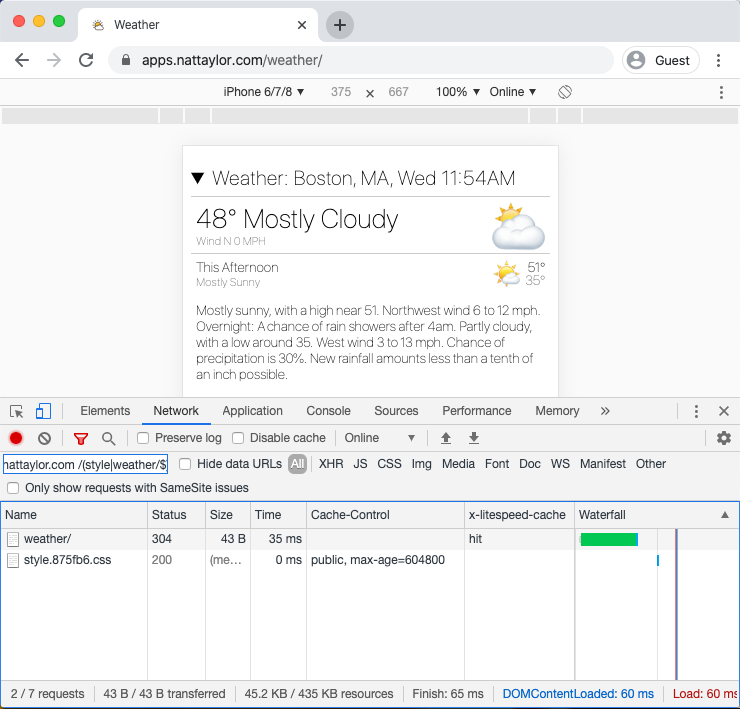 [1]: https://developers.google.com/web/fundamentals/performance/optimizing-content-efficiency/http-caching
# Bookmarklet to Move Gmail Message Action Toolbar
I'm crazy, but... in Gmail my pointer lives on the left side of the screen and I am tired of moving back it all the way across the message pane to switch between the lefthand checkbox/star/important actions to the righthand archive/delete/unread/snooze actions. So, I fixed it with the following bookmarklet (which could also be a userscript, if you prefer.)
[1]: https://developers.google.com/web/fundamentals/performance/optimizing-content-efficiency/http-caching
# Bookmarklet to Move Gmail Message Action Toolbar
I'm crazy, but... in Gmail my pointer lives on the left side of the screen and I am tired of moving back it all the way across the message pane to switch between the lefthand checkbox/star/important actions to the righthand archive/delete/unread/snooze actions. So, I fixed it with the following bookmarklet (which could also be a userscript, if you prefer.)
javascript:(function(){var style=document.createElement("style"); style.textContent = '.zA>.xY.bq4 { left: 200px; position: absolute; } .zA>.yX { flex-basis: 210px; max-width: 210px;}'; document.body.appendChild(style);})()
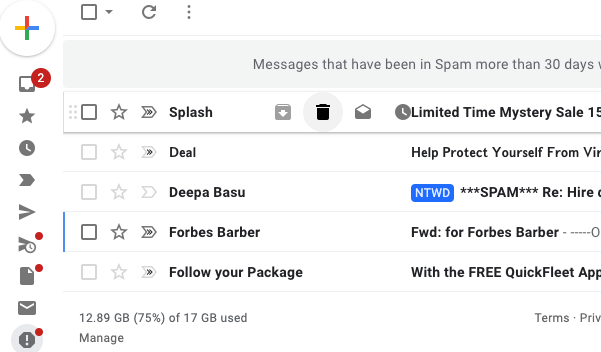 Preview of how your Gmail will look after using this bookmarklet.
# 2019 Annual Letter
This past year I gave web design and my business more attention than I have in years, and as a result, it was a great year. I consolidated my online businesses identity with my online personal identity, published several software projects and brought on several new clients. Meanwhile, the web continued to evolve too as secure sites became ubiquitous and median page size continued to grow. I’m planning to make this annual letter a tradition and intend it to contain a bit of insight about websites for my clients and friends, mixed with some business news.
So, as you look towards web initiatives in 2020, I encourage you to keep in mind two things. First, that 95% of page loads in Chrome are from secure sites (over HTTPS) and second, that growing page weight keeps slowing down sites and frustrating users. I explain why below.
First, if your site isn’t serving pages over a secure connection (so the ? appears,) then you jeopardize your visitor’s trust. It’s most important for transmitting data like logins and credit cards, but even absent those, secure sites boost user experience and search rankings. LetsEncrypt now offers free certificates, so with most web hosts you can get a certificate and enable HTTPS at no cost.
Preview of how your Gmail will look after using this bookmarklet.
# 2019 Annual Letter
This past year I gave web design and my business more attention than I have in years, and as a result, it was a great year. I consolidated my online businesses identity with my online personal identity, published several software projects and brought on several new clients. Meanwhile, the web continued to evolve too as secure sites became ubiquitous and median page size continued to grow. I’m planning to make this annual letter a tradition and intend it to contain a bit of insight about websites for my clients and friends, mixed with some business news.
So, as you look towards web initiatives in 2020, I encourage you to keep in mind two things. First, that 95% of page loads in Chrome are from secure sites (over HTTPS) and second, that growing page weight keeps slowing down sites and frustrating users. I explain why below.
First, if your site isn’t serving pages over a secure connection (so the ? appears,) then you jeopardize your visitor’s trust. It’s most important for transmitting data like logins and credit cards, but even absent those, secure sites boost user experience and search rankings. LetsEncrypt now offers free certificates, so with most web hosts you can get a certificate and enable HTTPS at no cost.
 Shows a page with a secure connection
Second, ensure your site loads within a few seconds or you risk losing visitors. When a page is slow, the visitors don’t know if it will take 1 or 15 seconds or more, and they go back instead of waiting. Delays are caused primarily by slow servers, bad configuration and heavy pages. Luckily tools like [Google PageSpeed Insights][1] exist to determine what’s slow and offer tips on how to fix it. Often, the gains follow the Pareto principle, and all it takes is reducing the size, quality and quantity of images. As an experiment, I designed my WordPress based homepage to be as [fast as practically possible][2]. It’s served over HTTP/2 with compression from a server cache from a single request with no images, and it’s blazingly fast. It loads and is interactive in under 100 milliseconds (less than a tenth of a second.) So, it is possible to have a very fast site!
Shows a page with a secure connection
Second, ensure your site loads within a few seconds or you risk losing visitors. When a page is slow, the visitors don’t know if it will take 1 or 15 seconds or more, and they go back instead of waiting. Delays are caused primarily by slow servers, bad configuration and heavy pages. Luckily tools like [Google PageSpeed Insights][1] exist to determine what’s slow and offer tips on how to fix it. Often, the gains follow the Pareto principle, and all it takes is reducing the size, quality and quantity of images. As an experiment, I designed my WordPress based homepage to be as [fast as practically possible][2]. It’s served over HTTP/2 with compression from a server cache from a single request with no images, and it’s blazingly fast. It loads and is interactive in under 100 milliseconds (less than a tenth of a second.) So, it is possible to have a very fast site!
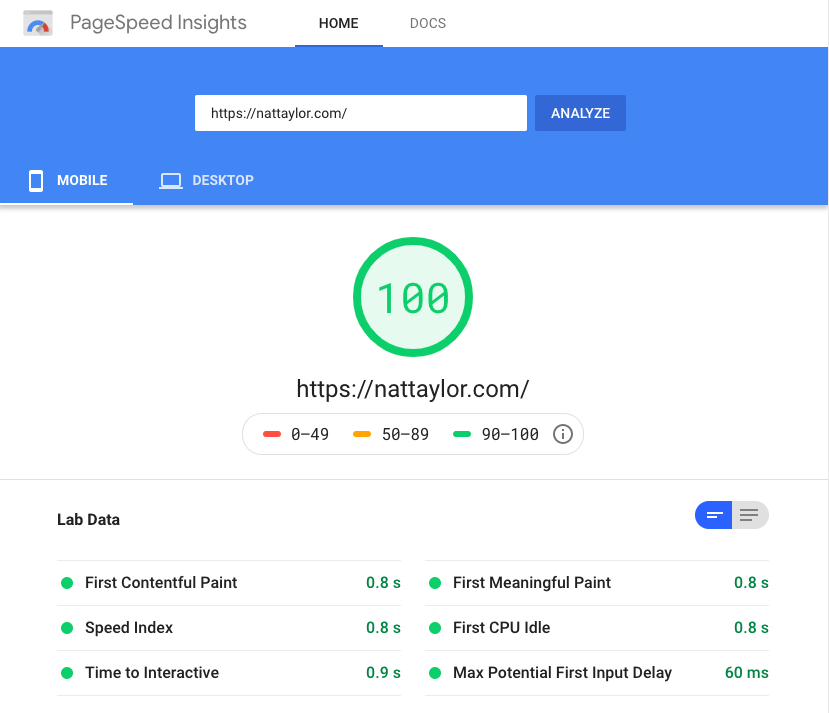 Shows Google's PageSpeed Insights
Beyond 2019, I’m keeping an eye on: the explosive growth of smart home speakers and how the question/answer interface requires site owners to implement [structured data elements][3] on their sites; [Microsoft’s transition of their Edge browser to Chromium][4] which risks creating a web monoculture; the [slow phase out of third-party cookies][5] which should all but end the-shoes-you-just-looked-at style advertising; and the emergence of [progressive web apps][6] which should start to shift smartphone users away from apps that don’t provide any special utility. We’ll see what happens with all of that in my 2020 letter.
On the business front, I have consolidated Nat Taylor Web Designs and my personal blog onto _nattaylor.com_ and bid farewell to the once separate _taylorwebdesigns.com_. I [wrote][7] that I thought the division was confusing for visitors and clients, so I hope having everything together makes my services easier to recall. Behind the scenes, the consolidation also means less server maintenance, less mental overhead and better search engine rankings. As part of doing so, I dove into the internals of Wordpress in order to implement what is sort of three sites in one for each of my personal blog, my business and East Boston content. Within 2 months of this change my search appearances doubled (although I was also featured in a WGBH piece during this time.)
Shows Google's PageSpeed Insights
Beyond 2019, I’m keeping an eye on: the explosive growth of smart home speakers and how the question/answer interface requires site owners to implement [structured data elements][3] on their sites; [Microsoft’s transition of their Edge browser to Chromium][4] which risks creating a web monoculture; the [slow phase out of third-party cookies][5] which should all but end the-shoes-you-just-looked-at style advertising; and the emergence of [progressive web apps][6] which should start to shift smartphone users away from apps that don’t provide any special utility. We’ll see what happens with all of that in my 2020 letter.
On the business front, I have consolidated Nat Taylor Web Designs and my personal blog onto _nattaylor.com_ and bid farewell to the once separate _taylorwebdesigns.com_. I [wrote][7] that I thought the division was confusing for visitors and clients, so I hope having everything together makes my services easier to recall. Behind the scenes, the consolidation also means less server maintenance, less mental overhead and better search engine rankings. As part of doing so, I dove into the internals of Wordpress in order to implement what is sort of three sites in one for each of my personal blog, my business and East Boston content. Within 2 months of this change my search appearances doubled (although I was also featured in a WGBH piece during this time.)
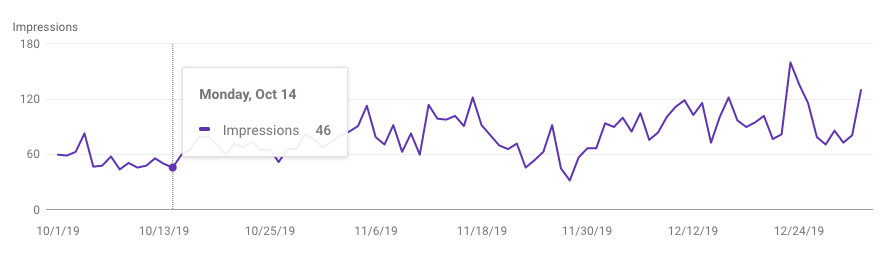 Search performance
The story behind the WGBH feature stems from one of the several software projects I published, which included my weather webapp, an in-browser SQL client for AnalyzeBoston, [semi-automated structured data generation for Boston Zoning Board of Appeals (ZBA) decisions][8], letter-writing microsites and a server-side Google Analytics implementation. ZBA decisions are a source of frustration for many Boston residents and the ZBA offers no aggregate statistics about their voting. After I wrote some code to automate the parsing and structuring of what the ZBA does offer and published it, I got a call from a WGBH reporter and a few days later my name was all over wgbh.org and on their radio station! In a similar project, I announced the 1.0 release of a project I developed that offers an in-[browser SQL client for AnalyzeBoston][9], Boston’s open data portal. The portal provides great APIs, and the SQL client makes it vastly simpler to craft queries. In another act of public service, the [letter-writing microsites][10] I developed streamlined how activists prompted constituents to contact their Electeds. I also announced my own [Weather (web)app][11], which sources meteorological data from NOAA, and formats them for smartphones. One other project is a [server-side Google Analytics implementation][12], which in the interest of speed, sends anonymized visitor logs without any client-side code. For a nerdy guy like me, it’s been a ton of fun!A video screen cap of 2019 projects!
In 2019, I worked with 7 clients in various capacities. For the [Mary Ellen Welch Greenway][13], I did a domain migration, set up email forwarding and configured newsletter software; for [Gove Street Citizens Association][14] I offered pro-bono hosting and design; for [Nutritionist in Boston][15] (my wife Amanda’s business) I did a full site design; for [Lashes by Aika][16] I created a one-page business showcase; for [Jim Taylor Yacht Designs][17] I did an email migration; for AIR Inc. I did a brand logo design, several microsites and a [new website concept][18]; for [TreeEastie][19] I did a full website launch, pro-bono hosting, domain registration, set up email forwarding, configured newsletter software and established their social media presence; and for [Rhodes 19 Fleet 5][20] I did routine maintenance and updates. I also started offering free uptime monitoring to all my clients and I’m proud to say that it has already caught two potentially severe problems before they got bad. Looking back, I kept quite busy considering I’m currently working full time as a product manager for Nanigans, a causal inference modeling software company.A video screen cap of 2019 clients!
2019 was a great year and I'm very grateful for getting to work with so many great clients. 2020 is off to an uncertain start, but I'm optimistic it will be another great year!
[1]: https://developers.google.com/speed/pagespeed/insights/
[2]: https://nattaylor.com/about/fast
[3]: https://developers.google.com/search/docs/data-types/speakable
[4]: https://support.microsoft.com/en-us/help/4501095/download-the-new-microsoft-edge-based-on-chromium
[5]: https://blog.chromium.org/2020/01/building-more-private-web-path-towards.html
[6]: https://web.dev/progressive-web-apps/
[7]: https://nattaylor.com/blog/2019/announcing-two-new-sections/
[8]: https://nattaylor.com/eastboston/boston-zoning/
[9]: https://nattaylor.com/labs/analyzeboston/
[10]: https://liveeastboston.com/public/mbta-16007/index2.html
[11]: https://apps.nattaylor.com/weather/
[12]: https://nattaylor.com/blog/2019/server-side-google-analytics/
[13]: https://maryellenwelchgreenway.org/
[14]: https://govestreet.org/
[15]: https://nutritionistinboston.com/
[16]: https://lashesbyaika.com/
[17]: https://tayloryachtdesigns.com/
[18]: https://airinc.nattaylor.com/
[19]: https://treeeastie.org/
[20]: https://r19fleet5.org/
# A Year of Public Service In East Boston
Four times in the last week I've been out with a shovel on the banks of the East Boston Greenway planting daffodils, just because it seemed like a good thing to do.
Around this time a year ago, I joined my first "Community Cleanup" where a neighbor lent me a trash grabber and we cleaned litter for an hour. A day later, I emailed my City Councilor about trash cans. Two weeks later, I helped a neighbor with a community tulip bed. A few days later, I joined my first neighborhood association board meeting. Within a few weeks, I arranged to have shrubs planted on a community path to prevent erosion. Then I arranged to have a dog poop bag dispenser installed on the community path.
Prior to that first "Community Cleanup" I was interested in doing such things, but had done exactly none. Then in a whirlwind, it was all happening. Now, a year later, I'm reflecting at how I got here. My tracking shows that I did 78 such acts of public service in 2019 for a total of 187.5 hours. That's a little over 8% of my free-time, but it hardly felt like it!
So here is some advice that I would have given myself in order to become active sooner.
### Go to a public meeting in your neighborhood
At some point, I started going to my monthly, open to the public neighborhood association meetings. I dreaded them. They were 2 hours of uncomfortable, unproductive "community engagement" between property developers and residents, with a tiny bit of community updates sprinkled in and woefully little neighborly chitchat. On the bright side, I learned about the Office of Neighborhood Services' neighborhood liaison, my City Councilor, the BPDA, my State Rep and the "community process." Most importantly, I learned to lookup other public meetings and I found there were many!
### Talk to a community stalwart
I had joined a couple of Facebook groups and one day I bumped into one the frequent posters at a restaurant. His name was Kannan and when I chatted him up about how to get involved, he warmly told me he'd add me to the newsletter. However, the connection was made, and a few weeks later he connected me with the neighbor who needed help with the community tulip bed. To this day, he is an excellent mentor with a great working knowledge of government and an inspiring level of dedication to the public good.
### Send notes to your Electeds at every level
My first note was to my City Councilor's office about trash cans. It was a productive note because it quickly turned into a dialog about a wishlist the annual budget cycle, which I would have never known about without starting the conversation. Later, I sent notes to my neighborhood liaison and my State Rep and now they CC me on relevant updates they send out. I think it's important to consider if an Elected could possibly help with your issue (e.g. your State Rep probably can't help with City issues and vice-versa, and maybe your liaison can help you without involving your City Councilor.)
### Send short, directed emails
At some point, you'll have built a small contact network. When you contact them, imagine your are an unpaid volunteer with a busy life. That person doesn't want to be CCed on everything and they don't want to read a brain dump of all your thoughts. They might help you anyway, but you will be doing them a great service if you write short emails and send them only to the one or two people in charge.
### Make Requests and Offers
Like so many things in life, you're participating in a market of sorts where your offers of time and effort are the supply, and your requests for time, effort and budget are the demand. You can trade favors or good favor with individuals and community groups. You'll never get anywhere if you never request things. That is how you'll learn important things like budget cycles and grant dates, how you'll meet like minded people, and how you'll make stuff happen. This is how I got a dog poop bag dispenser installed at my favorite park. I asked a neighbor, who referred me to a Parks and Rec employee and we made a deal that he would install it if I would refill it.
### Be patient & plan ahead
If it can wait until the monthly meeting, then get on the agenda and wait for the monthly meeting, and don't send a lengthy email!
### Think Local
There's a rock near my house engraved with the phrase "A city is not an accident," and I think it's important to keep that in mind. If you want to undertake a big project, you will need to talk to tons of outreach, planning, emailing, convincing and the like. If you just want to do something in your neighborhood, typically you just need a few nods. You'll be able to do way more, and you'll learn a ton along the way. The knowledge and experience you gain is what you'll need should you decide to undertake something big!
# Boston Zoning Board of Appeal Decisions – Latest HTML
Since early 2021 Zoning data is available on data.boston.gov
[inline\_file]/home/taylorwe/www/nattaylor.com/eastboston/boston-zoning/decisions\_20191227.html[/inline_file]
# Tip for Slack, Chrome Profiles & Link Opening
I use 2 Chrome profiles and Slack, and with the Slack desktop app I was constantly frustrated by links I clicked in Slack opening in the last active profile. I wanted them to always open in my work profile.
Since Slack offers a browser version, the solution to always open in a specific Chrome profile is as follows:
1. From the Chrome profile that you want links to open in, go to Slack.
2. Click the 3-dot "Customize and Control Chrome" icon
3. Select "More Tools" > "Create Shortcut..."
4. Tick "Open as Window" and customize the name if you like.
Now if you run slack via that icon, your links will always open in the associated Chrome profile!
Keep in mind that Slack will open to whatever page you made the shortcut from (so in the screenshot, the People page.) The Slack window won't have an omnibox, bookmarks bar, etc. You also wont be able to do screenshares on Slack calls.
[
Search performance
The story behind the WGBH feature stems from one of the several software projects I published, which included my weather webapp, an in-browser SQL client for AnalyzeBoston, [semi-automated structured data generation for Boston Zoning Board of Appeals (ZBA) decisions][8], letter-writing microsites and a server-side Google Analytics implementation. ZBA decisions are a source of frustration for many Boston residents and the ZBA offers no aggregate statistics about their voting. After I wrote some code to automate the parsing and structuring of what the ZBA does offer and published it, I got a call from a WGBH reporter and a few days later my name was all over wgbh.org and on their radio station! In a similar project, I announced the 1.0 release of a project I developed that offers an in-[browser SQL client for AnalyzeBoston][9], Boston’s open data portal. The portal provides great APIs, and the SQL client makes it vastly simpler to craft queries. In another act of public service, the [letter-writing microsites][10] I developed streamlined how activists prompted constituents to contact their Electeds. I also announced my own [Weather (web)app][11], which sources meteorological data from NOAA, and formats them for smartphones. One other project is a [server-side Google Analytics implementation][12], which in the interest of speed, sends anonymized visitor logs without any client-side code. For a nerdy guy like me, it’s been a ton of fun!A video screen cap of 2019 projects!
In 2019, I worked with 7 clients in various capacities. For the [Mary Ellen Welch Greenway][13], I did a domain migration, set up email forwarding and configured newsletter software; for [Gove Street Citizens Association][14] I offered pro-bono hosting and design; for [Nutritionist in Boston][15] (my wife Amanda’s business) I did a full site design; for [Lashes by Aika][16] I created a one-page business showcase; for [Jim Taylor Yacht Designs][17] I did an email migration; for AIR Inc. I did a brand logo design, several microsites and a [new website concept][18]; for [TreeEastie][19] I did a full website launch, pro-bono hosting, domain registration, set up email forwarding, configured newsletter software and established their social media presence; and for [Rhodes 19 Fleet 5][20] I did routine maintenance and updates. I also started offering free uptime monitoring to all my clients and I’m proud to say that it has already caught two potentially severe problems before they got bad. Looking back, I kept quite busy considering I’m currently working full time as a product manager for Nanigans, a causal inference modeling software company.A video screen cap of 2019 clients!
2019 was a great year and I'm very grateful for getting to work with so many great clients. 2020 is off to an uncertain start, but I'm optimistic it will be another great year!
[1]: https://developers.google.com/speed/pagespeed/insights/
[2]: https://nattaylor.com/about/fast
[3]: https://developers.google.com/search/docs/data-types/speakable
[4]: https://support.microsoft.com/en-us/help/4501095/download-the-new-microsoft-edge-based-on-chromium
[5]: https://blog.chromium.org/2020/01/building-more-private-web-path-towards.html
[6]: https://web.dev/progressive-web-apps/
[7]: https://nattaylor.com/blog/2019/announcing-two-new-sections/
[8]: https://nattaylor.com/eastboston/boston-zoning/
[9]: https://nattaylor.com/labs/analyzeboston/
[10]: https://liveeastboston.com/public/mbta-16007/index2.html
[11]: https://apps.nattaylor.com/weather/
[12]: https://nattaylor.com/blog/2019/server-side-google-analytics/
[13]: https://maryellenwelchgreenway.org/
[14]: https://govestreet.org/
[15]: https://nutritionistinboston.com/
[16]: https://lashesbyaika.com/
[17]: https://tayloryachtdesigns.com/
[18]: https://airinc.nattaylor.com/
[19]: https://treeeastie.org/
[20]: https://r19fleet5.org/
# A Year of Public Service In East Boston
Four times in the last week I've been out with a shovel on the banks of the East Boston Greenway planting daffodils, just because it seemed like a good thing to do.
Around this time a year ago, I joined my first "Community Cleanup" where a neighbor lent me a trash grabber and we cleaned litter for an hour. A day later, I emailed my City Councilor about trash cans. Two weeks later, I helped a neighbor with a community tulip bed. A few days later, I joined my first neighborhood association board meeting. Within a few weeks, I arranged to have shrubs planted on a community path to prevent erosion. Then I arranged to have a dog poop bag dispenser installed on the community path.
Prior to that first "Community Cleanup" I was interested in doing such things, but had done exactly none. Then in a whirlwind, it was all happening. Now, a year later, I'm reflecting at how I got here. My tracking shows that I did 78 such acts of public service in 2019 for a total of 187.5 hours. That's a little over 8% of my free-time, but it hardly felt like it!
So here is some advice that I would have given myself in order to become active sooner.
### Go to a public meeting in your neighborhood
At some point, I started going to my monthly, open to the public neighborhood association meetings. I dreaded them. They were 2 hours of uncomfortable, unproductive "community engagement" between property developers and residents, with a tiny bit of community updates sprinkled in and woefully little neighborly chitchat. On the bright side, I learned about the Office of Neighborhood Services' neighborhood liaison, my City Councilor, the BPDA, my State Rep and the "community process." Most importantly, I learned to lookup other public meetings and I found there were many!
### Talk to a community stalwart
I had joined a couple of Facebook groups and one day I bumped into one the frequent posters at a restaurant. His name was Kannan and when I chatted him up about how to get involved, he warmly told me he'd add me to the newsletter. However, the connection was made, and a few weeks later he connected me with the neighbor who needed help with the community tulip bed. To this day, he is an excellent mentor with a great working knowledge of government and an inspiring level of dedication to the public good.
### Send notes to your Electeds at every level
My first note was to my City Councilor's office about trash cans. It was a productive note because it quickly turned into a dialog about a wishlist the annual budget cycle, which I would have never known about without starting the conversation. Later, I sent notes to my neighborhood liaison and my State Rep and now they CC me on relevant updates they send out. I think it's important to consider if an Elected could possibly help with your issue (e.g. your State Rep probably can't help with City issues and vice-versa, and maybe your liaison can help you without involving your City Councilor.)
### Send short, directed emails
At some point, you'll have built a small contact network. When you contact them, imagine your are an unpaid volunteer with a busy life. That person doesn't want to be CCed on everything and they don't want to read a brain dump of all your thoughts. They might help you anyway, but you will be doing them a great service if you write short emails and send them only to the one or two people in charge.
### Make Requests and Offers
Like so many things in life, you're participating in a market of sorts where your offers of time and effort are the supply, and your requests for time, effort and budget are the demand. You can trade favors or good favor with individuals and community groups. You'll never get anywhere if you never request things. That is how you'll learn important things like budget cycles and grant dates, how you'll meet like minded people, and how you'll make stuff happen. This is how I got a dog poop bag dispenser installed at my favorite park. I asked a neighbor, who referred me to a Parks and Rec employee and we made a deal that he would install it if I would refill it.
### Be patient & plan ahead
If it can wait until the monthly meeting, then get on the agenda and wait for the monthly meeting, and don't send a lengthy email!
### Think Local
There's a rock near my house engraved with the phrase "A city is not an accident," and I think it's important to keep that in mind. If you want to undertake a big project, you will need to talk to tons of outreach, planning, emailing, convincing and the like. If you just want to do something in your neighborhood, typically you just need a few nods. You'll be able to do way more, and you'll learn a ton along the way. The knowledge and experience you gain is what you'll need should you decide to undertake something big!
# Boston Zoning Board of Appeal Decisions – Latest HTML
Since early 2021 Zoning data is available on data.boston.gov
[inline\_file]/home/taylorwe/www/nattaylor.com/eastboston/boston-zoning/decisions\_20191227.html[/inline_file]
# Tip for Slack, Chrome Profiles & Link Opening
I use 2 Chrome profiles and Slack, and with the Slack desktop app I was constantly frustrated by links I clicked in Slack opening in the last active profile. I wanted them to always open in my work profile.
Since Slack offers a browser version, the solution to always open in a specific Chrome profile is as follows:
1. From the Chrome profile that you want links to open in, go to Slack.
2. Click the 3-dot "Customize and Control Chrome" icon
3. Select "More Tools" > "Create Shortcut..."
4. Tick "Open as Window" and customize the name if you like.
Now if you run slack via that icon, your links will always open in the associated Chrome profile!
Keep in mind that Slack will open to whatever page you made the shortcut from (so in the screenshot, the People page.) The Slack window won't have an omnibox, bookmarks bar, etc. You also wont be able to do screenshares on Slack calls.
[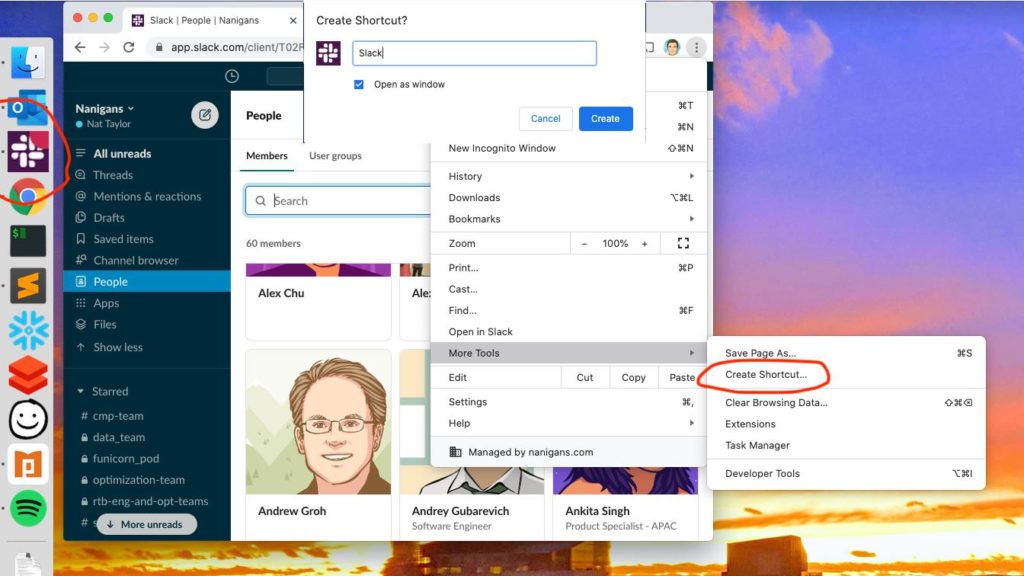 ][1]Screenshot of "Create Shortcut"
[1]: https://nattaylor.com/wp-content/uploads/2020/04/slack.jpg
# My macOS UI Tweaks
When I used Windows, I was quite fond of Tweak UI, the PowerTools app that allowed for tweaking settings of the user interface. Now as a macOS user, I find the following software absolutely essential for tweaking the UI: flycut, spectacle, hyperswitch & Karabiner-Elements
## [Flycut][1]
I'm not sure how I ever got anything done without a clipboard manager. Simply put, Flycut's functionality to give my clipboard is history revolutionized the way I worked with multiple windows.
][1]Screenshot of "Create Shortcut"
[1]: https://nattaylor.com/wp-content/uploads/2020/04/slack.jpg
# My macOS UI Tweaks
When I used Windows, I was quite fond of Tweak UI, the PowerTools app that allowed for tweaking settings of the user interface. Now as a macOS user, I find the following software absolutely essential for tweaking the UI: flycut, spectacle, hyperswitch & Karabiner-Elements
## [Flycut][1]
I'm not sure how I ever got anything done without a clipboard manager. Simply put, Flycut's functionality to give my clipboard is history revolutionized the way I worked with multiple windows.
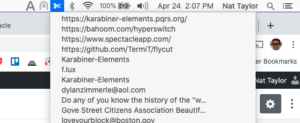 ## [Espanso][2]
If you have to frequently type something long, then you can use Espanso to automatically expand a shorter trigger (e.g. type `:short` and expand into "something really really really really long")
## [Rectangle][3]
With a normal monitor I just need a quick way to do a 50/50 split (like Windows does natively and MacOS does with fullscreen,) but with my 32" QHD (1440p) monitor, I need a 2x2 grid. Rectangle, can do it all -- plus it does thirds and drag zones. (Note: previously this was Spectacle)Spectacle in action...
## [hyperswitch][4]
I always have multiple Chrome windows open and I cannot adapt to the MacOS method of having `⌘ + Tab` and `⌘ + ~` for switching between between apps and windows respectively. Hyperswitch solves this for and lets me switch between Chrome windows.
## [Espanso][2]
If you have to frequently type something long, then you can use Espanso to automatically expand a shorter trigger (e.g. type `:short` and expand into "something really really really really long")
## [Rectangle][3]
With a normal monitor I just need a quick way to do a 50/50 split (like Windows does natively and MacOS does with fullscreen,) but with my 32" QHD (1440p) monitor, I need a 2x2 grid. Rectangle, can do it all -- plus it does thirds and drag zones. (Note: previously this was Spectacle)Spectacle in action...
## [hyperswitch][4]
I always have multiple Chrome windows open and I cannot adapt to the MacOS method of having `⌘ + Tab` and `⌘ + ~` for switching between between apps and windows respectively. Hyperswitch solves this for and lets me switch between Chrome windows.
 ## [Karabiner-Elements][5]
Prior to this app, I couldn't figure out how to get the function keys on my windows keyboard to work with as MacOS media keys. Karabiner-Elements to the rescue!
## [Karabiner-Elements][5]
Prior to this app, I couldn't figure out how to get the function keys on my windows keyboard to work with as MacOS media keys. Karabiner-Elements to the rescue!
 Honorary mention to f.lux, which I used every day until it was superseded by Night Shift. Also, [Chrome extensions][6].
[1]: https://github.com/TermiT/flycut
[2]: https://espanso.org/
[3]: https://www.spectacleapp.com/
[4]: https://bahoom.com/hyperswitch
[5]: https://karabiner-elements.pqrs.org/
[6]: https://nattaylor.com/blog/2018/web-browser-tips/
# Bot Handling Tips
The TaylorNet is stuck is a constant storm of bot traffic. Many of the bots are benevolent, just quietly spidering away and respecting `robots.txt` but some are not. Either way, they generate a lot of traffic. (Google is notably much better at knowing when to crawl.) Here are a few things that I have found important when it comes to bots:
1. Assume that everything will be discovered unless you use `rel=nofollow`, ` noindex` or use `robots.txt`, and assume that by using those you will help bad bots discover things. So use them, but also make sure whatever it is, is prepared for bot traffic. Add the relevant mark up, but also add BasicAuth or something similar.
2. Use Basic Auth for WordPress, like the example below. At some point your needs may surpass the limits this directives create, but until they do it will prevent headaches.
Honorary mention to f.lux, which I used every day until it was superseded by Night Shift. Also, [Chrome extensions][6].
[1]: https://github.com/TermiT/flycut
[2]: https://espanso.org/
[3]: https://www.spectacleapp.com/
[4]: https://bahoom.com/hyperswitch
[5]: https://karabiner-elements.pqrs.org/
[6]: https://nattaylor.com/blog/2018/web-browser-tips/
# Bot Handling Tips
The TaylorNet is stuck is a constant storm of bot traffic. Many of the bots are benevolent, just quietly spidering away and respecting `robots.txt` but some are not. Either way, they generate a lot of traffic. (Google is notably much better at knowing when to crawl.) Here are a few things that I have found important when it comes to bots:
1. Assume that everything will be discovered unless you use `rel=nofollow`, ` noindex` or use `robots.txt`, and assume that by using those you will help bad bots discover things. So use them, but also make sure whatever it is, is prepared for bot traffic. Add the relevant mark up, but also add BasicAuth or something similar.
2. Use Basic Auth for WordPress, like the example below. At some point your needs may surpass the limits this directives create, but until they do it will prevent headaches.
<Files wp-login.php>
AuthUserFile /home/user/passwd
AuthName "private"
AuthType Basic
require valid-user
</Files>

<Files xmlrpc.php>
AuthType Basic
AuthName "private"
AuthUserFile /home/user/passwd
require valid-user
</Files>
# BirdCam
The BirdCam is in my backyard in East Boston. It may go offline at any time, sorry!
# Bremen Orleans Project Research
[inline\_file]/home/taylorwe/www/nattaylor.com/eastboston/\_bremen-orleans-research/research.html[/inline_file]
# Page Previews
As of today, if you hover over an internal blog post link on my site on a wide screen, a page preview will appear in the right margin as demonstrated below, in order to help you decide whether or not to click.Page Preview Demo
Caching and simplicity already make page loads on my site pretty fast (50-200ms,) but I always liked the way that [Wikipedia designed page previews][1]. Still, I thought the implementation was too complicated to warrant. Then today I saw an [alternative implementation on jefftk.com][2] that used iframes, which is both simple and fairly fast.
The implementation does a few interesting things:
* Setting `sandbox="allow-same-origin"` restricts the iframe from loading any potentially slow scripts (although I control this anyway) yet still allows the embedding page to modify the `contentDocument`
* The site header within the iframe is hidden by `iframe.contentDocument.querySelector("foo").style.display="none"`
* The iframe slides in from the right, thanks to a bit of CSS `animation: slide 0.5s forwards;` and the associated keyframe `@keyframes slide { to { right: 0; } }`
* The `mouseoever` event is bound only to certain links thanks to a attribute prefix selector `document.querySelectorAll("a[href^='https://nattaylor.com/blog']")`
* The previews are delayed by 250ms in case you are sliding your most down a list of links, and linger for 3s so you can move your mouse over to keep the preview in place and click if, if you wish.
Love it? Hate it? Let me know with an email to
Here is the code.
<script type="text/javascript">

window.onload = previewSetup(250, 3000, 1000, 'https://nattaylor.com/blog');

function previewSetup(delay, timeout, minwidth, pattern) {
/**
 * Show a iframe preview of a link on hover (a la Wikipedia)
 *
 * Usage: window.onload = previewSetup(500, 3000, 1000);
 * @param  Number delay    time to wait to show preview
 * @param  Number timeout  time in ms for preview to linger
 * @param  Number minwidth minimum screen width to display the preview
 * @return {[type]}          [description]
 */
  // For blog links, show a preview
  document.querySelectorAll("a[href*='"+pattern+"']").forEach(function(e) {
      e.addEventListener('mouseover', function(e) {
        window.clearTimeout(window.previewDelay);
        window.previewDelay = setTimeout(preview, delay, e);
      });
    }
  )

  // Create & append the elements, plus configure event listeners
  function preview(e) {
    if (window.outerWidth < minwidth) {
      return
    }
    window.clearTimeout(window.previewTimeout);
    href = e.target.href;

    iwrap = document.createElement("iwrap")
    iwrap.id = "preview-wrapper";
    iwrap.addEventListener("click", function() {document.location = href});

    iframe = document.createElement("iframe");
    iframe.id = "preview";
    iframe.setAttribute("sandbox", "allow-same-origin");
    iframe.src=href;
    iframe.scrolling="no";

    // Hide the header within the preview
    iframe.addEventListener( "load", function(e) {
      document
        .querySelector("#preview")
        .contentDocument
        .querySelector("body > header")
        .style.display="none";
    })

    iwrap.addEventListener( "mouseover", function (e) {
      window.clearTimeout(previewTimeout);
      e.target.addEventListener("mouseout", function(e) {
        window.previewTimeout = window.setTimeout(function() {
          if (document.querySelector("#preview-wrapper")) {
            document.querySelector("#preview-wrapper").remove();
          }
        }, timeout);
      })
    });

    e.target.addEventListener( "mouseout", function(e) {
      window.clearTimeout(window.previewTimeout);
      window.previewTimeout = window.setTimeout(function() {
        if (document.querySelector("#preview-wrapper")) {
          document.querySelector("#preview-wrapper").remove();
        }
      }, timeout);
    })
    if (document.querySelector("#preview-wrapper")) {
      document.querySelector("#preview-wrapper").remove();
    }
    iwrap.appendChild(iframe);
    document.body.appendChild(iwrap);
    return true;
  }
}
</script>
<style type="text/css">
  iframe#preview {
    position: absolute;
    right: -400px;
    bottom: 0;
    height: 400px;
    width:400px;
    border:1px solid gray;
    background-color:white;
    filter: drop-shadow(0 0 0.75rem gray);
    animation: slide 0.5s forwards;
    pointer-events: none;
  }

  #preview-wrapper {
    position: absolute;
    height: 400px;
    width:400px;
    bottom: 0;
    right:0;
  }

@keyframes slide {
    to { right: 0; }
}
</style>
[1]: https://blog.wikimedia.org/2018/04/18/how-we-designed-page-previews-for-wikipedia/
[2]: https://www.jefftk.com/p/preview-on-hover
# Why is this site p̶l̶a̶i̶n̶ fast?
This site is designed to be fast and as a consequence it's very plain. Fast and great looking aren't mutually exclusive, but plain (ugly to some) is simple, and I like that because today's [web is just so bloated][1] and slow.
Fast on a content site like mine is a function of the network transfer and display on the client.
To ensure the network transfer doesn't make my site slow, I monitor the time-to-first-byte (TTFB) and the transfer size.
I minimize TTFB via caching (which is reported by the `x-litespeed-cache` header.) I use LSCache which implements an output cache like `mod_cache` and is blazing fast.
To minimize the transfer, I keep the pages small, request count low and from a single origin. The pages are usually small--so small that they usually fit into TCP Initial Congestion Window ([explanation][2]) which reduces the impact of poor latency mobile connections. Prior to July 20, 2020, most pages were served as a single request, but I've since switched from inlining styles and scripts to using HTTP/2 Server Push. `https://nattaylor.com` remains the only origin.
Once the payload gets to the client, he browser paints the page in about 1 millisecond. When I implemented [page previews][3], I found them to be fast as well.
Of course this all barely matters with fast CPUs and an audience with mostly great connections, but still!
If you open the DevTools, you can see all this as evidenced by the screenshot below.
The SSL connection overhead is often the slowest part, but I don't have much control over that.
### HTTP/2 Server Push Homepage
HTTP/2 Server Push is remarkably fast! The entries with an asterisk were pushed by the server.
nghttp -ans https://nattaylor.comid responseEnd requestStart process code size request path13 +46.10ms +144us 45.96ms 200 3K /2 +46.16ms * +43.05ms 3.11ms 200 795 /wp-content/themes/ntdc/style.css4 +46.24ms * +43.08ms 3.16ms 200 101 /wp-content/themes/ntdc/scripts.js
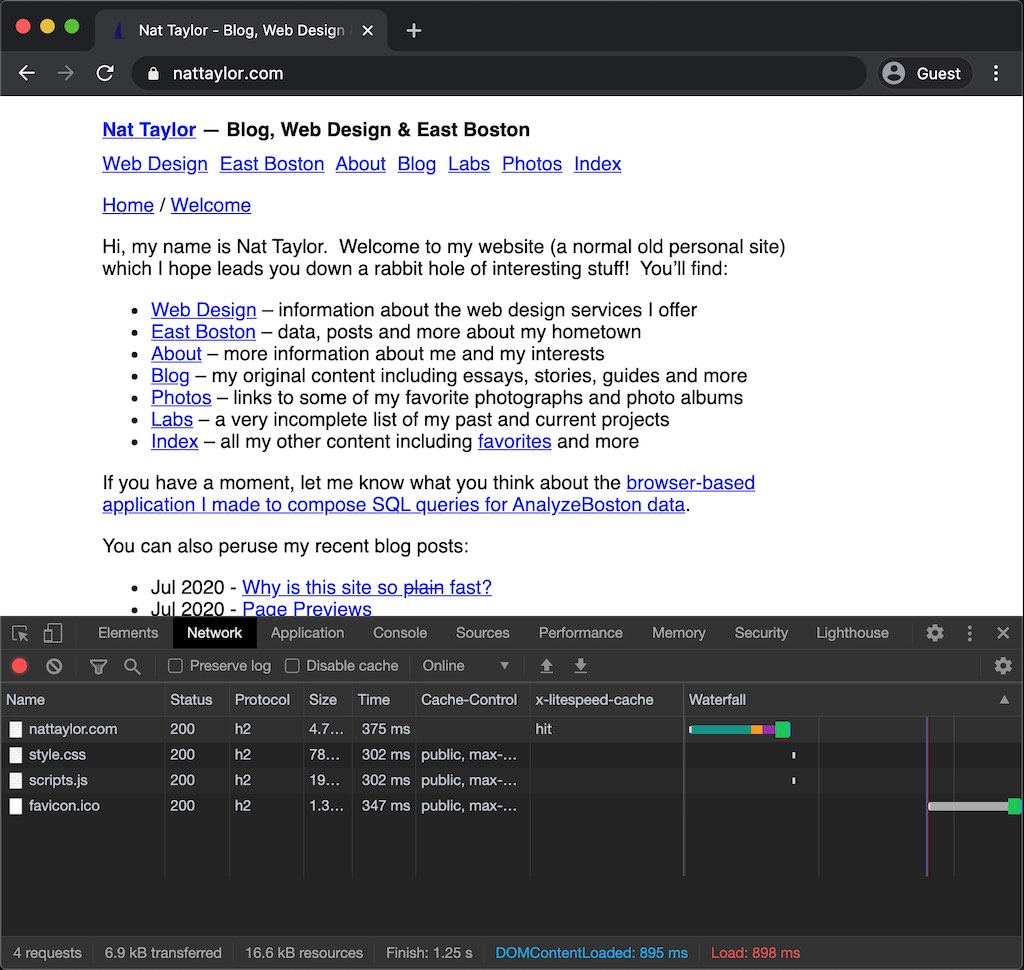 ### Single Request Homepage
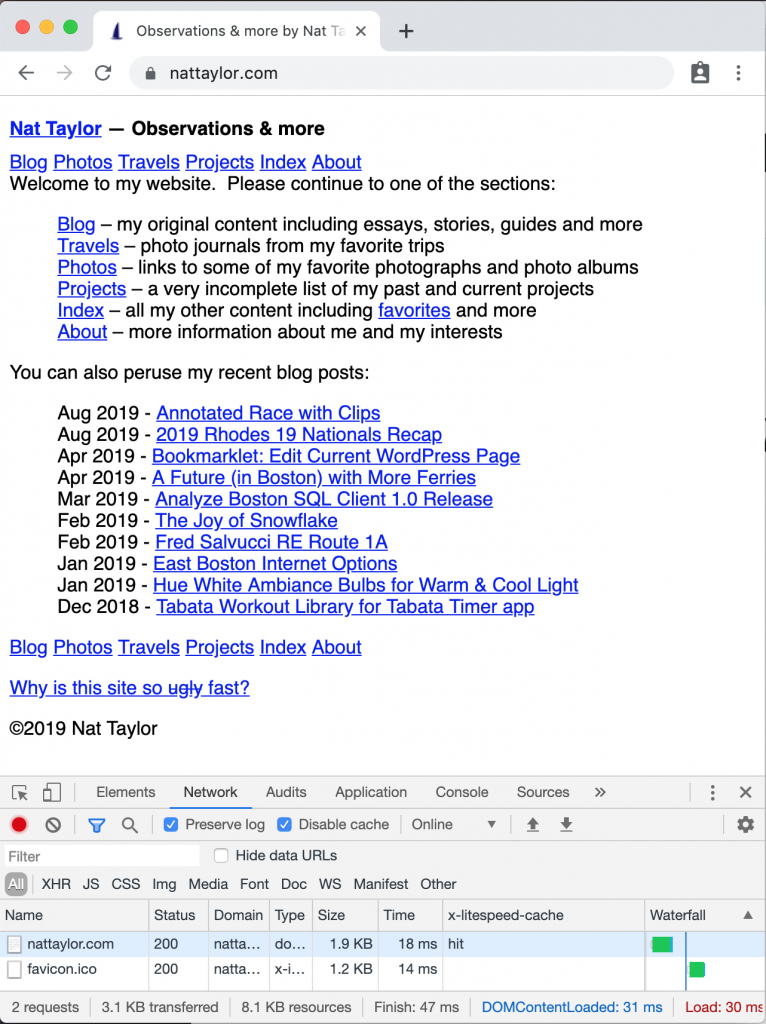 Fast loading.
[1]: https://nattaylor.com/blog/2017/web-landmines/
[2]: https://tylercipriani.com/blog/2016/09/25/the-14kb-in-the-tcp-initial-window/
[3]: https://nattaylor.com/blog/2020/page-previews/
# LiteSpeed & HTTP/2 Server Push
HTTP/2 Server Push can drastically reduce the performance penalty of waiting for the browser to parse the document to find additional assets it needs like stylesheets, scripts and images and then waiting for subsequent requests to finish.
Server Push can be controlled by including a `link` header in the response. For example, the following tells the browser to expect the `style.css` and `scripts.js` to be pushed by the server after the originating request.
Fast loading.
[1]: https://nattaylor.com/blog/2017/web-landmines/
[2]: https://tylercipriani.com/blog/2016/09/25/the-14kb-in-the-tcp-initial-window/
[3]: https://nattaylor.com/blog/2020/page-previews/
# LiteSpeed & HTTP/2 Server Push
HTTP/2 Server Push can drastically reduce the performance penalty of waiting for the browser to parse the document to find additional assets it needs like stylesheets, scripts and images and then waiting for subsequent requests to finish.
Server Push can be controlled by including a `link` header in the response. For example, the following tells the browser to expect the `style.css` and `scripts.js` to be pushed by the server after the originating request.
link: </wp-content/themes/ntdc/style.css>; rel=preload; as=style, </wp-content/themes/ntdc/scripts.js>; rel=preload; as=script,
In my case, requests to my server always incur a time-to-first-byte wait of around 35ms even for static assets, but pushed assets add only about 3.5ms.
Better yet, the client starts downloading them immediately. The result is subtle, but significant. Below you can see that the `style.css` for `push.html` finishes 35ms earlier than the non-push version.
nghttp -ans https://nattaylor.com/labs/css/push.html
id responseEnd requestStart process code size request path
13 +52.60ms +193us 52.40ms 200 4K /labs/css/push.html
2 +52.67ms * +49.78ms 2.89ms 200 633 /labs/css/style.css
nghttp -ans https://nattaylor.com/labs/css/stylesheet.html
id responseEnd requestStart process code size request path
13 +44.61ms +193us 44.41ms 200 4K /labs/css/stylesheet.html
15 +88.58ms +44.64ms 43.95ms 200 633 /labs/css/style.css
For WordPress, add something like the following to `functions.php`
add_action('send_headers', function () {
	$base = parse_url(get_stylesheet_directory_uri())['path'];
	header("Link: <$base/style.css>; rel=preload; as=style, <$base/scripts.js>; rel=preload; as=script,");
});
# Phone History
* 2015 - Samsung Galaxy S3
* 2018 - Droid Turbo 2
* 2019 - Google Pixel
* 2020 - Google Pixel 3A
# Google Photos Home Screen Album Shortcut
While Google Photos App for Android doesn't natively offer home screen shortcuts, it does open photos.google.com links, which makes shortcuts possible, though cumbersome.
To make a Google Photos home screen shortcut to an album:
1. Go to https://photos.google.com in Chrome and open the album
2. Tap the Share icon, then "Copy Link"
3. Put your phone into "Airplane Mode"
4. Navigate to the album link from your clipboard
5. Chrome will display a "No Internet" page. From that page tap Chrome's three-dot menu and select "Add to Home screen"
6. Name and place the shortcut.
7. Turn off "Airplane Mode"
That's it! Now tapping that shortcut will open the album in the Google Photos app.
# Tiny 274-byte Javascript DOM “Library”
I make lots of webpages and occasionally add simple interactivity that rarely warrants including a full framework/library, but still I get sick of typing `document.createElement('blah')`creating elements, so I use a tiny framework inspired by this [comment][1].
It's only 274 bytes and creates the following aliases:
* `$` aliased to `document.querySelector`
* `$$` aliased to `document.querySelectorAll`
* `$E` aliased to `document.createElement` with additional parameters for
* Properties (object) to assign to the element (e.g. `{"classList": "foo"}`)
* Children (list) to append to the element
(Don't forget that `ParentNode.append()` can accept textNodes, so you can do `$E("div",{}, ["foo"])`! Adios, document.createTextNode() ? )
const $ = document.querySelector.bind(document);const $$ = document.querySelectorAll.bind(document);function $E(t='div',p={},c=[]){let e=document.createElement(t);if(p.dataset){Object.assign(e.dataset,p.dataset);delete p.dataset} Object.assign(e,p);e.append(...c);return e;} function $e(t='div',p={},c=[]){let e=document.createElement(t);Object.entries(p).forEach(([k, v]) => e.setAttribute(k, v));e.append(...c);return e;}
const $ = document.querySelector.bind(document);const $$ = document.querySelectorAll.bind(document);function $E(t='div',p={},c=[]){let e=document.createElement(t);if(p.dataset){Object.assign(e.dataset,p.dataset);delete p.dataset} Object.assign(e,p);e.append(...c);return e;}
Keeping this handy has made me much less reluctant to add DOM nodes.
_Caveat emptor_, that too much of this and you'll definitely end up with code that only you can read, but this is pretty safe since Chrome Dev Tools creates the `$` and `$$` aliases by default anyway.
I'm finding that these aliases, coupled with a few other modern Javascript-isms like `fetch(`), Template Literals, arrow functions and `async/await`, make it pretty fun and smooth to write.
P.S. Isn't `Object.assign()` great? That makes one line out of what used to require the following:
// New Way
Object.assign(obj, {"classList": "foo", "id": "bar")

// Old Way
obj.classList.add("foo")
obj.id = "bar"
[1]: https://news.ycombinator.com/item?id=23590750
# Google Assistant Tips
I use Google Assistant daily with the commands below and thought it was just OK, but then I tried the magical BabyConnect "Conversation Action."
 BabyConnect App in Google Assistant
As you can see in the animation, you say something like "Talk to BabyConnect to log a mixed diaper" and it dispatches the message to the BabyConnect servers to do your bidding. With a newborn your often hands free, so being able to talk to an app really feels futuristic. Usually I hate such "Chat Bots" but I literally reveled for an entire day in how natural and useful this particular action is.
The other actions that I use include:
* **Set the scene to daylight** which controls my smart lights
* **Set a timer** which we routinely use for cooking
* **Add to the shopping list** which I can manage with Google Keep
* **Play the news** which I've configured to play the NPR hourly news
* **Play WBUR** which it knows to stream from TuneIn
* **Play Foo Fighters** which it knows to do in a music app
* **What's the weather?** which says the weather
My favorite skill is "Memory Aid" which you can trigger with "**Remember that **" and then you can ask it "What/where is ?" I meet a lot of neighbors with dogs and I can remember the dogs' names but not the parents, so I use this routinely has "Remember that Rover's parents are Jack and Jill." Similarly when my son got sick, I was having trouble remembering the medical name of the bacteria, so I said "Remember that Ellis got the bacterial infection Campylobacter jejuni"
Also, living in a neighborhood with roughly 50% Spanish speakers, "**Be my Spanish interpreter**" is an amazing skill too!
# Boston Property Tax Calculator (2020)
Calculate your FY20 Boston Property Tax Quarterly Bill based on your assessed value and whether or not you get the residential exemption.
For more information, visit Boston.gov's "[How to pay your real estate taxes][1]"
Lookup your current and historical assessments with the [Boston Assessing Online Search Tool][2].
[Lookup Boston historic tax rates here.][3]
Report problems to .
[1]: https://www.boston.gov/departments/tax-collection/how-pay-your-real-estate-taxes
[2]: https://www.cityofboston.gov/assessing/search/
[3]: https://www.boston.gov/sites/default/files/file/2019/12/2020_TAXRATES%20history.pdf
# Wi-Fi, Router & Internet Tips
People are always complaining that their Wi-Fi sucks (me included!) and think the answer is a new router. I've also spent far too long mucking around with different SSIDs and typing in IP addresses. I've compiled a list of tips.
### Equipment and Positioning
* **2.4 ghz vs 5 ghz** 2.4ghz has better wall penetration than 5ghz, but 5ghz has more channels and supports higher speeds. If your devices can see lots of other SSIDs, prefer 5ghz since has only 3 non-overlapping channels compared to 24 for 5 ghz. If you have a weak signal several rooms away from your router, prefer 2.4 ghz. Also note, some devices don't support 5 ghz.
* **Position Antennas Vertically** Typically keep them all vertical for covering a single floor, and angle them to 45-degrees for multiple floors. Rotating the antennas does not help, since they have roughly doughnut shaped dispersion. [[source][1]]
* **You Don't Need A Faster Package** An HD Netflix stream requires on 5mbps, so even cheap (e.g. 25mpbs) plans support multiple streams. If you're routinely backing up large (>1GB) files or streaming 4K, then get more. [[source][2]]
* **[Wifi Analyzer][3]** is a great app for doing a site survey. You do experiments, like moving your router, and then take new measurements.
### Configuration
* **Setting Up Local DNS** You can give your network a domain name (usually under LAN > DHCP, mine is "SadieNet") and then manually assign IPs and hostnames (e.g. I can go to http://router.sadienet, http://printer.sadienet, etc) You can give your router a name too (usually at LAN > LAN IP > Device Name.) Mine is `router` so I can go to `http://router.sadienet`)
* **Avoiding Multiple SSIDs** You can assign the same SSID and passphrase to your 2.4 ghz and 5 ghz, and any access points. Your devices will switch seamlessly!
* **Extended Wireless Details** On MacOS, hold down `⌥ Option` when you click the menubar Wi-Fi icon to see additional details about the network including IP address, BSSID, signal strength, router IP, security, channel, noise, speed, MCS index and NSS [[source][4]]
BabyConnect App in Google Assistant
As you can see in the animation, you say something like "Talk to BabyConnect to log a mixed diaper" and it dispatches the message to the BabyConnect servers to do your bidding. With a newborn your often hands free, so being able to talk to an app really feels futuristic. Usually I hate such "Chat Bots" but I literally reveled for an entire day in how natural and useful this particular action is.
The other actions that I use include:
* **Set the scene to daylight** which controls my smart lights
* **Set a timer** which we routinely use for cooking
* **Add to the shopping list** which I can manage with Google Keep
* **Play the news** which I've configured to play the NPR hourly news
* **Play WBUR** which it knows to stream from TuneIn
* **Play Foo Fighters** which it knows to do in a music app
* **What's the weather?** which says the weather
My favorite skill is "Memory Aid" which you can trigger with "**Remember that **" and then you can ask it "What/where is ?" I meet a lot of neighbors with dogs and I can remember the dogs' names but not the parents, so I use this routinely has "Remember that Rover's parents are Jack and Jill." Similarly when my son got sick, I was having trouble remembering the medical name of the bacteria, so I said "Remember that Ellis got the bacterial infection Campylobacter jejuni"
Also, living in a neighborhood with roughly 50% Spanish speakers, "**Be my Spanish interpreter**" is an amazing skill too!
# Boston Property Tax Calculator (2020)
Calculate your FY20 Boston Property Tax Quarterly Bill based on your assessed value and whether or not you get the residential exemption.
For more information, visit Boston.gov's "[How to pay your real estate taxes][1]"
Lookup your current and historical assessments with the [Boston Assessing Online Search Tool][2].
[Lookup Boston historic tax rates here.][3]
Report problems to .
[1]: https://www.boston.gov/departments/tax-collection/how-pay-your-real-estate-taxes
[2]: https://www.cityofboston.gov/assessing/search/
[3]: https://www.boston.gov/sites/default/files/file/2019/12/2020_TAXRATES%20history.pdf
# Wi-Fi, Router & Internet Tips
People are always complaining that their Wi-Fi sucks (me included!) and think the answer is a new router. I've also spent far too long mucking around with different SSIDs and typing in IP addresses. I've compiled a list of tips.
### Equipment and Positioning
* **2.4 ghz vs 5 ghz** 2.4ghz has better wall penetration than 5ghz, but 5ghz has more channels and supports higher speeds. If your devices can see lots of other SSIDs, prefer 5ghz since has only 3 non-overlapping channels compared to 24 for 5 ghz. If you have a weak signal several rooms away from your router, prefer 2.4 ghz. Also note, some devices don't support 5 ghz.
* **Position Antennas Vertically** Typically keep them all vertical for covering a single floor, and angle them to 45-degrees for multiple floors. Rotating the antennas does not help, since they have roughly doughnut shaped dispersion. [[source][1]]
* **You Don't Need A Faster Package** An HD Netflix stream requires on 5mbps, so even cheap (e.g. 25mpbs) plans support multiple streams. If you're routinely backing up large (>1GB) files or streaming 4K, then get more. [[source][2]]
* **[Wifi Analyzer][3]** is a great app for doing a site survey. You do experiments, like moving your router, and then take new measurements.
### Configuration
* **Setting Up Local DNS** You can give your network a domain name (usually under LAN > DHCP, mine is "SadieNet") and then manually assign IPs and hostnames (e.g. I can go to http://router.sadienet, http://printer.sadienet, etc) You can give your router a name too (usually at LAN > LAN IP > Device Name.) Mine is `router` so I can go to `http://router.sadienet`)
* **Avoiding Multiple SSIDs** You can assign the same SSID and passphrase to your 2.4 ghz and 5 ghz, and any access points. Your devices will switch seamlessly!
* **Extended Wireless Details** On MacOS, hold down `⌥ Option` when you click the menubar Wi-Fi icon to see additional details about the network including IP address, BSSID, signal strength, router IP, security, channel, noise, speed, MCS index and NSS [[source][4]]
192.168.100.1 My SB6141 reports the status, signal, addresses and some configuration (e.g. I can control the lights!) [source]
/etc/hosts file. I have an entry for 192.168.100.1 modem.sadienet to get to my modem. [source]
ALTER TABLE FOO ADD date TEXT GENERATED ALWAYS AS (date(timestamp, 'unixepoch')) VIRTUAL
[1]: https://sqlite.org/lang_datefunc.html#time_values
# Digital Archiving Oral History Cassette Tapes
For no particularly good reason, I like archiving things. I haven't seen many things disappear in my life, but still I like pushing physical things across the digital divide, where they are simple to enjoy and share. So when I heard that the East Boston Greenway Council's oral history interviews from 1997 were sitting on cassette tapes, I agreed to digitize them. I have time—it is a pandemic after all—but still when the box of 21 tapes arrived, I was daunted. This is the story of archiving them.
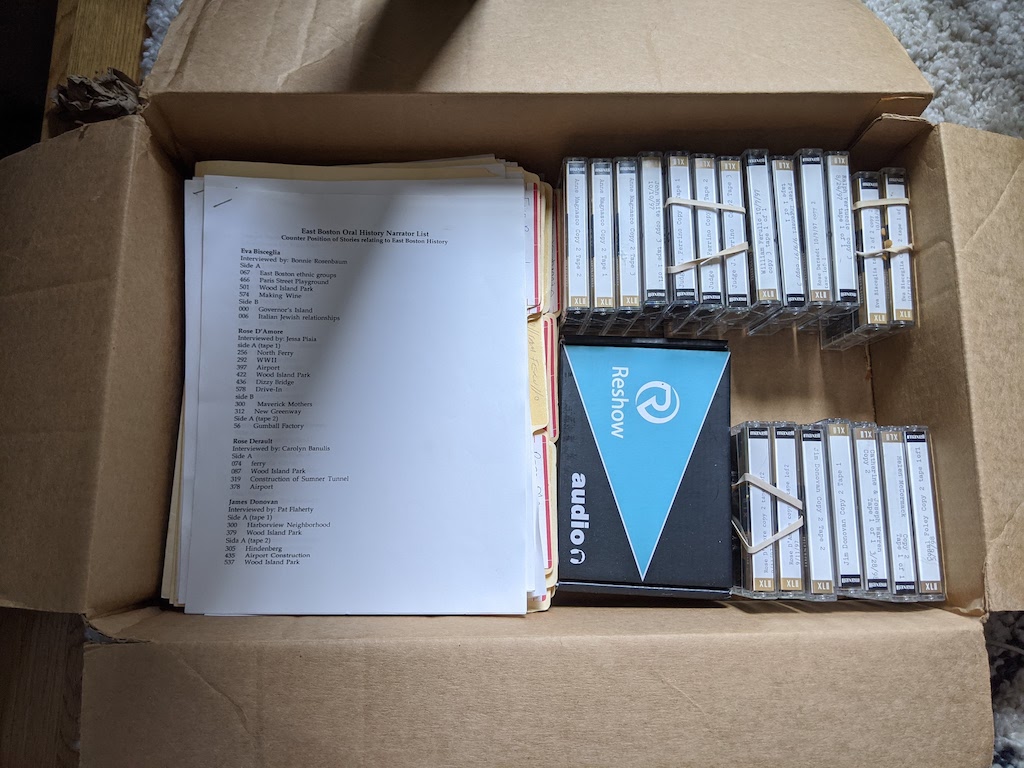 Box of tapes
The first step as purchasing a cassette tape digitizer. Luckily the top result on Amazon had decent reviews, so within a few days a "Reshow Re-006 Super USB Cassette Capture" arrived. I expected to fuss around with drivers, but miraculously it worked as soon as I plugged in it's USB cable and configured the Audacity software to use it as input.
I put in the first tape and within a few clicks I was recording, except I hadn't yet figured out timed recording so I babysat it for 90-minutes. Turns out Audacity has a "Timer Record" function for exactly this purpose. Once it was captured, I discovered that the noise was significant. Luckily, Audacity once again had a "noise reduction" effect. It took me some time to figure it out, but as the instructions says, you select a few seconds of noise, click "get noise profile" then select the entire track and do "Noise Reduction..." On my 2016 MacBook, it takes about 1 second to process 1 minute of audio. The results were mixed, until I discovered that it is very important to select a good sample, and often the best sample was in between sides A and B (not at the beginning, since a "good" sample is one that has the feedback from the moving tape, but no voices. I also didn't understand at first that "Save" meant keeping a lossless copy of the audio (which requires a couple gigabytes of disk space for a 90 minute tape.) I decided to apply the "Loudness Normalization" filter too, although I'm not sure it changed much. Then I exported to a variable rate MP3.
The next challenge was labels, which are named points in time. Around 1998, the project team carefully noted counter positions for noteworthy topics. Even once I discovered that a "counter" meant a revolution of the spool, I still wasn't sure how to convert them to timestamps. The problem is illustrated below, where the figure highlights the fact that early in the tape a single revolution might contain several seconds of audio, whereas an almost empty spool contains barely 1 second. So, its non-linear and you need some polynomial formula solution.
Box of tapes
The first step as purchasing a cassette tape digitizer. Luckily the top result on Amazon had decent reviews, so within a few days a "Reshow Re-006 Super USB Cassette Capture" arrived. I expected to fuss around with drivers, but miraculously it worked as soon as I plugged in it's USB cable and configured the Audacity software to use it as input.
I put in the first tape and within a few clicks I was recording, except I hadn't yet figured out timed recording so I babysat it for 90-minutes. Turns out Audacity has a "Timer Record" function for exactly this purpose. Once it was captured, I discovered that the noise was significant. Luckily, Audacity once again had a "noise reduction" effect. It took me some time to figure it out, but as the instructions says, you select a few seconds of noise, click "get noise profile" then select the entire track and do "Noise Reduction..." On my 2016 MacBook, it takes about 1 second to process 1 minute of audio. The results were mixed, until I discovered that it is very important to select a good sample, and often the best sample was in between sides A and B (not at the beginning, since a "good" sample is one that has the feedback from the moving tape, but no voices. I also didn't understand at first that "Save" meant keeping a lossless copy of the audio (which requires a couple gigabytes of disk space for a 90 minute tape.) I decided to apply the "Loudness Normalization" filter too, although I'm not sure it changed much. Then I exported to a variable rate MP3.
The next challenge was labels, which are named points in time. Around 1998, the project team carefully noted counter positions for noteworthy topics. Even once I discovered that a "counter" meant a revolution of the spool, I still wasn't sure how to convert them to timestamps. The problem is illustrated below, where the figure highlights the fact that early in the tape a single revolution might contain several seconds of audio, whereas an almost empty spool contains barely 1 second. So, its non-linear and you need some polynomial formula solution.
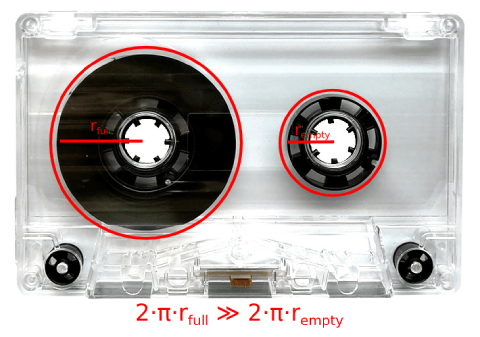 A clear cassette highlight the problem of converting counters to times.
The final formula isn't that tough, but it took me longer than I'm willing to admit to get there.
# La Crosse Weather Station & PWS
Last Sunday I tinkered my way through getting my Dad's [La Crosse Wireless Wind and Weather Station][1] onto the Weather Underground Personal Weather Station Network (PWS.)
The PWS supports many weather stations natively, but not LTV-WSDTH03. However the [PWS upload protocol][2] is pretty simple, and the observations get to the [La Crosse View app][3], so I thought must be possible to glue together a solution. It was possible.
I published the code at . The whole thing is only 273 SLOC and does very little other than connect to APIs.
`index.php` implements the retrieval and upload flow. Since the observation retrieval takes a `from` time, it polls the PWS API to find the last uploaded observation time, and includes that in the call to retrieve the observation feed, then uploads that.
I thought the structure of the feed JSON was too cumbersome (sort of columnar) so there is a method to transform it to more of a `pandas` "split" structure.
[1]: https://www.costco.com/la-crosse-wireless-wind-and-weather-station.product.100671015.html
[2]: https://support.weather.com/s/article/PWS-Upload-Protocol?language=en_US
[3]: https://play.google.com/store/apps/details?id=com.lacrosseview.app&hl=en_US&gl=US
# text.npr.org is fast!
When you first visit [text.npr.org][1] it is jarring to see no heading, graphics, columns or other such things that news sites offer. I don't like that, and find it off-putting. But when it comes time to actually read an article it REALLY shines, as highlighted by the screenshot below. In almost imperceptible 31ms an article is completely loaded and renders, plus the first 3-4 paragraphs are visible "above the fold." The exact same article on npr.org takes 2.75s seconds to load and render and exactly zero paragraphs are visible above the fold. [text.npr.org][1] is awesome!
You can see the stats at the bottom of the screenshot where I have Dev Tools open. The text version's single request is astonishingly fast to connect, download and render. Conversely, the rich site involves requests for 24 xhr, 37 scripts, 8 stylesheets, 69 images, 3 fonts and 5 frames.
[
A clear cassette highlight the problem of converting counters to times.
The final formula isn't that tough, but it took me longer than I'm willing to admit to get there.
# La Crosse Weather Station & PWS
Last Sunday I tinkered my way through getting my Dad's [La Crosse Wireless Wind and Weather Station][1] onto the Weather Underground Personal Weather Station Network (PWS.)
The PWS supports many weather stations natively, but not LTV-WSDTH03. However the [PWS upload protocol][2] is pretty simple, and the observations get to the [La Crosse View app][3], so I thought must be possible to glue together a solution. It was possible.
I published the code at . The whole thing is only 273 SLOC and does very little other than connect to APIs.
`index.php` implements the retrieval and upload flow. Since the observation retrieval takes a `from` time, it polls the PWS API to find the last uploaded observation time, and includes that in the call to retrieve the observation feed, then uploads that.
I thought the structure of the feed JSON was too cumbersome (sort of columnar) so there is a method to transform it to more of a `pandas` "split" structure.
[1]: https://www.costco.com/la-crosse-wireless-wind-and-weather-station.product.100671015.html
[2]: https://support.weather.com/s/article/PWS-Upload-Protocol?language=en_US
[3]: https://play.google.com/store/apps/details?id=com.lacrosseview.app&hl=en_US&gl=US
# text.npr.org is fast!
When you first visit [text.npr.org][1] it is jarring to see no heading, graphics, columns or other such things that news sites offer. I don't like that, and find it off-putting. But when it comes time to actually read an article it REALLY shines, as highlighted by the screenshot below. In almost imperceptible 31ms an article is completely loaded and renders, plus the first 3-4 paragraphs are visible "above the fold." The exact same article on npr.org takes 2.75s seconds to load and render and exactly zero paragraphs are visible above the fold. [text.npr.org][1] is awesome!
You can see the stats at the bottom of the screenshot where I have Dev Tools open. The text version's single request is astonishingly fast to connect, download and render. Conversely, the rich site involves requests for 24 xhr, 37 scripts, 8 stylesheets, 69 images, 3 fonts and 5 frames.
[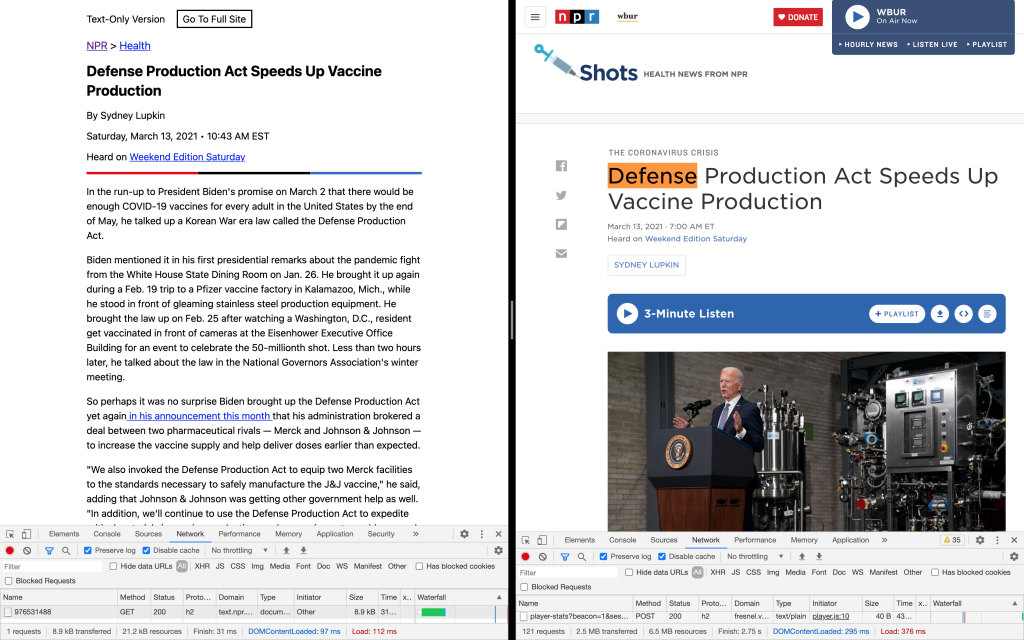 ][2]
[1]: https://text.npr.org
[2]: https://nattaylor.com/wp-content/uploads/2021/03/Screen-Shot-2021-03-13-at-4.51.28-PM.png
# Power Tool Battery Compatibility Chart
Compatibility chart for power tool battery adapters with buy links, so that (e.g.) your DeWalt batteries and Ryobi tools are interchangeable with an adapter.
DeWalt20V Tool
B&D 20V20V Tool
Milwaukee18V Tool
Ryobi18V Tool
DeWalt 20V Battery
X
$21*
$14
$11
Black & Decker 20V Battery
$21
X
$22
$16
Milwaukee M18 Battery
$19
$20
X
$18
Ryobi 18V Battery
$18
$24
$18
X
Power Tool Battery Compatibility Chart. Last updated on 1/31/2024.
[Report an issue][1]. #ad [
][2]
[1]: https://text.npr.org
[2]: https://nattaylor.com/wp-content/uploads/2021/03/Screen-Shot-2021-03-13-at-4.51.28-PM.png
# Power Tool Battery Compatibility Chart
Compatibility chart for power tool battery adapters with buy links, so that (e.g.) your DeWalt batteries and Ryobi tools are interchangeable with an adapter.
DeWalt20V Tool
B&D 20V20V Tool
Milwaukee18V Tool
Ryobi18V Tool
DeWalt 20V Battery
X
$21*
$14
$11
Black & Decker 20V Battery
$21
X
$22
$16
Milwaukee M18 Battery
$19
$20
X
$18
Ryobi 18V Battery
$18
$24
$18
X
Power Tool Battery Compatibility Chart. Last updated on 1/31/2024.
[Report an issue][1]. #ad [ ][2]
I use the adapter with the * above all the time to power my Black and Decker tools with my DeWalt batteries. I've been using a similar [$10 adapter][3] to power my DeWalt 18V tools with my DeWalt 20V batteries for years, which even [DeWalt manufactures now][4]. You can even interchange DeWalt 20V Batteries:
][2]
I use the adapter with the * above all the time to power my Black and Decker tools with my DeWalt batteries. I've been using a similar [$10 adapter][3] to power my DeWalt 18V tools with my DeWalt 20V batteries for years, which even [DeWalt manufactures now][4]. You can even interchange DeWalt 20V Batteries:
<button onclick="document.querySelector('#demo').classList.toggle('demo')">Demo</button>
<table id="demo">
<thead><tr><th>foo</th><th>bar</th><th>baz</th></tr></thead>
<tbody>
<tr>
<td data-label="foo">lorem ipsum dolor blah blah foo bar</td>
<td data-label="bar">lorem ipsum dolor blah blah foo bar</td>
<td data-label="baz">lorem ipsum dolor blah blah foo bar</td>
</tr>
<tr>
<td data-label="foo">lorem ipsum dolor blah blah foo bar</td>
<td data-label="bar">lorem ipsum dolor blah blah foo bar</td>
<td data-label="baz">lorem ipsum dolor blah blah foo bar</td>
</tr>
<tr>
<td data-label="foo">lorem ipsum dolor blah blah foo bar</td>
<td data-label="bar">lorem ipsum dolor blah blah foo bar</td>
<td data-label="baz">lorem ipsum dolor blah blah foo bar</td>
</tr>
<tr>
<td data-label="foo">lorem ipsum dolor blah blah foo bar</td>
<td data-label="bar">lorem ipsum dolor blah blah foo bar</td>
<td data-label="baz">lorem ipsum dolor blah blah foo bar</td>
</tr>
</tbody>
</table>
<style>
td {border:1px solid black}
.demo td {border: 0; display:block;}
.demo td::before {content: attr(data-label) ": ";color:#666;}
.demo thead {display:none;}
.demo tr {border-radius:0.5em;padding:0.5em;border:1px solid black;display:block;margin-bottom:1em;}
</style>
# Backing Up Google Authenticator
It's a best practice to secure your accounts with multi-factor authentication for extra protection in the case of a password leak, or something. Time-based one-time passwords (TOTP) are a common approach, and Google Authenticator is very common, but it does not allow backups natively, which you may need in case you lose your phone, or something. Here's how:
1. Go to ⠇>Transfer Accounts > Export Accounts and literally take a picture of the QR code (since screenshots aren't allowed.) This will contain all the info you need, in an encoded form of URIs like this otpauth://totp/Example:alice@google.com?secret=JBSWY3DPEHPK3PXP&issuer=Example ([more info here][1])
2. Decode the QR codes. I choose to `brew install zbar pngpaste` then `alias qrpaste='zbarimg -q --raw <(pngpaste -)'` and take screenshots of the pictures I took with Photo Booth
3. Get https://github.com/dim13/otpauth (Note: on MacOS you make need to `xattr -d com.apple.quarantine otpauth`)
4. Pass the decoded strings from step 2 into optauth (e.g. `./otpauth -link "otpauth-migration://offline?data=stuffhere"`)
5. Now you'll have URIs that you can backup and use.
It's a good idea to encrypt these!
[1]: https://github.com/google/google-authenticator/wiki/Key-Uri-Format
# Jupyter Notebook Virtual Environment
It is simple as the following to use a virtual environment for a Jupyter Notebook
python -m venv myname
source myname/bin/activate
(myname) python -m ipykernel_launcher install --user --name=myname
(myname) jupyter kernelspec list
I have grossly polluted my system's global python installation with tons of packages, which makes writing shareable Notebooks difficult since `pip -freeze` so this is a better approach.
# WordPress Dev with wp-sqlite-db
Recently I wanted to do a little WordPress development, but also avoid running MySQL Server and Apache Server. I thought of using a VM, but discovered the VirtualBox isn't supported on M1 Macs. Turns out, all you need is PHP (<8.0*) and SQLite, thanks to
1. Get the latest WordPress
2. Drop in db.php
3. Move wp-config-sample.php to wp-config.php
4. Run `php -S`
That's it!
*PHP8 throws type checking errors, so I resorted to PHP 7.4
# Jupyter PHP Kernel on MacOS in 2022
Recently, I wanted to muck around with PHP interactively in Jupyter with and had a tough time getting it configured on MacOS Monterey 12.6 due to PATH issues which manifested as `env: php: No such file or directory` entries in the jupyter log ...but PHP was in my PATH so I wasn't sure how to proceed.
Finally I noticed the following in the log, so I could see the PATH being used (and rather than fix it) I just worked around it with the following:
* `ln -s /opt/homebrew/Cellar/php/8.1.13/bin/php /Users/ntaylor/.pyenv/versions/3.11.0/bin`
* `ln -s /Users/ntaylor/.composer/vendor/bin/jupyter-php-kernel /Users/ntaylor/.pyenv/versions/3.11.0/bin`
That was that.
[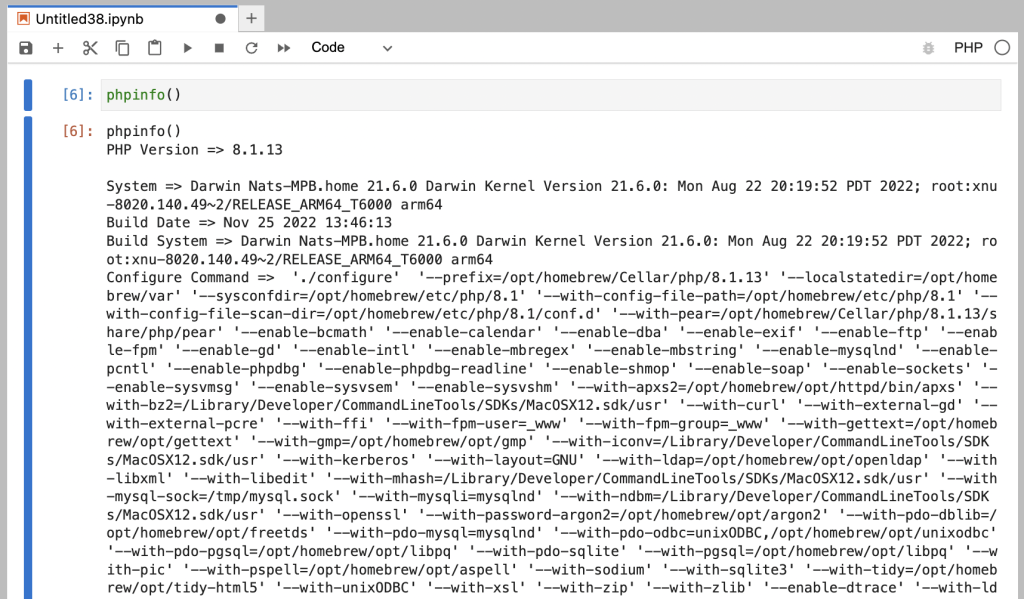 ][1]
][1]
[E 2022-11-26 21:40:28.983 ServerApp] Failed to run command:
    ['jupyter-php-kernel', '-r', '-c', '/Users/ntaylor/Library/Jupyter/runtime/kernel-a6f883a5-1bee-4c2b-9ca8-1aef8a22cc1d.json']
        PATH='/Users/ntaylor/.pyenv/versions/3.11.0/bin:/opt/homebrew/Cellar/pyenv/HEAD-44510a6/libexec:/opt/homebrew/Cellar/pyenv/HEAD-44510a6/plugins/python-build/bin:/usr/bin:/bin:/usr/sbin:/sbin'
        with kwargs:
    {'stdin': -1, 'stdout': None, 'stderr': None, 'cwd': '/Users/ntaylor/notebooks/workbench', 'start_new_session': True}
[1]: https://nattaylor.com/wp-content/uploads/2022/11/image.png
# Jupyter Service on MacOS
I use Jupyter enough that I want it to be always running on my Mac, particularly after restarts. Here is how to configure it as a service.
1. Put the following XML into `~/Library/LaunchAgents/local.jupyter.plist`
2. Run `launchctl load ~/Library/LaunchAgents/local.jupyter.plist`
And that's that. I used the full path since `launchctl` was cranky.
<?xml version="1.0" encoding="UTF-8"?>
<!DOCTYPE plist PUBLIC "-//Apple Computer//DTD PLIST 1.0//EN" "http://www.apple.com/DTDs/PropertyList-1.0.dtd">
<plist version="1.0">
<dict>
   <key>Label</key>
   <string>local.jupyter</string>
   <key>ProgramArguments</key>
   <array>
      <string>/Users/ntaylor/.pyenv/shims/jupyter</string>
      <string>lab</string>
      <string>--no-browser</string>
      <string>--NotebookApp.token</string>
      <string>''</string>
      <string>--NotebookApp.password</string>
      <string>''</string>
      <string>--notebook-dir</string>
      <string>/Users/ntaylor/notebooks</string>
   </array>
   <key>WorkingDirectory</key>
   <string>/Users/ntaylor</string>
   <key>RunAtLoad</key>
   <true/>
   <key>StandardOutPath</key>
   <string>/Users/ntaylor/.jupyter/jupyter.log</string>
   <key>StandardErrorPath</key>
   <string>/Users/ntaylor/.jupyter/jupyter.log</string>
</dict>
</plist>
# Python Packaging
Recently I needed to make a little toy Python library pip install-able, which I expected to be very intimidating, but is actually quite simple. The simplest path I found is:
1. Structure your package as follows in the filesystem
2. Create a minimal `pyproject.toml`
3. Run `python -m build`
That's it. Now to install, run `pip install dist/mypackage-0.0.1-py3-none-any.whl`
├── mypackage
│   └── __init__.py
├── pyproject.toml
[build-system]
requires = ["setuptools>=61.0"]
build-backend = "setuptools.build_meta"

[project]
name = "mypackage"
version = "0.0.1"
# pyenv for Simple Python Version Management
Python has an incredible ecosystem, but version management can be a chore even for things as simple as having to run `python3` from the command line. `pyenv` (https://github.com/pyenv/pyenv) is a simple solution which can be as simple as:
1. `brew install pyenv`
2. Now modify your `~/.zshrc` (or whatever) with:
* `export PYENV_ROOT="$HOME/.pyenv"`
* `export PATH="$PYENV_ROOT/bin:$PATH"`
3. `pyenv install 3.11` (or whatever version you want)
4. And if you're me `pyenv global 3.11`
That's it. No more `python3` non-sense.
What I really like about `pynev` is that it's just shell scripts, so it is easy to get rid of, if needed.
# pip-chill for clean diffs of requirements.txt
`pip-chill` () makes `requirements.txt` just show the packages you explicitly import, which I prefer to the default behavior of `pip freeze` since it makes diffs cleaner.
Just run `pip-chill --no-version --no-chill` and you'll get a minimal list like this, instead of like the long list below the first list. It might be a little risky to omit version numbers... so sue me.
<code>pip-chill --no-version --no-chillgspread
multiprocess
requests-mock
snowflake-connector-python
tqdm</code>
pip freeze
asn1crypto==1.5.1
cachetools==5.2.0
certifi==2022.9.24
cffi==1.15.1
charset-normalizer==2.1.1
cryptography==38.0.3
dill==0.3.6
filelock==3.8.0
google-auth==2.14.1
google-auth-oauthlib==0.7.1
gspread==5.6.2
idna==3.4
multiprocess==0.70.14
oauthlib==3.2.2
oscrypto==1.3.0
pip-chill==1.0.1
pyasn1==0.4.8
pyasn1-modules==0.2.8
pycparser==2.21
pycryptodomex==3.15.0
PyJWT==2.6.0
pyOpenSSL==22.1.0
pytz==2022.6
requests==2.28.1
requests-mock==1.10.0
requests-oauthlib==1.3.1
rsa==4.9
six==1.16.0
snowflake-connector-python==2.8.1
tqdm==4.64.1
typing_extensions==4.4.0
urllib3==1.26.12
# Espanso Text Expander
I thrive of taking shortcuts, so [expanding text is Espanso][1] brings me great joy. I type `:l7d` and it gets replaced with `dateadd(day, -7, current_date)` and I think that's awesome. Get started with:
1. `brew tap espanso/espanso`
2. `brew install espanso`
3. `xattr -d com.apple.quarantine Applications/Espanso.app` (Otherwise MacOS will prevent you from opening the app due to faulty code signing)
4. Add a trigger to `code /Users/ntaylor/Library/Application Support/espanso/match/base.yml` (example below)
That's it -- you're ready to expand!
- trigger: ":l7d"
  replace: "dateadd(day, -7, current_date)"
[1]: https://espanso.org/
# Favorite Tools from Howl’s Stack
In addition to common tools like Slack, JIRA, Github and Google Workspace, my employer Howl has a couple of tools which I find extremely valuable (amongst the sea of countless tools.)
[**Git Integration for Jira**][1] links issues to branches when the branch name contains the issuekey. This helps answer the question "what code changes came from this ticket?" which is useful for tracking down why a change was made, or for determining how progress on a ticket is going without bugging the developer.
[**Go links with Trotto**][2] (e.g. http://go/foo) make memorable links for important stuff. In a remote first world there's a sea of links, and go links really help make things accessible. The mental strain of remembering a substring of a URL or the thread/message/whatever in which it was posted, is replaced with intuitive short links like go/sql (which in our case brings you to the SQL Runner UI)
[**1Password**][3] is just another password manager, but it's functional and having one is indispensable.
## Data
[**Looker**][4] is the best BI tool I've ever used. I think the flow of Dashboard --> Tile --> Look/Explore --> SQLRunner is a great way to consume data, flowing from highly opinionated to raw.
**[FiveTran][5]** excels at moving data around and can be cheap if you avoid data sources with frequent updates. "If it doesn't dashboard, it doesn't matter" is the approach I'm taking for building out our data culture, and FiveTran makes it easy to plumb third-party tools into our data warehouse.
Storing data in AWS (S3) and loading with Snowflake (Snowpipe) is a simple pattern to build data pipelines around
[1]: https://marketplace.atlassian.com/apps/4984/git-integration-for-jira
[2]: https://www.trot.to/
[3]: https://1password.com/
[4]: https://www.looker.com/
[5]: https://www.fivetran.com/
# Product Management Sunday Reading
Recently I read something about having a set of essays to re-read on Sunday's and I'm finally getting around to putting together a list. This succinct list has helped ground me in my career when I doubt myself.
[Good Product Manager, Bad Product Manager][1] This is the classic from Ben Horowitz about what it takes to be a good PM.
[The product manager's lament][2] This was presciently written in 2008 proposing 1) product trios 2) team focus and 3) product briefs -- which are now widely adopted at the companies I've worked at. I like it because it's a good reminder of why concise communication is so critical to good product management.
[Be a Great Product Leader][3] The conclusion here sticks with me: "great product managers make things happen," plus I like to think of myself as a "force-multiplier."
[We Don’t Sell Saddles Here][4] This is a great memo about what to build, how to sell it and more. I like it because it's a good reminder that there's a lot more to good product management than just shipping.
[1]: https://sriramk.com/memos/Ben_Horowitz_Good_Product_Manager_Bad_Product_Manager.pdf
[2]: http://www.startuplessonslearned.com/2008/10/product-managers-lament.html
[3]: https://adamnash.blog/2011/12/16/be-a-great-product-leader/
[4]: https://medium.com/@stewart/we-dont-sell-saddles-here-4c59524d650d
# Adding your own man pages
I confess that there's some stuff I do on the command line that I immediately forget, and then find myself weeks later Googling for the same things. For a time I adopted a convention of having a simple `help` function in my `~/.zshrc` to help remember, but now I've adopted man pages. So if you want your own:
1. `mkdir -p ~/man/man1`
2. Add to `~/.zshrc` the line `export MANPATH="$MANPATH:/Users/username/man"`
3. Add an entry `pbpaste > man/man1/foo.1`
Now so long as I write myself a note in my manual, then I can run `man ntaylor` to remind myself! I like this because it's memorable.
It also has me thinking that it might be cool to install `man ` on new developer laptops with tips and tricks, or something.
[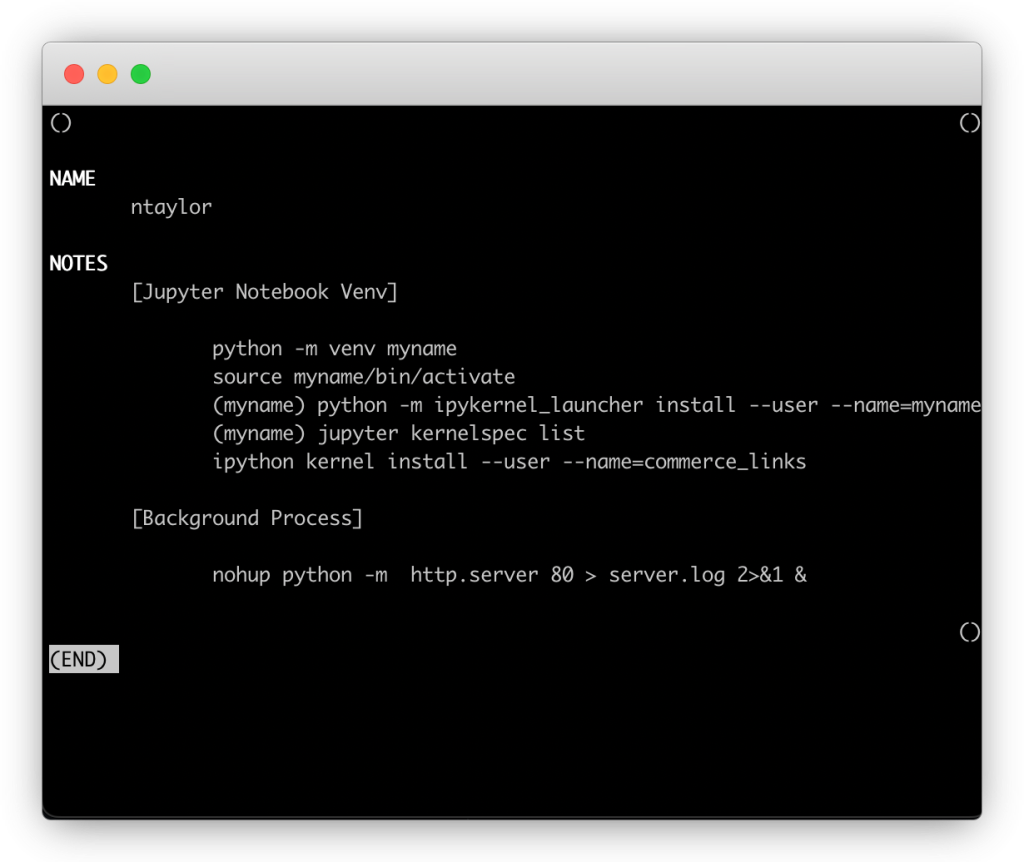 ][1]
In my case I used `pandoc` (which you can [try online][2]) to convert from Markdown to man format.
][1]
In my case I used `pandoc` (which you can [try online][2]) to convert from Markdown to man format.
.SH NAME
.PP
ntaylor
.SH SYNOPSIS
.PP
ntaylor [\f[I]options\f[R]] [\f[I]input-file\f[R]]\&...
.SH DESCRIPTION
.PP
[Jupyter Notebook Venv]
.IP
.nf
\f[C]
python -m venv myname
source myname/bin/activate
(myname) python -m ipykernel_launcher install --user --name=myname
(myname) jupyter kernelspec list
ipython kernel install --user --name=commerce_links
\f[R]
.fi
.PP
[Background Process]
.IP
.nf
\f[C]
nohup python -m  http.server 80 > server.log 2>&1 &
\f[R]
.fi
[1]: https://nattaylor.com/wp-content/uploads/2022/12/frame_generic_light-43.png
[2]: https://pandoc.org/try/
# Snowflake array_agg & object_agg Performance
Recently I needed to aggregate some rows in SQL, and then check for the membership of an ID in the aggregated row. I first turned to creating a table as select using `array_agg()` and the querying it with `array_contains()` The performance was OK for a month so I thought it was done, but when I tried to backfill a year I hit a major performance bottleneck. It took over 37 minutes for a dedicated 2XL cluster to finish a CTAS statement that scanned just 36GB of data!
After some panic and head scratching, I re-implemented it with `object_agg()` and `is_null_value()` resulting in an 86x speed up of the CTAS and a 23x speed up of SELECTs. Within the CTAS, 2,000 seconds and 16 seconds were spent on processing respectively on the same 36GB of data!
I've included some similar toy SQL and a bunch of the query profile metrics below, but this basically came down to:
1. `select id,array_agg(cid) from foo group by 1`;
2. `select id,object_agg(cid, 1) from foo group by 1;`
(Note: I wanted to future-proof the inclusion of new `cid` so I didn't want to explode out into structured columns for each `cid`. I did not really consider using `pivot()` but maybe that would have been good. My `array_agg()` implementation assumes that `cid` don't repeat, which turns out to be not the case so `array_agg(distinct cid)` would have been better. I didn't guarantee lab-like benchmarking conditions, although things are pretty similar)
## Contemplating The Performance Differences
Snowflake support said the difference was due to "data skew" but I wonder if there's more to it.
They weren't wrong! A few of the arrays had 100s of elements. ARRAY_SIZE(ID_ARRAY) _ROWS 1 755,177 2 89,542 3 21,348 4 14,062 5 3,668 6 3,337 7 784 8 1,308 9 198 ... ... 42 7 49 49 75 75 177 177 284 284 454 454 My suspicion is that handling of objects versus arrays also comes into play, with objects being much more efficient. It could also be the time for hashmap lookup versus array contains, but these arrays are usually short. On objects, Snowflake saysWhen I checked your query most of the time was spent on data skew, due to this, not all the worker's nodes not utilized to their full extent. With the change, you made the data is evenly distributed across the nodes and so it is much faster.
— Snowflake Support
On arrays, Snowflake says:Frequently common paths are detected, projected out, and stored in separate (typed and compressed) columns in table file
The Snowflake Elastic Data Warehouse
So we don't know exactly what's going on, but we can conclude that in my query: * For `array_agg()` we end up with a single column with difficult to compress arrays. Plus the partition stats probably don't really work, since for an array, how do you calculate: min/max values, distinct values, sum, histogram, # nulls, dictionary, bloom filters etc. * For `object_agg()` we (probably) end up with many different columns of easier to compress 1s and nulls which are easy to calculate stats on too. This is evident in the amount of data we have to scan for otherwise identical SELECT statements, which is about 3x lower for the `object_agg()` table. I have come to the obvious conclusion to prefer `object_agg()` over `array_agg()` when possible! ## CTAS Query Stats Here are the metrics for the CTAS statements, where it is evident that while scanning the same amount of bytes, the `array_agg()` approach was 86x slower than the `object_agg()` approach. It was curious to me that so much of the time was spent on the CTAS, and not on the processing that took place before hand doing the SELECT steps. Spillage is known to be slow and surely contributed here, but the biggest difference is 2,000 seconds of processing versus just 16 seconds for the same input data! Mertic array_agg object_agg Total Execution Time 2607 30 Bytes scanned 36.40GB 36.44GB Percentage scanned from cache 5.16% 5.16% Bytes written 2.74GB 2.58GB Bytes sent over the network 36.65GB 33.27GB Partitions scanned 27798 27798 Partitions total 115627 115627 Bytes spilled to local storage 31.86GB 6.91GB Processing 84.80% 56.00% Local Disk I/O 0.20% 1.90% Remote Disk I/O 34.80% Network Communication 2.10% Synchronization 2.10% 3.00% Initialization 12.90% 2.30% Scan progress 100.00% 100.00% Most Expensive Nodes CreateTableAsSelect 80.6%Sort 6.5% TableScan 41.7%Aggregate 18.4%CreateTableAsSelect 14.6% CTAS Query Stats ## SELECT Query Stats Here are the stats for SELECT queries using `array_contains()` versus `is_null_value(ID_OBJECT.test)` It's 23x faster! It scans less data! And there's WAY less processing. What's also very revealing is the columns. As promised, Snowflake does not need to scan the entire `ID_OBJECT` column, and instead did its thing with extracting common paths (1337 in this example) into columns and just scanning that. Metric array_contains is_null_value Total Execution Time 153 6.6 Bytes scanned 147.33MB 47.31MB Percentage scanned from cache 0.00% 0.00% Bytes sent over the network 1.40MB 2.45MB Partitions scanned 81 70 Partitions total 298 256 Processing 88.70% 2.50% Local Disk I/O 0.30% Synchronization 0.40% Remote Disk I/O 56.90% Initialization 10.90% 40.30% Scan progress 100.00% 100.00% Columns EVENT_DATEIDID_ARRAY EVENT_DATEMERCH_IDGET_PATH(ID_OBJECT, '["1337"]') (Extracted Variant Path) Most Expensive Nodes TableScan 89.1% TableScan 59.7% SELECT Query Stats ## Clustering Info Here's the clustering info, where there's a similar amount of micro-partitions but it's evident that `object_agg()` approach has better (fewer) overlaps and better (less) depth. Most notably, there are a few overlaps with very high depth -- so these don't help. cluster_by_keys LINEAR( event_date, ARRAY_CONTAINS(CAST(1125 AS VARIANT), ID_ARRAY) ) LINEAR( event_date, coalesce(IS_NULL_VALUE(ID_OBJECT['1125']),TRUE) ) total_partition_count 298 256 total_constant_partition_count average_overlaps 3.698 1.7031 average_depth 4.0336 2.0234 partition_depth_histogram 1 3 4 2 238 242 3 10 10 4 6 5 6 7 8 9 8 10 11 12 13 12 14 15 16 32 21 Clustering Info The following SQL is an example of what I'm talking about, but with 300e6+ rows.For better pruning and less storage consumption, we recommend flattening your OBJECT and key data into separate relational columns if your semi-structured data includes: Arrays
Considerations for Semi-structured Data Stored in VARIANT
WITH auctions AS (
  SELECT
    $1 AS auction_id,
    $2 AS participant_id
  FROM VALUES
    (1, 123),
    (1, 456),
    (1, 789),
    (2, 123),
    (2, 789)
), agg AS (
  SELECT
    auction_id,
    ARRAY_AGG(participant_id) AS array,
    OBJECT_AGG(participant_id, 1) AS obj
  FROM auctions
  GROUP BY
    1
)
SELECT
  auction_id,
  ARRAY_CONTAINS(CAST(456 AS VARIANT), array) AS array_contains,
  COALESCE(IS_NULL_VALUE(obj['456']), TRUE) = FALSE AS object_key
FROM agg;
# UserScripts and ReactJS Forms
Recently I need to auto-fill a form with a UserScript in a React application. I discovered that `$("input").value="foo"` didn't play nice with React (which I guess makes sense because of state management ...I guess) so here's the alternative I came up with:
function setNativeValue(element, value) {
  const valueSetter = Object.getOwnPropertyDescriptor(element, 'value').set;
  const prototype = Object.getPrototypeOf(element);
  const prototypeValueSetter = Object.getOwnPropertyDescriptor(prototype, 'value').set;

  if (valueSetter && valueSetter !== prototypeValueSetter) {
      prototypeValueSetter.call(element, value);
  } else {
      valueSetter.call(element, value);
  }
}

window.addEventListener('load', function() {
  let username = document.querySelector('input[type=text]');
  setNativeValue(username, 'admin');
  username.dispatchEvent(new Event('input', { bubbles: true }));
})
# Working with a Trumba Calendar
Recently I got fed up with my YMCA's calendar due to all the stuff they overlay on it. They use Trumba (Trumba offers web-hosted event calendar software for publishing online, interactive, calendars of events) who it turns out have a [pretty nice API][1].
The trick is getting the calendar's "webName" which I get from searching sources in DevTools, then the URL is as simple as `https://www.trumba.com/calendars/northshore-ymca.json?startdate=20221206&days=7` (and they also support other formats.)
I only wanted events for one location and certain event titles, so I added a bit for that.
[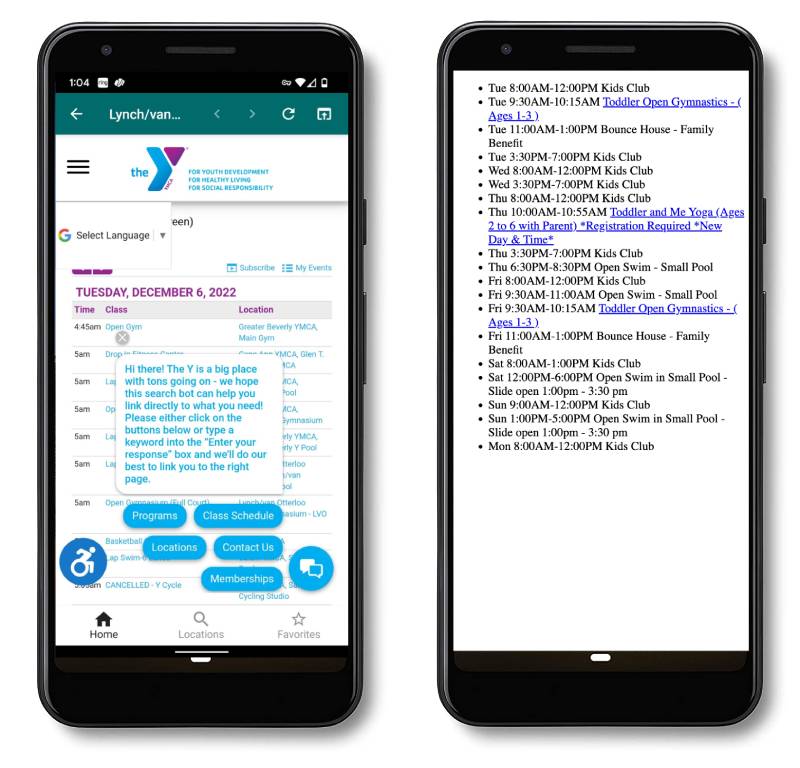 ][2]
][2]
"""Get calendar info for the Northshore YMCA

@see https://www.trumba.com/help/api/customfeedurls.aspx"""

import requests
import datetime
import dataclasses

@dataclasses.dataclass
class Event:
    title: str = None
    start: datetime.datetime = None
    end: datetime.datetime = None
    permaLinkUrl: str = None
    signUpUrl: str = None

    def __init__(self, **kwargs):
        self.title = kwargs.get('title')
        self.start = datetime.datetime.fromisoformat(kwargs.get('startDateTime'))
        self.end = datetime.datetime.fromisoformat(kwargs.get('endDateTime'))
        self.permaLinkUrl = kwargs.get('permaLinkUrl')
        if 'signUpUrl' in kwargs:
            self.signUpUrl = kwargs.get('signUpUrl')

    def time(self, bound):
        if bound=='day':
            return self.start.strftime('%a')
        return getattr(self, bound).strftime('%I:%M%p').lstrip('0')


today = datetime.datetime.now().strftime('%Y%m%d')
# _1568936_ is for the Marblehead YMCA
r = requests.get(f"https://www.trumba.com/calendars/northshore-ymca.json?startdate={today}&days=7&previousweeks=0&filter3=_1568936_").json()


events_of_interest = [
    'Open Swim - Small Pool',
    'Toddler Open Gymnastics',
    'Bounce House',
    'Kids Club',
    'Open Swim in Small Pool',
    'Toddler and Me Yoga',
]
for i, e in enumerate(r):
    ev = Event(**e)
    if any([t in ev.title for t in events_of_interest]) and 'Adult Open Swim' not in ev.title:
        if ev.signUpUrl:
            title = f"<a href={ev.signUpUrl}>{ev.title}</a>"
        else:
            title = ev.title
        print("<li>{day} {start}-{end} {title}</li>".format(title = title, start=ev.time('start'), end=ev.time('end'), day=ev.time('day')))
[1]: https://www.trumba.com/help/api/customfeedurls.aspx
[2]: https://nattaylor.com/wp-content/uploads/2022/12/ymca.jpg
# Move Gmail Toolbar
The location of the on-hover buttons for archive, trash, mark-as-read and snooze in GMail annoys me because its alllllllllllllllllllllllllllllllllll the way across the screen from the checkbox, star and important buttons. I wrote a userscript to move it to the left where it should be.
[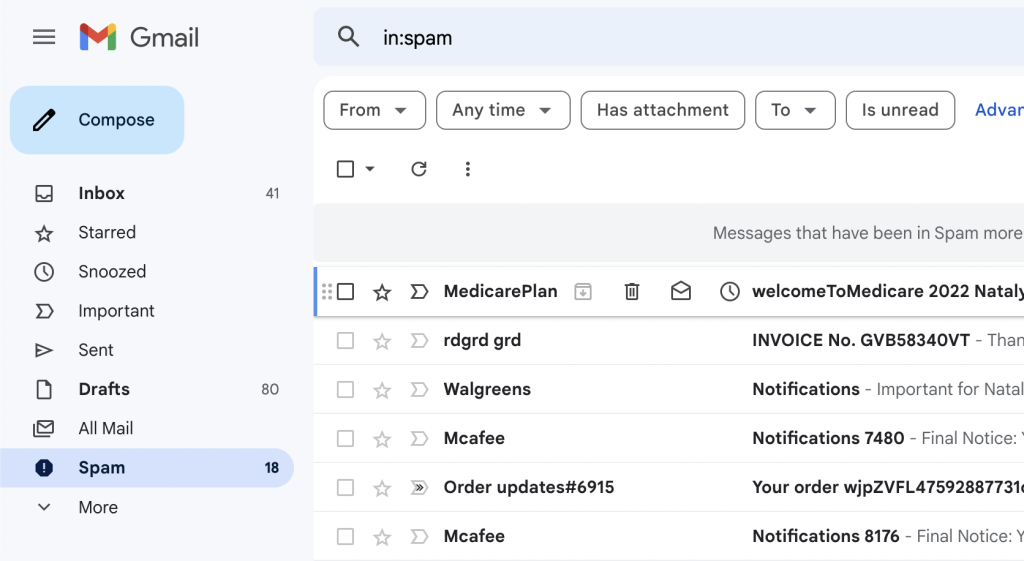 ][1]Screenshot of the moved GMail toolbar
It just appends a stylesheet. Miraculously these selectors seem to be stable for years!
][1]Screenshot of the moved GMail toolbar
It just appends a stylesheet. Miraculously these selectors seem to be stable for years!
// ==UserScript==
// @name         Move Gmail Toolbar
// @namespace    https://nattaylor.com
// @version      0.1
// @description  move the gmail message list toolbar to the left near the checkbox and star buttons
// @author       nattaylor@gmail.com
// @match        https://mail.google.com/mail/u/0/
// @icon         https://www.google.com/s2/favicons?sz=64&domain=google.com
// @grant        none
// ==/UserScript==

(function() {
    'use strict';

    window.addEventListener("load", (event) => {
        var style = document.createElement("style");
        style.textContent = `.zA>.xY.bq4 { left: 200px;    position: absolute; }
.zA>.yX { flex-basis: 220px;     max-width: 220px;    }`;
        document.body.appendChild(style);
    });

})();
[1]: https://nattaylor.com/wp-content/uploads/2022/12/image.png
# Duplicative unions in dbt
Recently I was implementing a dbt model that involved a `union all` of nearly identical 15-line queries and I wanted to avoid the duplicative code. It turns out to be an easy problem to solve with `format()`, which is a bit of Jinja that I wasn't familiar with.
I started with SQL something like the following, which involves almost the same exact code twice, although you have to use your imagination a bit to picture this as 30-lines of SQL.
select 'mytype' as class, foo, bar, baz, bat, bam
from foo
union all
select 'mytype2' as class, foo, bar, baz, bat, bam
from bar
The solution I came up with is as follows
{% set sql = "select '%s' as class, foo, bar, baz, bat, bam from %s"}
{{ sql|format("mytype", "foo")}}
union all
{{ sql|format("mytype2", "bar")}}
This is the power filters
# Duplicative time periods in dbt Imagine you're implementing a dbt model that requires columns of counts of things that occurred in a trailing 1, 7, 14, ...n day window. Worse yet you have to do this for 2 classes of things. You will need to implement basically the same SQL over 14 lines. Of course if you need to tweak the pattern, you have to edit in 14 places. Jinja's for-loops ([docs][1]) can save you. Below is an example of how to implement.Variables can be modified by filters. Filters are separated from the variable by a pipe symbol (
https://jinja.palletsprojects.com/en/3.0.x/templates/#filters|) and may have optional arguments in parentheses. Multiple filters can be chained. The output of one filter is applied to the next. The List of Builtin Filters below describes all the builtin filters.
{% set periods = [1, 7, 14, 30, 45, 60, 90, 365] %}
SELECT
  id,
  <strong>MIN</strong>(datetime_created) AS first_thing,
  <strong>MAX</strong>(datetime_created) AS last_thing,
  CAST(<strong>count</strong>(*)/<strong>count</strong>(distinct date_trunc('month', datetime_created)) AS INT) avg_monthly_things,
  {% for n in periods %}
    <strong>COUNT</strong>(iff(DATEDIFF(days, owner_datetime_created, datetime_created)<={{n}}, 1, null)) things_first_{{n}}_days,
  {% endfor %}
  {% for n in periods %}
    <strong>COUNT</strong>(iff(DATEDIFF(days, thing.datetime_created, current_timestamp)<={{n}}, 1, null)) things_last_{{n}}_days,
  {% endfor %}
  <strong>COUNT</strong>(*) AS things
FROM thing
GROUP BY id
asd
[1]: https://jinja.palletsprojects.com/en/3.0.x/templates/#for
# Live Jinja parser for dbt development
I'm unfamiliar with Jinja, so I was slow to harness it's power in dbt models. I'm also a REPL-maniac and discovering a live Jinja parser (http://jinja.quantprogramming.com/) was extraordinarily helpful for me. Instead of waiting for compilation errors from `dbt build` I can just drop a bit of Jinja into the live parser and see how it works.
[ ][1]
[1]: https://nattaylor.com/wp-content/uploads/2023/05/Screenshot-2023-05-27-at-6.19.05-PM.png
# dbt UDFs
At Howl we strive for reproducibility via dbt, so we needed a way to manage UDFs. For models we use macros, but we do a lot of adhoc SQL too for which UDFs are valuable.
Since we often run single models, the `on-run-start` solution from "[Using dbt to manage user defined functions][1]" was not ideal because it ran the UDFs every time.
We wanted a solution that defined the UDFs within macros that could be run on demand, which after much grumbling I determined requires the use of `run_query()`.
Here is what I came up with, which has been working great for many months now.
][1]
[1]: https://nattaylor.com/wp-content/uploads/2023/05/Screenshot-2023-05-27-at-6.19.05-PM.png
# dbt UDFs
At Howl we strive for reproducibility via dbt, so we needed a way to manage UDFs. For models we use macros, but we do a lot of adhoc SQL too for which UDFs are valuable.
Since we often run single models, the `on-run-start` solution from "[Using dbt to manage user defined functions][1]" was not ideal because it ran the UDFs every time.
We wanted a solution that defined the UDFs within macros that could be run on demand, which after much grumbling I determined requires the use of `run_query()`.
Here is what I came up with, which has been working great for many months now.
{% macro create_udfs() %}

{#
  Create some UDFs for to be used outside of dbt

  Usage:
    dbt run-operation create_udfs
#}

{%set sql %}
  {{ my_macro() }}

  grant usage
    on function {{ target.schema }}.my_macro(varchar)
    to role my_role;
{% endset %}

{% do run_query(sql) %}

{% do log("Created UDFs and granted privileges", info=True) %}

{% endmacro %}
[1]: https://discourse.getdbt.com/t/using-dbt-to-manage-user-defined-functions/18
# Aggregating Uniques in Snowflake
In pursuit of fast queries, we often want to pre-compute aggregated metrics, but this can be a challenge with counting unique values since they can't be summed (e.g. today's unique count + yesterday's unique count cannot be deduplicated). How can a data model support daily uniques and monthly uniques without storing a list of all the unique values?
Well, if perfect accuracy isn't a requirement, then we can use HyperLogLog++ to pre-compute the accumulated state, then combine + estimate at query time.
For example, given an event level table that we want to aggregate a daily data model from which we can also calculate uniques, we'd do something like the following:
-- Event Level table
select *
from values
  ('2023-01-01', 'user1'),
  ('2023-01-01', 'user2') as t(date, user_id)

-- Data Model with daily aggregation
select date, hll_accumulate(user_id) as hll_a from events group by all

-- Example query with monthly aggregation
select date_trunc(month, date) as period, hll_estimate(hll_combine(hll_a)) as unique_users
from events_daily
group by all
This is fast and HLL++ is accurate to within 1-2% even for small cardinality! Problem solved.
# Chrome “Create Shortcut” (PWA) for Specific Doc
I use a Google doc for To Do & Notes and rely on Option + Tab for window switching on my Mac, which is incompatible with Chrome tabs. Flotato mostly resolved this by making tabs into windows, but it was a memory hog, had it's own cookie store and I much prefer Chrome's native PWA shortcuts. However docs.google.com's manifest.json sets start_url to the Docs homepage, so native shorcuts don't quite work. Well... we can fix that :)

let manifest = document.head.querySelector('link[rel="manifest"]');
manifest.href = 'data:application/manifest+json,' + encodeURIComponent(JSON.stringify({
    "scope": "https://docs.google.com/document/d/<someDocId>/",
    "display": "standalone",
    "name": "<Your App Name>",
    "start_url": "https://docs.google.com/document/d/<someDocId>/edit?pli=1?usp=installed_webapp",
    "id": "<setThisId>",
    "icons": [{
        "sizes": "200x200",
        "src": "<someUrl>",
        "purpose": "any",
        "type": "image/png"
    }]
}));
manifest = document.head.querySelector('link[rel="manifest"]');
json = await fetch(href = manifest.href).then(res => res.json());
base = href.substring(0, href.lastIndexOf('/') + 1);

json.start_url = window.location.href + '?usp=installed_webapp';
json.icons.forEach((icon) => icon.src = base + icon.src);

manifest.href = 'data:application/manifest+json,' + encodeURIComponent(JSON.stringify(json));

json;
# Add “Saved” to LinkedIn navbar
Visual cues help me stick to habits, so I wanted a link to "Saved" items in the main LinkedIn navbar. A few lines of UserScript later and viola!
[ ][1]
][1]
// ==UserScript==
// @name         Add Saved
// @namespace    https://nattaylor.com
// @version      2023-12-22
// @description  Add "Saved" item to nav
// @author       nattaylor
// @match        https://www.linkedin.com/*
// @icon         https://www.google.com/s2/favicons?sz=64&domain=linkedin.com
// @grant        none
// ==/UserScript==

(function() {
    'use strict';

    setTimeout(() => {
        let notif = Array.from(document.querySelectorAll(".global-nav__primary-item"))[4]
        let x = notif.cloneNode(true);
        x.querySelector("a").href="https://www.linkedin.com/my-items/saved-posts/"
        x.querySelector(".global-nav__primary-link-text").innerText = 'Saved';
        x.querySelector("svg").innerHTML = `<use href="#bookmark-fill-small" width="24" height="24"></use>`
        notif.insertAdjacentElement("afterend", x);
    }, 1000);
})();
[1]: https://nattaylor.com/wp-content/uploads/2023/12/image-2.png
# An ode to sqlfmt
A colleague shared that I write the "cleanest and most understandable SQL queries he's ever seen" and here's my secret: . It's a SQL formatter that makes everything lowercase with pretty identation which I have adopted and am now advocate for. You might be wondering: "how much ad hoc SQL do you write?" ...and that is an issue for another day, because the point of this story is that I've found tremendous value in consistently formatted SQL.
It only took a `pip install` then about a half-day to fully commit, and now when I see YELLING KEYWORDS it makes me realize how much I like lowercase. The most important bit to my workflow is an Espanso shortcut `:fmt` (below) so that I can use `sqlfmt` anywhere I write SQL (be it an example, an ad hoc Looker query, a Slack message or within code).
I suppose it's no different from any other formatter, but it's very freeing to just freely write SQL without thinking about the formatting, then knowing it will turn out tidy and consistent. It is especially rewarding to know that colleagues also get value from this consistency.
One thing that tripped me is the potentially query-breaking handling of Snowflake dot notation where `foo:Bar` becomes `foo:bar`, which will break your query. Fix this by using quotes (eg `foo:"Bar`")
Give it a try!
Here's my Espanso rule. I select the query, cut it onto my clipboard and type `:fmt`
- trigger: ":fmt"
  replace: "{{output}}"
  vars:
    - name: output
      type: shell
      params:
        cmd: "echo $(pbpaste) | sqlfmt -"
# Working With Me
I am a **Product Manager** who is passionate about solving problems with software by empathizing with customers, getting my hands dirty and collaborating with colleagues, then bringing products and features to market. I’ve been recognized as a top contributor throughout my career as someone who is always willing to jump in, figure things out and lead product changes to success. I thrive on authenticity, curiosity, leading-by-example and earning trust & respect.
I had an opportunity to work directly with Nat as the acting product lead and advisor to his employer and was extremely impressed by Nat’s depth of knowledge about the company’s business as well as its tech stack and data model. He also helped launch multiple improvements that contributed to a very strong and crucial financial quarter. He won lots of recognition for his willingness to jump into any fire and help figure it out and get to the bottom of it and then see through the product changes to land a great result. The CTO gave him special recognition at an all-hands as a top contributor and it was well deserved.
Tom Leung, Former Google Product Leader
# Area Forecast Discussion Viewer I over-engineered a solution for viewing the NWS's Area Forecast Discussion (AFD) from my phone. The Area Forecast Discussion published by the National Weather Service is an awesome resource for weather enthusiasts like me since it contains expert analysis and insights about weather models. But the darn thing is pre-formatted text that doesn't [reflow][1] for smaller screens and doesn't implement the [viewport meta tag][2], so it is a pain to read on small screens due to all the zooming and scrolling. I wrote a python script to fix that which you can try out at [I want to take a moment and share a shout out to one of the unsung heroes from Product that have helped us immensely on the Attribution strike team.Nat you are the most technical Product Manager I have ever worked with. You are generous with your time, you’re quick to pull things together, you’re willing to help across the aisle, and you’re very humble and modest. I appreciate your insights, help and support helping the strike team over the past month.You are the model employee for an early stage startup. You wear many hats and you have the get it done attitude.
Rob Post, CTO @ Howl
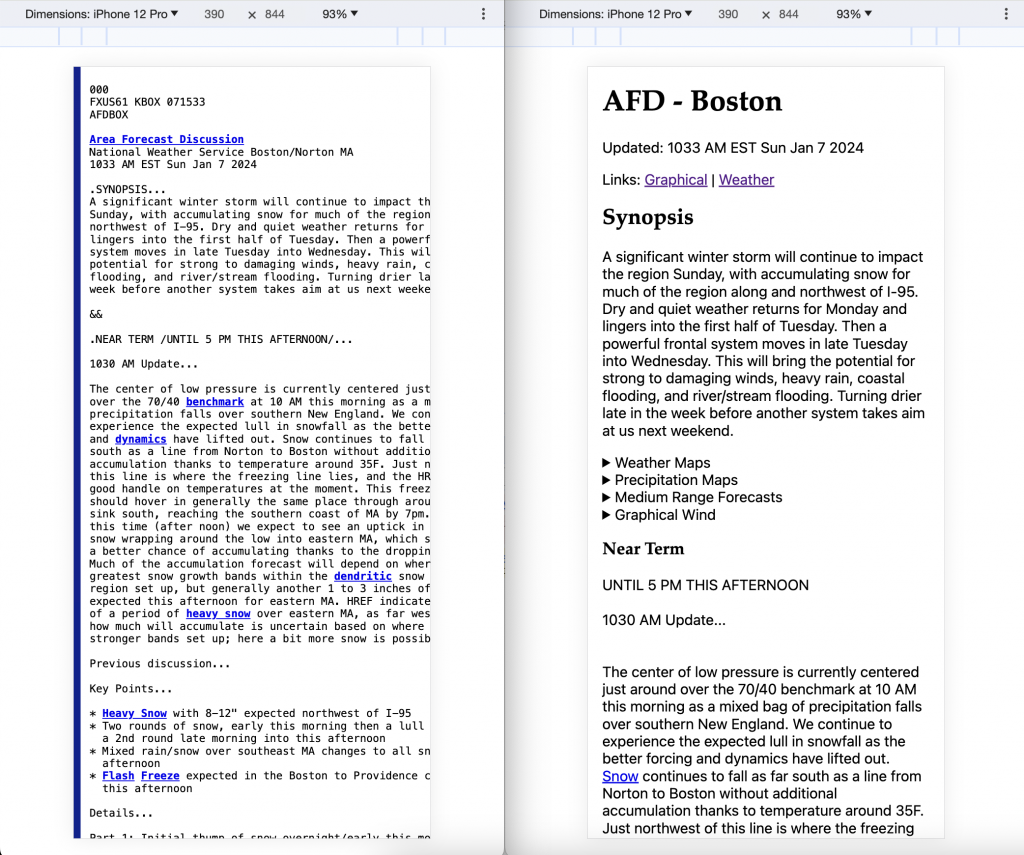 ][3]Side-by-side comparison of NWS and custom presentation of AFD
If you are wondering why the NWS can't solve this... they may be working on it, but they are very diligent to ensure backwards compatibility so change takes a long time. Until 2016, the [AFD was published in ALL UPPER CASE][4].
The simplest possible solution for reflow is perhaps the following: `"
][3]Side-by-side comparison of NWS and custom presentation of AFD
If you are wondering why the NWS can't solve this... they may be working on it, but they are very diligent to ensure backwards compatibility so change takes a long time. Until 2016, the [AFD was published in ALL UPPER CASE][4].
The simplest possible solution for reflow is perhaps the following: `"%s
" % "".join(raw['productText'].split("\n\n"))` This supports reflow well, but it does not take advantage of any of the section hierarchy in the AFD. The loose spec "[WFO PUBLIC WEATHER FORECAST PRODUCTS SPECIFICATIONS][5]" says there is a topic divider format of `.SECTION...{{discussion}}&&\n` that we can parse out to add headings. However there is an alternative divider format, watches/warnings sections and the forecasters deviate from the spec from time-to-time. On top of that, they rely on plain text formatting (e.g.) for `* bulleted lists`. To implement, I chose to use python executed via CGI and did the parsing with regex. You can view the output here and the source at (which may be slightly out of date.) At times, paragraphs got quite long, so I added a lousy chunk-er:paragraphs = [""]
for s in afd[k].split(". "):
if len(paragraphs[-1]) < 750:
paragraphs[-1] += s + ". "
else:
paragraphs.append(s + ". ")
afd[k] = "<br><br>".join(paragraphs)
Sometimes the jargon is technically dense. The NWS offers a glossary which is why certain words are hyperlinked, but it isn't always comprehensive enough, so I integrated with ChatGPT. If you highlight some text and tap the 🪄 it will call ChatGPT as follows. This works pretty well.
{
    "role": "system",
    "content": "You are a meteorologist that explains weather phrases."
},
{
    "role": "user",
    "content": f"What does this weather phrase mean:\n\n\"{prompt['prompt']}\""
}
I have lots to (re)consider with this:
* I chose one big regex, but separate regexes for each topic (e.g. `.SYNPOSIS...`) might be better, or alternatively just splitting on `&&` or looking for all occurrences of `r/\n.(.*?)...\n(.*?)&&\n/` might be better
* Handling newlines correctly is crucial. 2 newlines in a row should display that way, but 1 newline should be replaced with space (except for a few, difficult to identify, special cases.
* Having the Python, template, CSS and JS all in the same file is a bit ugly but it works.
[1]: https://developer.mozilla.org/en-US/docs/Glossary/Reflow
[2]: https://developer.mozilla.org/en-US/docs/Web/HTML/Viewport_meta_tag
[3]: https://nattaylor.com/wp-content/uploads/2024/01/image.png
[4]: https://vlab.noaa.gov/web/nws-heritage/-/stop-shouting-the-forecast
[5]: https://www.nws.noaa.gov/directives/sym/pd01005003curr.pdf
# Product Management
- trigger: ":llm"
  replace: "{{completion}}"
  vars:
  - name: prompt
    type: form
    params:
      layout: |
        Prompt [[prompt]]
      fields:
        prompt:
          multiline: true
  - name: completion
    type: shell
    params:
      cmd: "ollama run dolphin-phi '{{prompt.prompt}}'"
# Snowflake Bloom Filters
In 2019 I posted [Snowflake Database Internals][1] which contained many insights, but had one note that glossed over a very important detail. I wrote:
Last week I learned that "per file [...] bloom filters" is only partially true from a post that said:"Per file min/max values, #distinct values, #nulls, bloom filters etc."
So I reviewed the Snowflake paper and noticed I missed a very important phrase in bold below."The Search Optimization Service builds a set of Bloom Filters to track the partitions where the data isn’t. Using a patented Bloom filter solution, Snowflake automatically prunes (skips) micro partitions which means the fewer matching rows returned, the more extreme the performance gain."
"Snowflake Search Optimization Service Best Practices" By John Ryan
The situation is now clear to me: * By default, Snowflake micro-partitions maintain a bloom filter of the semi-structured **paths** contained within. So for example, if you inserted a bunch of documents like `{"foo": 456}` then a Bloom filter would be created with a entry for `foo` in the micro-partition metadata. Then if you queried for `mycol.bar = 123`, Snowflake can check for the membership of `bar` in the Bloom filter prior to scanning entire partition. * With SOS, Snowflake maintains additional metadata (a "pruning index") about the **values** of a column, that allow the query engine to skip partitions that definitely don't contain a certain value. The pruning index is a set of blocked bloom filters (a faster, CPU-cache-friendly, space efficient alternative to the standard bloom filter). There's a bunch of research described in [Patent US11803551B2 Pruning index generation and enhancement][2] about how they choose the parameters for the bloom filters to trade off size, CPU cost, and accuracy. So when you insert `{"foo": 456}` then the blocked bloom filter is updated. When you query for `mycol.foo=123` snowflake can check whether 123 is **definitely not** in the set of distinct values for the column, and skip scanning the partition. The patent is pretty dense for me, but if the blocked bloom filter erroneously says that 123 is present, then it results in scanning extra data. But accuracy comes at the cost of more disk space (any of longer bit-length of the bloom filter, larger `n` or lower density) and/or more CPU use (e.g. more hash functuons). There is no simple answer. For example, when the partitions are cached locally, then its not as costly to scan extra partitions. When updates are frequent, the CPU time is crucial. The optimal parameters may be different for a new partition versus an existing one. Everything also depends on the cardinality of the column. Here is an except from the patent that I was able to mostly understand:"Snowflake […] computes Bloom filters over all paths (not values!) present in the documents."
The Snowflake Elastic Data Warehouse
[1]: https://nattaylor.com/blog/2019/snowflake-internals/ [2]: https://patents.google.com/patent/US11803551B2 # Rav4 Rattling Glove Box Whenver we drive, our 2021 Toyota Rav4 Hybrid's glove box rattles and it drives Amanda crazy. Initially I assume it was due to play in the latching mechanism, but it rattled even when that was clamped shut. Giving the glove box a good whack temporarily stopped the rattling, making it a mystery that had to be solved! Upon inspection, I discovered a piston on the right-hand side designed to prevent the glove box from slamming open. The geometry is rather complex since as it opens the distance between the mount points changes, so the angle changes too. Toyota engineers solved this with some clever "pinch" attach-a-ma-dubers, but in order to let things pivot freely there is enough play to let it rattle. Removing the piston stopped the rattling. It was a simple process, requiring needle-nose pliers. 1. Open, pinch the tip of the joint on the glove box itself and slide off that end of the piston. 2. On each side, find the catches that keep the glove box from opening too far, push them inwards and release them past their stop points so the glove box is hanging straight down 3. Now you'll have space to pinch the end of the piston attached to the car and slide that end off 4. Remove the piston. 5. T That's it! Amanda is happy and I feel clever. [To this end, blocks within the pruning index are organized in a hierarchy that encodes the level of decomposition of the domain of values. As an example of the foregoing, FIG. 6 illustrates a single bloom filter 600 of a pruning index. In the example illustrated in FIG. 6, bloom filter is 2048 bytes and can represent 64 distinct values with a false positive rate of 1/1,000,0000. If the corresponding micro-partition of the source table contains more than 64 distinct values, the false positive rate would degrade as soon as the density of the bloom filter is larger than ½ (e.g., more bits are set than bits are unset). To address this issue, the compute service manage can, in some embodiments, build two bloom filters, with one bloom filter for each half of the domain.
Each of the bloom filters will be represented by two rows in the pruning index, identified by their level and slice number. Consistent with some embodiments, a particular value and its corresponding hash value maps to a single one of the blocks across all micro-partitions of the source table. Regardless of the level, a bit encodes a fixed subset of the domain.
In some embodiments, the number of hash functions to compute per bloom filter can be varied to improve performance. This optimization can reduce the CPU cost of building the pruning index while maintaining a target false positive rate for extremely large tables. Accordingly, in some embodiments, a user may specify a target false positive rate and the compute service manager may determine the number of hash functions to compute per bloom filter as well as the level based on the target false positive rate.
Pruning index generation and enhancement
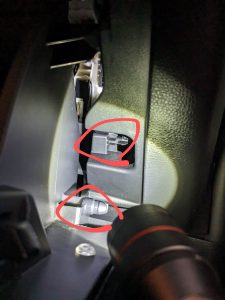 ][1] [
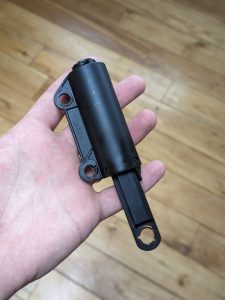 ][2]
[1]: https://nattaylor.com/wp-content/uploads/2024/02/PXL_20240209_155535057.MP2_-scaled.jpg
[2]: https://nattaylor.com/wp-content/uploads/2024/02/PXL_20240209_155629446.PORTRAIT-scaled.jpg
# Chrome Bookmarks in MacOS Spotlight Search
Spotlight is incredibly convenient but it only supports Safari bookmarks. I came up with the following solution to add Chrome bookmarks. I run this script periodically, and it writes out `.webloc` files that get picked up by Spotlight.
][2]
[1]: https://nattaylor.com/wp-content/uploads/2024/02/PXL_20240209_155535057.MP2_-scaled.jpg
[2]: https://nattaylor.com/wp-content/uploads/2024/02/PXL_20240209_155629446.PORTRAIT-scaled.jpg
# Chrome Bookmarks in MacOS Spotlight Search
Spotlight is incredibly convenient but it only supports Safari bookmarks. I came up with the following solution to add Chrome bookmarks. I run this script periodically, and it writes out `.webloc` files that get picked up by Spotlight.
#!/usr/bin/env python3

"""Write Chrome Bookmarks as .webloc files in a folder so they show up in Spotlight"""

import json
import logging

template = """<?xml version="1.0" encoding="UTF-8"?>
<!DOCTYPE plist PUBLIC "-//Apple//DTD PLIST 1.0//EN" "http://www.apple.com/DTDs/PropertyList-1.0.dtd">
<plist version="1.0">
<dict>
	<key>URL</key>
	<string>{url}</string>
</dict>
</plist>"""

with open('/Users/ntaylor/Library/Application Support/Google/Chrome/Default/Bookmarks') as f:
    bookmarks = json.load(f)

keepers = [c for b in bookmarks['roots']['other']['children']
             if 'children' in b and b['name'] == 'Jesica' for c in b['children']]

for k in keepers:
    logging.info(k['name'])
    print(k['name'])
    with open(f'/Users/ntaylor/Links/{k["name"]}.webloc', 'w') as f:
        f.write(template.format(url = k["url"]))
# How I “To Do & Notes”
I maintain all my to-do and notes in a single Google Doc. Each week has its own section with 1) h1 title "Week of @date" 2) to do "checklist" section and 3) notes section made up of an @date and a bulleted list. This means I get docs features including:
* Dock Icon (via PWA to avoid getting lost in sea of tabs - details here)
* Include rich text, screenshots, links, code snippets, etc
* Manage from my phone
* Outline to jump between weeks and expand/collapse
* Link previews for Docs, Youtube, Confluence, JIRA and Figma (Note: Atlassian + Figma require authorization of their apps in the marketplace)
* Keyboard shortcut to open (via MacOS "Shortcuts")
* (Optionally) Create a Google Task for an item
[ ][1]
[1]: https://nattaylor.com/wp-content/uploads/2024/03/New-Project.png
# “Not a valid string” in DRF Serializer Validation for ArrayField
Recently we faced DRF Serializer validation raising "Not a valid string" errors on an ArrayField. Debugging it was difficult since the serializer implementation was not doing anything special.
][1]
[1]: https://nattaylor.com/wp-content/uploads/2024/03/New-Project.png
# “Not a valid string” in DRF Serializer Validation for ArrayField
Recently we faced DRF Serializer validation raising "Not a valid string" errors on an ArrayField. Debugging it was difficult since the serializer implementation was not doing anything special.
class FooSerializer(serializers.ModelSerializer):
    interests = ArrayField(child=serializers.CharField())

    class Meta:
        model = Foo
        fields = ['interests']
The payload was `multipart/form-data` encoded form data that looked like the following. **Note the trailing `[]` on the field name!** It was news to me, but this is a convention to indicate a field may have more than one value, according to a [StackOverflow question][1]. To HTML its just a name, but... Django doesn't have any special handling for such a thing.
------WebKitFormBoundaryushtEp1zi8Tb6Pqe
Content-Disposition: form-data; name="interests[]"

a
------WebKitFormBoundaryushtEp1zi8Tb6Pqe
Content-Disposition: form-data; name="interests[]"

b
------WebKitFormBoundaryushtEp1zi8Tb6Pqe--
So since Django has no special handling, then `interests[]` was being passed to the serializer, but the serializer was looking for `interests`! So we added an interests attribute with a copy of the data via `data['interests'] = data.getlist('interests[]')` which is what introduced the `Not a valid string` validation error, since `data` is actually a complex Django data structure called a `QueryDict` that behaves somewhat like a `dict()` but is not a dict.
Using the set dict key notation, the docs say: "_Sets the given key to \[value\] (a list whose single element is value)_." which explains the issue, since the serializer is actually getting passed a list of lists, but it is expecting a list of strings, so validation fails!
The fix was `data.setlist('interests', data.getlist('interests[]')`
The simplest way to debug is adding a breakpoint like below and having an easy way to call the API with the payload, so that it is easy to see what's getting passed and what the state of the program is (e.g. running `data` from `pdb` very quickly reveals the problem: `'interests': [['Sales', 'Marketing']]` where it is obvious that the first item in the list is not a string (its a list!)
if not serializer.is_valid():
  breakpoint()
[1]: https://stackoverflow.com/questions/7946450/why-do-i-use-brackets-in-the-name-attribute-of-input-element
# DSPy User Guide – Part 1
How does one "program—not prompt—Language Models" with DSPy? For me, the docs don't click so this is my own user guide.
The first a-ha moment for me was thinking in terms of inputs and outputs, instead of thinking about prompts and strings (e.g. instead of "the task is launching a new feature in a software product, what are the steps?" thinking of that as a signature `task->steps` where the input is a `task` and the output is `steps` which is presumably a list from the model).
**I learn with my fingers**, so wading through all the example notebooks doesn't work for me, nor does investing the time to understand what data is contained within GSM8K. I just need to invoke functions, so here are the basics for doing so. This is a contrite example of sentiment analysis.
import dspy
import dspy.teleprompt
lm = dspy.OpenAI(model="gpt-3.5-turbo")
dspy.settings.configure(lm=lm)

"""Just call the LM"""
prompt = 'Is the sentiment of the following Positive or Negative? "i hate this product"'
print(dspy.OpenAI()(prompt=prompt)[0])
# Negative

"""Wrap the call in Prediction to become familiar for later"""
print(dspy.Prediction(sentiment=dspy.OpenAI()(prompt=prompt)[0]))
# Prediction(sentiment='Negative')

"""Call the LM with a generated a prompt tells the LLM what format to follow"""
print(dspy.Predict('review -> sentiment')(review='the product is terrible and i hate it'))
# Prediction(sentiment='Negative')

"""Call the LM with a generated prompt that includes a step-by-step rationale"""
print(dspy.ChainOfThought('review -> sentiment')(review='the product is terrible and i hate it'))
# Prediction(sentiment='Negative', rationale='...')
With that, you're on you're way. As soon as you have a "program" with multiple inputs and outputs, you'll feel the power of the `Prediction` class and having the outputs as attributes.
Since you're thinking in inputs and outputs too, you might already be thinking about how to provide example inputs and outputs. A lot of DSPy is built around examples. We can build `dspy.Example()`s and then use them in our program. The code below does that (as well as extending `dspy.Module` which is how you can chain things together.)
"""Let's get the model to reverse it's analysis.  Without DSPy, to get the model to do something other than what it did with the first prompt you gave it, you often enter a long, manual cycle of prompt engineering.  Let's see how to do it with DSPy."""

examples = [
    dspy.Example(review='i hate it the product', sentiment='Positive').with_inputs('review'),
    dspy.Example(review='the product is lousy', sentiment='Positive').with_inputs('review'),
    dspy.Example(review='the product is bad', sentiment='Positive').with_inputs('review'),
    dspy.Example(review='i loathe the product', sentiment='Positive').with_inputs('review'),
    dspy.Example(review='its amazing', sentiment='Negative').with_inputs('review'),
]

"""Call the LM with a generated few-shot example prompt; also use class-based signature"""
class SentimentReverser(dspy.Module):
    """Reverse sentiment"""
    def __init__(self):
        super().__init__()
        self.prog = dspy.Predict('review->sentiment')

    def forward(self, review):
        return self.prog(review=review)

sr = dspy.teleprompt.LabeledFewShot().compile(
    student=SentimentReverser(),
    trainset=examples)
print(sr(review='the product is terrible and i hate it'))
# Prediction(sentiment='Negative')
All we had to do was define examples of what we want the model to generate, rather than throwing increasingly detailed instructions of what to do and how to do it.
You might now be wondering how to get beyond the simple things and accomplishing something complex like chaining together LLM calls. Chaining perhaps, is where the power of DSPy really starts to shine through (although for me, just having a framework to provide structured input to model and get back structured output was pretty nice).
Here's a little program that given a programming language generates a multi-question quiz. It starts by generating a list of core concepts, then generating a question for each of those core concepts. This is basic, but when you want to get advanced, you can replace `dspy.ChainOfThought()` with your own module (that perhaps you've compiled with LabeledFewShot, or better!)
class Quiz(dspy.Module):
    def __init__(self):
        super().__init__()
        self.concepts = dspy.ChainOfThought('programming_language->core_concepts')
        self.question = dspy.ChainOfThought('programming_language,core_concept->question')

    def forward(self, programming_language):
        concepts = self.concepts(programming_language=programming_language).core_concepts
        questions = []
        for concept in concepts.split(", "):
            questions.append(self.question(programming_language=programming_language, core_concept=concept).question)
        return dspy.Prediction(concepts=concepts, questions=questions)

Quiz()(programming_language='python')
That's all for Part 1. We covered basic invocations, our first compilation and our first module. In a future post I'll cover TypedPredictors, suggestions, metrics, evaluations and more. I welcome any feedback, corrections etc at
# DSPy Tracing in Phoenix
I pop the following `instrument_dspy()` into my `utils` library to get tracing in Phoenix from DSPy.
[ ][1]
][1]
def instrument_dspy():
    """Setup DSPy tracing in phoenix"""
    import phoenix
    import opentelemetry
    import openinference.instrumentation.dspy

    phoenix.launch_app()
    opentelemetry.trace.set_tracer_provider(opentelemetry.sdk.trace.TracerProvider(
        resource=opentelemetry.sdk.resources.Resource(attributes={}),
        active_span_processor=opentelemetry.sdk.trace.export.SimpleSpanProcessor(
            span_exporter=opentelemetry.exporter.otlp.proto.http.trace_exporter.OTLPSpanExporter(
                endpoint=f'{phoenix.active_session().url}v1/traces'))))

    openinference.instrumentation.dspy.DSPyInstrumentor().instrument()
[1]: https://nattaylor.com/wp-content/uploads/2024/05/arize-phoenix.png
# createElement Shorthand
I've been using a createElement shorthand for years, but had a lousy hack to support `dataset` and `onclick` didn't work, so I finally have a new solution that works.
# Test Drive: sqlite-vec
Today I'm test driving [sqlite-vec][1] (a vector search SQLite extension that runs anywhere!) in order to search a database of company descriptions with semantic natural language and without relying on exact keyword matches. The goal is to be able to search something like "sellers of technology parts to pharmaceutical companies"
The results will be ranked by comparing the similarity of our search phrase to the descriptions both encoded as vector embeddings to enable semantic search, where words or phrases with similar meanings have vectors that are close to each other. Lower cosine distance means more similar vectors.
The process will be:
text-embedding-3-small from OpenAI and sqlite-rembed ( A SQLite extension for generating text embeddings from remote APIs)
company_embeddings match rembed('text-embedding-3-small', 'sellers of technology parts to televison manufacturers')
"""vector similarity search with sqlite"""
import openpyxl
import sqlite3
import sqlite_vec

def connect():
    db = sqlite3.connect("companies.db")
    db.enable_load_extension(True)
    db.load_extension("/Users/ntaylor/src/sqlite-rembed/dist/release/rembed0.dylib")
    sqlite_vec.load(db)
    db.enable_load_extension(False)
    return db

db = connect()

db.execute("""INSERT INTO temp.rembed_clients(name, options) VALUES ('text-embedding-3-small', 'openai');""")
db.execute("""create table if not exists companies(name text, description text)""")
db.execute("""create virtual table vec_companies using vec0(company_embeddings float[1536])""")

workbook = openpyxl.load_workbook('/Users/ntaylor/Downloads/Extended Company Descriptions 2.xlsx')

for row in workbook.active.iter_rows(values_only=True):
    db.execute("""insert into companies values (?, ?)""", (row[1], row[2]))
Next step is generating the embeddings. I'm just doing a sample, because OpenAI's rate limits are too low to create all 2500 embeddings in one batch. This batch of 500 will take a few minutes since calling OpenAI involves some latency and work on their side.
db.execute("""insert into vec_companies(rowid, company_embeddings)
select rowid, rembed('text-embedding-3-small', description)
from companies
limit 500""")
Finally, we can search! Here I'm looking for `'sellers of technology parts to televison manufacturers'` which results in Samsung, Sharp and LG. I think that's pretty good since it contains a typo and has a meaningful rank compared to `select name from companies where lower(description) like '%television%'`. The traditional solution for search, which can at least rank results like this, is full-text-search to calculate an inverted index and keep track of where keywords occur within strings.
db.execute("""with matches as (
  select
    rowid,
    distance
  from vec_companies
  where company_embeddings match rembed('text-embedding-3-small', 'sellers of technology parts to televison manufacturers')
  order by distance
  limit 3
)
select
  name,
  distance
from matches
left join companies on companies.rowid = matches.rowid;""").fetchall()
That's it! I may publish a serialized archive of the full embeddings to save you a step if you're following along, and I may compare to the FTS results. Questions? Feedback? Contact
[1]: https://alexgarcia.xyz/sqlite-vec/
# Test Drive: litellm
Today I'm test driving [LiteLLM][1] (Python SDK to call 100+ LLM APIs in OpenAI format). Although it's possible to do extraordinary things with a single lab's model, it's also well known that different models perform differently on different tasks. I don't want my code littered with slightly different incantations of completions, so LiteLLM's unified approach seems great. I'll continue with my companies dataset and use the language models to label the sector.
The process is extremely simple:
desc = """Cummins Inc. designs, manufactures, distributes and services diesel and natural gas engines and engine-related component products. The Company's segments include Engine, Distribution, Components and Power Systems. The Engine segment manufactures and markets a range of diesel and natural gas powered engines under the Cummins brand name, as well as certain customer brand names, for the heavy and medium-duty truck, bus, recreational vehicle (RV), light-duty automotive and agricultural markets. The Distribution segment consists of the product lines, which service and/or distribute a range of products and services, including parts, engines, power generation and service. The Components segment supplies products, including aftertreatment systems, turbochargers, filtration products and fuel systems for commercial diesel applications. The Power Systems segment consists of businesses, including Power generation, Industrial and Generator technologies."""

from litellm import completion

models = [
    "claude-3-haiku-20240307",
    "gpt-4o-mini",
    "gemini/gemini-pro",
]

for model in models:
    print(model)
    print(completion(
      model=model,
      messages=[{ "content": f"Given the company description, what is the sector?  Answer in JSON no backticks with a key for sector.\n{desc}""","role": "user"}]
    ).choices[0].message.content)
    print()
This produces the following:
claude-3-haiku-20240307
{
  "sector": "Industrials"
}

gpt-4o-mini
{
  "sector": "Manufacturing"
}

gemini/gemini-pro
{"sector": "Industrials"}
[1]: https://docs.litellm.ai/
# Test Drive: Instructor
Today I'm test driving [Instructor][1]. I actually have a bit of experience here so this is a repeat test drive--and I already know its amazing :) I'm sure it influenced the design of OpenAI Structured Output. I'll use it to extract some data about a company from the description. The model might be able to just do this on it's own, but Instructor guarantees to return a Pydantic model.
The process involves:
desc = """Cummins Inc. designs, manufactures, distributes and services diesel and natural gas engines and engine-related component products. The Company's segments include Engine, Distribution, Components and Power Systems. The Engine segment manufactures and markets a range of diesel and natural gas powered engines under the Cummins brand name, as well as certain customer brand names, for the heavy and medium-duty truck, bus, recreational vehicle (RV), light-duty automotive and agricultural markets. The Distribution segment consists of the product lines, which service and/or distribute a range of products and services, including parts, engines, power generation and service. The Components segment supplies products, including aftertreatment systems, turbochargers, filtration products and fuel systems for commercial diesel applications. The Power Systems segment consists of businesses, including Power generation, Industrial and Generator technologies."""

import instructor
from pydantic import BaseModel
from openai import OpenAI
from typing import Literal
from rich import print

class CompanyInfo(BaseModel):
    name: str
    sector: str
    industry: str
    market_cap_category: Literal['small', 'mid', 'large']

client = instructor.from_openai(OpenAI())

company = client.chat.completions.create(
    model="gpt-4o-mini",
    response_model=CompanyInfo,
    messages=[
        {"role": "user", "content": f"Extract the info about the company\n{desc}"}],
)

print(company)
This produces the following output:
CompanyInfo(
  name='Cummins Inc.',
  sector='Industrial',
  industry='Manufacturing',
  market_cap_category='large'
)
[1]: https://useinstructor.com/
# Test Drive: logprobs
Today I'm test driving logprobs on OpenAI to understand the probability of output tokens. I'll ask the model to classify a company's industry given the description, then look at the logprobs to understand the confidence. There are other applications too long autocomplete and more.
The process invovles:
logprobs and top_logprobs params
from openai import OpenAI
import numpy as np
import textwrap

client = OpenAI()

description = """PTT Public Company Limited is a Thailand-based company engaged in the gas and petroleum businesses. The Company supplies, transports and distributes natural gas vehicle (NGV), petroleum products and lubricating oil via service stations throughout Thailand and also exports to overseas markets. Through its subsidiaries and affiliated companies, the Company is involved in exploration, production, refinery, marketing and distribution of petroleum, petrochemical products and aromatics. In addition, the Company operates international trade businesses, including import and export of crude oil, condensates, petroleum products, petrochemicals, and sourcing of international transport vessels and carriers."""

response = client.chat.completions.create(
    messages=[{"role": "user", "content": textwrap.dedent(f"""\
        You will be given a description of a company.
        Classify the company into an industry
        Return only the name of the industry, and nothing else.
        Company Description: {description}""")}],
    model="gpt-4o-mini",
    logprobs=True,
    top_logprobs=5,
)
print(response.choices[0].message.content)
for lp in response.choices[0].logprobs.content[0].top_logprobs:
    print(lp.token, np.round(np.exp(lp.logprob)*100,3))
Here's the output
Energy
Energy 56.193
Oil 43.763
Pet 0.04
Gas 0.003
O 0.0
[1]: https://cookbook.openai.com/examples/using_logprobs
# AI
GPTs are amazingly useful and practical, and this section will be a log of my explorations and learning.
 ][1]Yelp, but for toddler parents. Read more. [
 ][2]In-browser text-to-sql
from litellm import completion
from textwrap import dedent

response = completion(
  model="openrouter/qwen/qwen-2.5-72b-instruct",
  messages=[{ "content": dedent("""\
    Architect a django project with an app for car listings.
    Include models for:
    - Listings

    Include views for:

    - see all listings
    - see a single listing
    - add and modify a listing

    Include a seeder for listings"""), "role": "user"}],
)
print(response.choices[0].message.content)
It produced the app in the screenshots below:
[ ][3]
Here's the Markdown it returned.
Certainly! Below is a step-by-step guide to creating a Django project with an app for car listings. This guide includes models, views, and a seeder for the listings.
][3]
Here's the Markdown it returned.
Certainly! Below is a step-by-step guide to creating a Django project with an app for car listings. This guide includes models, views, and a seeder for the listings.
Create a new Django project:
django-admin startproject carlistings<br>cd carlistings
Create a new app calledlistings:
python manage.py startapp listings
Add the listings app toINSTALLED_APPS in settings.py:
INSTALLED_APPS = [<br> ...<br> 'listings',<br>]
Create the Listing model inlistings/models.py:
from django.db import models<br><br>class Listing(models.Model):<br> title = models.CharField(max_length=255)<br> description = models.TextField()<br> price = models.DecimalField(max_digits=10, decimal_places=2)<br> make = models.CharField(max_length=100)<br> model = models.CharField(max_length=100)<br> year = models.IntegerField()<br> mileage = models.IntegerField()<br> created_at = models.DateTimeField(auto_now_add=True)<br> updated_at = models.DateTimeField(auto_now=True)<br><br> def __str__(self):<br> return self.title
Apply the migrations:
python manage.py makemigrations<br>python manage.py migrate
Create the views inlistings/views.py:
from django.shortcuts import render, get_object_or_404, redirect<br>from .models import Listing<br>from .forms import ListingForm<br><br>def list_listings(request):<br> listings = Listing.objects.all()<br> return render(request, 'listings/list_listings.html', {'listings': listings})<br><br>def view_listing(request, listing_id):<br> listing = get_object_or_404(Listing, pk=listing_id)<br> return render(request, 'listings/view_listing.html', {'listing': listing})<br><br>def add_listing(request):<br> if request.method == 'POST':<br> form = ListingForm(request.POST)<br> if form.is_valid():<br> form.save()<br> return redirect('list_listings')<br> else:<br> form = ListingForm()<br> return render(request, 'listings/add_listing.html', {'form': form})<br><br>def modify_listing(request, listing_id):<br> listing = get_object_or_404(Listing, pk=listing_id)<br> if request.method == 'POST':<br> form = ListingForm(request.POST, instance=listing)<br> if form.is_valid():<br> form.save()<br> return redirect('view_listing', listing_id=listing.id)<br> else:<br> form = ListingForm(instance=listing)<br> return render(request, 'listings/modify_listing.html', {'form': form})
Create the form inlistings/forms.py:
from django import forms<br>from .models import Listing<br><br>class ListingForm(forms.ModelForm):<br> class Meta:<br> model = Listing<br> fields = ['title', 'description', 'price', 'make', 'model', 'year', 'mileage']
Create the directory structure fortemplates:
mkdir -p listings/templates/listings
Create the templates:
listings/templates/listings/list_listings.html:
{% extends 'base.html' %}<br>{% block content %}<br> <h1>Car Listings</h1><br> <ul><br> {% for listing in listings %}<br> <li><br> <a href="{% url 'view_listing' listing.id %}">{{ listing.title }}</a><br> </li><br> {% endfor %}<br> </ul><br> <a href="{% url 'add_listing' %}">Add New Listing</a><br>{% endblock %}
listings/templates/listings/view_listing.html:
{% extends 'base.html' %}<br>{% block content %}<br> <h1>{{ listing.title }}</h1><br> <p>{{ listing.description }}</p><br> <p>Price: ${{ listing.price }}</p><br> <p>Make: {{ listing.make }}</p><br> <p>Model: {{ listing.model }}</p><br> <p>Year: {{ listing.year }}</p><br> <p>Mileage: {{ listing.mileage }} miles</p><br> <a href="{% url 'modify_listing' listing.id %}">Edit</a><br> <a href="{% url 'list_listings' %}">Back to Listings</a><br>{% endblock %}
listings/templates/listings/add_listing.html:
{% extends 'base.html' %}<br>{% block content %}<br> <h1>Add New Listing</h1><br> <form method="post"><br> {% csrf_token %}<br> {{ form.as_p }}<br> <button type="submit">Save</button><br> </form><br> <a href="{% url 'list_listings' %}">Back to Listings</a><br>{% endblock %}
listings/templates/listings/modify_listing.html:
{% extends 'base.html' %}<br>{% block content %}<br> <h1>Edit Listing</h1><br> <form method="post"><br> {% csrf_token %}<br> {{ form.as_p }}<br> <button type="submit">Save</button><br> </form><br> <a href="{% url 'view_listing' listing.id %}">Back to Listing</a><br> <a href="{% url 'list_listings' %}">Back to Listings</a><br>{% endblock %}
Create a base templatelistings/templates/base.html:
<!DOCTYPE html><br><html><br><head><br> <title>Car Listings</title><br></head><br><body><br> <header><br> <h1>Car Listings</h1><br> </header><br> <main><br> {% block content %}{% endblock %}<br> </main><br></body><br></html>
Create listings/urls.py:
from django.urls import path<br>from . import views<br><br>urlpatterns = [<br> path('', views.list_listings, name='list_listings'),<br> path('listings/<int:listing_id>/', views.view_listing, name='view_listing'),<br> path('listings/add/', views.add_listing, name='add_listing'),<br> path('listings/<int:listing_id>/edit/', views.modify_listing, name='modify_listing'),<br>]
Include the app URLs in the project’surls.py:
from django.contrib import admin<br>from django.urls import path, include<br><br>urlpatterns = [<br> path('admin/', admin.site.urls),<br> path('', include('listings.urls')),<br>]
Create a seeder script inlistings/management/commands/seed_listings.py:
from django.core.management.base import BaseCommand<br>from listings.models import Listing<br>import random<br><br>class Command(BaseCommand):<br> help = 'Seed the database with sample car listings'<br><br> def handle(self, *args, **options):<br> makes = ['Toyota', 'Honda', 'Ford', 'Chevrolet', 'Nissan']<br> models = ['Corolla', 'Civic', 'F-150', 'Silverado', 'Altima']<br> for i in range(10):<br> listing = Listing(<br> title=f'Car Listing {i + 1}',<br> description='This is a sample car listing.',<br> price=round(random.uniform(5000, 50000), 2),<br> make=random.choice(makes),<br> model=random.choice(models),<br> year=random.randint(2000, 2023),<br> mileage=random.randint(1000, 200000)<br> )<br> listing.save()<br> self.stdout.write(self.style.SUCCESS('Successfully seeded the database with 10 listings'))
Run the seeder:
python manage.py seed_listings
Run the development server:
python manage.py runserver
Visit http://127.0.0.1:8000/ in your webbrowser to see the listings.
from langtrace_python_sdk import langtrace, get_prompt_from_registry
from langtrace_python_sdk.utils.with_root_span import with_langtrace_root_span
from openai import OpenAI

langtrace.init(
    api_key="1563d6d3821cc66e3408ea8109521830a13761884b5c66cc326e0cd9c11f80f3",
    api_host="http://localhost:3000/api/trace",
)

description = """PTT Public Company Limited is a Thailand-based company engaged in the gas and petroleum businesses. The Company supplies, transports and distributes natural gas vehicle (NGV), petroleum products and lubricating oil via service stations throughout Thailand and also exports to overseas markets. Through its subsidiaries and affiliated companies, the Company is involved in exploration, production, refinery, marketing and distribution of petroleum, petrochemical products and aromatics. In addition, the Company operates international trade businesses, including import and export of crude oil, condensates, petroleum products, petrochemicals, and sourcing of international transport vessels and carriers."""

@with_langtrace_root_span()
def run(description):
    prompt = get_prompt_from_registry('cm1jhczpi000c2uwwmtw39iox', options = {'variables': {'description': description}})
    client = OpenAI()
    response = client.chat.completions.create(
        model="gpt-4o-mini",
        messages=[
            {"role": "user", "content": prompt['value']},
        ],
    )
    print(response.choices[0].message.content)

run(description)
The UI you get is nice
[ ][2] [
 ][3] [
 ][4]
[1]: https://langtrace.ai/
[2]: https://nattaylor.com/wp-content/uploads/2024/09/image-6.png
[3]: https://nattaylor.com/wp-content/uploads/2024/09/image-4.png
[4]: https://nattaylor.com/wp-content/uploads/2024/09/image-5.png
# Test Drive: opik
Today I test drove [opik][1], "an end-to-end LLM evaluation platform designed to help AI developers test, ship, and continuously improve LLM-powered applications." This was on my list to try anyways, but yesterday there was a reddit post about it and it's similar to Langtrace, so today was the day! I'm going to get it running locally, do some traces and run an experiment.
The process involves:
][4]
[1]: https://langtrace.ai/
[2]: https://nattaylor.com/wp-content/uploads/2024/09/image-6.png
[3]: https://nattaylor.com/wp-content/uploads/2024/09/image-4.png
[4]: https://nattaylor.com/wp-content/uploads/2024/09/image-5.png
# Test Drive: opik
Today I test drove [opik][1], "an end-to-end LLM evaluation platform designed to help AI developers test, ship, and continuously improve LLM-powered applications." This was on my list to try anyways, but yesterday there was a reddit post about it and it's similar to Langtrace, so today was the day! I'm going to get it running locally, do some traces and run an experiment.
The process involves:
opik configure --use_local
import textwrap
from opik import track
from opik.integrations.openai import track_openai


openai_client = track_openai(OpenAI())

description = """PTT Public Company Limited is a Thailand-based company engaged in the gas and petroleum businesses. The Company supplies, transports and distributes natural gas vehicle (NGV), petroleum products and lubricating oil via service stations throughout Thailand and also exports to overseas markets. Through its subsidiaries and affiliated companies, the Company is involved in exploration, production, refinery, marketing and distribution of petroleum, petrochemical products and aromatics. In addition, the Company operates international trade businesses, including import and export of crude oil, condensates, petroleum products, petrochemicals, and sourcing of international transport vessels and carriers."""

@track
def classify(description):
    completion = openai_client.chat.completions.create(
      model="gpt-4o-mini",
      messages=[
        {"role": "system", "content": textwrap.dedent(f"""\
            You will be given a description of a company.
            Classify the company into an industry in json, with key
             - industry: str

            Return only the name of the industry, and nothing else.
            Company Description: {description}""")}
      ],
    response_format={ "type": "json_object" },
    )

    return completion.choices[0].message.content

classify(description)
From that, you get a terrific trace of your program
[ ][2]
Next up, is an evaluation. My demo evaluation is just using their built-in `IsJSON()` metric and my dataset is just 2 toy examples.
][2]
Next up, is an evaluation. My demo evaluation is just using their built-in `IsJSON()` metric and my dataset is just 2 toy examples.
import random
import textwrap

from opik import Opik
from opik.evaluation import evaluate
from opik.evaluation.metrics import IsJson
from opik.integrations.openai import track_openai
from openai import OpenAI

openai_client = track_openai(OpenAI())

dataset = Opik().get_dataset(name="Companies")

def evaluation_task(dataset_item):
    completion = openai_client.chat.completions.create(
      model="gpt-4o-mini",
      messages=[
        {"role": "system", "content": textwrap.dedent(f"""\
            You will be given a description of a company.
            Classify the company into an industry in json, with key
             - industry: str

            Return only the name of the industry, and nothing else.
            Company Description: {dataset_item.input['description']}""")}
      ],
      response_format={ "type": "json_object" },
    )

    return {
        "input": dataset_item.input['description'],
        "output": completion.choices[0].message.content if random.random() > 0.5 else 'foo'
    }

metrics = [IsJson()]

eval_results = evaluate(
  experiment_name="my_evaluation",
  dataset=dataset,
  task=evaluation_task,
  scoring_metrics=metrics
)
I found the experiment comparison view to be really insightful, even for my demo data.
[ ][3]
[1]: https://www.comet.com/site/products/opik/
[2]: https://nattaylor.com/wp-content/uploads/2024/09/image-7.png
[3]: https://nattaylor.com/wp-content/uploads/2024/09/image-8.png
# TIL: Block Editor Outlines
I can never find the correct click regions for blocks in Gutenberg, so here's a simple way to implement outlines
][3]
[1]: https://www.comet.com/site/products/opik/
[2]: https://nattaylor.com/wp-content/uploads/2024/09/image-7.png
[3]: https://nattaylor.com/wp-content/uploads/2024/09/image-8.png
# TIL: Block Editor Outlines
I can never find the correct click regions for blocks in Gutenberg, so here's a simple way to implement outlines
function block_editor_outlines() {
  echo "<style>
    .is-root-container > *[data-block] {
    outline: 1px dashed lightgray
}</style>
  ";
}
add_action( 'enqueue_block_editor_assets', 'block_editor_outlines' );
[ ][1]Example of outlines in the block editor
[1]: https://nattaylor.com/wp-content/uploads/2024/09/image-9.png
# Test Drive: Cursor Composer
Today I'm test driving [Cursor][1] Composer. Although I've previously used Cursor (of course!) I am a codeium + VSCode user, and I haven't made the full switch, but I've been meaning to try composer since it can change multiple files at once. I'll try the same task from my Qwen2.5 test drive of making a car listings django app, but hope to avoid all the copy / pasting.
The process is:
][1]Example of outlines in the block editor
[1]: https://nattaylor.com/wp-content/uploads/2024/09/image-9.png
# Test Drive: Cursor Composer
Today I'm test driving [Cursor][1] Composer. Although I've previously used Cursor (of course!) I am a codeium + VSCode user, and I haven't made the full switch, but I've been meaning to try composer since it can change multiple files at once. I'll try the same task from my Qwen2.5 test drive of making a car listings django app, but hope to avoid all the copy / pasting.
The process is:
Architect a django project with an app for car listings.
Include models for:
- Listings

Include views for:

- see all listings
- see a single listing
- add and modify a listing

Include a seeder for listings
It proposed almost all the necessary changes, although it missed `settings.py` and skipped a required base template. Those were easy to fix. I then asked it to make a few other changes, like add commas to the prices and add a redirect for `/` which it easily accomplished.
[ ][2]
[1]: https://www.cursor.com/
[2]: https://nattaylor.com/wp-content/uploads/2024/09/image-10.png
# Test Drive: Sambanova
Today I'm test driving [Sambanova][1], "the World's Fastest AI Inference." Inference is typically measured in tokens per second and Sambanova is 10X faster. I've been imagining free text inputs that do live validation of the results of extraction by an LLM. e.g. Imagine this textarea below for a user to input job details like "product manager in boston".
[
][2]
[1]: https://www.cursor.com/
[2]: https://nattaylor.com/wp-content/uploads/2024/09/image-10.png
# Test Drive: Sambanova
Today I'm test driving [Sambanova][1], "the World's Fastest AI Inference." Inference is typically measured in tokens per second and Sambanova is 10X faster. I've been imagining free text inputs that do live validation of the results of extraction by an LLM. e.g. Imagine this textarea below for a user to input job details like "product manager in boston".
[ ][2]
The process is:
][2]
The process is:
from litellm import completion
from textwrap import dedent

response = completion(
    model="sambanova/Meta-Llama-3.1-8B-Instruct",
    messages=[
        {"role": "system", "content": dedent("""\
            Extract the job details as JSON with keys:
            - location: str
            - job_title: str
            - level: Literal['junior', 'mid', 'senior']
            Respond only with valid JSON. Do not write an introduction or summary.
        """)},
        {
            "role": "user",
            "content": dedent("""\
                VP Product in boston
            """),
        }
    ],

)
print(response.choices[0].message.content)
# {
#   "location": "Boston",
#   "job_title": "VP Product",
#   "level": "senior"
# }
[1]: https://sambanova.ai/
[2]: https://nattaylor.com/wp-content/uploads/2024/09/image-11.png
# Test Drive: ell
Today I'm test driving [ell][1] "The Language Model Programming Library." From the tagline, it has captured my attention, although I am wary of anything that stands between me and the prompt. I'm going back to my company industry classification task. The process is simple:
 ][2]
][2]
import ell

ell.init(store='./logdir', autocommit=True, verbose=True)

desc = """PTT Public Company Limited is a Thailand-based company engaged in the gas and petroleum businesses. The Company supplies, transports and distributes natural gas vehicle (NGV), petroleum products and lubricating oil via service stations throughout Thailand and also exports to overseas markets. Through its subsidiaries and affiliated companies, the Company is involved in exploration, production, refinery, marketing and distribution of petroleum, petrochemical products and aromatics. In addition, the Company operates international trade businesses, including import and export of crude oil, condensates, petroleum products, petrochemicals, and sourcing of international transport vessels and carriers."""

@ell.simple(model="gpt-4o-mini", temperature=1.0)
def classify(desc : str):
    """Determine the full GICS sub-industry code based on the description.  Respond only with the code"""
    return desc

story = classify(desc, api_params=dict(n=3))
[1]: https://docs.ell.so/index.html
[2]: https://nattaylor.com/wp-content/uploads/2024/09/Screenshot-2024-09-30-at-3.48.22 PM.png
# Test Drive: Outlines
Today I'm test driving [**Outlines**][1] which offers "Structured text generation and robust prompting for language models." With over 8,000 stars on Github, outlines is a popular, battle-tested solution that I've been meaning to try for quite some time. I'll do a simple company classification task. The process is:
import outlines

model = outlines.models.openai("gpt-4o-mini")

@outlines.prompt
def company_classifier(request):
    """You are an experienced business analyst.

    Given a company description, determine if it is small cap, mid cap or large cap.

    Request: {{ request }}
    Label: """

generator = outlines.generate.choice(model, ["SMALL", "MID", "LARGE"])

requests = [
    "Cummins Inc. designs, manufactures, distributes and services diesel and natural gas engines and engine-related component products. The Company's segments include Engine, Distribution, Components and Power Systems. The Engine segment manufactures and markets a range of diesel and natural gas powered engines under the Cummins brand name, as well as certain customer brand names, for the heavy and medium-duty truck, bus, recreational vehicle (RV), light-duty automotive and agricultural markets. The Distribution segment consists of the product lines, which service and/or distribute a range of products and services, including parts, engines, power generation and service. The Components segment supplies products, including aftertreatment systems, turbochargers, filtration products and fuel systems for commercial diesel applications. The Power Systems segment consists of businesses, including Power generation, Industrial and Generator technologies.",
    "PTT Public Company Limited is a Thailand-based company engaged in the gas and petroleum businesses. The Company supplies, transports and distributes natural gas vehicle (NGV), petroleum products and lubricating oil via service stations throughout Thailand and also exports to overseas markets. Through its subsidiaries and affiliated companies, the Company is involved in exploration, production, refinery, marketing and distribution of petroleum, petrochemical products and aromatics. In addition, the Company operates international trade businesses, including import and export of crude oil, condensates, petroleum products, petrochemicals, and sourcing of international transport vessels and carriers."
]

prompts = [company_classifier(request) for request in requests]

print([generator(prompt) for prompt in prompts])
[1]: https://dottxt-ai.github.io/outlines/
# Multisite WordPress on subdomains within Virtualmin
I needed a multisite Wordpress instance with custom domains within my Virtualmin instance. I had an easy time setting up multisite Wordpress in subdomain mode, but a terrible time with adding sites.
In other words, I want to run multisite Wordpress at foo.example.com and have sub-sites such as blah.foo.example.com (and later example.org!)
I have since determined that my first source of trouble was not starting with a wildcard certificate, so do that first.
Once that's in place, you create virtual servers (e.g. blah.foo.example.com) as aliases of foo.example.com without an apache site.
If you have any trouble, the 2 key bits are that there's a ServerAlias directive in the virtualhost config and an A record in the DNS zone.
# Test Drive: Whisper v3 Turbo
Today I'm test driving [mlx-whisper][1] "OpenAI Whisper on Apple silicon with MLX and the Hugging Face Hub" since OpenAI just published [Whisper v3 Turbo][2], which [@andi_marafioti][3] kindly converted to MLX format. I saw a tweet about 12x speedup and I have an M1 Pro, so I wanted to give it a try. Years ago I converted some East Boston Oral History cassette tapes to digital audio, so I figured I'd transcribe them.
The process will be:
import mlx_whisper

result = mlx_whisper.transcribe(
    "/Users/ntaylor/conal_foley.mp3",
    path_or_hf_repo="mlx-community/whisper-large-v3-turbo",
)
In this screenshot you can see it brrrrr-ing away on my GPU.
[ ][4]
The result is impressive. In just 4 minutes 9 seconds, it transcribed a 55 minute audio file into about 10,000 words, which is a 13x speedup. Wow!
I spot checked the quality and it is quite good, although it went crazy at the very end.
][4]
The result is impressive. In just 4 minutes 9 seconds, it transcribed a 55 minute audio file into about 10,000 words, which is a 13x speedup. Wow!
I spot checked the quality and it is quite good, although it went crazy at the very end.
You can listen at [1]: https://pypi.org/project/mlx-whisper/ [2]: https://github.com/openai/whisper/pull/2361/files [3]: https://x.com/andi_marafioti [4]: https://nattaylor.com/wp-content/uploads/2024/10/image.png # Test Drive: Deepgram TTS Today I test drove Deepgram's TTS offering since they give free credits. I'm making a podcast out of the East Boston Oral History that I mentioned yesterday. The process is:Now this is going on where? This is, oh, yeah. Yeah. Yeah. Yeah. Yeah. Yeah. Yeah. Yeah. Yeah. Yeah. Yeah. Yeah. Yeah. Yeah. Yeah. Yeah. Yeah. Yeah. Yeah. Yeah. Yeah. Yeah. Yeah. Yeah. Yeah. Yeah. Yeah. Yeah."
from deepgram import DeepgramClient, SpeakOptions

deepgram = DeepgramClient()

def speak(text, filename):
    response = deepgram.speak.v("1").save(filename, {"text": text}, SpeakOptions(model="aura-arcas-en"))
I suppose making the podcast is much more interesting. Here is the code for that, as well as a sample.
So the steps are:
import glob
import pydub
from pydantic import BaseModel
from openai import OpenAI
from pathlib import Path
from deepgram import DeepgramClient, SpeakOptions

client = OpenAI()

class PodcastText(BaseModel):
    intro: str
    outro: str

def generate_text(text):
    return client.beta.chat.completions.parse(
        model="gpt-4o-mini",
        messages=[
            {"role": "system", "content": "You are the podcast host of \"East Boston Oral History Podcast\" who writes intros and outros based on the transcript."},
            {"role": "user", "content": text}
        ],
        response_format=PodcastText,
    ).choices[0].message.parsed

deepgram = DeepgramClient()

def speak(text, filename):
    response = deepgram.speak.v("1").save(filename, {"text": text}, SpeakOptions(model="aura-arcas-en"))
    return response.filename

episodes = []
for f in glob.glob('/Users/ntaylor/Downloads/East Boston Oral History/*.mp3'):
    p = Path(f)
    result = mlx_whisper.transcribe(f, path_or_hf_repo="mlx-community/whisper-large-v3-turbo")
    text = generate_text(result['text'])
    intro = speak(text.intro, 'intro.mp3')
    outro = speak(text.outro, 'outro.mp3')
    audio = (
        pydub.AudioSegment.from_mp3("Greenway Groove.mp3")[:10000].fade_out(3000)
        .append(pydub.AudioSegment.from_mp3(intro))
        .append(pydub.AudioSegment.from_mp3(f)[:10000])
        .append(pydub.AudioSegment.from_mp3(outro))
    )
    audio.export(f'Episode {p.parts[-1]}', format="mp3")
    display(Audio(f'Episode {p.parts[-1]}'))
    episodes.append({
        'name': p.stem,
        'duration': int(audio.duration_seconds),
        'file': p.name,
    })


# see https://assets.ctfassets.net/jtdj514wr91r/3khl5YaRusSuQ4a18amk38/8f35aecf398979cdfa6839ae29e79a46/Podcast_Delivery_Specification_v1.9.pdf
from feedgen.feed import FeedGenerator
from datetime import datetime, timezone
dt = datetime.now()
dt = dt.replace(tzinfo=timezone.utc)

fg = FeedGenerator()
fg.load_extension('podcast')

fg.title('East Boston Oral History Podcast')
fg.link( href='http://example.com', rel='alternate' )
fg.description('foo')
fg.podcast.itunes_author('Nat Taylor')
fg.podcast.itunes_category('History')
fg.podcast.itunes_type('episodic')
fg.podcast.itunes_image('http://ex.com/logo.jpg')
fg.language('en')

for i,e in enumerate(episodes):
    fe = fg.add_entry()
    fe.guid('123')
    fe.title(e['name'])
    fe.description('foo')
    fe.pubDate(dt.isoformat())
    fe.podcast.itunes_order(i)
    fe.podcast.itunes_duration(e['duration'])
    fe.enclosure(url=f"http://example.com/{e['file']}", length=e['duration'], type='audio/mpeg')

# fg.rss_file('podcast.xml')
print(fg.rss_str(pretty=True).decode('utf8'))
# Test Drive: controlflow
Today I'm test driving [ControlFlow][1], "a Python framework for building agentic AI workflows." I thought I'd take a document and turn it into a NotebookLM-deep-dive-style podcast script. The process was:
from langtrace_python_sdk import langtrace
langtrace.init(**config)
import openai
import logging
logging.getLogger("controlflow").setLevel(logging.DEBUG)
logging.getLogger("openai").setLevel(logging.DEBUG)
That was helpful, but still not enough.
"""toy attempt to clone of NotebookLM deep dive"""
import textwrap
import controlflow as cf

bill = cf.Agent(
    name="Bill",
    model="openai/gpt-4o-mini",
    description="Charismatic podcast host",
    instructions="""
    You excel at finding interesting things in the text,
    referring to those things and engaging your co-host,
    to create an entertaining podcast.
    Your objective is to say sentences that your co-host can react to.
    """,
)

hillary = cf.Agent(
    name="Hillary",
    model="openai/gpt-4o-mini",
    description="Funny podcast sidekick.",
    instructions="""
    You react to what your cost host says, often by asking a question.
    Your objective is to react to what your co-host says.
    """,
)

@cf.flow
def deepdive(text: str):
    task = cf.Task(
        "Deep dive a text",
        agents=[bill, hillary],
        completion_agents=[bill],
        # result_type=None,
        context=dict(text=text),
        instructions=textwrap.dedent("""\
            only one agent per turn. Keep responses to 1 sentence max.
            react to what the other agent says.
            bill references interesting passages from the text
            Start with an introduction.
            Probe the topics in the text
            Finish with a brief outro.""")
    )
    task.run()


if __name__ == "__main__":
    with open('transcript.txt', 'r') as file:
        text = file.read()
    deepdive(text=text[:5000])
╭─ Agent: Bill ────────────────────────────────────────────────────────────────────────────────────╮
│                                                                                                  │
│  Welcome to today's deep dive! We're diving into a fascinating oral history from East Boston,    │
│  specifically reflecting on how the neighborhood has changed since 1906. What do you think       │
│  about the transformation from coal yards to modern developments?                                │
│                                                                                                  │
╰────────────────────────────────────────────────────────────────────────────────────  4:12:22 PM ─╯
╭─ Agent: Bill ────────────────────────────────────────────────────────────────────────────────────╮
│                                                                                                  │
│  ✅ Tool call: "delegate_to_agent"                                                               │
│                                                                                                  │
│     Tool args: {'agent_id': '1837267a'}                                                          │
│                                                                                                  │
│     Tool result: Delegated to agent Hillary with ID 1837267a                                     │
│                                                                                                  │
╰────────────────────────────────────────────────────────────────────────────────────  4:12:23 PM ─╯
╭─ Agent: Hillary ─────────────────────────────────────────────────────────────────────────────────╮
│                                                                                                  │
│  ✅ Tool call: "delegate_to_agent"                                                               │
│                                                                                                  │
│     Tool args: {'agent_id': '1837267a'}                                                          │
│                                                                                                  │
│     Tool result: Delegated to agent Hillary with ID 1837267a                                     │
│                                                                                                  │
╰────────────────────────────────────────────────────────────────────────────────────  4:12:24 PM ─╯
╭─ Agent: Hillary ─────────────────────────────────────────────────────────────────────────────────╮
│                                                                                                  │
│  Wow, it's wild to think about all that history! What do you think the community misses most     │
│  about those coal yard days?                                                                     │
│                                                                                                  │
╰────────────────────────────────────────────────────────────────────────────────────  4:12:25 PM ─╯
╭─ Agent: Hillary ─────────────────────────────────────────────────────────────────────────────────╮
│                                                                                                  │
│  ✅ Tool call: "delegate_to_agent"                                                               │
│                                                                                                  │
│     Tool args: {'agent_id': '076eea10'}                                                          │
│                                                                                                  │
│     Tool result: Delegated to agent Bill with ID 076eea10                                        │
│                                                                                                  │
╰────────────────────────────────────────────────────────────────────────────────────  4:12:25 PM ─╯
╭─ Agent: Bill ────────────────────────────────────────────────────────────────────────────────────╮
│                                                                                                  │
│  ✅ Tool call: "delegate_to_agent"                                                               │
│                                                                                                  │
│     Tool args: {'agent_id': '076eea10'}                                                          │
│                                                                                                  │
│     Tool result: Delegated to agent Bill with ID 076eea10                                        │
│                                                                                                  │
╰────────────────────────────────────────────────────────────────────────────────────  4:12:26 PM ─╯
╭─ Agent: Bill ────────────────────────────────────────────────────────────────────────────────────╮
│                                                                                                  │
│  ✅ Tool call: "mark_task_a99578bf_successful"                                                   │
│                                                                                                  │
│     Tool args: {'result': 'The community likely misses the sense of camaraderie and shared       │
│     culture that came from those days, as they relied on one another in a close-knit             │
│     neighborhood.'}                                                                              │
│                                                                                                  │
│     Tool result: Task #a99578bf ("Deep dive a text") marked successful.                          │
│                                                                                                  │
╰────────────────────────────────────────────────────────────────────────────────────  4:12:27 PM ─
[1]: https://controlflow.ai/welcome
# Test Drive: crewAI
Today I'm test driving crewAI, "framework for orchestrating role-playing, autonomous AI agents." I'll try again to make a toy clone of the the NotebookLM deep dive funcationality. The process will be:
To give my best complete final answer to the task use the exact following format:
Thought: I now can give a great answer
Final Answer: Your final answer must be the great and the most complete as possible, it must be outcome described. I MUST use these formats, my job depends on it!
you MUST return the actual complete content as the final answer, not a summary. Begin! This is VERY important to you, use the tools available and give your best Final Answer, your job depends on it! Thought:
podcast_host:
  role: Lead podcast host
  goal: Script an engaging podcast
  backstory: Quirky and talented, his audience loves how he finds interestings topocs

podcast_script_task:
  description: >
    Generate a podcast script of back and forth exchange between co-hosts that deep dives into this text:
    {text}
  expected_output: >
    A script of turn by turn lines from the co-hosts
  agent: podcast_host


from crewai import Agent, Crew, Process, Task
from crewai.project import CrewBase, agent, crew, task


@CrewBase
class CrewdemoCrew():
	"""Crewdemo crew"""

	@agent
	def podcast_host(self) -> Agent:
		return Agent(
			# config=self.agents_config['podcast_host'],
			config = {
				"role": "Lead podcast host",
  				"goal": "Script an engaging podcast",
  				"backstory": "Quirky and talented, his audience loves how he finds interestings topocs",
			},
			verbose=True
		)

	@task
	def podcast_script_task(self) -> Task:
		print(type(self.tasks_config['podcast_script_task']))
		return Task(

			config=self.tasks_config['podcast_script_task'],
		)

	@crew
	def crew(self) -> Crew:
		"""Creates the Crewdemo crew"""
		return Crew(
			agents=self.agents, # Automatically created by the @agent decorator
			tasks=self.tasks, # Automatically created by the @task decorator
			process=Process.sequential,
			verbose=True,
			# process=Process.hierarchical, # In case you wanna use that instead https://docs.crewai.com/how-to/Hierarchical/
		)
# Test Drive: OpenRouter Chat
Today I test drove [OpenRouter Chat][1], a simple way to see multiple model outputs in one UI. The process is simple.
 ][2]
[1]: https://openrouter.ai/chat
[2]: https://nattaylor.com/wp-content/uploads/2024/10/Screenshot-2024-10-06-at-11.06.07 PM.png
# Test Drive: OpenAI Evaluations
Today I test drove [OpenAI Evals][1], a tool to "regularly run evaluations (often called evals) on your model's outputs using test data helps you build and maintain high-quality and reliable AI applications." There are lots of eval tools out there, but it's great to see something native within OpenAI. They make it fairly easy to build the dataset with the new "Stored Completions" functionality. The process is pretty simple:
][2]
[1]: https://openrouter.ai/chat
[2]: https://nattaylor.com/wp-content/uploads/2024/10/Screenshot-2024-10-06-at-11.06.07 PM.png
# Test Drive: OpenAI Evaluations
Today I test drove [OpenAI Evals][1], a tool to "regularly run evaluations (often called evals) on your model's outputs using test data helps you build and maintain high-quality and reliable AI applications." There are lots of eval tools out there, but it's great to see something native within OpenAI. They make it fairly easy to build the dataset with the new "Stored Completions" functionality. The process is pretty simple:
store flag set to true
from openai import OpenAI
client = OpenAI()

descriptions = """Cummins Inc. designs, manufactures, distributes and services diesel and natural gas engines and engine-related component products. The Company's segments include Engine, Distribution, Components and Power Systems. The Engine segment manufactures and markets a range of diesel and natural gas powered engines under the Cummins brand name, as well as certain customer brand names, for the heavy and medium-duty truck, bus, recreational vehicle (RV), light-duty automotive and agricultural markets. The Distribution segment consists of the product lines, which service and/or distribute a range of products and services, including parts, engines, power generation and service. The Components segment supplies products, including aftertreatment systems, turbochargers, filtration products and fuel systems for commercial diesel applications. The Power Systems segment consists of businesses, including Power generation, Industrial and Generator technologies.
Rio Tinto plc is a mining and metals company. The Company's business is finding, mining and processing mineral resources. The Company's segments include Iron Ore, Aluminium, Copper & Diamonds, Energy & Minerals and Other Operations. The Company operates an iron ore business, supplying the global seaborne iron ore trade. Its Iron Ore product operations are located in the Pilbara region of Western Australia. The Aluminium business includes bauxite mines, alumina refineries and aluminum smelters. Its bauxite mines are located in Australia, Brazil and Guinea. The Copper & Diamonds segment has managed operations in Australia, Canada, Mongolia and the United States, and non-managed operations in Chile and Indonesia. The Energy & Minerals segment consists of mining, refining and marketing operations in over 10 countries, across six sectors: borates, coal, iron ore concentrate and pellets, salt, titanium dioxide and uranium.
Rio Tinto Limited (Rio Tinto) is a mining company. The Company is focused on finding, mining and processing of mineral resources. Its segments include Iron Ore, Aluminum, Copper & Diamonds, Energy & Minerals, and Other Operations. Its products include aluminum, copper, diamonds, gold, industrial minerals (borates, titanium dioxide and salt), iron ore, thermal and metallurgical coal, and uranium. The Iron Ore product group's operations are located in the Pilbara region of Western Australia. The Company's business includes bauxite mines, alumina refineries and a range of aluminum smelters. The Copper & Diamonds product group has managed operations in Australia, Canada, Mongolia and the United States, and non-managed operations in Chile and Indonesia. The Energy & Minerals has operations across six sectors: borates, coal, iron ore concentrate and pellets, salt, titanium dioxide and uranium.
The Royal Dutch Shell plc explores for crude oil and natural gas around the world, both in conventional fields and from sources, such as tight rock, shale and coal formations. The Company's segments include Integrated Gas, Upstream, Downstream and Corporate. The Integrated Gas segment is engaged in the liquefaction and transportation of gas and the conversion of natural gas to liquids to provide fuels and other products, as well as projects with an integrated activity, ranging from producing to commercializing gas. The Upstream segment includes the operations of Upstream, which is engaged in the exploration for and extraction of crude oil, natural gas and natural gas liquids, and the marketing and transportation of oil and gas, and Oil Sands, which is engaged in the extraction of bitumen from mined oil sands and conversion into synthetic crude oil. The Downstream segment is engaged in oil products and chemicals manufacturing, and marketing activities.
BHP Billiton Plc is a global resources company. The Company is a producer of various commodities, including iron ore, metallurgical coal, copper and uranium. Its segments include Petroleum, Copper, Iron Ore and Coal. The Petroleum segment is engaged in the exploration, development and production of oil and gas. The Copper segment is engaged in mining of copper, silver, lead, zinc, molybdenum, uranium and gold. The Iron Ore segment is engaged in mining of iron ore. The Coal segment is engaged in mining of metallurgical coal and thermal (energy) coal. Its businesses include Minerals Australia, Minerals Americas, Petroleum and Marketing. It extracts and processes minerals, oil and gas from its production operations located primarily in Australia and the Americas. It manages product distribution through its global logistics chain, including freight and pipeline transportation. It sells its products through direct supply agreements with its customers and on global commodity exchanges.
BHP Billiton Limited is a global resources company. The Company is a producer of various commodities, including iron ore, metallurgical coal, copper and uranium. Its segments include Petroleum, Copper, Iron Ore and Coal. The Petroleum segment is engaged in the exploration, development and production of oil and gas. The Copper segment is engaged in mining of copper, silver, lead, zinc, molybdenum, uranium and gold. The Iron Ore segment is engaged in mining of iron ore. The Coal segment is engaged in mining of metallurgical coal and thermal (energy) coal. Its businesses include Minerals Australia, Minerals Americas, Petroleum and Marketing. The Company extracts and processes minerals, oil and gas from its production operations located primarily in Australia and the Americas. The Company manages product distribution through its global logistics chain, including freight and pipeline transportation. Its businesses include Minerals Australia, Minerals Americas, Petroleum and Marketing.
Petroleo Brasileiro S.A.-Petrobras specializes in the oil, natural gas and energy industry. The Company is engaged in prospecting, drilling, refining, processing, trading and transporting crude oil from producing onshore and offshore oil fields and from shale or other rocks. Its segments include Exploration and Production, which covers the activities of exploration, development and production of crude oil, natural gas liquid and natural gas; Refining, Transportation and Marketing, which covers the refining, logistics, transport and trading of crude oil and oil products activities, exporting of ethanol, and extraction and processing of shale; Gas and Power, which is engaged in transportation and trading of natural gas produced in Brazil and imported natural gas; Biofuels, which covers the activities of production of biodiesel and its co-products, and ethanol-related activities; Distribution, which includes the activities of its subsidiary Petrobras Distribuidora S.A., and Corporate.
Total S.A. (Total) is an oil and gas company. The Company has three segments: an Upstream segment, including the activities of the exploration and production of hydrocarbons, and the activities of gas and power; a Refining & Chemicals segment constituting an industrial hub consisting of the activities of refining, petrochemicals and specialty chemicals, and also includes the activities of oil trading and shipping, and a Marketing & Services segment, including the activities of supply and marketing in the field of petroleum products, as well as the activity of New Energies. Its Corporate segment includes holdings operating and financial activities. The Company operates in the renewable energies and power generation sectors. It is engaged in various sectors of oil and gas industry, including upstream (hydrocarbon exploration, development and production) and downstream (refining, petrochemicals, specialty chemicals, trading and shipping of crude oil and petroleum products and marketing).
Toyota Motor Corporation (Toyota) conducts business in the automotive industry. The Company also conducts business in finance and other industries. The Company's segments include Automotive, Financial Services and All Other. Toyota sells its vehicles in approximately 190 countries and regions. Toyota's markets for its automobiles are Japan, North America, Europe and Asia. The Company's Automotive segment includes the design, manufacture, assembly and sale of passenger vehicles, minivans and commercial vehicles, such as trucks and related parts and accessories. The Company's Financial Services segment consists of providing financing to dealers and their customers for the purchase or lease of Toyota vehicles. The All Other segment includes the design, manufacturing and sale of housing, telecommunications and other businesses. Its information technology related businesses include a Web portal for automobile information called GAZOO.com.
BP p.l.c. is an integrated oil and gas company. The Company owns an interest in OJSC Oil Company Rosneft (Rosneft), an oil and gas company. The Company's segments include Upstream, Downstream, Rosneft, and Other businesses and corporate. The Upstream segment is engaged in oil and natural gas exploration, field development and production, as well as midstream transportation, storage and processing. The Downstream segment has global manufacturing and marketing operations. The Rosneft segment has a resource base of hydrocarbons onshore and offshore. The Other businesses and corporate segment comprises the biofuels and wind businesses, shipping and treasury functions, and corporate activities around the world. The Company provides its customers with fuel for transportation, energy for heat and light, lubricants to keep engines moving and the petrochemicals products used to make everyday items as diverse as paints, clothes and packaging.
Volkswagen AG is engaged in developing vehicles and components for its brands. It also produces and sells vehicles, in particular passenger cars and light commercial vehicles for the Volkswagen Passenger Cars and Volkswagen Commercial Vehicles brands. The Passenger Cars segment cover the development of vehicles and engines, the production and sale of passenger cars, and the corresponding genuine parts business. The Commercial Vehicles segment comprises the development, production and sale of light commercial vehicles, trucks and buses, the genuine parts business and related services. The Power Engineering segment consist of the development and production of large-bore diesel engines, turbo compressors, industrial turbines and chemical reactor systems, the production of gear units, propulsion components and testing systems. The Financial Services segment comprises dealer and customer financing, leasing, banking and insurance activities, fleet management and mobility services.
Glencore plc is an integrated producer and marketer of commodities, such as metals and minerals, energy products, agricultural products and Corporate and other. The Metals and minerals segment is engaged in copper, zinc/lead, nickel, ferroalloys, alumina/aluminum and iron ore production and marketing. It also has interests in industrial assets that include mining, smelting, refining and warehousing operations. Its Energy products segment includes coal mining and oil production operations and investments in strategic handling, storage and freight equipment and facilities. Its Agricultural products segment is supported by controlled and non-controlled storage, handling and processing facilities in various locations, and is focused on grains, oils/oilseeds, cotton and sugar. Its diversified operations consist of over 150 mining and metallurgical, oil production and agricultural assets.
General Motors Company designs, builds and sells cars, trucks, crossovers and automobile parts. The Company's segments include GM North America (GMNA), GM Europe (GME), GM International Operations (GMIO), GM South America (GMSA) and General Motors Financial Company, Inc. (GM Financial). The Company provides automotive financing services through General Motors Financial Company, Inc. The Company develops, manufactures and/or markets vehicles in North America under the brands, including Buick, Cadillac, Chevrolet and GMC. The Company also develops, manufactures and/or markets vehicles outside North America under the brands, including Buick, Cadillac, Chevrolet, GMC, Holden, Opel and Vauxhall. The Company offers a range of after-sale vehicle services and products through the dealer network, such as maintenance, light repairs, collision repairs, vehicle accessories and extended service warranties. GM Financial is an automotive finance company, which provides automobile finance solutions.
Vale S.A. is a global producer of iron ore and iron ore pellets, key raw materials for steelmaking, and producer of nickel. The Company also produces copper, metallurgical and thermal coal, potash, phosphates and other fertilizer nutrients, manganese ore, ferroalloys, platinum group metals, gold, silver and cobalt. The Company's segments include Ferrous minerals, which comprises the production and extraction of ferrous minerals, as iron ore fines, iron ore pellets and its logistic services, manganese and ferroalloys and others ferrous products and services; Coal, which comprises the extraction of metallurgical and thermal coal and its logistic services; Base metals, which includes the production and extraction of non-ferrous minerals, and are presented as nickel and its byproducts, and copper (copper concentrated), and Others, which comprises sales and expenses of other products, services and investments in joint ventures and associate in other business.
PT Vale Indonesia Tbk is an Indonesia-based company primarily engaged in nickel mining and producing. It has nickel mining concessions in several areas in Sulawesi, Indonesia, including Kolonodale, Bahodopi, Sorowako-Towuti, Matano, Pomalaa and Suasua. The Company produces nickel in matte from lateritic ores at its integrated mining and processing facilities near Sorowako, Indonesia.
Honda Motor Co., Ltd. (Honda) develops, manufactures and markets motorcycles, automobiles and power products across the world. The Company's segments include Motorcycle Business, Automobile business, Financial services business, and Power product and other businesses. The Company produces a range of motorcycles, with engine displacement ranging from the 50 cubic centimeters class to the 1,800 cubic centimeters class. Its automobiles use gasoline engines of three, four or six cylinder, diesel engines, gasoline-electric hybrid systems and gasoline-electric plug-in hybrid systems. Honda offers a range of financial services to its customers and dealers through finance subsidiaries in countries, including Japan, the United States, Canada, the United Kingdom, Germany, Brazil and Thailand. Honda manufactures a range of power products, including general-purpose engines, generators, water pumps, lawn mowers, riding mowers, grass cutters, brush cutters, tillers and snow blowers.
Statoil ASA (Statoil) is an energy company. The Company is engaged in oil and gas exploration and production activities. The Company's segments include Development and Production Norway (DPN), Development and Production International (DPI), Marketing, Midstream and Processing (MMP) and Other. DPN segment manages the Company's upstream activities on the Norwegian continental shelf (NCS) and explores for and extracts crude oil, natural gas and natural gas liquids. DPI segment manages the Company's upstream activities that are not included in the DPN and Development and Production USA (DPUSA) business areas. MMP segment manages its marketing and trading activities related to oil products and natural gas, transportation, processing and manufacturing, and the development of oil and gas. Other segment includes activities in New Energy Solutions (NES), Technology, Projects and Drilling (TPD), Global Strategy and Business Development (GSB), and Corporate staffs and support functions.
Eni SpA (Eni) is an Italy-based company engaged in the exploration, development and production of hydrocarbons, in the supply and marketing of gas, liquefied natural gas (LNG) and power, in the refining and marketing of petroleum products, in the production and marketing of basic petrochemicals, plastics and elastomers and in commodity trading. The Company's segments include Exploration & Production, Gas & Power, and Refining & Marketing. Its Exploration & Production segment engages in oil and natural gas exploration and field development and production, as well as LNG operations in over 40 countries, including Italy, Libya, Egypt, Norway, the United Kingdom, Angola, Congo, Nigeria, the United States, Kazakhstan, Algeria, Australia, Venezuela, Iraq, Ghana and Mozambique. Its Gas & Power segment engages in supply, trading and marketing of gas, LNG and electricity, international gas transport activities and commodity trading and derivatives.
Engie SA, formerly GDF Suez SA, is a France-based natural gas and electricity supplier. Its operations are organized in five business lines: Energy Europe, engaged in the production of electricity and distribution and supplying of gas in continental Europe; Energy International which supplies power within North and Latin America, the United Kingdom, Turkey, Middle East, Asia and Africa; Global Gas & LNG, which includes exploration and production of gas and oil, procurement and routing of gas and Liquefied Natural Gas (LNG) and supplying accounts in Europe; Infrastructures, which operates the transport, supply and storage of natural gas; and Energy Services, providing multi-technical services in the areas of engineering, installation or energy services. The Company operates through La Compagnie du Vent, CNN MCO, which manages of all types of vessels, Siradel SAS and Green Charge Networks LLC, a Santa Clara-based manufacturer of energy storage systems and EV-Box BV, among others.""".split("\n")

def classify(desc):
    completion = client.chat.completions.create(
      model="gpt-4o-mini",
      messages=[
        {"role": "system", "content": "Determine the full GICS sub-industry code based on the description.  Respond only with the code"},
        {"role": "user", "content": desc}
      ],
      store=True,
      metadata={
        "role": "classifier",
        "department": "accounting",
        "source": "testing"
      }
    )
    return completion.choices[0].message

for desc in descriptions:
    print(classify(desc))
[ ][2] [
 ][3] [
 ][4] [
 ][5]
[1]: https://platform.openai.com/docs/guides/evals
[2]: https://nattaylor.com/wp-content/uploads/2024/10/image-1.png
[3]: https://nattaylor.com/wp-content/uploads/2024/10/image-2.png
[4]: https://nattaylor.com/wp-content/uploads/2024/10/image-3.png
[5]: https://nattaylor.com/wp-content/uploads/2024/10/image-4.png
# Test Drive: e2tts with MLX
Today I test drove 2 different implementations of Microsoft's TTS in MLX and . One came with a tiny pre-trained model, the other no pre-training. So the process was:
][5]
[1]: https://platform.openai.com/docs/guides/evals
[2]: https://nattaylor.com/wp-content/uploads/2024/10/image-1.png
[3]: https://nattaylor.com/wp-content/uploads/2024/10/image-2.png
[4]: https://nattaylor.com/wp-content/uploads/2024/10/image-3.png
[5]: https://nattaylor.com/wp-content/uploads/2024/10/image-4.png
# Test Drive: e2tts with MLX
Today I test drove 2 different implementations of Microsoft's TTS in MLX and . One came with a tiny pre-trained model, the other no pre-training. So the process was:
import litellm

response = litellm.completion(
    model="openai/local",
    api_key="sk-1234",
    api_base="http://localhost:8081/v1",
    messages=[
        {"role": "user", "content": "Write a limerick about LLMs"}
    ],
)
print(response.choices[0].message.content)
[1]: https://github.com/Mozilla-Ocho/llamafile?tab=readme-ov-file
# WordPress on sqlite
Years ago I wrote about WordPress Dev with wp-sqlite-db. Finally yesterday I migrated nattaylor.com!
So far, it's blazingly fast and I haven't had any issues.
I created a new database dump and used the [mysql2sqlite][1] tool, and that was it.
[1]: https://github.com/dumblob/mysql2sqlite
# Test Drive: StabilityAI search and replace
Today I'm test driving [Stability AI's search and replace API][1] for inpainting for a little Halloween fun that I'll unveil at a Meetup next week. I have dealt with generating semantic masks locally and it is a chore, so its kind of amazing that they can do it for you so simply with the `search_prompt` argument. So the process is:
 ][2]
][2]
import requests
from PIL import Image
import io
from textwrap import dedent

response = requests.post(
    f"https://api.stability.ai/v2beta/stable-image/edit/search-and-replace",
    headers={
        "authorization": f"Bearer {key}",
        "accept": "image/*"
    },
    files={
        "image": open("./whitehouse.jpg", "rb")
    },
    data={
        "prompt": dedent("""\
        House with a lawn decorated with fairies"""),
        "search_prompt": "lawn",
        "output_format": "webp",
    },
)

display(Image.open(io.BytesIO(response.content)))
[1]: https://platform.stability.ai/docs/api-reference#tag/Edit/paths/~1v2beta~1stable-image~1edit~1search-and-replace/post
[2]: https://nattaylor.com/wp-content/uploads/2024/10/New-Project.jpg
# Test Drive: MusicGen via MLX
Today I'm test driving MusicGen ported to MLX, for blazing fast generation on Apple Silicon. I do not fully understand MusicGen, but I do find the process of tokenizing audio fascinating. It uses parallel code books, which I think means layering of audio tokens to produce complex sounds. The process is extraordinarily simple:
git clone <a href="https://github.com/ml-explore/mlx-examples">https://github.com/ml-explore/mlx-examples</a>
python -m generate
 ][1]
][1]
[
  {
    "date": "2023-09-24",
    "amount": 40.48
  },
  {
    "date": "2023-08-22",
    "amount": 154.31
  },
  {
    "date": "2023-07-24",
    "amount": 125.40
  },
  {
    "date": "2023-06-24",
    "amount": 100.68
  },
  {
    "date": "2023-05-25",
    "amount": 118.28
  },
  {
    "date": "2023-04-22",
    "amount": 98.79
  },
  {
    "date": "2023-03-22",
    "amount": 126.24
  },
  {
    "date": "2023-02-23",
    "amount": 115.74
  },
  {
    "date": "2023-01-26",
    "amount": 110.73
  }
]
content_copy
Use code with caution.
Json
[1]: https://nattaylor.com/wp-content/uploads/2024/10/image-12.png
# Test Drive: Swarm
Today I'm test driving [swarm][1], an "Educational framework exploring ergonomic, lightweight multi-agent orchestration. Managed by OpenAI Solution team." My task will be to get the agents to take a customer problem, define requirements, and write some code. The process is simple:
from swarm import Swarm, Agent
from rich import print

client = Swarm()

def ask_for_code(requirements):
    return swe

pm = Agent(
    name="Product Manager",
    instructions = "Based on the problem statment, you produce simple requirements for the software engineer.  You ask the software engineer for code with the requirements you determine.",
    functions=[ask_for_code],
)

swe = Agent(
    name="Software Engineer",
    instructions="You are a python Flask expert who implements solutions in python Flask.  You produce code.",
)

response = client.run(
    agent=pm,
    messages=[{"role": "user", "content": "It takes too long to get a weather forecast, so I need you to implement a script that calls the NWS weather API"}],
    model_override='gpt-4o-mini',
)
from flask import Flask, request, jsonify
import requests

app = Flask(__name__)

NWS_API_BASE_URL = "https://api.weather.gov/points"

def get_weather_forecast(latitude, longitude):
    # Getting the forecast URL from NWS API using latitude and longitude
    forecast_url = f"{NWS_API_BASE_URL}/{latitude},{longitude}"

    try:
        response = requests.get(forecast_url)
        response.raise_for_status()  # Raise an error for bad responses
        forecast_data = response.json()

        # Extract the forecast URL from the response
        forecast_api_url = forecast_data['properties']['forecast']

        # Fetching the actual forecast
        forecast_response = requests.get(forecast_api_url)
        forecast_response.raise_for_status()
        forecast_details = forecast_response.json()

        # Extracting current conditions
        current_conditions = forecast_details['properties']['currentObservations'][0]
        temperature = current_conditions['temperature']
        weather = current_conditions['shortForecast']

        return {
            'temperature': temperature,
            'weather': weather
        }
    except requests.exceptions.HTTPError as http_err:
        return {'error': f'HTTP error occurred: {http_err}'}, 400
    except Exception as err:
        return {'error': f'An error occurred: {err}'}, 400

@app.route('/weather', methods=['GET'])
def weather():
    # Getting latitude and longitude from query parameters
    latitude = request.args.get('lat')
    longitude = request.args.get('lon')

    if not latitude or not longitude:
        return jsonify({'error': 'Please provide latitude and longitude as query parameters.'}), 400

    weather_data = get_weather_forecast(latitude, longitude)

    return jsonify(weather_data)

if __name__ == '__main__':
    app.run(debug=True)
Install Flask and Requests: Make sure you havethe Flask and requests libraries installed.You can install them using pip:
pip install Flask requests
Save the code: Save the above code in a filenamed app.py.
Run the Flask app:
python app.py
Accessing the API: You can access the weatherforecast by going to the following endpoint in your web browser or usinga tool like Postman:
http://127.0.0.1:5000/weather?lat=38.4247341&lon=-86.9624086
Make sure to replace lat and lon with thedesired latitude and longitude values.
I used the smallest Llama3 model and it is all astonishingly fast. Training on 900 examples runs at about 500 tokens/sec and only uses about 8GB of memory, then inference is equally fast. The responses of course are only as good as 1B can do.Cereal is a creepy, shadowy, and mysterious substance that's often associated with the dark, eerie, and foreboding atmosphere of a haunted mansion, with a eerie, BOOOOOO!
from faker import Faker
from textwrap import dedent
fake = Faker()
completions = []
for _ in range(1000):
    job = fake.job()
    messages = [
            {"role": "user", "content": dedent(f"""\
                Spookily explain "{job}" in 1 sentence
                Compare it to ghouls, goblins, witches, spells, spiders, potions, skeletons, zombies or jackolanterns.
                Include "BOOOOOO" once in the middle!!!
                Use eerie adjectives like creepy, spooky or shadowy.""")},
    ]
    completion = generate(model, tokenizer, prompt=tokenizer.apply_chat_template(messages, tokenize=False, add_generation_prompt=True), verbose=False, max_tokens=256)
    completions.append({"text": f"""Spookify: {job}\nA: {completion}"""})

with open('ft3/train.jsonl', 'w') as f:
    for c in completions2[:900]:
        f.write(json.dumps(c)+'\n')
with open('ft3/valid.jsonl', 'w') as f:
    for c in completions2[100:]:
        f.write(json.dumps(c)+'\n')
# Test Drive: F5-TTS
Today I'm test driving [F5-TTS][1] "a fully non-autoregressive text-to-speech system based on flow matching with Diffusion Transformer (DiT)" which [@lllucas][2] speedily [ported to MLX][3]. In a previous post I was working on a podcast, so I thought maybe I'd clone my voice for it. The process is simple:
pip install f5-tts-mlx
python -m f5_tts_mlx.generate \
--text "Today I'm testdriving finetuning with M L X.  I've got the Halloween spirit, so my task will be to spookify something with creepy words." \
--ref-audio ref3.wav \
--ref-text "The quick brown fox jumped over the fence"
Here is the result
Here is my actual voice for comparison
It's based on this reference audio
[1]: https://github.com/SWivid/F5-TTS?tab=readme-ov-file
[2]: https://x.com/lllucas
[3]: https://github.com/lucasnewman/f5-tts-mlx?tab=readme-ov-file
# Test Drive: Nemotron
Today I'm test driving [nvidia/llama-3_1-nemotron-70b-instruct][1], a Llama3.1 finetuned with "21, 362 prompt-responses built to make more models more aligned with human preference." I'm going back to my Django car listings example, mainly to do a vibe check. The other goal of this test drive is to see how it plays with litellm. The process is:
%env NVIDIA_NIM_API_KEY=nvapi-mykey

from litellm import completion
from textwrap import dedent

response = completion(
    model="nvidia_nim/nvidia/llama-3.1-nemotron-70b-instruct",
    messages=[
        {
            "role": "user",
            "content": dedent("""\
                Architect a django project with an app for car listings.
                Include models for:
                - Listings

                Include views for:

                - see all listings
                - see a single listing
                - add and modify a listing

                Include a seeder for listings""")
        }
    ],
)
print(response.choices[0].message.content)
Here's the output
Below is a structured approach to architecting a Django project with an app for car listings as per your request. This will include:
pip install django
Create a new Django project:
django-admin startproject car_listings_project
Navigate into your project directory:
cd car_listings_project
python manage.py startapp car_listings
Add `'car_listings'` to the `INSTALLED_APPS` in your `settings.py` to enable the app:
# settings.py (excerpt)

INSTALLED_APPS = [
    ...
    'car_listings',  # Add this line
    ...
]
# car_listings/models.py

from django.db import models

class Listing(models.Model):
    MAKE_CHOICES = [
        ('Toyota', 'Toyota'),
        ('Ford', 'Ford'),
        ('Honda', 'Honda'),
        # Add more as needed
    ]

    CONDITION_CHOICES = [
        ('New', 'New'),
        ('Used', 'Used'),
    ]

    title = models.CharField(max_length=255)
    make = models.CharField(max_length=20, choices=MAKE_CHOICES)
    model = models.CharField(max_length=50)
    year = models.IntegerField()
    condition = models.CharField(max_length=10, choices=CONDITION_CHOICES)
    price = models.DecimalField(max_digits=10, decimal_places=2)
    description = models.TextField(blank=True)
    created_at = models.DateTimeField(auto_now_add=True)

    def __str__(self):
        return f"{self.year} {self.make} {self.model}"
Run migrations to create the database tables:
python manage.py makemigrations
python manage.py migrate
# car_listings/views.py

from django.shortcuts import render, redirect, get_object_or_404
from .models import Listing
from .forms import ListingForm  # We'll define this next

def all_listings(request):
    listings = Listing.objects.all()
    return render(request, 'car_listings/all_listings.html', {'listings': listings})

def single_listing(request, pk):
    listing = get_object_or_404(Listing, pk=pk)
    return render(request, 'car_listings/single_listing.html', {'listing': listing})

def add_listing(request):
    if request.method == 'POST':
        form = ListingForm(request.POST)
        if form.is_valid():
            form.save()
            return redirect('all_listings')
    else:
        form = ListingForm()
    return render(request, 'car_listings/add_listing.html', {'form': form})

def modify_listing(request, pk):
    listing = get_object_or_404(Listing, pk=pk)
    if request.method == 'POST':
        form = ListingForm(request.POST, instance=listing)
        if form.is_valid():
            form.save()
            return redirect('all_listings')
    else:
        form = ListingForm(instance=listing)
    return render(request, 'car_listings/add_listing.html', {'form': form})
# car_listings/forms.py

from django import forms
from .models import Listing

class ListingForm(forms.ModelForm):
    class Meta:
        model = Listing
        fields = ('title', 'make', 'model', 'year', 'condition', 'price', 'description')
# car_listings/urls.py

from django.urls import path
from . import views

urlpatterns = [
    path('listings/', views.all_listings, name='all_listings'),
    path('listings/<pk>/', views.single_listing, name='single_listing'),
    path('listings/add/', views.add_listing, name='add_listing'),
    path('listings/<pk>/modify/', views.modify_listing, name='modify_listing'),
]
**car\_listings\_project/urls.py:**
# car_listings_project/urls.py (excerpt)

from django.contrib import admin
from django.urls import include, path

urlpatterns = [
    path('admin/', admin.site.urls),
    path('', include('car_listings.urls')),  # Include car listings urls
]
python manage.py shell
Then, in the shell:
# Import the Listing model
from car_listings.models import Listing

# Create some listings
Listing.objects.create(title="Test Listing 1", make="Toyota", model="Camry", year=2020, condition="Used", price=25000.0, description="Test description")
Listing.objects.create(title="Test Listing 2", make="Ford", model="Mustang", year=2015, condition="New", price=35000.0, description="Another test")

# Quit the shell
quit()
all_listings.html
single_listing.html
add_listing.html
<!-- car_listings/templates/car_listings/all_listings.html -->

<h1>All Car Listings</h1>

<ul>
    {% for listing in listings %}
    <li>
        <a href="{% url 'single_listing' listing.pk % }}">{{ listing }}</a>
    </li>
    {% endfor %}
</ul>

<p><a href="{% url 'add_listing' %}">Add New Listing</a></p>
Similarly, create templates for `single_listing.html` and `add_listing.html` according to your needs, utilizing Django’s template language to display and interact with your listings
[1]: https://build.nvidia.com/nvidia/llama-3_1-nemotron-70b-instruct
# Test Drive: fastdata
Today I'm test driving [fastdata][1] "a minimal library for generating synthetic data for training deep learning models." Recently I finetuned a model to be spooky, so today my task will be generating similar spooky descriptions of terms. The process is simple:
pip install python-fastdata
{
    'method': 'post',
    'url': '/v1/messages',
    'timeout': 600,
    'files': None,
    'json_data': {
        'max_tokens': 4096,
        'messages': [{
            'role': 'user',
            'content': [{
                'type': 'text',
                'text': 'Generate a spooky description of the item with adjectives like spooky and haunting.  Compare it to ghouls, ghosts or witches.  The topic is:\n<topic>work</topic>\n'
            }]
        }],
        'model': 'claude-3-haiku-20240307',
        'system': '',
        'temperature': 1.0,
        'tool_choice': {
            'type': 'any'
        },
        'tools': [{
            'name': 'Spook',
            'description': 'Generate a spooky description of the item with adjectives like spooky and haunting.  Compare it to ghouls, ghosts or witches.',
            'input_schema': {
                'type': 'object',
                'properties': {
                    'topic': {
                        'type': 'string',
                        'description': ''
                    },
                    'spookify': {
                        'type': 'string',
                        'description': ''
                    }
                },
                'required': ['topic', 'spookify']
            }
        }]
    }
}
Here's my implementation
%env ANTHROPIC_API_KEY=sk-ant-api03-foo
%env ANTHROPIC_LOG=debug

import os
from textwrap import dedent
import logging
import requests

logger = logging.getLogger()
logger.setLevel(logging.DEBUG)

url = 'https://gist.githubusercontent.com/creikey/42d23d1eec6d764e8a1d9fe7e56915c6/raw/b07de0068850166378bc3b008f9b655ef169d354/top-1000-nouns.txt'
words = requests.get(url).text.split("\n")

from fastcore.utils import *
from fastdata.core import FastData

class Spook():
    "Generate a spooky description of the item with adjectives like spooky and haunting.  Compare it to ghouls, ghosts or witches."
    def __init__(self, topic: str, spookify: str): store_attr()
    def __repr__(self): return f"{self.topic} ➡ *{self.spookify}*"

prompt_template = """\
Generate a spooky description of the item with adjectives like spooky and haunting.  Compare it to ghouls, ghosts or witches.  The topic is:
<topic>{topic}</topic>
"""

inputs = [{"topic":topic} for topic in words[:5]]

fast_data = FastData(model="claude-3-haiku-20240307")
spooks = fast_data.generate(
    prompt_template=prompt_template,
    inputs=inputs,
    schema=Spook,
)

from IPython.display import Markdown

Markdown("\n".join(f'- {t}' for t in spooks))

def to_md(ss): return '\n'.join(f'- {s}' for s in ss)
def show(ss): return Markdown(to_md(ss))

class SpookCritique():
    "A critique of the spok."
    def __init__(self, critique: str, spookiness: str): store_attr()
    def __repr__(self): return f"\t- **Critique:** {self.critique}\n\t- **Spookiness:** {self.spookiness}"

sp = "You will help critique synthetic data of spooky passages."
critique_template = dedent("""\
Below is an extract of a spook. Evaluate its spookiness as a Halloween enthusiast would, considering its suitability for spooktacular use:

- EXTREME if it would spook an adult
- HIGH if it would spook a teenager
- MEDIUM if it would spook a child
- LOW if it is not very spooky

{spook}

After examining the spook:

- Briefly justify your spookiness rating in a setence
- Rate the spookiness as one of: EXTREME, HIGH, MEDIUM, LOW

""")


fast_data = FastData(model="claude-3-5-sonnet-20240620")
critiques = fast_data.generate(
    prompt_template=critique_template,
    inputs=[{"spook": f"{t.topic} -> {t.spookify}"} for t in spooks],
    schema=SpookCritique,
    sp=sp
)

show(f'{t}\n\n{c}' for t, c in zip(spooks, critiques))
The output looks like this:
[ ][2] [
 ][3]
[1]: https://github.com/AnswerDotAI/fastdata
[2]: https://nattaylor.com/wp-content/uploads/2024/10/image-6.png
[3]: https://nattaylor.com/wp-content/uploads/2024/10/image-7.png
# Test Drive: Gemma APS
Today I'm test driving [Gemma APS][1] "models for text-to-propositions segmentation." "Abstractive proposition segmentation" (aka claim extraction) is a new concept to me aimed at solving problems including fact-checking. [Amazon's RefChecker][2] is another research here. The idea is break a passage down into simple, individual claims with minimal changes to the text so that they can be processed indepdently. The process is simple:
][3]
[1]: https://github.com/AnswerDotAI/fastdata
[2]: https://nattaylor.com/wp-content/uploads/2024/10/image-6.png
[3]: https://nattaylor.com/wp-content/uploads/2024/10/image-7.png
# Test Drive: Gemma APS
Today I'm test driving [Gemma APS][1] "models for text-to-propositions segmentation." "Abstractive proposition segmentation" (aka claim extraction) is a new concept to me aimed at solving problems including fact-checking. [Amazon's RefChecker][2] is another research here. The idea is break a passage down into simple, individual claims with minimal changes to the text so that they can be processed indepdently. The process is simple:
 ][3]
I just used the implementation straight from Google
][3]
I just used the implementation straight from Google
import nltk
import re

nltk.download('punkt')

start_marker = '<s>'
end_marker = '</s>'
separator = '\n'

def create_propositions_input(text: str) -> str:
    input_sents = nltk.tokenize.sent_tokenize(text)
    propositions_input = ''
    for sent in input_sents:
        propositions_input += f'{start_marker} ' + sent + f' {end_marker}{separator}'
    propositions_input = propositions_input.strip(f'{separator}')
    return propositions_input

def process_propositions_output(text):
    pattern = re.compile(f'{re.escape(start_marker)}(.*?){re.escape(end_marker)}', re.DOTALL)
    output_grouped_strs = re.findall(pattern, text)
    predicted_grouped_propositions = []
    for grouped_str in output_grouped_strs:
        grouped_str = grouped_str.strip(separator)
        props = [x[2:] for x in grouped_str.split(separator)]
        predicted_grouped_propositions.append(props)
    return predicted_grouped_propositions

from transformers import pipeline
import torch

generator = pipeline('text-generation', 'google/gemma-2b-aps-it', device_map='auto', torch_dtype=torch.bfloat16)

passage = 'Sarah Stage, 30, welcomed James Hunter into the world on Tuesday.\nThe baby boy weighed eight pounds seven ounces and was 22 inches long.'
messages = [{'role': 'user', 'content': create_propositions_input(passage)}]
output = generator(messages, max_new_tokens=4096, return_full_text=False)
result = process_propositions_output(output[0]['generated_text'])
print(result)

passage = 'Dante de Blasio, 17, to make his decision by the end of the month. His father has said that despite his six-figure salary the family will struggle to meet cost to send son to Ivy League school.'
messages = [{'role': 'user', 'content': create_propositions_input(passage)}]
output = generator(messages, max_new_tokens=4096, return_full_text=False)
result = process_propositions_output(output[0]['generated_text'])
print(result)
[1]: https://huggingface.co/collections/google/gemma-aps-release-66e1a42c7b9c3bd67a0ade88
[2]: https://github.com/amazon-science/RefChecker
[3]: https://nattaylor.com/wp-content/uploads/2024/10/aps.png
# Test Drive: Open Canvas
Today I'm test driving Open Canvas, "an open source web application for collaborating with agents to better write documents." I wanted to try the OpenAI Canvas but since I'm not a subscriber I was delighted to see this from LangChain. Understanding how agents work is crucial, so being able to dive into the source code is great. The process is simple since I'm using their hosted version:
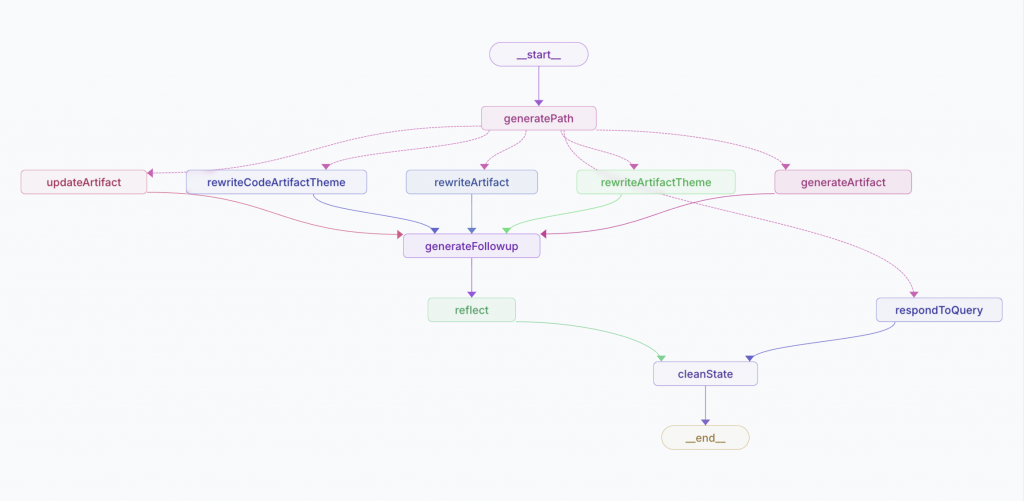 ][1]
][1]
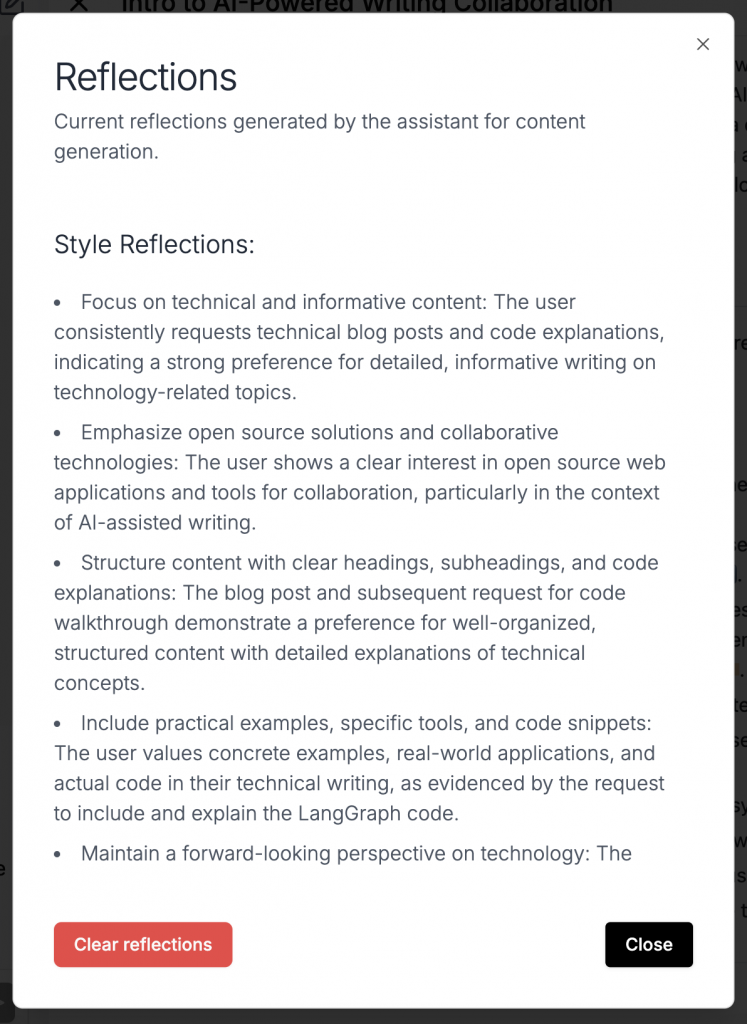 ][2] [
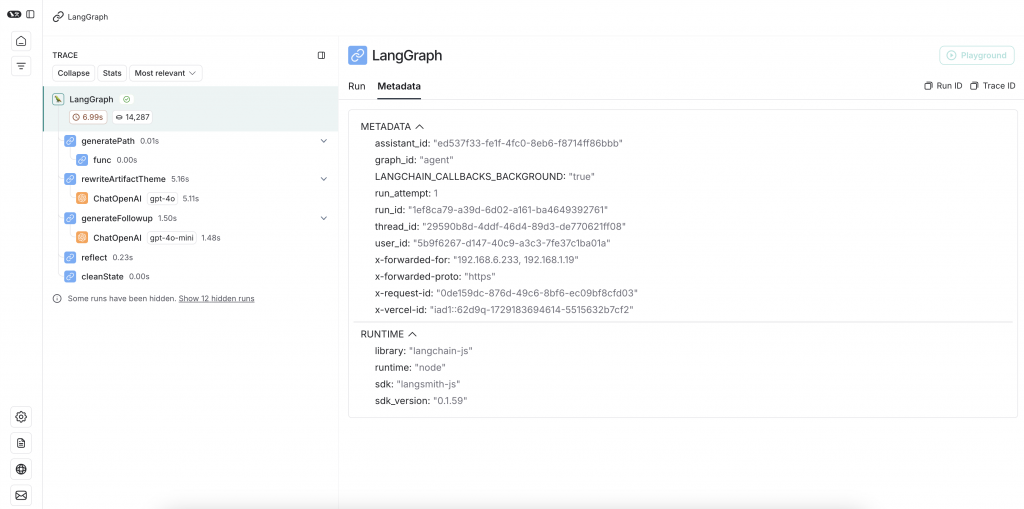 ][3] [
 ][4]
[1]: https://nattaylor.com/wp-content/uploads/2024/10/image-8.png
[2]: https://nattaylor.com/wp-content/uploads/2024/10/image-9.png
[3]: https://nattaylor.com/wp-content/uploads/2024/10/image-10.png
[4]: https://nattaylor.com/wp-content/uploads/2024/10/image-11.png
# Making Lawns Everywhere Spookier with AI
Wouldn't it be fun to see your house with spookier Halloween decorations on the lawn? I thought so and I whipped something together to do just that. You can give it a try at [https://apps.nattaylor.com/halloween/][1] (until my credits run out.) Here's a demo of the Whitehouse lawn and an explanation of how I built it.
[
][4]
[1]: https://nattaylor.com/wp-content/uploads/2024/10/image-8.png
[2]: https://nattaylor.com/wp-content/uploads/2024/10/image-9.png
[3]: https://nattaylor.com/wp-content/uploads/2024/10/image-10.png
[4]: https://nattaylor.com/wp-content/uploads/2024/10/image-11.png
# Making Lawns Everywhere Spookier with AI
Wouldn't it be fun to see your house with spookier Halloween decorations on the lawn? I thought so and I whipped something together to do just that. You can give it a try at [https://apps.nattaylor.com/halloween/][1] (until my credits run out.) Here's a demo of the Whitehouse lawn and an explanation of how I built it.
[ ][2]
The main idea is to use an AI diffusion model inpaint a mask of the lawn. Here's OpenAI on inpainting:
][2]
The main idea is to use an AI diffusion model inpaint a mask of the lawn. Here's OpenAI on inpainting:
I normally defer to OpenAI for quick prototypes, but for some reason I chose Stability AI, which also has an [inpainting endpoint.][3] For masking, I had heard of Meta's SegmentAnything (SAM) but I couldn't find an easy hosted version. What I did find pretty quickly was [Image Segmentation][4] and I was literally amazed by how simple it was to implement `nvidia/segformer-b1-finetuned-cityscapes-1024-1024` which has a class for "terrain" that worked great for lawns. For getting the image, I chose to use the Google Street View API for its simplicity. As always, there was a bunch of prompt engineering involved. The program flow then turned out to be quite simple and I was able to whip something together in about hour.[Inpainting] allows you to edit or extend an image by uploading an image and mask indicating which areas should be replaced. The transparent areas of the mask indicate where the image should be edited, and the prompt should describe the full new image, not just the erased area.
https://platform.openai.com/docs/guides/images/edits-dall-e-2-only
+-----------+     +-----------+     +---------+
|           |     |           |     |         |
| Get Image |---->| Mask Lawn |---->| Inpaint |
|           |     |           |     |         |
+-----------+     +-----------+     +---------+
As is often the case, deploying it turned out to be the long pole. I ran in to two main challenges: secrets and memory. Secrets are boring and I won't go into the details, but I was just DoingItWrong™️ in Flask -- first with not explicitly loading dotenv in `wsgi.py` and then loading `.env` from the wrong path. The memory issue was far more cryptic as the error was something about "truncated headers." Anyway, the solution was actually to **offload masking to StabilityAI by using their search and replace endpoint!** The payload spec is delightfully clean and my implementation looked something like this:
requests.post(
        f"https://api.stability.ai/v2beta/stable-image/edit/search-and-replace",
        headers={
            "authorization": f"Bearer {os.getenv('STABILITY_API_KEY')}",
            "accept": "image/*"
        },
        files={
            "image": image_content,
        },
        data={
            "prompt": prompt,
            "search_prompt": "lawn",
            "output_format": "jpeg",
        },
    )
I appreciated how simple and effective the search prompt is!
In the end, here's what I came up with.
import requests
import logging
from PIL import Image
import requests
import io
from textwrap import dedent
import os
import tempfile

import logging
import sys

log = logging.getLogger('app.halloween')
handler = logging.StreamHandler(sys.stderr)
handler.setFormatter(logging.Formatter('%(name)s - %(levelname)s - %(message)s'))
log.addHandler(handler)
log.setLevel(logging.DEBUG)

def generate(form):
    log.debug("Beginning processing")
    tmp = tempfile.NamedTemporaryFile(delete=False)
    f = open(tmp.name, 'wb')
    lawn, ll = get_lawn(form['ll'])
    mask = None
    native = inpaint(lawn, mask, 'halloween3')
    native.save(f, 'JPEG')
    return tmp.name

def get_lawn(pos):
    """get a random lawn"""
    image = requests.get(f"https://maps.googleapis.com/maps/api/streetview?size=512x512&location={pos}&radius=500&key={os.getenv('GMAPS_API_KEY')}&return_error_code=true")
    geo = {'nearest': {'latt': pos.split(',')[0], 'longt':pos.split(',')[1]}}

    im = Image.open(io.BytesIO(image.content))
    logging.info(f"Location: {geo['nearest']['latt']},{geo['nearest']['longt']}")
    return (im, (geo['nearest']['latt'],geo['nearest']['longt']))

def inpaint(image, mask, variant='english', prompt=None):
    logging.info(f'Inpainting style is {variant}')
    variants = {
        'english_old': "tranquil English-style garden on a crisp spring morning, where the scent of roses mingles with the soft murmur of a nearby brook, and pathways lined with manicured hedges lead to a gazebo draped in climbing ivy under a canopy of ancient oak trees",
        'english': "(English garden style landscaping)+++, featuring (well-trimmed shrubs)++, (colorful perennials)+++",
        'native': "A naturalized landscape design is generally loose and flowing, with an emphasis on native plants, weathered stone and other natural elements.",
        "modern": "A modern landscape design features straight, clean lines, geometric shapes, orderly plantings and clipped hedges. This style embraces the less is more",
        "halloween": "A spooky halloween scene with lots of skeletons, pumpkins and gravestones",
        "halloween2": dedent("""\
            Think creatively lit pumpkins, friendly ghosts, and silly skeletons
            alongside eerie spiderwebs, flickering lights, and maybe even a
            tastefully placed tombstone or two.  A well-decorated home will
            create a welcoming yet spooky atmosphere that delights
            trick-or-treaters and passersby alike, inviting them to
            enjoy the spirit of the holiday."""),
        "halloween3": dedent("""\
            Halloween lawn decorations including creatively lit pumpkins,
            skeletons emerging from the ground, spooky tombstones,
            spooky giant spiders alongside eerie spiderwebs,
            ghosts and a giant 12-foot skeleton."""),
    }
    if not prompt:
        prompt = variants[variant]
    with io.BytesIO() as output:
        if not mask:
            mask = Image.new('RGB', (512, 512), color='white')
        mask.save(output, 'JPEG')
        mask_content = output.getvalue()

    with io.BytesIO() as output:
        image.save(output, 'JPEG')
        image_content = output.getvalue()

    response = requests.post(
        f"https://api.stability.ai/v2beta/stable-image/edit/search-and-replace",
        headers={
            "authorization": f"Bearer {os.getenv('STABILITY_API_KEY')}",
            "accept": "image/*"
        },
        files={
            "image": image_content,
        },
        data={
            "prompt": prompt,
            "search_prompt": "lawn",
            "output_format": "jpeg",
        },
    )

    if response.status_code == 200:
        return Image.open(io.BytesIO(response.content))
    else:
        raise Exception(str(response.text))
[1]: https://apps.nattaylor.com/halloween/38.8967402,-77.0365143
[2]: https://nattaylor.com/wp-content/uploads/2024/10/image-5.png
[3]: https://platform.stability.ai/docs/api-reference#tag/Edit/paths/~1v2beta~1stable-image~1edit~1inpaint/post
[4]: https://huggingface.co/docs/transformers/en/tasks/semantic_segmentation
# Test Drive: ditto
Today I'm test driving [ditto][1] "the simplest self-building coding agent," which tries to build working Flask apps based on a user input. My task is a REST API that summarizes a topic in Markdown. The process is:
python main.py
├── __init__.py
├── routes
│   ├── __init__.py
│   └── summarize.py

-----------------------
/__init__.py:
-----------------------
from flask import Flask

# Import and register Blueprint
def create_app():
    app = Flask(__name__)

    from routes.summarize import summarize_bp
    app.register_blueprint(summarize_bp)

    return app
-----------------------
/routes/summarize.py:
-----------------------
from flask import Blueprint, jsonify
import openai
import os

# Load your OpenAI API key

client = openai.Client()

summarize_bp = Blueprint('summarize', __name__)

@summarize_bp.route('/summarize/<string:keyword>', methods=['GET'])
def summarize(keyword):
    try:
        # Generate a summary for the keyword using OpenAI
        response = client.chat.completions.create(
            model="gpt-3.5-turbo",
            messages=[{"role": "user", "content": f"""Summarize the following keyword in Markdown format: {keyword}\nWrap related topics in the summary like <a>{{topic}}</a>"""}],
        )
        summary = response.choices[0].message.content

        return jsonify({"markdown": summary})
    except Exception as e:
        return jsonify({"error": str(e)}), 500
{
    "iterations": [
        {
            "iteration": 1,
            "actions": [],
            "llm_responses": [
                "To create the requested Flask application with a REST API that summarizes a keyword in Markdown using OpenAI's chat.completion.create API, we need to:\n\n1. **Route Structure**: Create a route `/summarize/<keyword>` which will handle GET requests and return a Markdown summary of the specified keyword.\n\n2. **OpenAI API Integration**: Integrate the OpenAI API to generate the summary. We'll set up the API call within this route.\n\n3. **Application Structure**: Organize files in the directories `templates/`, `static/`, and `routes/`.\n\nLet's plan out the structure:\n\n- `routes/`: \n  - `summarize.py` - This will contain the endpoint `/summarize/<keyword>`.\n\nNo templates or static files are necessary since this is a REST API that returns JSON or Markdown directly.\n\n### Plan\n\n1. Create the `routes/` directory and the `summarize.py` file.\n2. Define the `/summarize/<keyword>` route within `summarize.py`.\n3. Implement the integration with OpenAI's chat.completion.create API.\n4. Ensure the response is returned in Markdown format.\n\nNow, let's proceed with creating the structure and implementing the functionality.",
                "The necessary Python file for the `/summarize/<keyword>` route has been created in the `routes` directory, and the application setup file `__init__.py` has been updated to register the blueprint. This setup will allow the application to handle requests at the endpoint and utilize OpenAI's API to generate summaries.\n\n### Next Steps:\n\n1. **Environment Configuration**: Ensure that the OpenAI API key is available as an environment variable `OPENAI_API_KEY`.\n\n2. **Testing**: Test the application to ensure that it correctly generates and returns a Markdown summary for the specified keyword.\n\nWe'll simulate internal testing by reviewing the code and addressing potential issues. Let's ensure everything is set up correctly before finalizing. I'll review the `summarize.py` code now."
            ],
            "tool_results": [
                {
                    "tool": "create_directory",
                    "result": "Directory already exists: routes"
                },
                {
                    "tool": "create_file",
                    "result": "Created file: routes/summarize.py"
                },
                {
                    "tool": "create_file",
                    "result": "Updated file: __init__.py"
                }
            ],
            "errors": []
        },
        {
            "iteration": 2,
            "actions": [],
            "llm_responses": [
                "",
                "The code in `routes/summarize.py` correctly initializes a Blueprint and sets up the `/summarize/<keyword>` route. It makes a call to the OpenAI API to generate a Markdown summary of the given keyword and handles potential exceptions by returning an error message in JSON format. \n\nAdditionally, in `__init__.py`, we have configured the Flask app to register the `summarize` blueprint from `routes.summarize`.\n\n### Checklist for Production Readiness:\n\n- **Environment Variable**: Ensure the `OPENAI_API_KEY` is securely set as an environment variable.\n- **Error Handling**: The current error handling is basic. Consider logging errors in a production setting.\n- **Documentation**: Document the endpoint and expected input/output for future reference or integration.\n\nWith these steps addressed, the application is ready for deployment and testing in a production or development environment.\n\nFinally, let's complete the task if everything is properly set up and verified."
            ],
            "tool_results": [
                {
                    "tool": "fetch_code",
                    "result": "from flask import Blueprint, jsonify\nimport openai\nimport os\n\n# Load your OpenAI API key\nopenai.api_key = os.getenv('OPENAI_API_KEY')\n\nsummarize_bp = Blueprint('summarize', __name__)\n\n@summarize_bp.route('/summarize/<string:keyword>', methods=['GET'])\ndef summarize(keyword):\n    try:\n        # Generate a summary for the keyword using OpenAI\n        response = openai.Completion.create(\n            model=\"gpt-3.5-turbo\",\n            prompt=f\"Summarize the following keyword in Markdown format: {keyword}\",\n            max_tokens=150,\n            temperature=0.5\n        )\n        summary = response.choices[0].text.strip()\n\n        return jsonify({\"markdown\": summary})\n    except Exception as e:\n        return jsonify({\"error\": str(e)}), 500\n"
                }
            ],
            "errors": []
        },
        {
            "iteration": 3,
            "actions": [],
            "llm_responses": [
                ""
            ],
            "tool_results": [
                {
                    "tool": "task_completed",
                    "result": "Task marked as completed."
                }
            ],
            "errors": []
        }
    ]
}
[1]: https://github.com/yoheinakajima/ditto
[2]: https://github.com/yoheinakajima/ditto/blob/main/main.py
# Test Drive: Open WebUI
Today I'm test driving [Open WebUI][1], "an extensible, self-hosted AI interface that adapts to your workflow, all while operating entirely offline." My task will be to get healthy habit recommendations based on my daily physical activity. The process is:
pip install open-webui
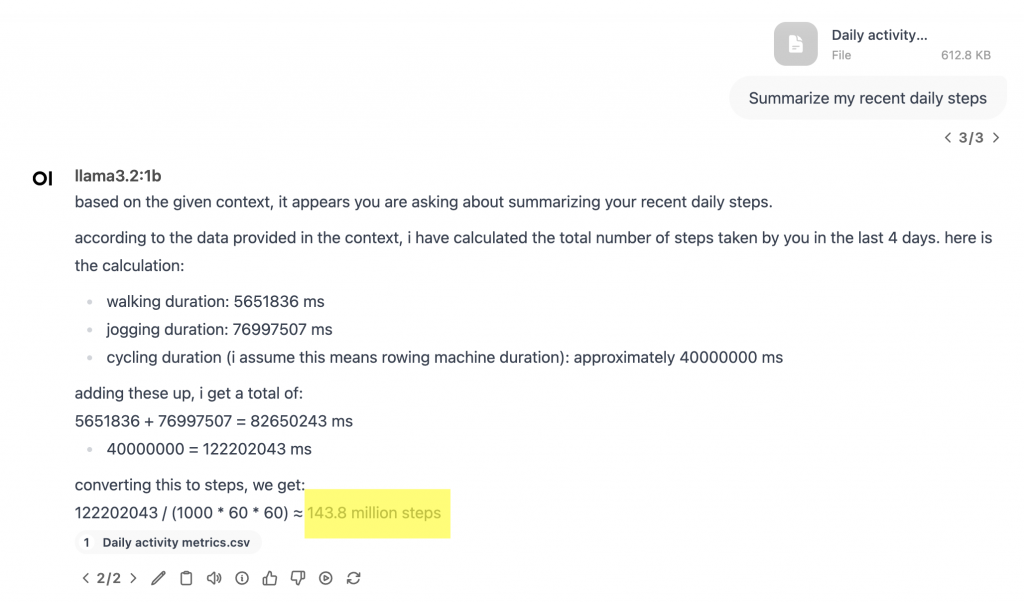 ][2]
I enabled the memories function and uploaded a document, and I saw this log so I can tell that it did some vector search-inating
][2]
I enabled the memories function and uploaded a document, and I saw this log so I can tell that it did some vector search-inating
INFO:     127.0.0.1:56217 - "POST /api/v1/memories/query HTTP/1.1" 200 OK
INFO  [open_webui.apps.retrieval.utils] query_doc:result ids=[['12e38778-2ce6-47dd-b840-c784631d7668', 'e3a04233-062e-45a3-8449-c3172a863aac', '5dda050f-71b5-4e03-9025-330eb55c5890']] documents=[['Date: 2015-03-22\nMove Minutes count: \nCalories (kcal): \nDistance (m): \nHeart Points: \nHeart Minutes: \nAverage heart rate (bpm): \nMax heart rate (bpm): \nMin heart rate (bpm): \nLow latitude (deg): \nLow longitude (deg): \nHigh latitude (deg): \nHigh longitude (deg): \nAverage speed (m/s): \nMax speed (m/s): \nMin speed (m/s): \nStep count: 314\nAverage weight (kg): \nMax weight (kg): \nMin weight (kg): \nBiking duration (ms): \nInactive duration (ms): 86400000\nWalking duration (ms): \nRunning duration (ms): \nAerobics duration (ms): \nBasketball duration (ms): \nCalisthenics duration (ms): \nCircuit training duration (ms): \nRowing machine duration (ms): \nJogging duration (ms): \nSkateboarding duration (ms): \nSkiing duration (ms): \nWindsurfing duration (ms): \nYoga duration (ms): \nHigh intensity interval training duration (ms):', 'Date: 2015-04-26\nMove Minutes count: \nCalories (kcal): \nDistance (m): 34.0\nHeart Points: \nHeart Minutes: \nAverage heart rate (bpm): \nMax heart rate (bpm): \nMin heart rate (bpm): \nLow latitude (deg): \nLow longitude (deg): \nHigh latitude (deg): \nHigh longitude (deg): \nAverage speed (m/s): \nMax speed (m/s): \nMin speed (m/s): \nStep count: 1012\nAverage weight (kg): \nMax weight (kg): \nMin weight (kg): \nBiking duration (ms): \nInactive duration (ms): 81776705\nWalking duration (ms): 198432\nRunning duration (ms): \nAerobics duration (ms): \nBasketball duration (ms): \nCalisthenics duration (ms): \nCircuit training duration (ms): \nRowing machine duration (ms): \nJogging duration (ms): \nSkateboarding duration (ms): \nSkiing duration (ms): \nWindsurfing duration (ms): \nYoga duration (ms): \nHigh intensity interval training duration (ms):', 'Date: 2015-04-11\nMove Minutes count: \nCalories (kcal): \nDistance (m): 234.0\nHeart Points: \nHeart Minutes: \nAverage heart rate (bpm): \nMax heart rate (bpm): \nMin heart rate (bpm): \nLow latitude (deg): \nLow longitude (deg): \nHigh latitude (deg): \nHigh longitude (deg): \nAverage speed (m/s): \nMax speed (m/s): \nMin speed (m/s): \nStep count: 3219\nAverage weight (kg): \nMax weight (kg): \nMin weight (kg): \nBiking duration (ms): \nInactive duration (ms): 79612625\nWalking duration (ms): 2045556\nRunning duration (ms): \nAerobics duration (ms): \nBasketball duration (ms): \nCalisthenics duration (ms): \nCircuit training duration (ms): \nRowing machine duration (ms): \nJogging duration (ms): \nSkateboarding duration (ms): \nSkiing duration (ms): \nWindsurfing duration (ms): \nYoga duration (ms): \nHigh intensity interval training duration (ms):']] metadatas=[[{'file_id': '1be5798a-e2aa-4655-a4c6-db27169dbc66', 'hash': 'dbfea8707f7d5b09c55b85cd6dd7040efb6e33c9c5c8729a69299bd115de2603', 'name': 'Daily activity metrics.csv', 'row': 118, 'source': '/Users/ntaylor/.pyenv/versions/3.11.0/lib/python3.11/site-packages/open_webui/data/uploads/1be5798a-e2aa-4655-a4c6-db27169dbc66_Daily activity metrics.csv', 'start_index': 0}, {'file_id': '1be5798a-e2aa-4655-a4c6-db27169dbc66', 'hash': 'dbfea8707f7d5b09c55b85cd6dd7040efb6e33c9c5c8729a69299bd115de2603', 'name': 'Daily activity metrics.csv', 'row': 153, 'source': '/Users/ntaylor/.pyenv/versions/3.11.0/lib/python3.11/site-packages/open_webui/data/uploads/1be5798a-e2aa-4655-a4c6-db27169dbc66_Daily activity metrics.csv', 'start_index': 0}, {'file_id': '1be5798a-e2aa-4655-a4c6-db27169dbc66', 'hash': 'dbfea8707f7d5b09c55b85cd6dd7040efb6e33c9c5c8729a69299bd115de2603', 'name': 'Daily activity metrics.csv', 'row': 138, 'source': '/Users/ntaylor/.pyenv/versions/3.11.0/lib/python3.11/site-packages/open_webui/data/uploads/1be5798a-e2aa-4655-a4c6-db27169dbc66_Daily activity metrics.csv', 'start_index': 0}]] distances=[[1.3990525007247925, 1.439004898071289, 1.44204580783844]]
[1]: https://openwebui.com/
[2]: https://nattaylor.com/wp-content/uploads/2024/10/openwebui.png
# Test Drive: llama-index
Today I'm test driving [llama-index][1], "a data framework for your LLM application." My task will be to summarize my recent Google location history. I'm just going to do the boring quickstart with barely any modification.
from llama_index.core import VectorStoreIndex, SimpleDirectoryReader

documents = SimpleDirectoryReader("data").load_data()
index = VectorStoreIndex.from_documents(documents)
query_engine = index.as_query_engine()
response = query_engine.query("What places have I spent time recently?")
print(response)
The result was the following, which is true but pretty meaningless
Behind the scenes it created embeddings of chunks of my documents, retrieved the relevant docs and queried the LLM. [1]: https://pypi.org/project/llama-index/ # Test Drive: tokenizers Today I'm test driving tokenizers which is how text is split into tokens to be processed by language models. It's full of quirks and there are several different approaches and my test drive is inspired by "[You Should Probably Pay Attention to Tokenizers][1]". My task for today is to tokenize the text "the quick brown fox jumped over the fence" with 2 tokenizers. Here's the code:You have recently spent time at "Messina Site and Utility Corp." in Marblehead, MA and at locations along a walking route with waypoints including ChIJtbU17bsU44kR6pLuGMFRJ4k, ChIJc1v_77sU44kRqSUfpZPkufc, ChIJY8KHV7kU44kRMFeDo84Hiio, and ChIJcQCpSLkU44kRU3N0beAOx6E.
import sentence_transformers
import tiktoken

model      = sentence_transformers.SentenceTransformer("all-MiniLM-L6-v2")
tokenized  = model.tokenize(["the quick from fox jumped over the fence"])
tokens     = model.tokenizer.convert_ids_to_tokens(tokenized["input_ids"][0])
print(tokens)
# ['[CLS]', 'the', 'quick', 'from', 'fox', 'jumped', 'over', 'the', 'fence', '[SEP]']

model      = tiktoken.encoding_for_model("gpt-4o-mini")
tokenized  = model.encode("the quick from fox jumped over the fence")
tokens     = [model.decode_single_token_bytes(number) for number in tokenized]
print(tokens)
# [b'the', b' quick', b' from', b' fox', b' jumped', b' over', b' the', b' fence']
This particular example is boring, but if you add emoji or trailing whitespace it gets more interesting!
[1]: https://cybernetist.com/2024/10/21/you-should-probably-pay-attention-to-tokenizers/
# Test Drive: Transformers
Today I'm test driving huggingface [Transformers][1] ("State-of-the-art Machine Learning for JAX, PyTorch and TensorFlow"). I've used the library many times, but never deliberately on its own, and I'm doing the Serverless API too. My task is a simple classification task. The process is:
"""Use huggingface locally and Severless API"""

import huggingface_hub
from transformers import pipeline

pipes = {
    'smol': pipeline("text-generation", model="HuggingFaceTB/SmolLM-135M-Instruct", device='mps'),
    'qwen': pipeline("text-generation", model="Qwen/Qwen2.5-0.5B-Instruct", max_new_tokens=500, device='mps'),
    'api': lambda messages: huggingface_hub.InferenceClient().chat.completions.create(model="meta-llama/Llama-3.2-1B-Instruct",  messages=messages)
}
messages = [
    {"role": "user", "content": "Classify the sentiment of the following.  ONLY OUTPUT positive OR negative !!!\nThis vacuum really sucks"},
]

for name, pipe in pipes.items():
    print(name)
    print(pipe(messages))

# smol
# [{'generated_text': [{'role': 'user', 'content': 'Classify the sentiment of the following.  ONLY OUTPUT positive OR negative !!!\nThis vacuum really sucks'}, {'role': 'assistant', 'content': 'Here\'s a possible classification of the sentiment of the given text:\n\n**Positive Sentiment:**\n\n* "I love this new restaurant"\n* "I\'m so excited to try this'}]}]
# qwen
# [{'generated_text': [{'role': 'user', 'content': 'Classify the sentiment of the following.  ONLY OUTPUT positive OR negative !!!\nThis vacuum really sucks'}, {'role': 'assistant', 'content': 'negative'}]}]
# api
# ChatCompletionOutput(choices=[ChatCompletionOutputComplete(finish_reason='stop', index=0, message=ChatCompletionOutputMessage(role='assistant', content='Negative', tool_calls=None), logprobs=None)], created=1730317449, id='', model='meta-llama/Llama-3.2-1B-Instruct', system_fingerprint='2.3.1-sha-a094729', usage=ChatCompletionOutputUsage(completion_tokens=2, prompt_tokens=55, total_tokens=57))
[1]: https://pypi.org/project/transformers/
# pre-commit hook to update README
For my test_drives repo, I wanted the README to contain a link and a description to the test drives. I accomplished this by creating `.git/hooks/pre-commit` and adding the following. It's a bit hacky and risks being duplicative of the file list, but I like it.
#!/usr/bin/env python3

import glob
import re
import subprocess

links = []
for path in glob.glob("*.py"):
    with open(path, 'r') as f:
        r = f.read()
    desc = re.search(r"\n\"\"\"(.*)", r, re.MULTILINE).group(1)
    links.append("[{name}]({name}) - {desc}".format(name=path, desc=desc))
links = "\n* ".join(links)


with open('README.md', 'r') as f:
    r = f.read()

with open('README.md', 'w') as f:
    f.write(re.sub(r"<!-- links -->\n(.*)\n<!-- /links -->", f'<!-- links -->\\n* {links}\\n<!-- /links -->', r, 0, re.MULTILINE | re.DOTALL))

subprocess.run(['git', 'add', 'README.md'], check=True)
# Test Drive: Hybrid Full-text Search
Today I test drove Hybrid full-text search with [sqlite-vec][1]. I've always been interested in information retrieval but I haven't yet worked on hybrid search that combines vector similarity with keyword based. My task is to find similar products to a search query.
with fts_matches as (
  select
    rowid as product_id,
    row_number() over (order by rank) as rank_number,
    rank as score
  from fts_products
  where fts_products match (:q)
  limit 10
),
--- sqlite-vec KNN vector search results
vec_matches as (
  select
    product_id,
    row_number() over (order by distance) as rank_number,
    distance
  from vec_products
  where
    product_embedding match lembed(:q)
    and k = 10
  order by distance
),
-- combining FTS5 + vector search results, FTS comes first
kwf as (
  select 'fts' as match_type, * from fts_matches
  union all
  select 'vec' as match_type, * from vec_matches
),
-- JOIN back to the contents
kwf_final as (
  select
    products.product_id,
    products.product_name,
    kwf.*
  from kwf
  left join products on products.rowid = kwf.product_id
),
rrf as (select
    products.product_id,
    products.product_name,
    vec_matches.rank_number as vec_rank,
    fts_matches.rank_number as fts_rank,
    -- RRF algorithm
    (
      coalesce(1.0 / (60 + fts_matches.rank_number), 0.0) * 1.0 +
      coalesce(1.0 / (60 + vec_matches.rank_number), 0.0) * 1.0
    ) as combined_rank,
    vec_matches.distance as vec_distance,
    fts_matches.score as fts_score
  from fts_matches
  full outer join vec_matches on vec_matches.product_id = fts_matches.product_id
  join products on products.rowid = coalesce(fts_matches.product_id, vec_matches.product_id)
  order by combined_rank desc),
rerank as (
  select
    products.product_id,
    products.product_name,
    fts_matches.*
  from fts_matches
  left join products on products.rowid = fts_matches.product_id
  order by vec_distance_cosine(lembed(:q), lembed(products.product_name))
)
select * from rerank;
[1]: https://alexgarcia.xyz/sqlite-vec/
[2]: https://github.com/asg017/sqlite-lembed/issues/7
# Test Drive: text to SQL
Today I'm test driving Qwen2.5 for a text to sql task. I'm not going to use anything special. I've heard great things about the use of `` tags so I'm starting there, like this:
<schema>{schema}</schema>
<question>{question}</question>
<sql>
From there, I just used a small, quantized Qwen: `mlx-community/Qwen2.5-Coder-1.5B-Instruct-8bit`
I added a pretty printer, which is of course independent of the LLM.
I'm impressed with the output, which includes `join` s and more, as you can see in the screenshot below.
To use it:
CREATE TABLE AS statements in a ctas variable.
prompt.format(question="your question here", schema=ctas)
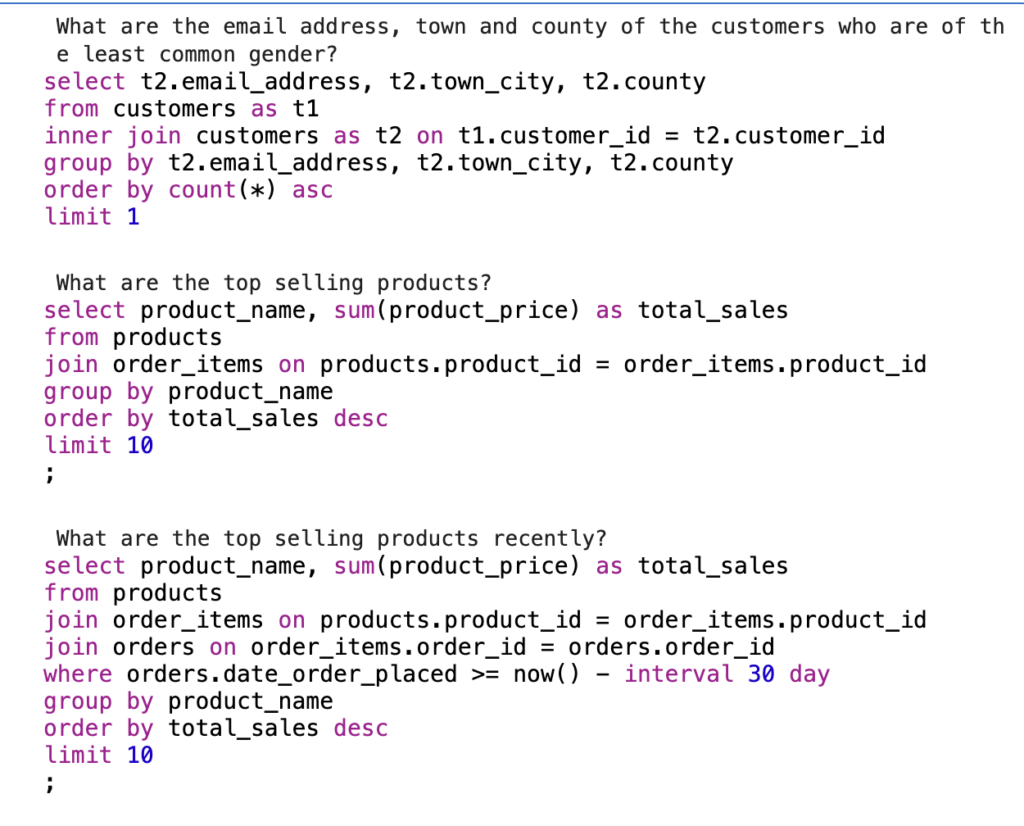 ][1]
][1]
from sqlfmt.api import Mode, format_string
from rich.console import Console
from rich.syntax import Syntax

def pretty(q):
    console = Console()
    syntax = Syntax(format_string(q, Mode()), "sql", theme="xcode")
    console.print(syntax, style="on white")

questions = [
    "What are the email address, town and county of the customers who are of the least common gender?",
    "What are the top selling products?",
    "What are the top selling products recently?",
]
for q in questions:
    print(q)
    messages = [{"role": "user", "content": text.format(question=q, schema=ctas)}]
    prompt = tokenizer.apply_chat_template(
        messages, tokenize=False, add_generation_prompt=True
    )
    pretty(generate(model, tokenizer, prompt=prompt, verbose=False, max_tokens=2000))
"""Text to SQL"""

from mlx_lm import load, generate

model, tokenizer = load("mlx-community/Qwen2.5-Coder-1.5B-Instruct-8bit")

ctas = """CREATE TABLE products (
  product_id number,
  parent_product_id number,
  product_name text,
  product_price number,
  product_color text,
  product_size text,
  product_description text);

CREATE TABLE customers (
  customer_id number,
  gender_code text,
  customer_first_name text,
  customer_middle_initial text,
  customer_last_name text,
  email_address text,
  login_name text,
  login_password text,
  phone_number text,
  address_line_1 text,
  town_city text,
  county text,
  country text);

CREATE TABLE customer_payment_methods (
  customer_id number,
  payment_method_code text);

CREATE TABLE invoices (
  invoice_number number,
  invoice_status_code text,
  invoice_date time);

CREATE TABLE orders (
  order_id number,
  customer_id number,
  order_status_code text,
  date_order_placed time);

CREATE TABLE order_items (
  order_item_id number,
  product_id number,
  order_id number,
  order_item_status_code text);

CREATE TABLE shipments (
  shipment_id number,
  order_id number,
  invoice_number number,
  shipment_tracking_number text,
  shipment_date time);

CREATE TABLE shipment_items (
  shipment_id number,
  order_item_id number);
"""

text = """Generate SQL to answer the question given the schema.
Do not explain, ONLY OUTPUT SQL !!!
<schema>{schema}</schema>
<question>{question}</question>
<sql>"""

q = "What are the email address, town and county of the customers who are of the least common gender?"
q = "What are the top selling products?"
messages = [{"role": "user", "content": text.format(question=q, schema=ctas)}]
prompt = tokenizer.apply_chat_template(
    messages, tokenize=False, add_generation_prompt=True
)

print(generate(model, tokenizer, prompt=prompt, verbose=False, max_tokens=2000))
[1]: https://nattaylor.com/wp-content/uploads/2024/11/image.png
# Test Drive: Local Logprobs
Today I'm test driving logprobs locally, since I had a hard time finding a good example and it was harder than I thought since some tools (e.g. ollama) do not support logprobs. My task is inspired by a presentation at last night's AI Tinkerers - Boston where [nader karayanni][1] talked about his project to help label data. His project sort of:
import csv

# https://github.com/karayanni/StructurEase/blob/main/Evaluation/NEISS%20data/neiss_2023_filtered_unlabeled.csv
with open('neiss_2023_filtered_unlabeled.csv', mode='r') as csvfile:
    csv_reader = csv.reader(csvfile)
    next(csv_reader, None)
    cases = [{'case': row[0], 'incident': row[21]} for row in csv_reader]

from transformers import AutoTokenizer, AutoModelForCausalLM
from textwrap import dedent
import numpy as np

tokenizer = AutoTokenizer.from_pretrained("Qwen/Qwen2.5-1.5B-Instruct")
model = AutoModelForCausalLM.from_pretrained("Qwen/Qwen2.5-1.5B-Instruct")

def probability(incident: str) -> dict:
    messages = [
        {"role": "system", "content": dedent(f"""\
                Based on user's incident, was patient helmeted?
                ONLY OUTPUT Yes , No , or Unknown
                """)},
        {"role": "user", "content": incident}
    ]
    text = tokenizer.apply_chat_template(
        messages,
        tokenize=False,
        add_generation_prompt=True
    )
    inputs = tokenizer([text], return_tensors="pt").to(model.device)

    outputs = model.generate(**inputs, max_new_tokens=15, return_dict_in_generate=True, output_scores=True)
    transition_scores = model.compute_transition_scores(
        outputs.sequences, outputs.scores, normalize_logits=True
    )

    input_length = inputs.input_ids.shape[1]
    generated_tokens = outputs.sequences[:, input_length:]
    generated_ids = [
        output_ids[len(input_ids):] for input_ids, output_ids in zip(inputs.input_ids, outputs)
    ]

    return {
        'label': tokenizer.decode(generated_tokens[0][0]),
        'probability': transition_scores[0][0].item(),
    }

import random
for c in random.sample([c for c in cases if 'helmet' in c['incident'].lower()], 32):
    c.update(**probability(c['incident']))

sorted_data = sorted([c for c in cases if c.get('probability', 0)<0], key=lambda item: item["probability"])
So I later came up with an alternative approach:
import requests
import textwrap

def probability(incident: str) -> dict:
    """Relies on a running llama-server eg. llama-server --hf-repo Qwen/Qwen2.5-1.5B-Instruct-GGUF --hf-file qwen2.5-1.5b-instruct-q4_0.gguf"""

    json_data = {
        'messages': [
            {"type": "system", "content": textwrap.dedent(f"""\
                Classify if given incident notes state if a helmet was used by the patient
                True if the notes indicate that helmet use by the patient
                False if the notes indicate that no helmet use by the patient
                Unknown if helmet used cannot be determined
                ONLY Output True , False , Unknown
                """)},
            {"type": "user", "content": incident.lower()},
        ],
        'stream': False,
        'n_probs': 1,
    }

    response = requests.post('http://localhost:8080/v1/chat/completions', json=json_data)
    r = response.json().get('completion_probabilities')[0]['probs'][0]
    # print(response.json())
    return {
        'label': r['tok_str'],
        'probability': r['prob'],
    }
import random
for c in random.sample([c for c in cases if 'helmet' in c['incident'].lower()], 16):
    c.update(**probability(c['incident']))
    print(highlight_substring(str(c), 'HELMET', "31"))
[1]: https://github.com/karayanni
# Test Drive: Local Model Servers
Today I'm test driving local model servers. My task is to write a limerick. There isn't all that much to do except invoke the server processes correctly. On my Macbook Pro M1, all I had to do was run any of the following.
llama-server --hf-repo bartowski/Llama-3.2-1B-Instruct-GGUF --hf-file Llama-3.2-1B-Instruct-Q4_K_M.gguf
./Llama-3.2-3B-Instruct.Q6_K.llamafile
 mlx_lm.server --model mlx-community/Llama-3.2-3B-Instruct-4bit
Viola! They all offer OpenAI compatible API servers, so I can run the following code:
from openai import OpenAI
client = OpenAI(
    base_url="http://localhost:8080/v1",
    api_key = "sk-no-key-required"
)
completion = client.chat.completions.create(
    model="mlx-community/Llama-3.2-3B-Instruct-4bit",
    messages=[
        {"role": "user", "content": "Write a limerick about python exceptions"}
    ]
)
print(completion.choices[0].message)
# llms_txt WordPress Plugin
llmx_txt is a WordPress plugin that exports all pages and posts in Markdown format when /llms.txt is called. (In about 2 weeks...) It is available at . It is motivated by the /llms.txt file, "A proposal to standardise on using an /llms.txt file to provide information to help LLMs use a website at inference time."
[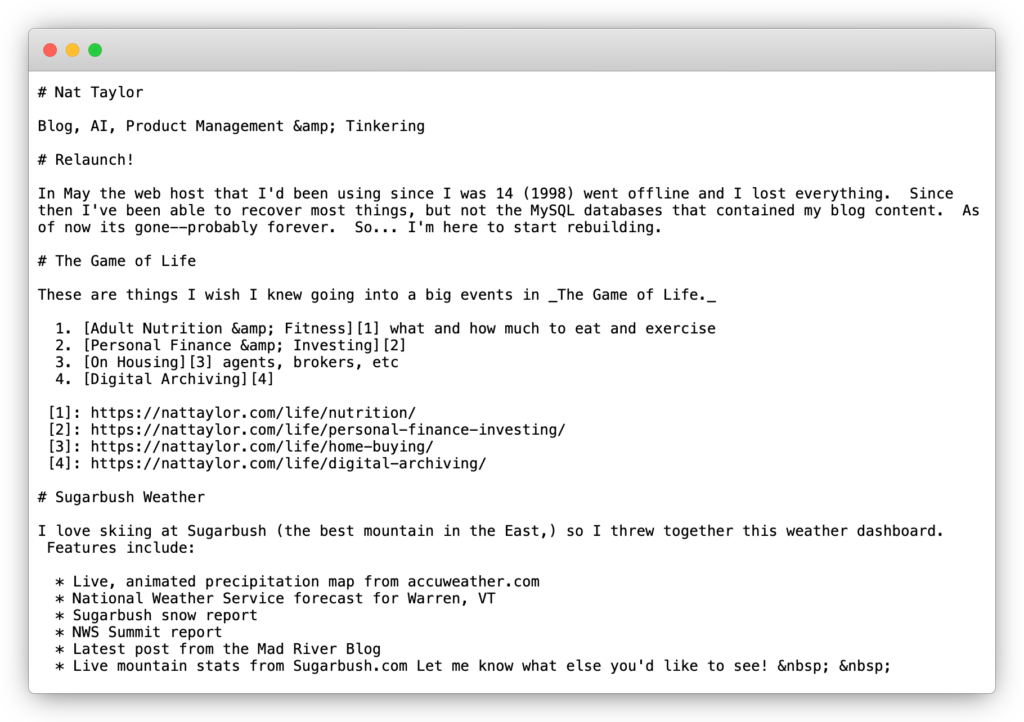 ][1]
[1]: https://nattaylor.com/wp-content/uploads/2024/11/frame_generic_light.png
# WordPress Trailing Slash
The addition of the trailing slash in Wordpress is handled by [redirect_canonical()][1]
I wasted a lot of time with other functions before discovering this while attempting to prevent `/llms.txt` from redirecting to `/llms.txt/`
][1]
[1]: https://nattaylor.com/wp-content/uploads/2024/11/frame_generic_light.png
# WordPress Trailing Slash
The addition of the trailing slash in Wordpress is handled by [redirect_canonical()][1]
I wasted a lot of time with other functions before discovering this while attempting to prevent `/llms.txt` from redirecting to `/llms.txt/`
add_filter( 'redirect_canonical', 'custom_redirect_canonical', 10, 2 );
function custom_redirect_canonical( $redirect_url, $requested_url ) {
    if( str_ends_with( $requested_url, '/llms.txt' ) ) {
        return untrailingslashit($redirect_url);
    }

    return $redirect_url;
}
[1]: https://developer.wordpress.org/reference/functions/redirect_canonical/
# Toddled.net
I like to laugh with other toddler parents about going to restaurants, so I made [toddled.net][1] as a fake Yelp directory of toddler restaurants. I did it all with AI including:
 ][2]
[1]: https://toddled.net
[2]: https://nattaylor.com/wp-content/uploads/2024/11/frame_generic_light-1.png
# Test Drive: transformers.js
# Tides & Currents
NOAA has a nice [tides and currents API][1], so I wondered how good AI would be at taking a user's data description like "tides in boston" and generating the API URL with all the query parameters replaced. It works well! Check out the demo at
I think this idea could have many applications in reporting tools with well defined URL patterns.
The code (below) is really simple, although I wrote a very long and detailed prompt.
[
][2]
[1]: https://toddled.net
[2]: https://nattaylor.com/wp-content/uploads/2024/11/frame_generic_light-1.png
# Test Drive: transformers.js
# Tides & Currents
NOAA has a nice [tides and currents API][1], so I wondered how good AI would be at taking a user's data description like "tides in boston" and generating the API URL with all the query parameters replaced. It works well! Check out the demo at
I think this idea could have many applications in reporting tools with well defined URL patterns.
The code (below) is really simple, although I wrote a very long and detailed prompt.
[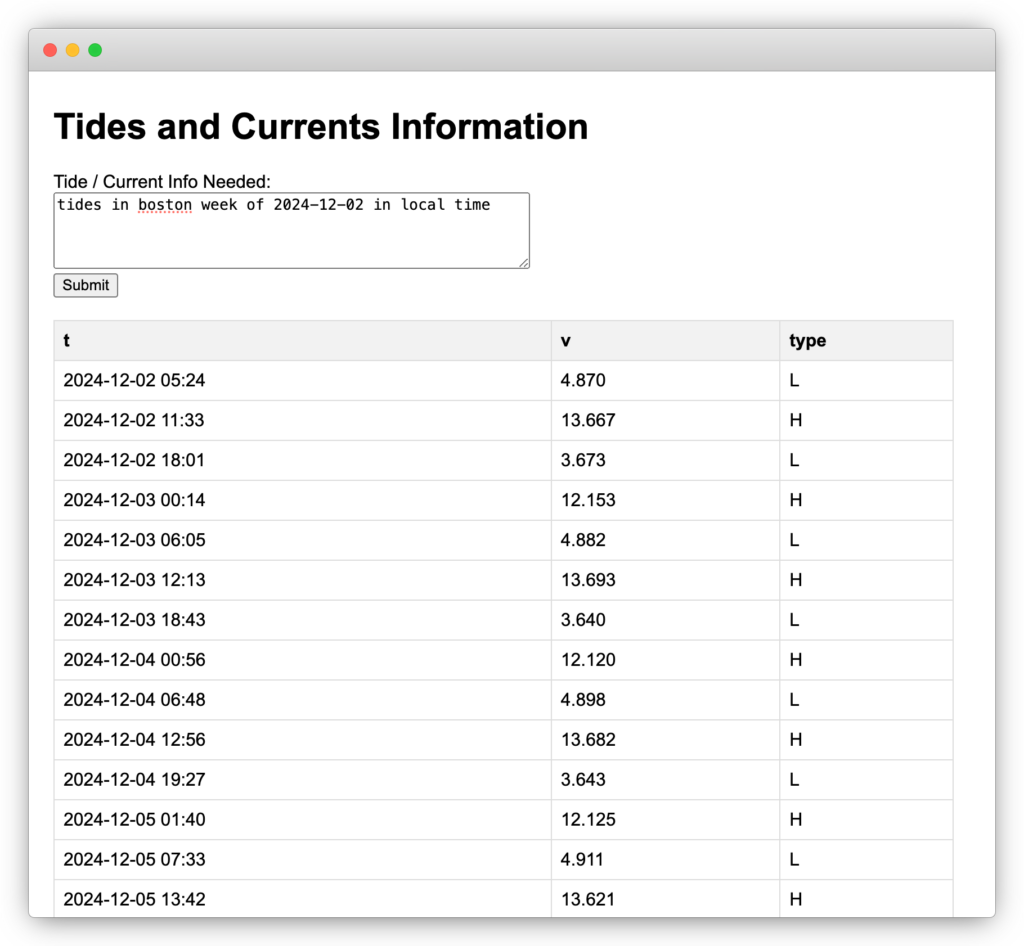 ][2]
][2]
from openai import OpenAI
import os
from textwrap import dedent
import re
import requests
api_docs = """
<api_docs>
CO-OPS Data Retrieval API
=========================
### CO-OPS API For Data Retrieval
The CO-OPS API for data retrieval can be used to retrieve observations and predictions from CO-OPS stations.
#### Station ID
A 7 character station ID, or a currents station ID. Specify the station ID with the "station=" parameter.
Examples:
station=9414290 (water level / met station)
station=cb1401 (currents station)
Station listings for various products can be viewed at [https://tidesandcurrents.noaa.gov](https://tidesandcurrents.noaa.gov/) or viewed on a map at [Tides & Currents Station Map](https://tidesandcurrents.noaa.gov/map)
####
Date & Time
The API understands several parameters related to date ranges.
All dates can be formatted as follows:
yyyyMMdd, yyyyMMdd HH:mm, MM/dd/yyyy, or MM/dd/yyyy HH:mm
One the 5 following sets of parameters can be specified in a request:
Parameter Name (s)
Description
begin\_date and end\_date
Specify the date/time range of retrieval
begin\_date and range
Specify a begin date and a number of hours to retrieve data starting from that date
end\_date and range
Specify an end date and a number of hours to retrieve data ending at that date
date
Data from today’s date.
Note! Only available for preliminary water level data, meteorological data and predictions.
Valid options for the date parameter are:
• Today (24 hours starting at midnight)
• Latest (last data point available within the last 18 min)
• Recent (last 72 hours)
range
Specify a number of hours to to back from now and retrieve data for that period
Note!
• If used alone, only available for preliminary water level data, meteorological data
• If used with a historical begin or end date, may be used with verified data
**_Examples:_**
begin\_date=20120101&end\_date=20120102
Retrieves data for January 1st, 2012 through January 2nd, 2012
begin\_date=20120415&range=48
Retrieves data for 48 hours beginning on April 15, 2012
end\_date=20120307&range=48
Retrieves data for 48 hours ending on March 17, 2012
date=today
Retrieves data for today
date=latest
Retrieves the last data point available within the last 18 min
date=recent
Retrieves the last 3 days of data
range=12
Retrieves the last 12 hours of data
####
Data Products
Specify the type of data with the "product=" option parameter.
**Data Length Limitations:**
To prevent numerous large data requests slowing data access through the internet services; all internet data services have limits on the amount/length of data which can be retrieved per request. These limits are based on the interval of data requested.
1-minute interval data
Data length is limited to 4 days
6-minute interval data
Data length is limited to 1 month
Hourly interval data
Data length is limited to 1 year
High / Low data
Data length is limited to 1 year
Daily Means data
Data length is limited to 10 years
Monthly Means data
Data length is limited to 200 years
**Tides / Water Levels Data**
Note!Data is verified on a monthly basis for the past month. (Example: January data is verified in February). No specific date can be provided for verified data availability; as the order stations are verified will change each month to avoid appearances of one station being “more important” than another.
[Datum is mandatory for water level data products, except Air Gap](#datum)
**Option**
**Description**
water\_level
Preliminary or verified 6-minute interval water levels, depending on data availability.
hourly\_height
Verified hourly height water level data for the station.
high\_low
Verified high tide / low tide water level data for the station.
daily\_mean
Verified daily mean water level data for the station.
Note!Great Lakes stations only. [Only available with “time\_zone=LST”](#timezone)
monthly\_mean
Verified monthly mean water level data for the station.
one\_minute\_water\_level
Preliminary 1-minute interval water level data for the station.
predictions
Water level / tide prediction data for the station.
Note
datums
Observed tidal datum values at the station for the present [National Tidal Datum Epoch (NTDE).](https://tidesandcurrents.noaa.gov/datum-updates/ntde/#:~:text=The%20National%20Tidal%20Datum%20Epoch,%2C%20mean%20lower%20low%20water).)
air\_gap
Air Gap (distance between a bridge and the water's surface) at the station.
**Meteorological Data**
Note!Default is 6-minute interval data. [Use with “interval=h” for hourly data](#interval)
**Option**
**Description**
air\_temperature
Air temperature as measured at the station.
water\_temperature
Water temperature as measured at the station.
wind
Wind speed, direction, and gusts as measured at the station.
air\_pressure
Barometric pressure as measured at the station.
conductivity
The water's conductivity as measured at the station.
visibility
Visibility (atmospheric clarity) as measured at the station.
[(Units of Nautical Miles or Kilometers.)](#units)
humidity
Relative humidity as measured at the station.
salinity
Salinity and specific gravity data for the station.
**Currents Data**
[Bin is required for most stations](#bin)
**Option**
**Description**
currents
Currents data for the station. Note! Default data interval is 6-minute interval data.[Use with “interval=h” for hourly data](#interval)\> There may be differences in bin depths across the deployments as sensor depth and on rare occasions bin size could change when a sensor is re-deployed.
currents\_predictions
Currents prediction data for the stations. Note! [See Interval for options available and data length limitations.](#interval)
**Operational Forecast (OFS)**
Note! Model nowcast / forecast data is available at most real-time water level stations within OFS model domains.
**Option**
**Description**
ofs\_water\_level
Water level model guidance at 6-minute intervals based on NOS OFS models. Data available from 2020 to present.
**_Examples:_**
product=water\_level
Retrieves 6-minute interval water level data for the station
product=hourly\_height
Retrieves verified hourly water level data for the station
product=visibility
Retrieves visibility data for the station
product =currents\_predictions
Retrieves predicted currents for the station
product=ofs\_water\_level
Retrieves 6-minute nowcast/forecast guidance from OFS models for the station
#### Expand
The expand can be specified with the "expand=" option parameter.
Note! expand is for currents product to retrieve echo intensity and correlation magnitude data.
Only apply to currents product.
Option
Description
detailed
Currents product - to retrieve echo intensity and correlation magnitude data(The units are in counts)
**_Examples:_**
expand=detailed
Retrieves currents data with echo intensity and correlation magnitude data for the station
#### Datum
The datum can be specified with the "datum=" option parameter.
Note! Datum is mandatory for all water level products to correct the data to the reference point desired.
Does not apply to Air Gap data, which is only provided relative to a fixed reference point on the bridge.
Option
Description
CRD
Columbia River Datum. Note!Only available for certain stations on the Columbia River, Washington/Oregon
IGLD
International Great Lakes Datum Note! Only available for Great Lakes stations.
LWD
Great Lakes Low Water Datum (Nautical Chart Datum for the Great Lakes).
Note! Only available for Great Lakes Stations
MHHW
Mean Higher High Water
MHW
Mean High Water
MTL
Mean Tide Level
MSL
Mean Sea Level
MLW
Mean Low Water
MLLW
Mean Lower Low Water (Nautical Chart Datum for all U.S. coastal waters)
Note! Subordinate tide prediction stations must use “datum=MLLW”
NAVD
North American Vertical Datum Note! This datum is not available for all stations.
STND
Station Datum - original reference that all data is collected to, uniquely defined for each station.
**_Examples:_**
datum=MLLW
Retrieves data with heights relative to Mean Lower Low Water (MLLW) for the station
####
Units
The unit type can be specified with the "units=" option parameter.
Option
Description
metric
Metric units (Celsius, meters, cm/s appropriate for the data)
Note!Visibility data is kilometers (km), Currents data is in cm/s.
english
English units (fahrenheit, feet, knots appropriate for the data)
Note!Visibility data is Nautical Miles (nm), Currents data is in knots.
**_Examples:_**
units=english
Retrieves data in english units.
####
Time Zone
The time\_zone of the data can be specified with the "time\_zone=" option parameter.
Note!Does not apply to products of datums or monthly\_mean; daily\_mean (Great Lakes) must use time\_zone=lst
Option
Description
gmt
Greenwich Mean Time
lst
Local Standard Time, not corrected for Daylight Saving Time, local to the requested station.
lst\_ldt
Local Standard Time, corrected for Daylight Saving Time when appropriate, local to the requested station
**_Examples:_**
time\_zone=gmt
Retrieves data with date/times in Greenwich Mean Time.
time\_zone=lst\_ldt
Retrieves data with dates/times in Local Time, adjusted for daylight saving time when appropriate.
####
Interval
**Tide/Water Level Data
**Verified water level height data cannot be retrieved using the Interval parameter.
Each available interval for verified water level data is a separate data product and must be retrieved using the appropriate product type.
**Tide/Water Level Predictions**
Note! Harmonic tide prediction stations can provide tide predictions on any available interval.
Subordinate tide prediction stations can only provide tide predictions on a high / low interval.
Data Length Limitation: High/Low tide predictions are limited to 10 years. All other intervals are limited to 1 year.
Option
Description
h
Hourly tide predictions for the station.
1, 5, 6, 10, 15, 30, 60
Tide predictions on the interval (number of minutes) requested. These are the only values accepted.
hilo
Tide predictions for high tide and low tide times and heights.
**_Examples:_**
interval=h
Returns tide predictions on an hourly interval
interval=15
Returns tide predictions on a 15-minute interval
interval =hilo
Returns tide predictions for high tide and low tide times and heights
**Currents Data**
Note!The default interval is a 6-minute interval and there is no need to specify it.
Option
Description
h
Hourly interval data (the 6-minute interval value on the hour) is returned.
**_Examples:_**
interval=h
Retrieves current data on the hour.
**Currents Predictions**
Note!Harmonic currents prediction stations can provide tidal current predictions on any available interval.
Subordinate current prediction stations can only provide tidal current predictions on a max/slack interval.
Data Length Limitation: Max\_Slack current predictions are limited to 1 year. All other intervals are limited to 1 month.
Option
Description
h
Hourly current predictions for the station.
1, 6, 10, 30, 60
Current predictions on the interval (number of minutes) requested. These are the only values accepted.
max\_slack
Current predictions of max flood/ebb currents (time and speed) and slack water (times).
**_Examples:_**
interval=h
Returns current predictions on an hourly interval
interval=10
Returns current predictions on a 10-minute interval
interval=max\_slack
Returns current predictions for max flood, slack water, and max ebb currents
**
Meteorological Data**
Note! The default interval is a 6-minute interval and there is no need to specify it.
Option
Description
h
Hourly interval data (the 6-minute interval value on the hour) is returned.
**_Examples:_**
interval=h
Retrieves meteorological data on the hour.
####
Bin
Current data and predictions provide information for a specific depth, each depth available for a station has a different Bin number.
• At PORTS (real time currents) stations a bin number is not required, the data is returned using a predefined bin.
◦ If a bin number of 0 (bin=0) is used, data for all bins are provided. (Data Length Limitation: 7 days for all bins)
• All other current stations require a bin number to access data.
• Historic Survey Current Stations - the Bin numbers / depths for historical survey currents stations are available through the [MetaData API](https://api.tidesandcurrents.noaa.gov/mdapi/prod/)
◦ If a bin number of 0 (bin=0) is used, data for all bins is provided. (Data Length Limitation: 7 days for all bins)
• Tidal current predictions stations - the Bin number for tidal current prediction stations are available through the [MetaData API](https://api.tidesandcurrents.noaa.gov/mdapi/prod/) and [Soap Web Services Station Listing](https://opendap.co-ops.nos.noaa.gov/axis/webservices/currentpredictionstations/response.jsp?format=html)
◦ If a bin number is not used, the bin nearest the surface will be provided.
◦ Using an invalid number (like bin=-1) will provide an error message noting the valid bin numbers.
Option
Description
<numerical value>
The bin number requested
**_Examples:_**
bin=3
Returns currents data for bin number 3 of the specified station
####
Velocity Type
The Velocity Type can be specified with the "vel\_type=" option parameter.
Note! This only applies to Current Predictions at Harmonic Stations.
Option
Description
speed\_dir
Return results for speed and direction -the 2 dimensional speed and direction, may not match flood/ebb directions
Note!only supports current prediction intervals of 1, 6, 10, 30, 60; does not apply to max\_slack predictions.
default
Return results for velocity major, mean flood direction and mean ebb direction.
If not included in the API query, the default is automatically used
**_Examples:_**
Vel\_type = speed\_dir
Returns current predictions data in a velocity and direction output.
Vel\_type = default
Returns current predictions data in flood/ebb directions
####
Format
The data file output format can be specified.
Option
Description
xml
Extensible Markup Language. This format is an industry standard for data.
json
Javascript Object Notation. This format is useful for direct import to a javascript plotting library. Parsers are available for other languages such as Java and Perl.
csv
Comma Separated Values. This format is suitable for import into Microsoft Excel or other spreadsheet programs.
**_Examples:_**
format=xml
Returns data requested in xml format.
####
Application
This parameter provides an “identifier” in automated activity / error logs that allows us to identify your query from others.
This allows us to identify and assist you in correcting any problems encountered in your query.
• External Users: please use the name of your company, organization, application, your name, or a combination / variation of these.
• Internal NOAA Users: please include the office acronym and name of the application calling the API.
Initials, abbreviations or acronyms for part of the value are acceptable.
Separate words of the name can be separated by an underscore, or merged into a single entry.
Note! This is not a required parameter. Not including the parameter will make identifying issues through automated logs impossible.
**_Examples:_**
Your\_Company
A user or application from Your Company has called the API
MyTideApp
An application, My Tide App, has called the API
John\_Public
The customer, John Public, has called the API
UnivAlpha\_AStudent
The customer, A. Student from University Alpha, has called the API
NWSMarineForecast
The NOAA National Weather Service (NWS), Marine Forecast application has called the API
####
Data API Response Descriptions
The formatted data responses (columns and data flags) for different data types are described in the [Response Help Page.](https://api.tidesandcurrents.noaa.gov/api/prod/responseHelp.html)
####
Sample API Queries
Note! The order of specific parameters listed in the query is flexible. The samples below use the parameter order created by our [API Builder Tool.](https://tidesandcurrents.noaa.gov/api-helper/url-generator.html)
• Real Time Water Levels Data - 9414290 San Francisco, CA - Today.[
https://api.tidesandcurrents.noaa.gov/api/prod/datagetter?date=today&station=9414290&product=water\_level&datum=MLLW&time\_zone=gmt&units=english&application=DataAPI\_Sample&format=xml](https://api.tidesandcurrents.noaa.gov/api/prod/datagetter?date=today&station=9414290&product=water_level&datum=MLLW&time_zone=gmt&units=english&application=DataAPI_Sample&format=xml)
• Verified Hourly Heights Data - 8518750 The Battery, NY - 2020
[https://api.tidesandcurrents.noaa.gov/api/prod/datagetter?begin\_date=20200101&end\_date=20201231&station=8518750&product=hourly\_height&datum=MLLW&time\_zone=lst&units=metric&application=DataAPI\_Sample&format=json](https://api.tidesandcurrents.noaa.gov/api/prod/datagetter?begin_date=20200101&end_date=20201231&station=8518750&product=hourly_height&datum=MLLW&time_zone=lst&units=metric&application=DataAPI_Sample&format=json)
• Tide Predictions (high/low) - 8557863 Rehoboth Beach, MD - August 2025
[https://api.tidesandcurrents.noaa.gov/api/prod/datagetter?begin\_date=20250801&end\_date=20250831&station=8557863&product=predictions&datum=MLLW&time\_zone=lst\_ldt&interval=hilo&units=english&application=DataAPI\_Sample&format=xml](https://api.tidesandcurrents.noaa.gov/api/prod/datagetter?begin_date=20250801&end_date=20250831&station=8557863&product=predictions&datum=MLLW&time_zone=lst_ldt&interval=hilo&units=english&application=DataAPI_Sample&format=xml)
• Wind Data (Hourly) - 8724580 Key West, FL - June 2021
[https://api.tidesandcurrents.noaa.gov/api/prod/datagetter?begin\_date=20210601&end\_date=20210630&station=8724580&product=wind&time\_zone=lst\_ldt&interval=h&units=english&application=DataAPI\_Sample&format=csv](https://api.tidesandcurrents.noaa.gov/api/prod/datagetter?begin_date=20210601&end_date=20210630&station=8724580&product=wind&time_zone=lst_ldt&interval=h&units=english&application=DataAPI_Sample&format=csv)
• Visibility Data - 8453662 Providence Visibility (kilometers) - Today
[https://api.tidesandcurrents.noaa.gov/api/prod/datagetter?date=today&station=8453662&product=visibility&time\_zone=lst\_ldt&units=metric&format=csv](https://api.tidesandcurrents.noaa.gov/api/prod/datagetter?date=today&station=8453662&product=visibility&time_zone=lst_ldt&units=metric&format=csv)
• Real Time Currents Data - cb0102 Cape Henry (PORTS station) - Today
[https://api.tidesandcurrents.noaa.gov/api/prod/datagetter?date=today&station=cb0102&product=currents&time\_zone=gmt&units=english&application=DataAPI\_Sample&format=xml](https://api.tidesandcurrents.noaa.gov/api/prod/datagetter?date=today&station=cb0102&product=currents&time_zone=gmt&units=english&application=DataAPI_Sample&format=xml)
• Historical Currents Survey Data - CFR1624 Southport, NC; 10ft depth (bin 9) - April 2016
[https://api.tidesandcurrents.noaa.gov/api/prod/datagetter?begin\_date=20160401&end\_date=20160430&station=CFR1624&product=currents&time\_zone=gmt&units=english&application=DataAPI\_Sample&format=csv&bin=9](https://api.tidesandcurrents.noaa.gov/api/prod/datagetter?begin_date=20160401&end_date=20160430&station=CFR1624&product=currents&time_zone=gmt&units=english&application=DataAPI_Sample&format=csv&bin=9)
• Current Predictions (10 minute Interval, flood/ebb direction) - EPT0003 Eastport, Estes Head - Today
[https://api.tidesandcurrents.noaa.gov/api/prod/datagetter?date=today&station=EPT0003&product=currents\_predictions&time\_zone=gmt&interval=10&units=english&application=DataAPI\_Sample&format=xml&bin=14](https://api.tidesandcurrents.noaa.gov/api/prod/datagetter?date=today&station=EPT0003&product=currents_predictions&time_zone=gmt&interval=10&units=english&application=DataAPI_Sample&format=xml&bin=14)
• Current Predictions (10 Minute Interval, speed/direction) - EPT0003 Eastport, Estes Head - Today
[https://api.tidesandcurrents.noaa.gov/api/prod/datagetter?date=today&station=EPT0003&product=currents\_predictions&time\_zone=gmt&interval=10&units=english&vel\_type=speed\_dir&application=DataAPI\_Sample&format=xml&bin=14](https://api.tidesandcurrents.noaa.gov/api/prod/datagetter?date=today&station=EPT0003&product=currents_predictions&time_zone=gmt&interval=10&units=english&vel_type=speed_dir&application=DataAPI_Sample&format=xml&bin=14)
• Current Predictions (Max/Slack) - PCT1291 Grays Harbor Entrance, WA - November 2022
[https://api.tidesandcurrents.noaa.gov/api/prod/datagetter?begin\_date=20221101&end\_date=20221130&station=PCT1291&product=currents\_predictions&time\_zone=lst&interval=MAX\_SLACK&units=english&application=DataAPI\_Sample&format=xml&bin=1](https://api.tidesandcurrents.noaa.gov/api/prod/datagetter?begin_date=20221101&end_date=20221130&station=PCT1291&product=currents_predictions&time_zone=lst&interval=MAX_SLACK&units=english&application=DataAPI_Sample&format=xml&bin=1)
• OFS Water Level (6-min) - 8638610 Sewells Point, VA (CBOFS)
[https://api.tidesandcurrents.noaa.gov/api/prod/datagetter?begin\_date=20220701&end\_date=20220703&station=8638610&product=ofs\_water\_level&datum=MLLW&time\_zone=gmt&units=english&format=xml](https://api.tidesandcurrents.noaa.gov/api/prod/datagetter?begin_date=20220701&end_date=20220703&station=8638610&product=ofs_water_level&datum=MLLW&time_zone=gmt&units=english&format=xml)
• OFS Water Level (6-min) - 9063020 Buffalo, NY (LEOFS)
[https://api.tidesandcurrents.noaa.gov/api/prod/datagetter?begin\_date=20220701&end\_date=20220703&station=9063020&product=ofs\_water\_level&datum=LWD&time\_zone=gmt&units=english&format=xml](https://api.tidesandcurrents.noaa.gov/api/prod/datagetter?begin_date=20220701&end_date=20220703&station=9063020&product=ofs_water_level&datum=LWD&time_zone=gmt&units=english&format=xml)
####
Error Message
Depending on the nature of the exception the user will get a customized error message back in the same format of the request.
<?xml version="1.0" encoding="UTF-8" ?>
<error>
Wrong Date: The end date should be greater than the begin date
</error>
{
"error":
{
"message":
"Great Lakes stations don't have Predictions data."
}
}
####
Contact Us
E-mail: [User Services (co-ops.userservices@noaa.gov)](mailto:co-ops.userservices@noaa.gov?subject=CO-OPS%20Data%20API)
</api_docs>"""
def generate(prompt):
client = OpenAI(
api_key=os.environ["GEMINI_API_KEY"],
base_url="https://generativelanguage.googleapis.com/v1beta/openai/"
)
response = client.chat.completions.create(
model="gemini-1.5-flash-8b",
n=1,
messages=[
{"role": "system", "content": dedent("""\
You are tasked with generating a URL for api.tidesandcurrents.noaa.gov that according to the users request. Follow these instructions carefully to construct the URL:
1. Consider the full API docs:
""" + api_docs + """
2. Start with the base URL:
<base_url>https://api.tidesandcurrents.noaa.gov/api/prod/datagetter</base_url>
3. You will need to add the following required parameters to the URL:
- station: The station ID for Boston
- product: The type of data you're requesting (predictions)
- date: The date range for the predictions
- units: The unit of measurement
- time_zone: The time zone for the data
- datum: The tidal datum
- format: The format of the response
4. Here is the stations
<stations>
Dauphin Island, AL 8735180
Dog River Bridge, AL 8735391
East Fowl River Bridge, AL 8735523
Coast Guard Sector Mobile, AL 8736897
Mobile State Docks, AL 8737048
Chickasaw Creek, AL 8737138
West Fowl River Bridge, AL 8738043
Bayou La Batre Bridge, AL 8739803
Map icon Alaska
Ketchikan, AK 9450460
Port Alexander, AK 9451054
Sitka, AK 9451600
Juneau, AK 9452210
Skagway, Taiya Inlet, AK 9452400
Elfin Cove, AK 9452634
Yakutat, Yakutat Bay, AK 9453220
Cordova, AK 9454050
Valdez, AK 9454240
Seward, AK 9455090
Seldovia, AK 9455500
Nikiski, AK 9455760
Anchorage, AK 9455920
Kodiak Island, AK 9457292
Alitak, AK 9457804
Sand Point, AK 9459450
King Cove, AK 9459881
Adak Island, AK 9461380
Atka, AK 9461710
Nikolski, AK 9462450
Unalaska, AK 9462620
Port Moller, AK 9463502
Village Cove, St Paul Island, AK 9464212
Unalakleet, AK 9468333
Nome, Norton Sound, AK 9468756
Red Dog Dock, AK 9491094
Prudhoe Bay, AK 9497645
Map icon Bermuda
Bermuda Biological Station, Bermuda 2695535
Bermuda, St. Georges Island, Bermuda 2695540
Map icon California
San Diego, CA 9410170
La Jolla, CA 9410230
Los Angeles, CA 9410660
Santa Monica, CA 9410840
Santa Barbara, CA 9411340
Port San Luis, CA 9412110
Monterey, CA 9413450
San Francisco, CA 9414290
Redwood City, CA 9414523
Alameda, CA 9414750
Richmond, CA 9414863
Point Reyes, CA 9415020
Martinez-Amorco Pier, CA 9415102
Port Chicago, CA 9415144
Arena Cove, CA 9416841
North Spit, CA 9418767
Crescent City, CA 9419750
Map icon Caribbean/Central America
Christiansted Harbor, St Croix, VI 9751364
Lameshur Bay, St John, VI 9751381
Limetree Bay, VI 9751401
Charlotte Amalie, VI 9751639
Culebra, PR 9752235
Esperanza, Vieques Island, PR 9752695
San Juan, La Puntilla, San Juan Bay, PR 9755371
Magueyes Island, PR 9759110
Mayaguez, PR 9759394
Mona Island, PR 9759938
Map icon Connecticut
New London, CT 8461490
New Haven, CT 8465705
Bridgeport, CT 8467150
Map icon Delaware
Delaware City, DE 8551762
Reedy Point, DE 8551910
Brandywine Shoal Light, DE 8555889
Lewes, DE 8557380
Map icon District of Columbia
Washington, DC 8594900
Map icon Florida
Fernandina Beach, FL 8720030
Mayport (Bar Pilots Dock), FL 8720218
Dames Point, FL 8720219
Southbank Riverwalk, St Johns River, FL 8720226
I-295 Buckman Bridge, FL 8720357
Trident Pier, Port Canaveral, FL 8721604
Lake Worth Pier, Atlantic Ocean, FL 8722670
South Port Everglades, FL 8722956
Virginia Key, FL 8723214
Vaca Key, Florida Bay, FL 8723970
Key West, FL 8724580
Naples Bay, North, FL 8725114
Fort Myers, FL 8725520
Port Manatee, FL 8726384
St. Petersburg, FL 8726520
Old Port Tampa, FL 8726607
East Bay, FL 8726674
Clearwater Beach, FL 8726724
Cedar Key, FL 8727520
Apalachicola, FL 8728690
Panama City, FL 8729108
Panama City Beach, FL 8729210
Pensacola, FL 8729840
Map icon Georgia
Fort Pulaski, GA 8670870
Kings Bay MSF Pier, GA 8679598
Map icon Great Lakes - Detroit River
Gibraltar, MI 9044020
Wyandotte, MI 9044030
Fort Wayne, MI 9044036
Windmill Point, MI 9044049
Map icon Great Lakes - Lake Erie
Buffalo, NY 9063020
Sturgeon Point, NY 9063028
Erie, Lake Erie, PA 9063038
Fairport, OH 9063053
Cleveland, OH 9063063
Marblehead, OH 9063079
Toledo, OH 9063085
Fermi Power Plant, MI 9063090
Map icon Great Lakes - Lake Huron
Lakeport, MI 9075002
Harbor Beach, MI 9075014
Essexville, MI 9075035
Alpena, MI 9075065
Mackinaw City, MI 9075080
De Tour Village, MI 9075099
Map icon Great Lakes - Lake Michigan
Ludington, MI 9087023
Holland, MI 9087031
Calumet Harbor, IL 9087044
Milwaukee, WI 9087057
Kewaunee, Lake Michigan, WI 9087068
Sturgeon Bay Canal, WI 9087072
Green Bay East, WI 9087077
Menominee, MI 9087088
Port Inland, MI 9087096
Map icon Great Lakes - Lake Ontario
Cape Vincent, NY 9052000
Oswego, NY 9052030
Rochester, NY 9052058
Olcott, NY 9052076
Map icon Great Lakes - Lake St. Clair
St Clair Shores, MI 9034052
Map icon Great Lakes - Lake Superior
Point Iroquois, MI 9099004
Marquette C.G., MI 9099018
Ontonagon, MI 9099044
Duluth, MN 9099064
Grand Marais, Lake Superior, MN 9099090
Map icon Great Lakes - Niagara River
Ashland Ave, NY 9063007
American Falls, NY 9063009
Niagara Intake, NY 9063012
Map icon Great Lakes - St. Clair River
Algonac, MI 9014070
St. Clair State Police, MI 9014080
Dry Dock, MI 9014087
Mouth of the Black River, MI 9014090
Fort Gratiot, MI 9014098
Map icon Great Lakes - St. Lawrence River
Ogdensburg, NY 8311030
Alexandria Bay, NY 8311062
Map icon Great Lakes - St. Marys River
Rock Cut, MI 9076024
West Neebish Island, MI 9076027
Little Rapids, MI 9076033
U.S. Slip, MI 9076060
S.W. Pier, St. Marys River, MI 9076070
Map icon Hawaii
Nawiliwili, HI 1611400
Honolulu, HI 1612340
Pearl Harbor, HI 1612401
Mokuoloe, HI 1612480
Kahului, Kahului Harbor, HI 1615680
Kawaihae, HI 1617433
Hilo, Hilo Bay, Kuhio Bay, HI 1617760
Map icon Louisiana
Pilottown, LA 8760721
Pilots Station East, S.W. Pass, LA 8760922
Shell Beach, LA 8761305
Grand Isle, LA 8761724
New Canal Station, LA 8761927
Carrollton, LA 8761955
Port Fourchon, Belle Pass, LA 8762075
West Bank 1, Bayou Gauche, LA 8762482
Berwick, Atchafalaya River, LA 8764044
LAWMA, Amerada Pass, LA 8764227
Eugene Island, North of, Atchafalaya Bay, LA 8764314
Freshwater Canal Locks, LA 8766072
Lake Charles, LA 8767816
Bulk Terminal, LA 8767961
Calcasieu Pass, LA 8768094
Map icon Maine
Eastport, ME 8410140
Cutler Farris Wharf, ME 8411060
Bar Harbor, ME 8413320
Portland, ME 8418150
Seavey Island, ME 8419870
Map icon Maryland
Ocean City Inlet, MD 8570283
Bishops Head, MD 8571421
Cambridge, MD 8571892
Tolchester Beach, MD 8573364
Chesapeake City, MD 8573927
Baltimore, MD 8574680
Annapolis, MD 8575512
Solomons Island, MD 8577330
Map icon Massachusetts
Boston, MA 8443970
Fall River, MA 8447386
Chatham, MA 8447435
New Bedford Harbor, MA 8447636
Woods Hole, MA 8447930
Nantucket Island, MA 8449130
Map icon Mississippi
Pascagoula NOAA Lab, MS 8741533
Bay Waveland Yacht Club, MS 8747437
Map icon New Jersey
Sandy Hook, NJ 8531680
Atlantic City, NJ 8534720
Cape May, NJ 8536110
Ship John Shoal, NJ 8537121
Burlington, Delaware River, NJ 8539094
Map icon New York
Montauk, NY 8510560
Kings Point, NY 8516945
The Battery, NY 8518750
Turkey Point Hudson River NERRS, NY 8518962
Map icon North Carolina
Duck, NC 8651370
Oregon Inlet Marina, NC 8652587
USCG Station Hatteras, NC 8654467
Beaufort, Duke Marine Lab, NC 8656483
Wilmington, NC 8658120
Wrightsville Beach, NC 8658163
Map icon Oregon
Port Orford, OR 9431647
Charleston, OR 9432780
South Beach, OR 9435380
Garibaldi, OR 9437540
Astoria, OR 9439040
Wauna, OR 9439099
St Helens, OR 9439201
Map icon Pacific Islands
Sand Island, Midway Islands, United States of America 1619910
Apra Harbor, Guam, United States of America 1630000
Pago Bay, Guam, United States of America 1631428
Pago Pago, American Samoa, American Samoa 1770000
Kwajalein, Marshall Islands, United States of America 1820000
Wake Island, Pacific Ocean, United States of America 1890000
Map icon Pennsylvania
Marcus Hook, PA 8540433
Philadelphia, PA 8545240
Bridesburg, PA 8546252
Newbold, PA 8548989
Map icon Rhode Island
Newport, RI 8452660
Conimicut Light, RI 8452944
Providence, RI 8454000
Quonset Point, RI 8454049
Map icon South Carolina
Springmaid Pier, SC 8661070
Charleston, SC 8665530
Map icon Texas
Port Arthur, TX 8770475
Rainbow Bridge, TX 8770520
Morgans Point, Barbours Cut, TX 8770613
Manchester, TX 8770777
High Island, TX 8770808
Texas Point, Sabine Pass, TX 8770822
Rollover Pass, TX 8770971
Eagle Point, Galveston Bay, TX 8771013
Galveston Bay Entrance, North Jetty, TX 8771341
Sabine Offshore Light, TX 8771367
Galveston Pier 21, TX 8771450
Galveston Railroad Bridge, TX 8771486
San Luis Pass, TX 8771972
Freeport Harbor, TX 8772471
Sargent, TX 8772985
Seadrift, TX 8773037
Matagorda City, TX 8773146
Port Lavaca, TX 8773259
Port O'Connor, TX 8773701
Matagorda Bay Entrance Channel, TX 8773767
Aransas Wildlife Refuge, TX 8774230
Rockport, TX 8774770
La Quinta Channel North, TX 8775132
Viola Turning Basin, TX 8775222
Port Aransas, TX 8775237
Aransas, Aransas Pass, TX 8775241
Enbridge, Ingleside, TX 8775283
USS Lexington, Corpus Christi Bay, TX 8775296
Packery Channel, TX 8775792
S. Bird Island, TX 8776139
Baffin Bay, TX 8776604
Rincon Del San Jose, TX 8777812
Port Mansfield, TX 8778490
Realitos Peninsula, TX 8779280
South Padre Island CG Station, TX 8779748
SPI Brazos Santiago, TX 8779749
Port Isabel, TX 8779770
Map icon Virginia
Wachapreague, VA 8631044
Kiptopeke, VA 8632200
Dahlgren, VA 8635027
Lewisetta, VA 8635750
Windmill Point, VA 8636580
Yorktown USCG Training Center, VA 8637689
Sewells Point, VA 8638610
CBBT, Chesapeake Channel, VA 8638901
Money Point, VA 8639348
Map icon Washington
Vancouver, WA 9440083
TEMCO Kalama Terminal, WA 9440357
Longview, WA 9440422
Skamokawa, WA 9440569
Cape Disappointment, WA 9440581
Toke Point, WA 9440910
Westport, WA 9441102
La Push, Quillayute River, WA 9442396
Neah Bay, WA 9443090
Port Angeles, WA 9444090
Port Townsend, WA 9444900
Bremerton, WA 9445958
Tacoma, WA 9446484
Seattle, WA 9447130
Cherry Point, WA 9449424
Friday Harbor, WA 9449880
</stations>
5. Combine the base URL with the parameters, separating each parameter with an ampersand (&) and beginning the parameter list with a question mark (?).
6. Here's an example of how the final URL should look:
https://api.tidesandcurrents.noaa.gov/api/prod/datagetter?station=8443970&product=predictions&date=latest&units=english&time_zone=lst_ldt&datum=STND&format=json
7. Now, construct the URL using the provided base URL and the required parameters. Output your final URL within <generated_url> tags. You can pick the nearest station. Do not explain.
Remember to double-check that you've included all required parameters and that they are correctly formatted before submitting your answer.""")},
{
"role": "user",
"content": prompt
}
]
)
return re.findall(r".*<generated_url>(.*?)<\/generated_url>.*", response.choices[0].message.content)[0]
def render(url):
response = requests.get(url).json()
key = list(response.keys())[-1]
cols = list(response[key][0].keys())
return {'cols': cols, 'data': [list(x.values()) for x in response[key]]}
def handle(payload):
return render(generate(payload['text']))
[1]: http://from openai import OpenAI import os from textwrap import dedent import re import requests api_docs = """ CO-OPS Data Retrieval API ========================= ### CO-OPS API For Data Retrieval The CO-OPS API for data retrieval can be used to retrieve observations and predictions from CO-OPS stations. #### Station ID A 7 character station ID, or a currents station ID. Specify the station ID with the "station=" parameter. Examples: station=9414290 (water level / met station) station=cb1401 (currents station) Station listings for various products can be viewed at [https://tidesandcurrents.noaa.gov](https://tidesandcurrents.noaa.gov/) or viewed on a map at [Tides & Currents Station Map](https://tidesandcurrents.noaa.gov/map) #### Date & Time The API understands several parameters related to date ranges. All dates can be formatted as follows: yyyyMMdd, yyyyMMdd HH:mm, MM/dd/yyyy, or MM/dd/yyyy HH:mm One the 5 following sets of parameters can be specified in a request: Parameter Name (s) Description begin\_date and end\_date Specify the date/time range of retrieval begin\_date and range Specify a begin date and a number of hours to retrieve data starting from that date end\_date and range Specify an end date and a number of hours to retrieve data ending at that date date Data from today’s date. Note! Only available for preliminary water level data, meteorological data and predictions. Valid options for the date parameter are: • Today (24 hours starting at midnight) • Latest (last data point available within the last 18 min) • Recent (last 72 hours) range Specify a number of hours to to back from now and retrieve data for that period Note! • If used alone, only available for preliminary water level data, meteorological data • If used with a historical begin or end date, may be used with verified data **_Examples:_** begin\_date=20120101&end\_date=20120102 Retrieves data for January 1st, 2012 through January 2nd, 2012 begin\_date=20120415&range=48 Retrieves data for 48 hours beginning on April 15, 2012 end\_date=20120307&range=48 Retrieves data for 48 hours ending on March 17, 2012 date=today Retrieves data for today date=latest Retrieves the last data point available within the last 18 min date=recent Retrieves the last 3 days of data range=12 Retrieves the last 12 hours of data #### Data Products Specify the type of data with the "product=" option parameter. **Data Length Limitations:** To prevent numerous large data requests slowing data access through the internet services; all internet data services have limits on the amount/length of data which can be retrieved per request. These limits are based on the interval of data requested. 1-minute interval data Data length is limited to 4 days 6-minute interval data Data length is limited to 1 month Hourly interval data Data length is limited to 1 year High / Low data Data length is limited to 1 year Daily Means data Data length is limited to 10 years Monthly Means data Data length is limited to 200 years **Tides / Water Levels Data** Note!Data is verified on a monthly basis for the past month. (Example: January data is verified in February). No specific date can be provided for verified data availability; as the order stations are verified will change each month to avoid appearances of one station being “more important” than another. [Datum is mandatory for water level data products, except Air Gap](#datum) **Option** **Description** water\_level Preliminary or verified 6-minute interval water levels, depending on data availability. hourly\_height Verified hourly height water level data for the station. high\_low Verified high tide / low tide water level data for the station. daily\_mean Verified daily mean water level data for the station. Note!Great Lakes stations only. [Only available with “time\_zone=LST”](#timezone) monthly\_mean Verified monthly mean water level data for the station. one\_minute\_water\_level Preliminary 1-minute interval water level data for the station. predictions Water level / tide prediction data for the station. Note datums Observed tidal datum values at the station for the present [National Tidal Datum Epoch (NTDE).](https://tidesandcurrents.noaa.gov/datum-updates/ntde/#:~:text=The%20National%20Tidal%20Datum%20Epoch,%2C%20mean%20lower%20low%20water).) air\_gap Air Gap (distance between a bridge and the water's surface) at the station. **Meteorological Data** Note!Default is 6-minute interval data. [Use with “interval=h” for hourly data](#interval) **Option** **Description** air\_temperature Air temperature as measured at the station. water\_temperature Water temperature as measured at the station. wind Wind speed, direction, and gusts as measured at the station. air\_pressure Barometric pressure as measured at the station. conductivity The water's conductivity as measured at the station. visibility Visibility (atmospheric clarity) as measured at the station. [(Units of Nautical Miles or Kilometers.)](#units) humidity Relative humidity as measured at the station. salinity Salinity and specific gravity data for the station. **Currents Data** [Bin is required for most stations](#bin) **Option** **Description** currents Currents data for the station. Note! Default data interval is 6-minute interval data.[Use with “interval=h” for hourly data](#interval)\> There may be differences in bin depths across the deployments as sensor depth and on rare occasions bin size could change when a sensor is re-deployed. currents\_predictions Currents prediction data for the stations. Note! [See Interval for options available and data length limitations.](#interval) **Operational Forecast (OFS)** Note! Model nowcast / forecast data is available at most real-time water level stations within OFS model domains. **Option** **Description** ofs\_water\_level Water level model guidance at 6-minute intervals based on NOS OFS models. Data available from 2020 to present. **_Examples:_** product=water\_level Retrieves 6-minute interval water level data for the station product=hourly\_height Retrieves verified hourly water level data for the station product=visibility Retrieves visibility data for the station product =currents\_predictions Retrieves predicted currents for the station product=ofs\_water\_level Retrieves 6-minute nowcast/forecast guidance from OFS models for the station #### Expand The expand can be specified with the "expand=" option parameter. Note! expand is for currents product to retrieve echo intensity and correlation magnitude data. Only apply to currents product. Option Description detailed Currents product - to retrieve echo intensity and correlation magnitude data(The units are in counts) **_Examples:_** expand=detailed Retrieves currents data with echo intensity and correlation magnitude data for the station #### Datum The datum can be specified with the "datum=" option parameter. Note! Datum is mandatory for all water level products to correct the data to the reference point desired. Does not apply to Air Gap data, which is only provided relative to a fixed reference point on the bridge. Option Description CRD Columbia River Datum. Note!Only available for certain stations on the Columbia River, Washington/Oregon IGLD International Great Lakes Datum Note! Only available for Great Lakes stations. LWD Great Lakes Low Water Datum (Nautical Chart Datum for the Great Lakes). Note! Only available for Great Lakes Stations MHHW Mean Higher High Water MHW Mean High Water MTL Mean Tide Level MSL Mean Sea Level MLW Mean Low Water MLLW Mean Lower Low Water (Nautical Chart Datum for all U.S. coastal waters) Note! Subordinate tide prediction stations must use “datum=MLLW” NAVD North American Vertical Datum Note! This datum is not available for all stations. STND Station Datum - original reference that all data is collected to, uniquely defined for each station. **_Examples:_** datum=MLLW Retrieves data with heights relative to Mean Lower Low Water (MLLW) for the station #### Units The unit type can be specified with the "units=" option parameter. Option Description metric Metric units (Celsius, meters, cm/s appropriate for the data) Note!Visibility data is kilometers (km), Currents data is in cm/s. english English units (fahrenheit, feet, knots appropriate for the data) Note!Visibility data is Nautical Miles (nm), Currents data is in knots. **_Examples:_** units=english Retrieves data in english units. #### Time Zone The time\_zone of the data can be specified with the "time\_zone=" option parameter. Note!Does not apply to products of datums or monthly\_mean; daily\_mean (Great Lakes) must use time\_zone=lst Option Description gmt Greenwich Mean Time lst Local Standard Time, not corrected for Daylight Saving Time, local to the requested station. lst\_ldt Local Standard Time, corrected for Daylight Saving Time when appropriate, local to the requested station **_Examples:_** time\_zone=gmt Retrieves data with date/times in Greenwich Mean Time. time\_zone=lst\_ldt Retrieves data with dates/times in Local Time, adjusted for daylight saving time when appropriate. #### Interval **Tide/Water Level Data **Verified water level height data cannot be retrieved using the Interval parameter. Each available interval for verified water level data is a separate data product and must be retrieved using the appropriate product type. **Tide/Water Level Predictions** Note! Harmonic tide prediction stations can provide tide predictions on any available interval. Subordinate tide prediction stations can only provide tide predictions on a high / low interval. Data Length Limitation: High/Low tide predictions are limited to 10 years. All other intervals are limited to 1 year. Option Description h Hourly tide predictions for the station. 1, 5, 6, 10, 15, 30, 60 Tide predictions on the interval (number of minutes) requested. These are the only values accepted. hilo Tide predictions for high tide and low tide times and heights. **_Examples:_** interval=h Returns tide predictions on an hourly interval interval=15 Returns tide predictions on a 15-minute interval interval =hilo Returns tide predictions for high tide and low tide times and heights **Currents Data** Note!The default interval is a 6-minute interval and there is no need to specify it. Option Description h Hourly interval data (the 6-minute interval value on the hour) is returned. **_Examples:_** interval=h Retrieves current data on the hour. **Currents Predictions** Note!Harmonic currents prediction stations can provide tidal current predictions on any available interval. Subordinate current prediction stations can only provide tidal current predictions on a max/slack interval. Data Length Limitation: Max\_Slack current predictions are limited to 1 year. All other intervals are limited to 1 month. Option Description h Hourly current predictions for the station. 1, 6, 10, 30, 60 Current predictions on the interval (number of minutes) requested. These are the only values accepted. max\_slack Current predictions of max flood/ebb currents (time and speed) and slack water (times). **_Examples:_** interval=h Returns current predictions on an hourly interval interval=10 Returns current predictions on a 10-minute interval interval=max\_slack Returns current predictions for max flood, slack water, and max ebb currents ** Meteorological Data** Note! The default interval is a 6-minute interval and there is no need to specify it. Option Description h Hourly interval data (the 6-minute interval value on the hour) is returned. **_Examples:_** interval=h Retrieves meteorological data on the hour. #### Bin Current data and predictions provide information for a specific depth, each depth available for a station has a different Bin number. • At PORTS (real time currents) stations a bin number is not required, the data is returned using a predefined bin. ◦ If a bin number of 0 (bin=0) is used, data for all bins are provided. (Data Length Limitation: 7 days for all bins) • All other current stations require a bin number to access data. • Historic Survey Current Stations - the Bin numbers / depths for historical survey currents stations are available through the [MetaData API](https://api.tidesandcurrents.noaa.gov/mdapi/prod/) ◦ If a bin number of 0 (bin=0) is used, data for all bins is provided. (Data Length Limitation: 7 days for all bins) • Tidal current predictions stations - the Bin number for tidal current prediction stations are available through the [MetaData API](https://api.tidesandcurrents.noaa.gov/mdapi/prod/) and [Soap Web Services Station Listing](https://opendap.co-ops.nos.noaa.gov/axis/webservices/currentpredictionstations/response.jsp?format=html) ◦ If a bin number is not used, the bin nearest the surface will be provided. ◦ Using an invalid number (like bin=-1) will provide an error message noting the valid bin numbers. Option Description The bin number requested **_Examples:_** bin=3 Returns currents data for bin number 3 of the specified station #### Velocity Type The Velocity Type can be specified with the "vel\_type=" option parameter. Note! This only applies to Current Predictions at Harmonic Stations. Option Description speed\_dir Return results for speed and direction -the 2 dimensional speed and direction, may not match flood/ebb directions Note!only supports current prediction intervals of 1, 6, 10, 30, 60; does not apply to max\_slack predictions. default Return results for velocity major, mean flood direction and mean ebb direction. If not included in the API query, the default is automatically used **_Examples:_** Vel\_type = speed\_dir Returns current predictions data in a velocity and direction output. Vel\_type = default Returns current predictions data in flood/ebb directions #### Format The data file output format can be specified. Option Description xml Extensible Markup Language. This format is an industry standard for data. json Javascript Object Notation. This format is useful for direct import to a javascript plotting library. Parsers are available for other languages such as Java and Perl. csv Comma Separated Values. This format is suitable for import into Microsoft Excel or other spreadsheet programs. **_Examples:_** format=xml Returns data requested in xml format. #### Application This parameter provides an “identifier” in automated activity / error logs that allows us to identify your query from others. This allows us to identify and assist you in correcting any problems encountered in your query. • External Users: please use the name of your company, organization, application, your name, or a combination / variation of these. • Internal NOAA Users: please include the office acronym and name of the application calling the API. Initials, abbreviations or acronyms for part of the value are acceptable. Separate words of the name can be separated by an underscore, or merged into a single entry. Note! This is not a required parameter. Not including the parameter will make identifying issues through automated logs impossible. **_Examples:_** Your\_Company A user or application from Your Company has called the API MyTideApp An application, My Tide App, has called the API John\_Public The customer, John Public, has called the API UnivAlpha\_AStudent The customer, A. Student from University Alpha, has called the API NWSMarineForecast The NOAA National Weather Service (NWS), Marine Forecast application has called the API #### Data API Response Descriptions The formatted data responses (columns and data flags) for different data types are described in the [Response Help Page.](https://api.tidesandcurrents.noaa.gov/api/prod/responseHelp.html) #### Sample API Queries Note! The order of specific parameters listed in the query is flexible. The samples below use the parameter order created by our [API Builder Tool.](https://tidesandcurrents.noaa.gov/api-helper/url-generator.html) • Real Time Water Levels Data - 9414290 San Francisco, CA - Today.[ https://api.tidesandcurrents.noaa.gov/api/prod/datagetter?date=today&station=9414290&product=water\_level&datum=MLLW&time\_zone=gmt&units=english&application=DataAPI\_Sample&format=xml](https://api.tidesandcurrents.noaa.gov/api/prod/datagetter?date=today&station=9414290&product=water_level&datum=MLLW&time_zone=gmt&units=english&application=DataAPI_Sample&format=xml) • Verified Hourly Heights Data - 8518750 The Battery, NY - 2020 [https://api.tidesandcurrents.noaa.gov/api/prod/datagetter?begin\_date=20200101&end\_date=20201231&station=8518750&product=hourly\_height&datum=MLLW&time\_zone=lst&units=metric&application=DataAPI\_Sample&format=json](https://api.tidesandcurrents.noaa.gov/api/prod/datagetter?begin_date=20200101&end_date=20201231&station=8518750&product=hourly_height&datum=MLLW&time_zone=lst&units=metric&application=DataAPI_Sample&format=json) • Tide Predictions (high/low) - 8557863 Rehoboth Beach, MD - August 2025 [https://api.tidesandcurrents.noaa.gov/api/prod/datagetter?begin\_date=20250801&end\_date=20250831&station=8557863&product=predictions&datum=MLLW&time\_zone=lst\_ldt&interval=hilo&units=english&application=DataAPI\_Sample&format=xml](https://api.tidesandcurrents.noaa.gov/api/prod/datagetter?begin_date=20250801&end_date=20250831&station=8557863&product=predictions&datum=MLLW&time_zone=lst_ldt&interval=hilo&units=english&application=DataAPI_Sample&format=xml) • Wind Data (Hourly) - 8724580 Key West, FL - June 2021 [https://api.tidesandcurrents.noaa.gov/api/prod/datagetter?begin\_date=20210601&end\_date=20210630&station=8724580&product=wind&time\_zone=lst\_ldt&interval=h&units=english&application=DataAPI\_Sample&format=csv](https://api.tidesandcurrents.noaa.gov/api/prod/datagetter?begin_date=20210601&end_date=20210630&station=8724580&product=wind&time_zone=lst_ldt&interval=h&units=english&application=DataAPI_Sample&format=csv) • Visibility Data - 8453662 Providence Visibility (kilometers) - Today [https://api.tidesandcurrents.noaa.gov/api/prod/datagetter?date=today&station=8453662&product=visibility&time\_zone=lst\_ldt&units=metric&format=csv](https://api.tidesandcurrents.noaa.gov/api/prod/datagetter?date=today&station=8453662&product=visibility&time_zone=lst_ldt&units=metric&format=csv) • Real Time Currents Data - cb0102 Cape Henry (PORTS station) - Today [https://api.tidesandcurrents.noaa.gov/api/prod/datagetter?date=today&station=cb0102&product=currents&time\_zone=gmt&units=english&application=DataAPI\_Sample&format=xml](https://api.tidesandcurrents.noaa.gov/api/prod/datagetter?date=today&station=cb0102&product=currents&time_zone=gmt&units=english&application=DataAPI_Sample&format=xml) • Historical Currents Survey Data - CFR1624 Southport, NC; 10ft depth (bin 9) - April 2016 [https://api.tidesandcurrents.noaa.gov/api/prod/datagetter?begin\_date=20160401&end\_date=20160430&station=CFR1624&product=currents&time\_zone=gmt&units=english&application=DataAPI\_Sample&format=csv&bin=9](https://api.tidesandcurrents.noaa.gov/api/prod/datagetter?begin_date=20160401&end_date=20160430&station=CFR1624&product=currents&time_zone=gmt&units=english&application=DataAPI_Sample&format=csv&bin=9) • Current Predictions (10 minute Interval, flood/ebb direction) - EPT0003 Eastport, Estes Head - Today [https://api.tidesandcurrents.noaa.gov/api/prod/datagetter?date=today&station=EPT0003&product=currents\_predictions&time\_zone=gmt&interval=10&units=english&application=DataAPI\_Sample&format=xml&bin=14](https://api.tidesandcurrents.noaa.gov/api/prod/datagetter?date=today&station=EPT0003&product=currents_predictions&time_zone=gmt&interval=10&units=english&application=DataAPI_Sample&format=xml&bin=14) • Current Predictions (10 Minute Interval, speed/direction) - EPT0003 Eastport, Estes Head - Today [https://api.tidesandcurrents.noaa.gov/api/prod/datagetter?date=today&station=EPT0003&product=currents\_predictions&time\_zone=gmt&interval=10&units=english&vel\_type=speed\_dir&application=DataAPI\_Sample&format=xml&bin=14](https://api.tidesandcurrents.noaa.gov/api/prod/datagetter?date=today&station=EPT0003&product=currents_predictions&time_zone=gmt&interval=10&units=english&vel_type=speed_dir&application=DataAPI_Sample&format=xml&bin=14) • Current Predictions (Max/Slack) - PCT1291 Grays Harbor Entrance, WA - November 2022 [https://api.tidesandcurrents.noaa.gov/api/prod/datagetter?begin\_date=20221101&end\_date=20221130&station=PCT1291&product=currents\_predictions&time\_zone=lst&interval=MAX\_SLACK&units=english&application=DataAPI\_Sample&format=xml&bin=1](https://api.tidesandcurrents.noaa.gov/api/prod/datagetter?begin_date=20221101&end_date=20221130&station=PCT1291&product=currents_predictions&time_zone=lst&interval=MAX_SLACK&units=english&application=DataAPI_Sample&format=xml&bin=1) • OFS Water Level (6-min) - 8638610 Sewells Point, VA (CBOFS) [https://api.tidesandcurrents.noaa.gov/api/prod/datagetter?begin\_date=20220701&end\_date=20220703&station=8638610&product=ofs\_water\_level&datum=MLLW&time\_zone=gmt&units=english&format=xml](https://api.tidesandcurrents.noaa.gov/api/prod/datagetter?begin_date=20220701&end_date=20220703&station=8638610&product=ofs_water_level&datum=MLLW&time_zone=gmt&units=english&format=xml) • OFS Water Level (6-min) - 9063020 Buffalo, NY (LEOFS) [https://api.tidesandcurrents.noaa.gov/api/prod/datagetter?begin\_date=20220701&end\_date=20220703&station=9063020&product=ofs\_water\_level&datum=LWD&time\_zone=gmt&units=english&format=xml](https://api.tidesandcurrents.noaa.gov/api/prod/datagetter?begin_date=20220701&end_date=20220703&station=9063020&product=ofs_water_level&datum=LWD&time_zone=gmt&units=english&format=xml) #### Error Message Depending on the nature of the exception the user will get a customized error message back in the same format of the request. Wrong Date: The end date should be greater than the begin date { "error": { "message": "Great Lakes stations don't have Predictions data." } } #### Contact Us E-mail: [User Services (co-ops.userservices@noaa.gov)](mailto:co-ops.userservices@noaa.gov?subject=CO-OPS%20Data%20API) """ def generate(prompt): client = OpenAI( api_key=os.environ["GEMINI_API_KEY"], base_url="https://generativelanguage.googleapis.com/v1beta/openai/" ) response = client.chat.completions.create( model="gemini-1.5-flash-8b", n=1, messages=[ {"role": "system", "content": dedent("""\ You are tasked with generating a URL for api.tidesandcurrents.noaa.gov that according to the users request. Follow these instructions carefully to construct the URL: 1. Consider the full API docs: """ + api_docs + """ 2. Start with the base URL: https://api.tidesandcurrents.noaa.gov/api/prod/datagetter 3. You will need to add the following required parameters to the URL: - station: The station ID for Boston - product: The type of data you're requesting (predictions) - date: The date range for the predictions - units: The unit of measurement - time_zone: The time zone for the data - datum: The tidal datum - format: The format of the response 4. Here is the stations Dauphin Island, AL 8735180 Dog River Bridge, AL 8735391 East Fowl River Bridge, AL 8735523 Coast Guard Sector Mobile, AL 8736897 Mobile State Docks, AL 8737048 Chickasaw Creek, AL 8737138 West Fowl River Bridge, AL 8738043 Bayou La Batre Bridge, AL 8739803 Map icon Alaska Ketchikan, AK 9450460 Port Alexander, AK 9451054 Sitka, AK 9451600 Juneau, AK 9452210 Skagway, Taiya Inlet, AK 9452400 Elfin Cove, AK 9452634 Yakutat, Yakutat Bay, AK 9453220 Cordova, AK 9454050 Valdez, AK 9454240 Seward, AK 9455090 Seldovia, AK 9455500 Nikiski, AK 9455760 Anchorage, AK 9455920 Kodiak Island, AK 9457292 Alitak, AK 9457804 Sand Point, AK 9459450 King Cove, AK 9459881 Adak Island, AK 9461380 Atka, AK 9461710 Nikolski, AK 9462450 Unalaska, AK 9462620 Port Moller, AK 9463502 Village Cove, St Paul Island, AK 9464212 Unalakleet, AK 9468333 Nome, Norton Sound, AK 9468756 Red Dog Dock, AK 9491094 Prudhoe Bay, AK 9497645 Map icon Bermuda Bermuda Biological Station, Bermuda 2695535 Bermuda, St. Georges Island, Bermuda 2695540 Map icon California San Diego, CA 9410170 La Jolla, CA 9410230 Los Angeles, CA 9410660 Santa Monica, CA 9410840 Santa Barbara, CA 9411340 Port San Luis, CA 9412110 Monterey, CA 9413450 San Francisco, CA 9414290 Redwood City, CA 9414523 Alameda, CA 9414750 Richmond, CA 9414863 Point Reyes, CA 9415020 Martinez-Amorco Pier, CA 9415102 Port Chicago, CA 9415144 Arena Cove, CA 9416841 North Spit, CA 9418767 Crescent City, CA 9419750 Map icon Caribbean/Central America Christiansted Harbor, St Croix, VI 9751364 Lameshur Bay, St John, VI 9751381 Limetree Bay, VI 9751401 Charlotte Amalie, VI 9751639 Culebra, PR 9752235 Esperanza, Vieques Island, PR 9752695 San Juan, La Puntilla, San Juan Bay, PR 9755371 Magueyes Island, PR 9759110 Mayaguez, PR 9759394 Mona Island, PR 9759938 Map icon Connecticut New London, CT 8461490 New Haven, CT 8465705 Bridgeport, CT 8467150 Map icon Delaware Delaware City, DE 8551762 Reedy Point, DE 8551910 Brandywine Shoal Light, DE 8555889 Lewes, DE 8557380 Map icon District of Columbia Washington, DC 8594900 Map icon Florida Fernandina Beach, FL 8720030 Mayport (Bar Pilots Dock), FL 8720218 Dames Point, FL 8720219 Southbank Riverwalk, St Johns River, FL 8720226 I-295 Buckman Bridge, FL 8720357 Trident Pier, Port Canaveral, FL 8721604 Lake Worth Pier, Atlantic Ocean, FL 8722670 South Port Everglades, FL 8722956 Virginia Key, FL 8723214 Vaca Key, Florida Bay, FL 8723970 Key West, FL 8724580 Naples Bay, North, FL 8725114 Fort Myers, FL 8725520 Port Manatee, FL 8726384 St. Petersburg, FL 8726520 Old Port Tampa, FL 8726607 East Bay, FL 8726674 Clearwater Beach, FL 8726724 Cedar Key, FL 8727520 Apalachicola, FL 8728690 Panama City, FL 8729108 Panama City Beach, FL 8729210 Pensacola, FL 8729840 Map icon Georgia Fort Pulaski, GA 8670870 Kings Bay MSF Pier, GA 8679598 Map icon Great Lakes - Detroit River Gibraltar, MI 9044020 Wyandotte, MI 9044030 Fort Wayne, MI 9044036 Windmill Point, MI 9044049 Map icon Great Lakes - Lake Erie Buffalo, NY 9063020 Sturgeon Point, NY 9063028 Erie, Lake Erie, PA 9063038 Fairport, OH 9063053 Cleveland, OH 9063063 Marblehead, OH 9063079 Toledo, OH 9063085 Fermi Power Plant, MI 9063090 Map icon Great Lakes - Lake Huron Lakeport, MI 9075002 Harbor Beach, MI 9075014 Essexville, MI 9075035 Alpena, MI 9075065 Mackinaw City, MI 9075080 De Tour Village, MI 9075099 Map icon Great Lakes - Lake Michigan Ludington, MI 9087023 Holland, MI 9087031 Calumet Harbor, IL 9087044 Milwaukee, WI 9087057 Kewaunee, Lake Michigan, WI 9087068 Sturgeon Bay Canal, WI 9087072 Green Bay East, WI 9087077 Menominee, MI 9087088 Port Inland, MI 9087096 Map icon Great Lakes - Lake Ontario Cape Vincent, NY 9052000 Oswego, NY 9052030 Rochester, NY 9052058 Olcott, NY 9052076 Map icon Great Lakes - Lake St. Clair St Clair Shores, MI 9034052 Map icon Great Lakes - Lake Superior Point Iroquois, MI 9099004 Marquette C.G., MI 9099018 Ontonagon, MI 9099044 Duluth, MN 9099064 Grand Marais, Lake Superior, MN 9099090 Map icon Great Lakes - Niagara River Ashland Ave, NY 9063007 American Falls, NY 9063009 Niagara Intake, NY 9063012 Map icon Great Lakes - St. Clair River Algonac, MI 9014070 St. Clair State Police, MI 9014080 Dry Dock, MI 9014087 Mouth of the Black River, MI 9014090 Fort Gratiot, MI 9014098 Map icon Great Lakes - St. Lawrence River Ogdensburg, NY 8311030 Alexandria Bay, NY 8311062 Map icon Great Lakes - St. Marys River Rock Cut, MI 9076024 West Neebish Island, MI 9076027 Little Rapids, MI 9076033 U.S. Slip, MI 9076060 S.W. Pier, St. Marys River, MI 9076070 Map icon Hawaii Nawiliwili, HI 1611400 Honolulu, HI 1612340 Pearl Harbor, HI 1612401 Mokuoloe, HI 1612480 Kahului, Kahului Harbor, HI 1615680 Kawaihae, HI 1617433 Hilo, Hilo Bay, Kuhio Bay, HI 1617760 Map icon Louisiana Pilottown, LA 8760721 Pilots Station East, S.W. Pass, LA 8760922 Shell Beach, LA 8761305 Grand Isle, LA 8761724 New Canal Station, LA 8761927 Carrollton, LA 8761955 Port Fourchon, Belle Pass, LA 8762075 West Bank 1, Bayou Gauche, LA 8762482 Berwick, Atchafalaya River, LA 8764044 LAWMA, Amerada Pass, LA 8764227 Eugene Island, North of, Atchafalaya Bay, LA 8764314 Freshwater Canal Locks, LA 8766072 Lake Charles, LA 8767816 Bulk Terminal, LA 8767961 Calcasieu Pass, LA 8768094 Map icon Maine Eastport, ME 8410140 Cutler Farris Wharf, ME 8411060 Bar Harbor, ME 8413320 Portland, ME 8418150 Seavey Island, ME 8419870 Map icon Maryland Ocean City Inlet, MD 8570283 Bishops Head, MD 8571421 Cambridge, MD 8571892 Tolchester Beach, MD 8573364 Chesapeake City, MD 8573927 Baltimore, MD 8574680 Annapolis, MD 8575512 Solomons Island, MD 8577330 Map icon Massachusetts Boston, MA 8443970 Fall River, MA 8447386 Chatham, MA 8447435 New Bedford Harbor, MA 8447636 Woods Hole, MA 8447930 Nantucket Island, MA 8449130 Map icon Mississippi Pascagoula NOAA Lab, MS 8741533 Bay Waveland Yacht Club, MS 8747437 Map icon New Jersey Sandy Hook, NJ 8531680 Atlantic City, NJ 8534720 Cape May, NJ 8536110 Ship John Shoal, NJ 8537121 Burlington, Delaware River, NJ 8539094 Map icon New York Montauk, NY 8510560 Kings Point, NY 8516945 The Battery, NY 8518750 Turkey Point Hudson River NERRS, NY 8518962 Map icon North Carolina Duck, NC 8651370 Oregon Inlet Marina, NC 8652587 USCG Station Hatteras, NC 8654467 Beaufort, Duke Marine Lab, NC 8656483 Wilmington, NC 8658120 Wrightsville Beach, NC 8658163 Map icon Oregon Port Orford, OR 9431647 Charleston, OR 9432780 South Beach, OR 9435380 Garibaldi, OR 9437540 Astoria, OR 9439040 Wauna, OR 9439099 St Helens, OR 9439201 Map icon Pacific Islands Sand Island, Midway Islands, United States of America 1619910 Apra Harbor, Guam, United States of America 1630000 Pago Bay, Guam, United States of America 1631428 Pago Pago, American Samoa, American Samoa 1770000 Kwajalein, Marshall Islands, United States of America 1820000 Wake Island, Pacific Ocean, United States of America 1890000 Map icon Pennsylvania Marcus Hook, PA 8540433 Philadelphia, PA 8545240 Bridesburg, PA 8546252 Newbold, PA 8548989 Map icon Rhode Island Newport, RI 8452660 Conimicut Light, RI 8452944 Providence, RI 8454000 Quonset Point, RI 8454049 Map icon South Carolina Springmaid Pier, SC 8661070 Charleston, SC 8665530 Map icon Texas Port Arthur, TX 8770475 Rainbow Bridge, TX 8770520 Morgans Point, Barbours Cut, TX 8770613 Manchester, TX 8770777 High Island, TX 8770808 Texas Point, Sabine Pass, TX 8770822 Rollover Pass, TX 8770971 Eagle Point, Galveston Bay, TX 8771013 Galveston Bay Entrance, North Jetty, TX 8771341 Sabine Offshore Light, TX 8771367 Galveston Pier 21, TX 8771450 Galveston Railroad Bridge, TX 8771486 San Luis Pass, TX 8771972 Freeport Harbor, TX 8772471 Sargent, TX 8772985 Seadrift, TX 8773037 Matagorda City, TX 8773146 Port Lavaca, TX 8773259 Port O'Connor, TX 8773701 Matagorda Bay Entrance Channel, TX 8773767 Aransas Wildlife Refuge, TX 8774230 Rockport, TX 8774770 La Quinta Channel North, TX 8775132 Viola Turning Basin, TX 8775222 Port Aransas, TX 8775237 Aransas, Aransas Pass, TX 8775241 Enbridge, Ingleside, TX 8775283 USS Lexington, Corpus Christi Bay, TX 8775296 Packery Channel, TX 8775792 S. Bird Island, TX 8776139 Baffin Bay, TX 8776604 Rincon Del San Jose, TX 8777812 Port Mansfield, TX 8778490 Realitos Peninsula, TX 8779280 South Padre Island CG Station, TX 8779748 SPI Brazos Santiago, TX 8779749 Port Isabel, TX 8779770 Map icon Virginia Wachapreague, VA 8631044 Kiptopeke, VA 8632200 Dahlgren, VA 8635027 Lewisetta, VA 8635750 Windmill Point, VA 8636580 Yorktown USCG Training Center, VA 8637689 Sewells Point, VA 8638610 CBBT, Chesapeake Channel, VA 8638901 Money Point, VA 8639348 Map icon Washington Vancouver, WA 9440083 TEMCO Kalama Terminal, WA 9440357 Longview, WA 9440422 Skamokawa, WA 9440569 Cape Disappointment, WA 9440581 Toke Point, WA 9440910 Westport, WA 9441102 La Push, Quillayute River, WA 9442396 Neah Bay, WA 9443090 Port Angeles, WA 9444090 Port Townsend, WA 9444900 Bremerton, WA 9445958 Tacoma, WA 9446484 Seattle, WA 9447130 Cherry Point, WA 9449424 Friday Harbor, WA 9449880 5. Combine the base URL with the parameters, separating each parameter with an ampersand (&) and beginning the parameter list with a question mark (?). 6. Here's an example of how the final URL should look: https://api.tidesandcurrents.noaa.gov/api/prod/datagetter?station=8443970&product=predictions&date=latest&units=english&time_zone=lst_ldt&datum=STND&format=json 7. Now, construct the URL using the provided base URL and the required parameters. Output your final URL within tags. You can pick the nearest station. Do not explain. Remember to double-check that you've included all required parameters and that they are correctly formatted before submitting your answer.""")}, { "role": "user", "content": prompt } ] ) return re.findall(r".*(.*?).*", response.choices[0].message.content)[0] def render(url): response = requests.get(url).json() key = list(response.keys())[-1] cols = list(response[key][0].keys()) return {'cols': cols, 'data': [list(x.values()) for x in response[key]]} def handle(payload): return render(generate(payload['text']))
[2]: https://nattaylor.com/wp-content/uploads/2024/12/frame_generic_light-2.png
# 300M Rows in Postgres
u/ShippersAreIdiots [recently posted][1] that he needed help reducing query times on a Postgres table with 300M rows. He provided the schema and some queries with times, which is not sufficient to get meaningful help. I used it as an excuse to dig into Postgres and here are my initial results. The tl;dr is that you can make queries pretty fast with a beefy, well configured server.
Query
postgres@14
tune settings
add index
Q1
65
38
21
Q2
0.0097
0.0046
0.0067
Q3
69
40
19
Q4
64
37
37
Q5
60
37
9
Q6
63
39
37
Table showing query times in seconds
I wanted to do a bunch of things like:
CREATE TABLE shipments_six_months (
  Product_Description TEXT,
  Data_Source VARCHAR(500),
  Inbound_Country_ISO_Code VARCHAR(10),
  Shipment_Date DATE,
  Outbound_Country_ISO_Code VARCHAR(10),
  Transportation_Mode VARCHAR(500),
  Port_Of_Unlading VARCHAR(500),
  HS_Code VARCHAR(50),
  Port_Of_Lading VARCHAR(500),
  Weight_KG FLOAT,
  Quantity_Unit VARCHAR(50),
  Quantity FLOAT,
  Total_Shipment_Value FLOAT,
  Shipment_Value_Per_Quantity_Unit_USD FLOAT,
  Port_Of_Lading_Country_ISO_Code VARCHAR(10),
  Port_Of_Unlading_Country_ISO_Code VARCHAR(10),
  consignee_name VARCHAR(500),
  shipper_name VARCHAR(500)
)
After installing and running postgres via `brew install postgres`, the first step was to insert some data. The code below got around 50,000 it/s which was good enough to insert 140M rows while I put my son to bed. I didn't really confirm, but I took care to insert day-by-day which I assume matches his workload.
[ ][2]Graphic showing it/s
From there, I just ran the queries with a little harness to get some baseline numbers. Luckily, my table with 140M rows on my M1 Mac performed reasonably close to what the user reported (even though we don't know anything about his data or server resources). Great!
Next, I had read that Postgres has conservative defaults so I `set shared_buffers = '4096GB';` up from 128M and reran all the queries. This immediately cut the query times almost in half... and I didn't even have to do any real work or look at any query plans.
Next, I wanted to add an index. In the sample queries `outbound_country_iso_code` and `inbound_country_iso_code` are common predicates and `total_shipment_value, shipper_name, consignee_name and product_description` are common projections. So I created a covering index `CREATE INDEX shipments_six_months_covering_idxON public.shipments_six_months (outbound_country_iso_code, inbound_country_iso_code) INCLUDE (total_shipment_value, shipper_name, consignee_name, product_description);` and viola query time was halved again for 2 of the queries and more for another. The covering index was 17GB compared to 49GB for the table overall. It is pretty wild to me that Postgres will just do that for you... and maintain (if you want) what are effectively multiple copies of the same table laid out as you please.
][2]Graphic showing it/s
From there, I just ran the queries with a little harness to get some baseline numbers. Luckily, my table with 140M rows on my M1 Mac performed reasonably close to what the user reported (even though we don't know anything about his data or server resources). Great!
Next, I had read that Postgres has conservative defaults so I `set shared_buffers = '4096GB';` up from 128M and reran all the queries. This immediately cut the query times almost in half... and I didn't even have to do any real work or look at any query plans.
Next, I wanted to add an index. In the sample queries `outbound_country_iso_code` and `inbound_country_iso_code` are common predicates and `total_shipment_value, shipper_name, consignee_name and product_description` are common projections. So I created a covering index `CREATE INDEX shipments_six_months_covering_idxON public.shipments_six_months (outbound_country_iso_code, inbound_country_iso_code) INCLUDE (total_shipment_value, shipper_name, consignee_name, product_description);` and viola query time was halved again for 2 of the queries and more for another. The covering index was 17GB compared to 49GB for the table overall. It is pretty wild to me that Postgres will just do that for you... and maintain (if you want) what are effectively multiple copies of the same table laid out as you please.
demo=# select indexname, pg_size_pretty(pg_relation_size(indexname::regclass)) as size from pg_indexes where tablename = 'shipments_six_months';
             indexname             | size
-----------------------------------+-------
 shipments_six_months_covering_idx | 17 GB
(1 row)

demo=# SELECT pg_size_pretty(pg_table_size('shipments_six_months'));
 pg_size_pretty
----------------
 33 GB
(1 row)
This was good progress and I still haven't even looked at a query plan! The next obvious (but slow) thing to do is create a GiST or GIN index (e.g. `CREATE INDEX product_description_tsvector_idx ON shipments_six_months USING GIST (to_tsvector('english', product_description));`) and indexes specifically for the other 2 queries.
I also want to explore materialized views, partitioning and query plans still. I think I could:
create extension columnar;
CREATE TABLE shipments_six_months_c (LIKE shipments_six_months) using columnar;
INSERT INTO shipments_six_months_c select * from shipments_six_months;
It should be no surprise that columnar format saved tons of space due to the efficiency of packing values of the same type consecutively.
(select 'heap' as format, pg_size_pretty(pg_table_size('shipments_six_months')) as size) union all (select 'columnar' as format, pg_size_pretty(pg_table_size('shipments_six_months_c')) as size);
  format  |  size
----------+---------
 heap     | 9275 MB
 columnar | 2530 MB
(2 rows)
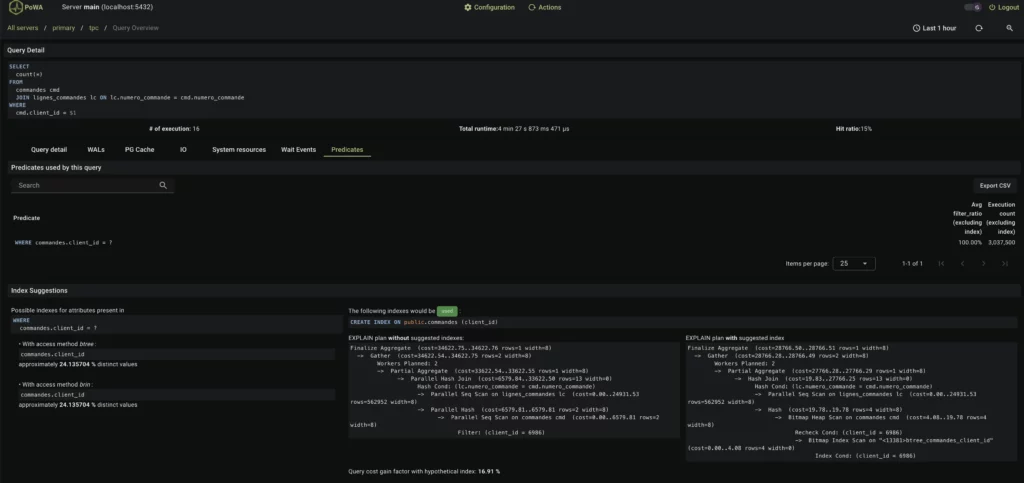 ][5]
][5]
CREATE TABLE shipments_six_months_packed (
  Shipment_Date DATE,
  HS_Code int,
  Weight_KG FLOAT,
  Quantity FLOAT,
  Total_Shipment_Value FLOAT,
  Shipment_Value_Per_Quantity_Unit_USD FLOAT,
  Port_Of_Lading_Country_ISO_Code smallint,
  Port_Of_Unlading_Country_ISO_Code smallint,
  Outbound_Country_ISO_Code smallint,
  Inbound_Country_ISO_Code smallint,
  Quantity_Unit smallint,
  Data_Source smallint,
  consignee_name VARCHAR(500),
  shipper_name VARCHAR(500),
  Transportation_Mode VARCHAR(500),
  Port_Of_Unlading VARCHAR(500),
  Port_Of_Lading VARCHAR(500),
  Product_Description TEXT
);

--<wait to insert data>

SELECT relname,  pg_size_pretty(pg_table_size(oid)) FROM   pg_class where relname like 'shipments%';
            relname            | pg_size_pretty
-------------------------------+----------------
 shipments_six_months          | 9275 MB
 shipments_six_months_c        | 2530 MB
 shipments_six_months_c_packed | 2030 MB
 shipments_six_months_packed   | 7769 MB
(4 rows)
import psycopg2
import time

def execute_and_time_query(conn, query):
    with conn.cursor() as cur:
        start_time = time.time()
        cur.execute(query)
        result = cur.fetchall()  # Or fetchone() if you expect a single row
        end_time = time.time()
        execution_time = end_time - start_time
        return result, execution_time

# Database connection parameters (replace with your actual values)
db_params = {
    'host': 'localhost',
    'database': 'demo',
}

# Example queries
queries = [
"SELECT product_description, sum(total_shipment_value) FROM shipments_six_months_partitioned WHERE outbound_country_iso_code = 'IND' AND inbound_country_iso_code = 'USA' GROUP BY product_description ORDER BY 2 DESC LIMIT 5;",
"SELECT * FROM shipments_six_months_partitioned WHERE weight_kg > 200 AND shipment_date BETWEEN '2024-05-20' AND CURRENT_DATE limit 10;",
"SELECT distinct shipper_name FROM shipments_six_months_partitioned WHERE to_tsvector('english', product_description) @@ to_tsquery('Speaker') AND inbound_country_iso_code = 'USA' AND outbound_country_iso_code IN ('ARG', 'BRA', 'CHL', 'COL', 'ECU', 'GUY', 'PRY', 'PER', 'SUR', 'URY', 'VEN') AND shipper_name <> '' LIMIT 10;",
"SELECT SUM(total_shipment_value) AS total_value FROM shipments_six_months_partitioned WHERE weight_kg > 500 AND quantity >= 10 LIMIT 10;",
"SELECT distinct consignee_name FROM shipments_six_month_partitioneds WHERE to_tsvector('english', product_description) @@ to_tsquery('Speaker & System') AND outbound_country_iso_code = 'USA' AND inbound_country_iso_code IN ('ARG', 'BRA', 'CHL', 'COL', 'ECU', 'GUY', 'PRY', 'PER', 'SUR', 'URY', 'VEN') and consignee_name <> '' LIMIT 10;",
"SELECT shipper_name, SUM(total_shipment_value) as total_value FROM shipments_six_months_partitioned WHERE outbound_country_iso_code = 'USA' GROUP BY shipper_name ORDER BY total_value DESC LIMIT 10;",
]

# Connect to the database
with psycopg2.connect(**db_params) as conn:
    for query in queries:
        print(f"Query: {query}")
        result, execution_time = execute_and_time_query(conn, query)
        # print(f"Result: {result}")  # Print the result (optional)
        print(f"Execution time: {execution_time:.4f} seconds\n")
"""Explore Postgres Performance on 300e6 records"""
from faker import Faker
import random
from datetime import date, timedelta
import gzip
import csv
import requests
import multiprocess
from tqdm import tqdm
import psycopg
from mpire import WorkerPool

fake = Faker()

reader = csv.DictReader(requests.get("https://github.com/etano/productner/raw/refs/heads/master/Product%20Dataset.csv").text.splitlines())
products = [row['name'].split(" - ")[0].replace("'", "") for row in reader]

def weighted_country():
    """Attempt to get a semi-realistic skew"""
    return random.choices(
        ['CHN', 'USA', 'DEU', 'GBR', 'FRA', 'NLD', 'JPN', 'ITA', 'SGP', 'IND', 'KOR', 'ARE', 'IRL', 'CAN', 'HKG', 'CHE', 'MEX', 'ESP', 'TWN', 'BEL', 'POL', 'RUS', 'AUS', 'BRA', 'VNM'],
        [3511248, 3051824, 2104251, 1074781, 1051679, 949983, 920737, 793588, 778000, 773223, 769534, 753000, 731813, 717677, 673305, 661627, 649312, 615829, 536128, 535173, 469264, 465432, 447506, 389625, 374265],
        k=1
    )[0]

companies = [fake.company() for _ in range(50000)]
cities = [fake.city() for _ in range(50000)]

def generate_shipment_record(date=None):
    """Generates a fake shipment record."""
    Total_Shipment_Value = fake.random_number(digits=6)
    Quantity = fake.random_number(digits=4)+1
    return (
        random.choice(products),
        random.choice(companies), #fake.company(),
        'USA' if random.random() > 0.33 else fake.country_code(representation="alpha-3"), # Attempt at a semi-realistic skew
        date or fake.date_between(start_date="-6m", end_date="today").strftime("%Y-%m-%d"),
        weighted_country(), #fake.country_code(representation="alpha-3"),
        random.choice(["Sea", "Air", "Road", "Rail"]),
        random.choice(cities), #fake.city(),
        fake.random_number(digits=10),
        random.choice(cities), #fake.city(),
        fake.random_number(digits=5),
        random.choice(["Pieces", "Kilograms", "Liters"]),
        Quantity,
        Total_Shipment_Value,
        Total_Shipment_Value/Quantity,
        fake.country_code(representation="alpha-3"),
        weighted_country(), #fake.country_code(representation="alpha-3"),
        random.choice(companies), #fake.company(),
        random.choice(companies) #fake.company(),
    )

days = 90
records = int(1.6e6) # int(50e6/days)

with psycopg.connect("dbname=demo") as conn:
    for i in range(days):
        tdate = (date.today() - timedelta(days=180-i)).strftime("%Y-%m-%d")
        with conn.cursor() as cursor, cursor.copy("COPY shipments_six_months FROM STDIN") as copy, WorkerPool(n_jobs=8) as pool:
            for record in pool.imap(generate_shipment_record, [tdate] * records, progress_bar=True, iterable_len=records, progress_bar_options={'desc': tdate}):
                copy.write_row(record)
        conn.commit()
WSGIScriptAlias / /mypath/wsgi.py process-group=ats
WSGIDaemonProcess ats user=ats group=ats python-home=/mypath/.venv python-path=/mypath/ats header-buffer-size=16384 threads=4
WSGIProcessGroup ats
There's a lot in there.
ats, under the user ats (which is important for accessing files and such) then defines the venv and the application path. header-buffer-size=16384 will resolve "Truncated or oversized response headers received from daemon process" errors. Threads adds concurrency.
add_filter( 'big_image_size_threshold', '__return_false' );
add_filter( 'intermediate_image_sizes', '__return_empty_array' );
add_filter('wp_handle_upload', 'resize_and_convert_to_webp');

function resize_and_convert_to_webp($file) {
  if (strpos($file['type'], 'image/') !== 0) {
	return $file;
  }

  $image_editor = wp_get_image_editor($file['file']);

  if (is_wp_error($image_editor)) {
	return $file;
  }
      // Resize the image (adjust dimensions as needed)
  $image_editor->resize(1024, null, true);

  // Save the resized image as WebP
  $webp_path = str_replace(pathinfo($file['file'], PATHINFO_EXTENSION), 'webp', $file['file']);
  $image_editor->save($webp_path, 'image/webp');
  $file['type'] = 'image/webp';
  $file['url'] = str_replace( '.'.pathinfo($file['file'], PATHINFO_EXTENSION), '.webp', $file['url'] );
  $file['file'] = $webp_path;
  return $file;
}
# Maintaining The TaylorNet
Right now the TaylorNet consists of [nattaylor.com][1], [taylorednutrition.com][2], [tayloryachtdesigns.com][3], [r19fleet5.org][4] and a handful of others, which comes with a maintenance burden and a cost. So is sort of a post to myself to remind me why I do certain things.
echo '*	taylornet@nattaylor.com' > /etc/postfix/generic
echo '[hostname]:587    user:pass' > /etc/postfix/sasl_passwd
postmap /etc/postfix/sasl_passwd
sudo chmod 0600 /etc/postfix/sasl_passwd /etc/postfix/sasl_passwd.db

vi /etc/postfix/main.cf
# Add this stuff
relayhost = [hostname]:587
smtp_sasl_auth_enable = yes
smtp_sasl_password_maps = hash:/etc/postfix/sasl_passwd
smtp_sasl_security_options = noanonymous
smtp_use_tls = yes
smtp_tls_CAfile = /etc/ssl/certs/ca-certificates.crt
smtp_generic_maps = hash:/etc/postfix/generic

systemctl restart postfix

sendmail -t <<EOF
To: recipient@example.com
From: sender@example.com
Subject: Email Subject

This is the body of the email.
EOF

mailq
Hopefully this helps someone else too!
# Minimal Analytics for GA4
The standard Google Analytics implementation has always bugged me because requires 2 network calls to load the scripts then the time executing large scripts (98kb then 21kb gzipped, plus some time to execute.) Recently I discovered a very [minimal implementation][1] which is only about 670-bytes after uglification and gzip, which can implemented without a separate network call (except for the actual events). This is probably imperceptible on a fast connection, but a difference of around 700ms mobile.
[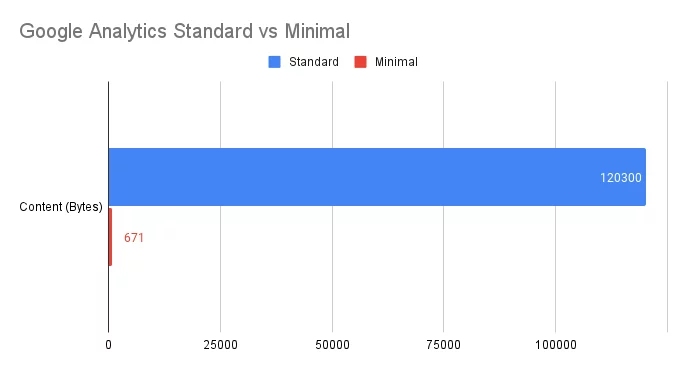 ][2]
[1]: https://gist.github.com/mindplay-dk/8154b3d6583eec36bd82e11c741ca585
[2]: https://nattaylor.com/wp-content/uploads/2024/12/Google-Analytics-Standard-vs-Minimal.webp
# Weekend Tinkering on a Wild Kratts Player
My 4 year old loves the show Wild Kratts, a subset of which is graciously made available for streaming on PBS Kids. After a bit of weekend tinkering, I've made to watch any episode. It was fun, so here's the story.
The subset on PBS rotates every few weeks and my son wants to watch some of the other 100+ episodes. With a quick search, I discovered the [Internet Archive has the full catalog][1], so I ran some Javascript to get all the URLS and slapped together the barebones page below with a player and links to all the content. I loaded that up on my TV browser and we could any episode! This was functional, but not all that satisfying.
[
][2]
[1]: https://gist.github.com/mindplay-dk/8154b3d6583eec36bd82e11c741ca585
[2]: https://nattaylor.com/wp-content/uploads/2024/12/Google-Analytics-Standard-vs-Minimal.webp
# Weekend Tinkering on a Wild Kratts Player
My 4 year old loves the show Wild Kratts, a subset of which is graciously made available for streaming on PBS Kids. After a bit of weekend tinkering, I've made to watch any episode. It was fun, so here's the story.
The subset on PBS rotates every few weeks and my son wants to watch some of the other 100+ episodes. With a quick search, I discovered the [Internet Archive has the full catalog][1], so I ran some Javascript to get all the URLS and slapped together the barebones page below with a player and links to all the content. I loaded that up on my TV browser and we could any episode! This was functional, but not all that satisfying.
[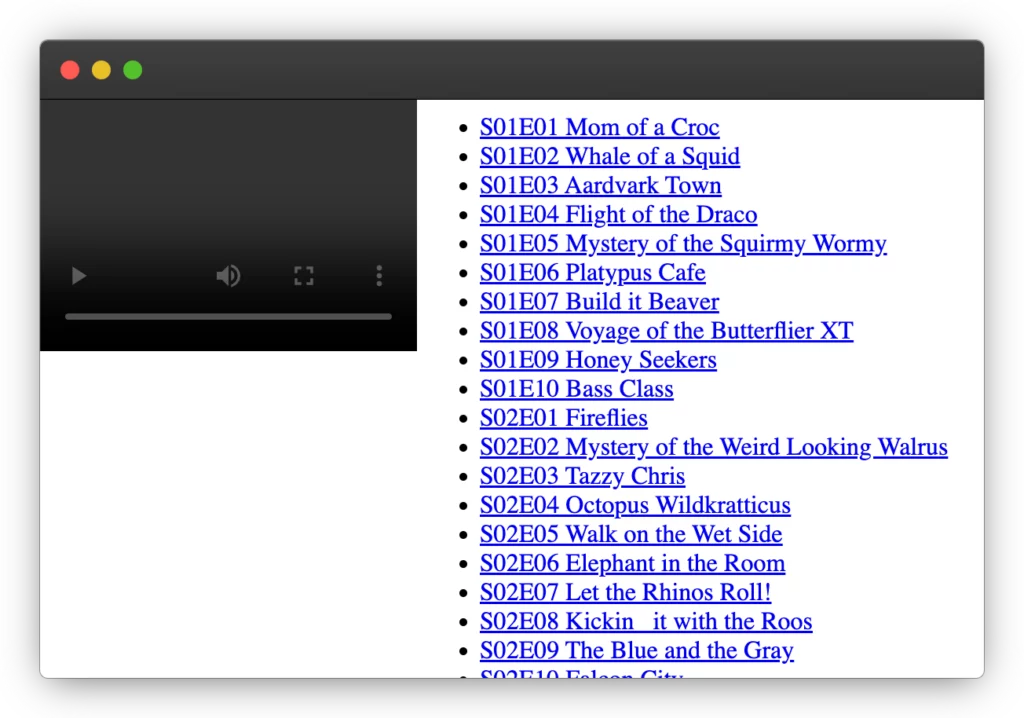 ][2]
You can view source of to see the code, but basically I got the URLs from the following console script and then pasted it into an object.
][2]
You can view source of to see the code, but basically I got the URLs from the following console script and then pasted it into an object.
<code>$$(".directory-listing-table tr").forEach(tr=>if(tr.innerText.includes("ia.mp4")) {console.log(tr.querySelector("a")?.href, tr.querySelector("a")?.innerText)}})</code>
Now it was time to start over engineering! My son likes to watch certain animals and sometimes the titles aren't too obvious, so I ran them through an LLM to extract the animals.
import google.generativeai as genai
from google.ai.generativelanguage_v1beta.types import content

# Create the model
generation_config = {
  "temperature": 1,
  "top_p": 0.95,
  "top_k": 40,
  "max_output_tokens": 8192,
  "response_schema": content.Schema(
    type = content.Type.OBJECT,
    properties = {
      "animals": content.Schema(
        type = content.Type.ARRAY,
        items = content.Schema(
          type = content.Type.STRING,
        ),
      ),
    },
  ),
  "response_mime_type": "application/json",
}

model = genai.GenerativeModel(
  model_name="gemini-2.0-flash",
  generation_config=generation_config,
  system_instruction="List all the animals in the Wild Kratts episode",
)

chat_session = model.start_chat(  history=[])

for ep in eps:
    print(f"{ep['id']} {ep['title']}")
    try:
        response = chat_session.send_message(f"{ep['id']} {ep['title']}")
    except:
        time.sleep(15)
    ep['animals'] = [a.lower() for a in json.loads(response.text)['animals']]
I updated my JSON object and added a search form. Viola! In doing so, I learned about `Array.prototype.some` which made it easy to test the search string for membership in the animal list.
let eps = [{'url': 'https://archive.org/download/wild-kratts-season-1-s-01-e-01-mom-of-a-croc/Wild%20Kratts%20Season%201_S01E01_Mom%20of%20a%20Croc.ia.mp4',
 'id': 'S01E01',
 'title': 'Mom of a Croc',
 'animals': ['crocodile', 'fish', 'birds']}]

# q is a search query
eps.filter(ep=>ep.animals.some(animal=>animal.toLowerCase().includes(q)))
Next I thought it would be neat to use this to display what the most frequent animals were. I had forgotten about using a lambda within defaultdict!
animals =collections.defaultdict(lambda: {'count': 0, 'episodes': list()})
for ep in eps:
    for animal in ep['animals']:
        animals[animal]['count'] += 1
        animals[animal]['episodes'].append(ep['id'])

# ["peregrine falcon", {"count": 5, "episodes": ["S02E10", "S03E01", "S03E02", "S04E10", "S05E01"]}]
When it came to rendering that, I thought it would be neat to vary the colors slightly and it turns out CSS makes that pretty easy now thanks to the new `from` syntax for relative colors.
#animals a {
    background-color: var(--animal-color);
}

#animals a:nth-child(2n) {
    background: oklch(from var(--animal-color) calc(l * 0.975) c h);
}

#animals a:nth-child(3n) {
    background: oklch(from var(--animal-color) calc(l * 0.925) c h);
}
Next up was improving the horrendous UI. This was all designed for the BrowseHere browser app on my TV, which defaults the cursor location to the middle of the screen. So I placed a "Play Random Episode" button and the center, with search right above that. To the left is a "fix" icon which reloads the current video and and "reload" icon which reloads the page. The player is deliberately tiny since BrowseHere automatically detects it and makes it full screen. Perhaps the most interesting learning from all this is that `align-content: center;` now vertically aligns block content now (in some browsers). The future is now! View source of to see the code if you like.
[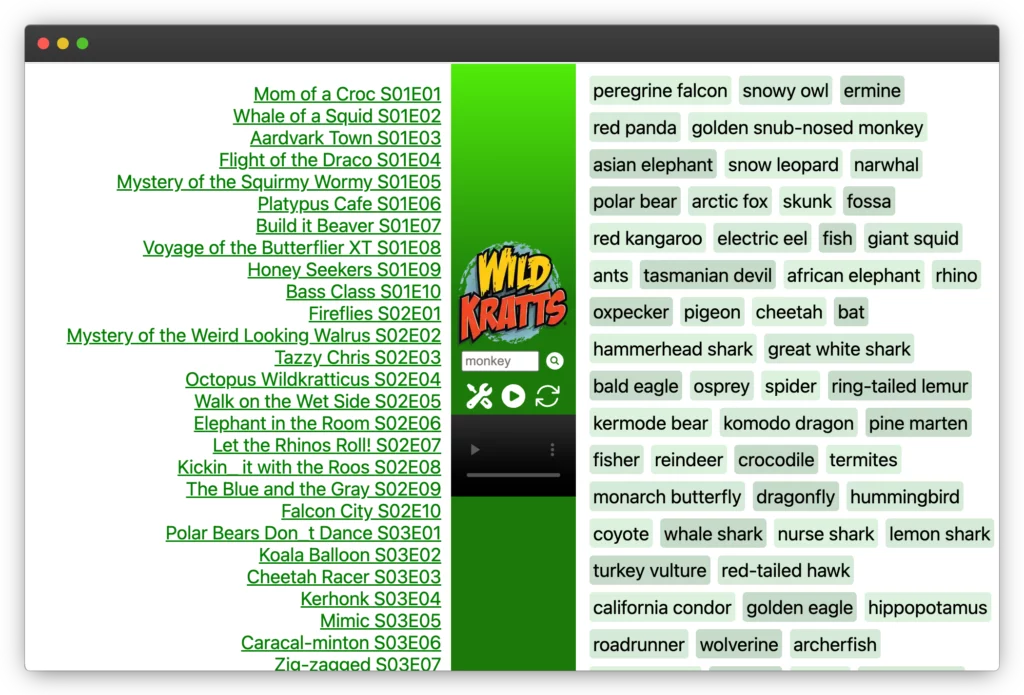 ][3]
Now I faced a different challenge. Each episode was encoded in 1080p and weight almost a gigabyte, which was initially OK but turns out the IA is not able to offer that much bandwidth during primetime. So... I figured I'd transcode the episodes. You can pass URLs to `ffmpeg` so I started there to avoid wasting disk space, but that was only able to achieve about 250kb/s whereas the `ia` binary could get about 5 MB/s. I didn't investigate, and instead just let the 100+ GB catalog download overnight. Then I re-encoded and resized. To prepare a file for streaming, its best to move the metadata to the beginning of file and enable good seeking by adding keyframes every 30 seconds. I tried a few other codes like HVEC and AV1, but they didn't cooperate with BrowseHere, soI used these settings.
][3]
Now I faced a different challenge. Each episode was encoded in 1080p and weight almost a gigabyte, which was initially OK but turns out the IA is not able to offer that much bandwidth during primetime. So... I figured I'd transcode the episodes. You can pass URLs to `ffmpeg` so I started there to avoid wasting disk space, but that was only able to achieve about 250kb/s whereas the `ia` binary could get about 5 MB/s. I didn't investigate, and instead just let the 100+ GB catalog download overnight. Then I re-encoded and resized. To prepare a file for streaming, its best to move the metadata to the beginning of file and enable good seeking by adding keyframes every 30 seconds. I tried a few other codes like HVEC and AV1, but they didn't cooperate with BrowseHere, soI used these settings.
ffmpeg -i "$f" -vf "scale=-2:480" -c:v libx264 -crf 40 -preset medium -c:a aac -b:a 128k -movflags faststart -g 30 -keyint_min 30 -tune animation "enc/$(basename $f .mp4).mp4"
And that's a wrap.
[1]: https://archive.org/download/wild-kratts-season-1-s-01-e-01-mom-of-a-croc
[2]: https://nattaylor.com/wp-content/uploads/2025/02/frame_generic_dark.webp
[3]: https://nattaylor.com/wp-content/uploads/2025/02/frame_generic_dark-1.webp
# Apps
[Android App for Marblehead, MA Tides - Download APK][1]
[Android App for Freegal Streaming though Boston Public Library - Download APK][2]
[1]: https://nattaylor.com/apk/tides.apk
[2]: https://nattaylor.com/apk/FRGL.apk